PrivateSolutions

Zorvex DMA

Zorvex Roblox DMA

Roblox DMA with ESP, an R15 aimbot and triggerbot, confirmed in Rivals, BloxStrike, Da Hood and Counter Blox.

  • From $11.99
  • ESP, Aim, Radar, Trigger
  • Card or crypto
  • Key by email

Zorvex Roblox plans and prices

Prices and stock can change. The live store always shows the current price before you pay. Features checked against Zorvex's own page on 2026-11-07. Open the live store · Product status

Zorvex Roblox DMA features: ESP, Aim, Radar and Trigger

CONFIRMED WORKING GAMES

  • Rivals
  • BloxStrike
  • Sniper Duels
  • Counter Blox
  • Da Hood
  • Tha Bronx
  • Murder Duels
  • Sniper Arena
  • Many more R15 shooters, not tested one by one

AIMBOT

  • Smooth aim assist with configurable smoothing (0-100)
  • Configurable FOV (1-30°)
  • Reaction time delay (0-500ms)
  • Dual keybind system (primary + secondary, each with Hold/Toggle/Always mode)
  • Team check
  • Max FPS control (30-500)
  • Interactive bone selector (15 R15 bones: head, torso, arms, hands, legs, feet)
  • Quick-select buttons (Head, Upper Torso, Lower Torso)
  • Visual bone radius sliders (head, torso, limbs)
  • Draw bone radius overlay
  • Draw FOV circle overlay

TRIGGERBOT

  • Configurable FOV threshold (0.5-15°)
  • Delay before firing (0-300ms)
  • Burst duration (10-200ms)
  • Cooldown between bursts (0-500ms)
  • Team check
  • Same 15-bone R15 selector as aimbot
  • Only fires when crosshair is within bone radius
  • Optional steering toward target
  • Separate FOV, smoothing, and reaction time
  • Draw aim FOV circle (purple)

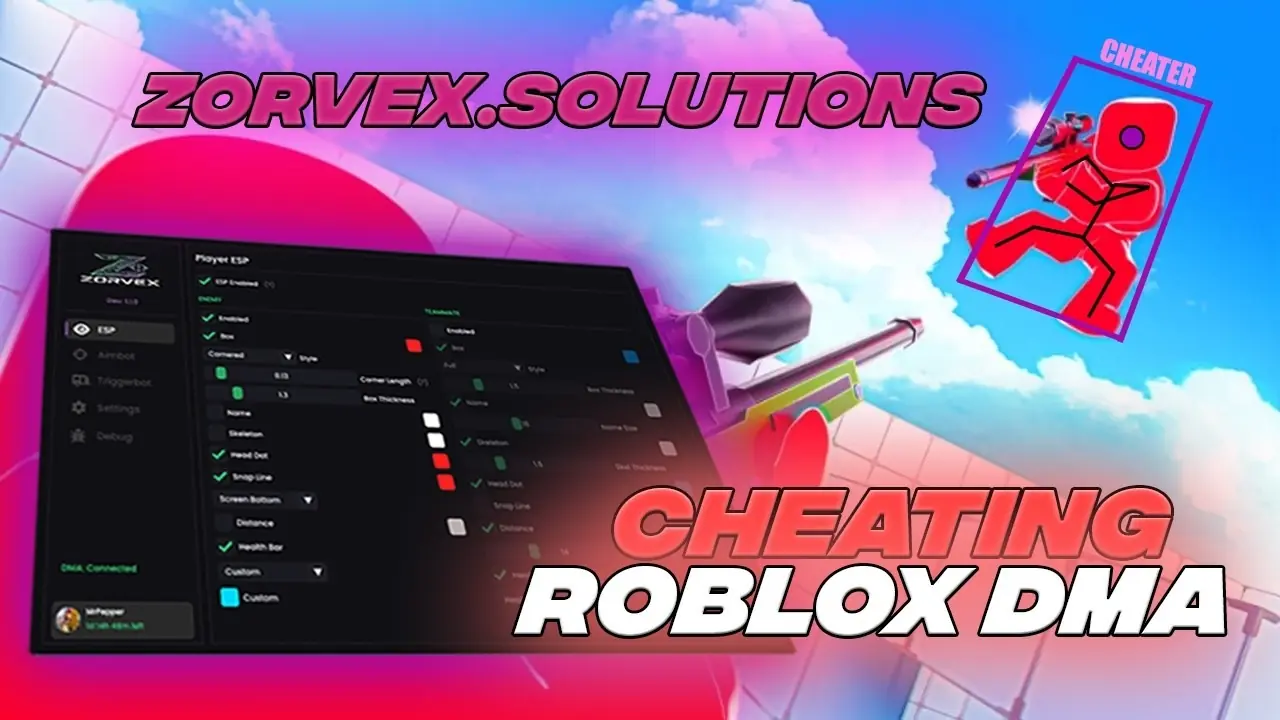
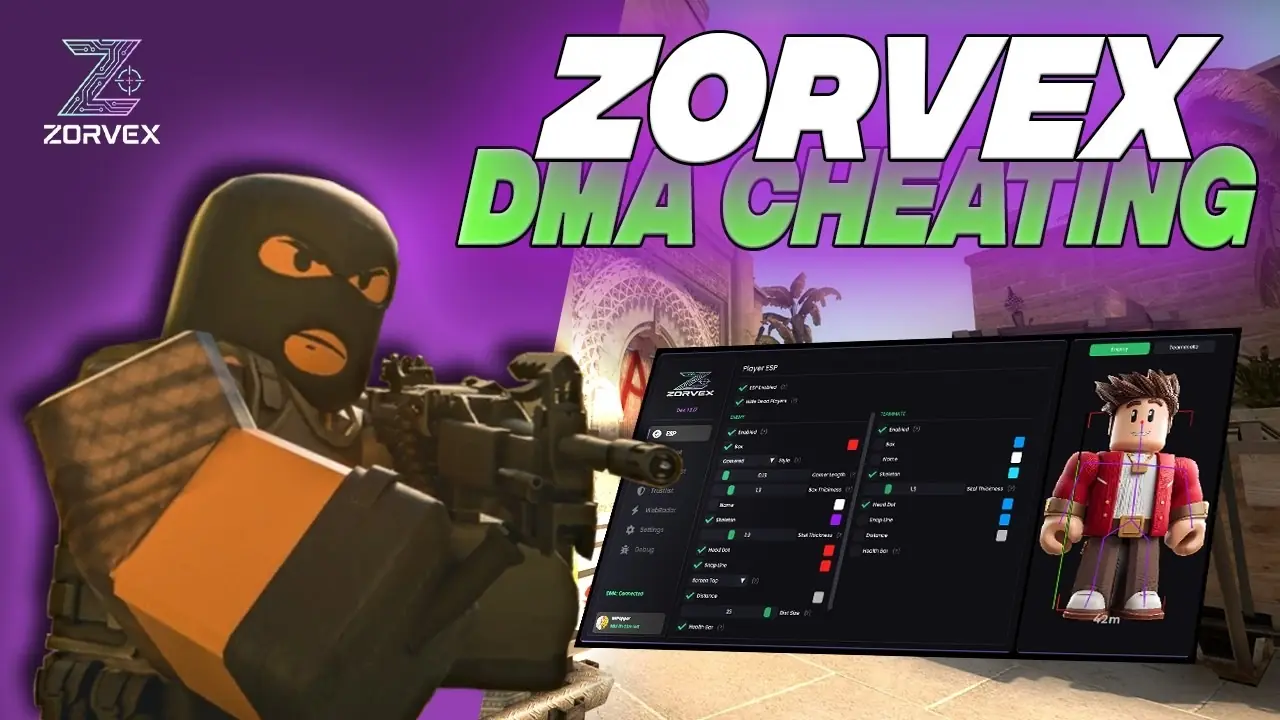
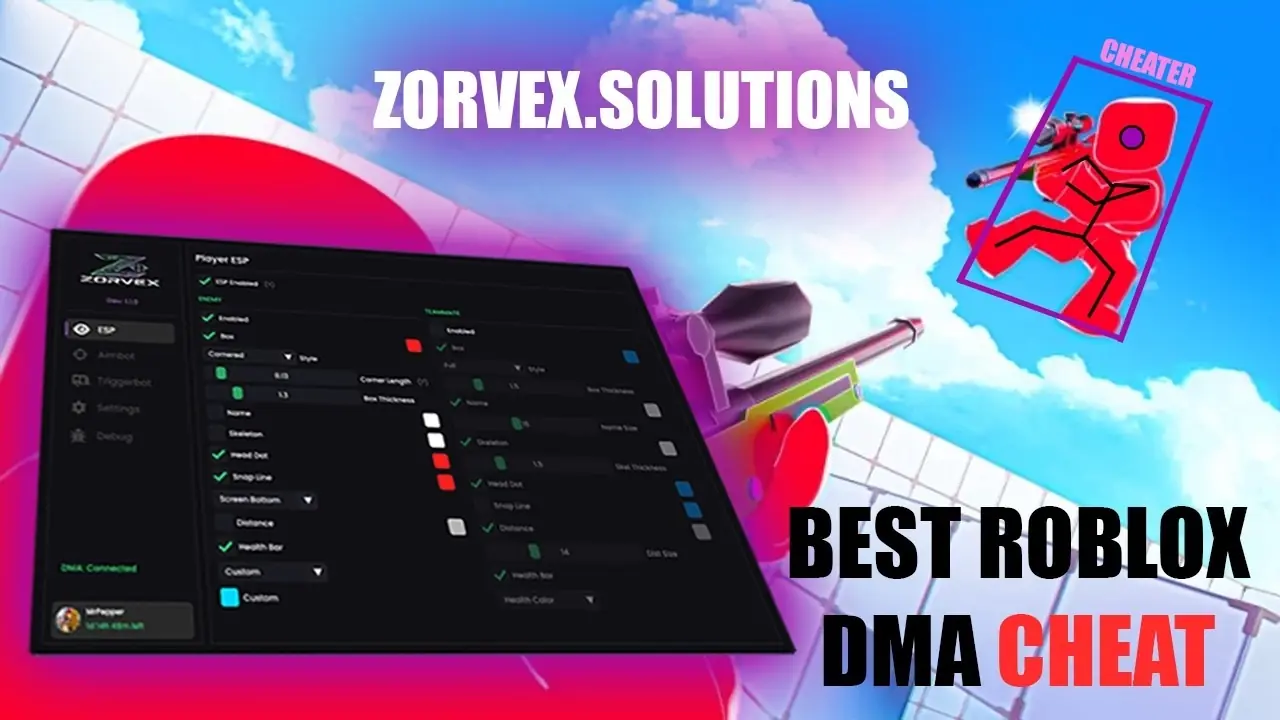
PLAYER ESP

  • Full box style
  • Cornered box style
  • Filled box style with adjustable fill alpha
  • Custom color picker
  • Full R15 skeleton rendering (15 bones with connecting lines)
  • Custom color
  • Head position indicator
  • Custom color
  • Health color mode (green to red)
  • Gradient mode (custom top/bottom colors)
  • Custom solid color mode
  • Name display with adjustable font size (10-24px)
  • Distance display in studs with adjustable font size
  • Snap line to each player, from the bottom, crosshair or top of the screen
  • Arrows at the screen edge for players outside your view
  • AI characters that are not real players, drawn with a [BOT] tag
  • The aimbot and radar use them too
  • Switch them on or off
  • Hide the dead: stops drawing a player the moment they die
  • Distance limit (50-2000 studs)
  • When a game stops sending a player's position, they are drawn grey at their last known spot
  • The aimbot and triggerbot leave them alone
  • Fully independent settings for enemies and teammates
  • Separate color controls for all features

RADAR

  • Drawn straight onto the overlay, square or round
  • Adjustable size, position and range (20-2000 studs)
  • Rotates with your view, or keeps the map fixed
  • Live top-down radar in any browser, on your phone or a second screen
  • Pinch to zoom, and it can rotate with your view
  • Same network, or a public link through a Cloudflare tunnel
  • Optional password, with a button to sign everyone out
  • Update rate from 30 to 240 Hz

TRUSTLIST

  • Mark players as teammates manually for games where Roblox team data is hidden (e.g. BloxStrike, Rivals)
  • Anyone on the trustlist is treated as a teammate by ESP, aimbot, and triggerbot
  • Two list types: persistent Friends list (saved with config) and per-session Temp list
  • Add/remove named players that persist across sessions
  • Saved alongside the active config
  • Middle-Mouse-Button while aiming at a player toggles them on/off the temp list
  • Friends list is never modified by MMB toggle
  • Temp list resets on game close
  • Configurable F-key (F1-F12, default F6) to instantly clear the temp list
  • Shared F5-style source detection (works from main PC or gaming PC)

HARDWARE SUPPORT

  • MAKCU
  • Ferrum
  • KMBox Net
  • KMBox B Pro
  • All major DMA cards, including 35T, 75T, 100T, Captain DMA and RaptorDMA
  • RDMA

MISC

  • FPS counter
  • DMA latency display
  • Customizable position (4 corners)
  • Custom color
  • Overlay FPS limiter (30-500)
  • DMA rate limiter (30-500Hz)
  • Show the overlay on any connected monitor

CONFIGS

  • Save and load named configs
  • Save as new config
  • Delete custom configs
  • Default config protection
  • Active config indicator

How Zorvex Roblox DMA works

Zorvex Roblox DMA runs on a second PC, not on the PC that runs Roblox. A DMA card with firmware, XMA or RDMA links the two PCs, the software reads the game from there and draws the ESP on the second screen or through a fuser, and aim features move your mouse through an input device such as a MAKCU or KMBox.

What you need

New to DMA? Start with the beginner guide · DMA cards · Firmware · DMA guides

Watch Zorvex Roblox DMA in action
Other Roblox DMA options

Compare Zorvex Roblox DMA with every other Roblox product we sell:

All Roblox licenses · Roblox DMA guide · Product status

Zorvex Roblox DMA questions

How much does Zorvex Roblox DMA cost?

7 days: $11.99, 30 days: $17.99, 90 days: $46.99. Prices start at $11.99.

What features does Zorvex Roblox DMA have?

Roblox DMA with ESP, an R15 aimbot and triggerbot, confirmed in Rivals, BloxStrike, Da Hood and Counter Blox. In short: esp, aim, radar and trigger features. The full list is on this page.

Is Zorvex Roblox DMA working right now?

Yes, Zorvex lists it as available today. After big game updates a product can pause for a while; the Product status page shows the latest.

What do I need for Zorvex Roblox DMA?

DMA hardware is required: a second PC plus a DMA card with firmware, or RDMA. Aim and trigger move your mouse through a MAKCU, KMBox, Ferrum or Arduino. After payment you get a Zorvex key by email. Sign in to the Zorvex customer panel, redeem it and download the build on your second PC. One PC per key: Zorvex keys are tied to your hardware. Confirm your exact hardware and firmware with Private Solutions before ordering.

Does Zorvex Roblox DMA come with a DMA card?

No. The key is the software. You also need a DMA card with firmware, XMA or RDMA to link your second PC. We sell all three and can check your PC first.

Which input devices work with Zorvex Roblox DMA?

MAKCU, KMBox and Ferrum are supported for aim input. We sell MAKCU and KMBox-style devices too.

Do I need a fuser for Zorvex Roblox DMA?

No. Without a fuser you watch the ESP on the second PC's screen. A fuser puts it over your game on the main monitor. See our fuser guide, or ask on Discord which fits your monitor.

What happens when Roblox updates?

Zorvex updates the software after game patches. While it is being updated the Product status page shows it as updating, and your key keeps running as normal.

Does Zorvex Roblox DMA work on PS5 or Xbox?

No. DMA works with Windows PCs only.

Can I pay by card?

Yes. Card, Apple Pay and Google Pay through Stripe, or crypto, at checkout. PayPal works in a Discord ticket.

How do I get my Zorvex Roblox DMA key?

Pay by card or crypto at checkout. Your key is sent by email and shows on your My orders page.

Can I get a refund?

Keys cannot be refunded once they are activated. If a key we send will not activate, open a Discord ticket and we replace it.

More Zorvex DMA