PrivateSolutions

Zorvex DMA

Zorvex H1Z1 DMA (ROTK + ZEMU)

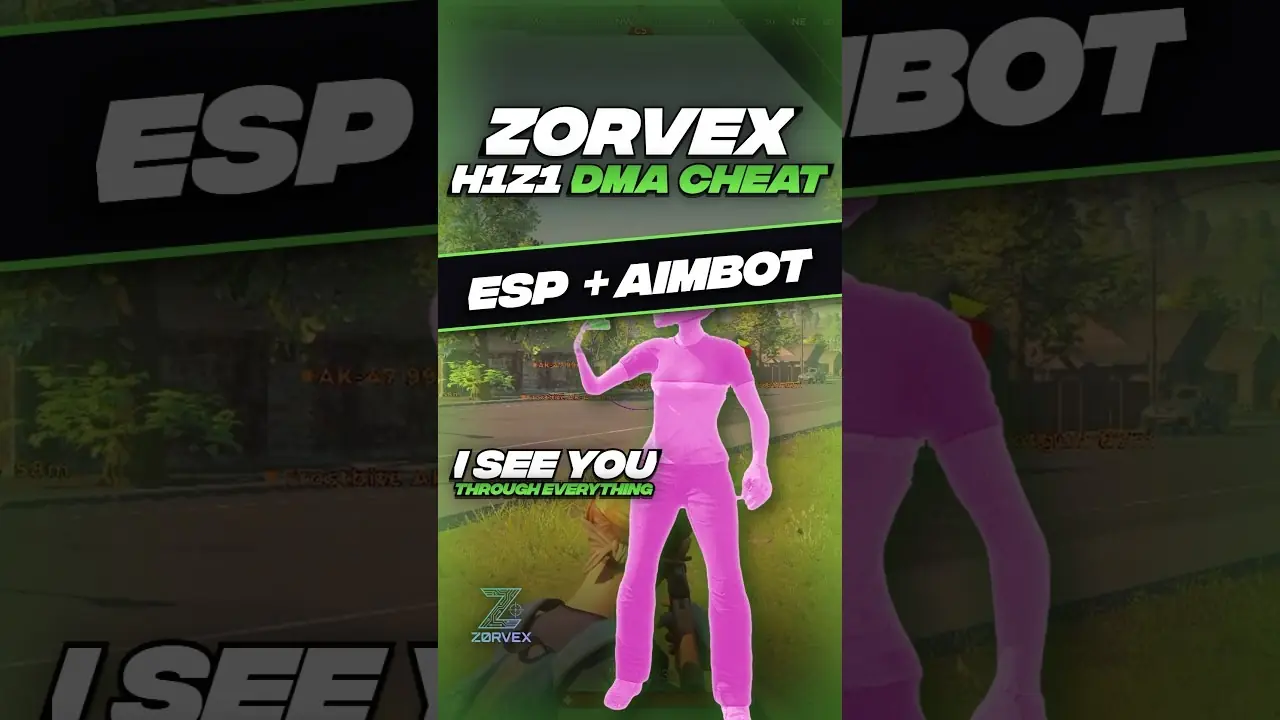
H1Z1 DMA for ROTK (Return of the Kill) + ZEMU: player and loot ESP, aimbot, triggerbot and a full-map web radar.

  • From $15.99
  • ESP, Aim, Radar, Trigger
  • Card or crypto
  • Key by email

Zorvex H1Z1 plans and prices

Prices and stock can change. The live store always shows the current price before you pay. Features checked against Zorvex's own page on 2026-11-07. Open the live store · Product status

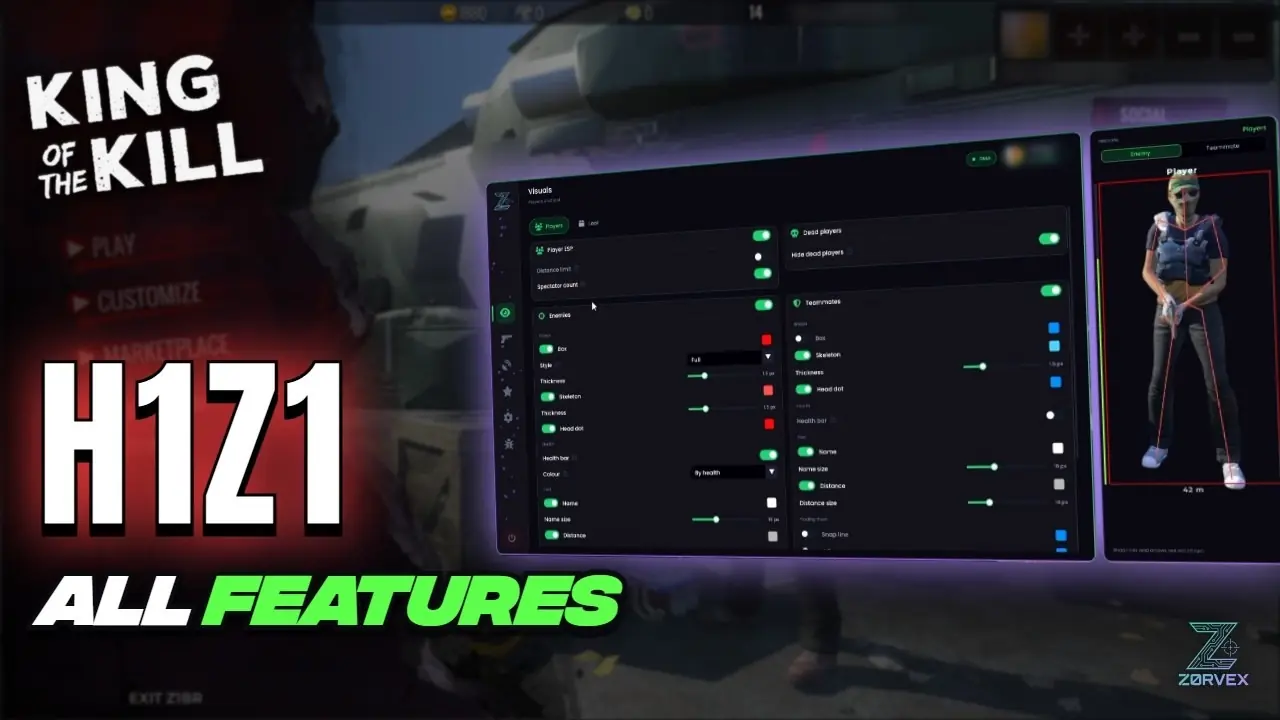
Zorvex H1Z1 DMA (ROTK + ZEMU) features: ESP, Aim, Radar and Trigger

ROTK AND ZEMU

  • Works on ROTK (Return of the Kill, the final 2019 King of the Kill client) and on ZEMU (zemu.uk, the 2017 Pre-Season 3 client)
  • One download for both: it sees which client is running and reads it the right way, with nothing to set
  • ZEMU has its own reader and its own bullet physics, measured on ZEmu, and your shots there are learned apart from ROTK
  • On ZEMU: player ESP, loot ESP, aimbot, triggerbot, clear shot check, squad list and both radars
  • ROTK only: enemy health bars and the spectator count, because the ZEmu server never sends them

AIMBOT

  • Moves your aim through a MAKCU, KMBox, Ferrum or Arduino, so the game only sees a normal mouse
  • Field of view from 1 to 30 degrees, with an optional FOV circle
  • Smoothing from 0 (snaps straight on) to 100 (slow and human)
  • Reaction delay of 0 to 500 ms before locking a new target
  • Two aim keys, each Hold, Toggle or Always
  • The second key and close range (3 to 100 m) each carry their own field of view, smoothing, reaction and bones
  • Weapon profiles: one set for every gun, per class or per gun, following the gun in your hands
  • Aims from the screen centre and stays right on any resolution: 16:9, 21:9 or stretched
  • 16 bones, neck included, picked by region or one by one on the player model
  • Hit zone size for the head, torso and limbs
  • Bone radius overlay that draws each hit zone
  • Bullet prediction for travel time and drop, learned from your own shots
  • Prediction dot: where to aim so the bullet meets their head
  • Clear shot check: only aims at bones with nothing in the way
  • Never aims at anyone on your squad list

TRIGGERBOT

  • Clicks the moment your crosshair crosses a target bone
  • Its own key, field of view (0.5 to 15 degrees) and list of bones that count
  • Delay before the click, how long each click is held and the gap between bursts
  • Keeps firing while you stay on target, or aim assist only with no clicks
  • Per gun or per class settings
  • Built-in aim assist with its own field of view, smoothing and reaction
  • Clear shot check, and never fires at anyone on your squad list

AUTO HELMET AND ARMOUR

  • When your helmet or vest breaks, the spare in your first inventory slot goes on by itself
  • Opens the inventory, clicks that slot and closes it again, through your mouse controller
  • Set the slot once: rest your cursor on it and the overlay shows the pick live
  • Helmet and vest each on or off, plus a swap key to do it yourself
  • Aim and trigger pause while it swaps
  • Needs your inventory on a second key in game: middle mouse, mouse 4 or mouse 5

SQUAD LIST

  • Friends list by name, saved with your config
  • Point at a player and tap the trust key to add them for this session, tap again to remove
  • Clear key to empty the session list between matches
  • Add anyone from the list of players on the server, no typing
  • Squad members get teammate colours, show as friendly on both radars and are skipped by aim

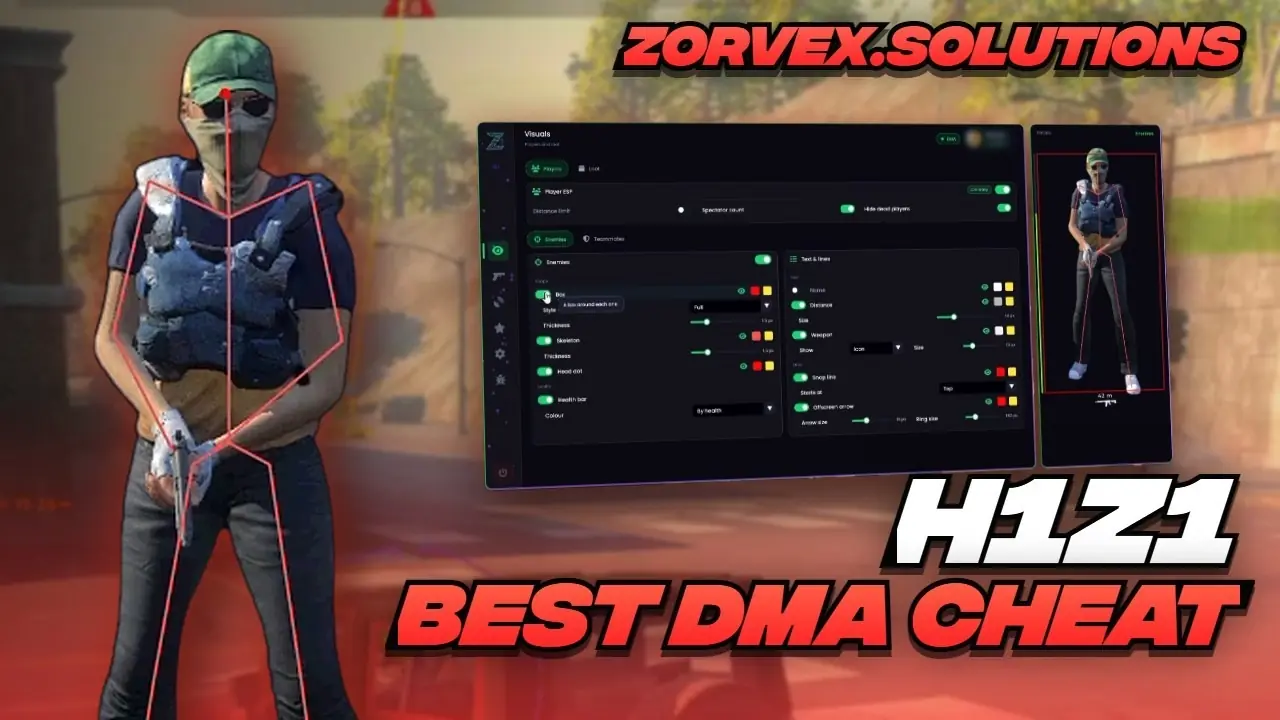
PLAYER ESP

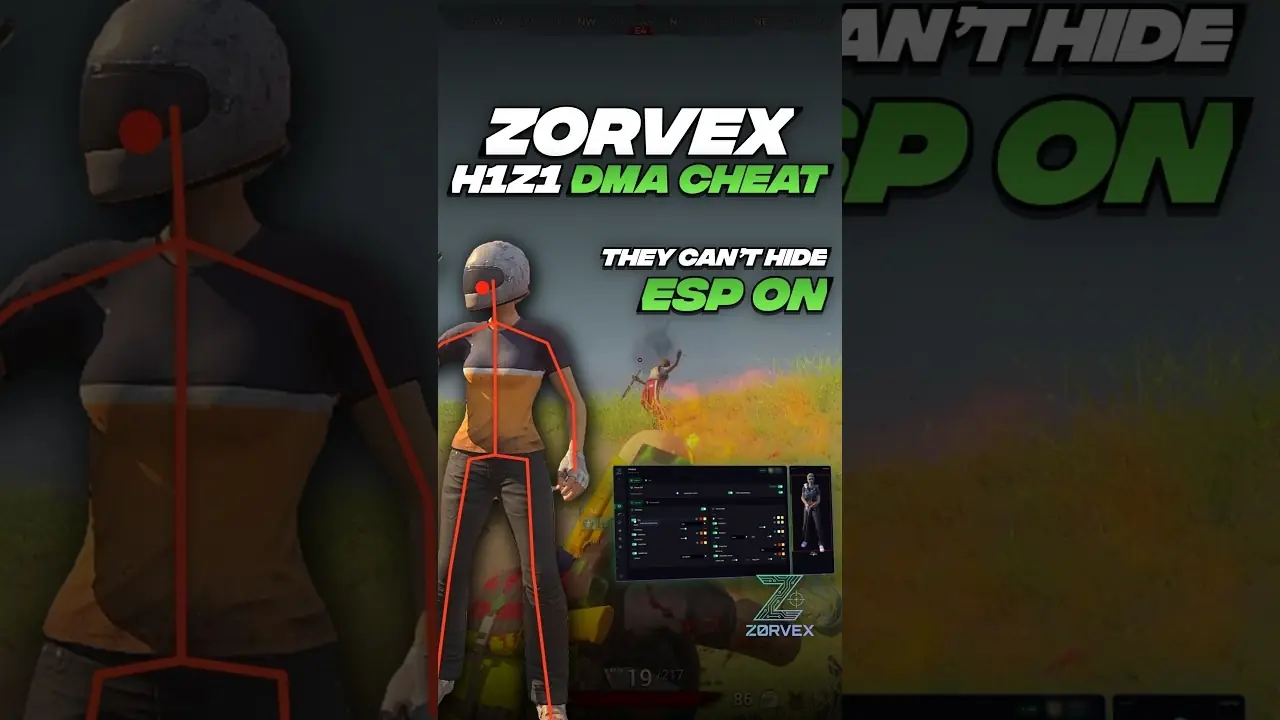
  • Box: full, corners or filled, with thickness, corner length and fill opacity
  • Skeleton with its own thickness
  • Head dot
  • Health bar coloured by health, a gradient or one fixed colour (ROTK)
  • Name and distance, each with its own size
  • The gun in their hands: its name, its icon or both
  • Players your camera can see switch to their own colour
  • Snap lines from the bottom, the crosshair or the top of the screen
  • Offscreen arrows that point at players you cannot see, with size and ring distance
  • Distance limit up to 2000 m
  • Hide dead players' bodies

LOOT ESP

  • 79 items in eight categories: weapons, ammo, medical, armour, gear, throwables, vehicles and crates
  • Every item with the game's own picture, its own switch and its own reach
  • Each category in its own colour and range: items out to 1000 m, vehicles and crates out to 2000 m
  • Backpacks and armour by type, and every vehicle
  • Clothing on one switch, so the junk stays hidden
  • Search any item, show or hide a whole category
  • Piles stack into one label
  • Picture, name and distance each on or off, with text size and a toggle key

SPECTATOR COUNT (ROTK)

  • How many are watching, read from the server and shown at the top of your screen

WEB RADAR

  • The full King of the Kill map in any browser, on your phone or a second screen
  • Every player with the way they face, teammates and enemies in their own colours, dead players marked
  • Loot on the map with item pictures, plus an item list with search, sorted by distance
  • Tap a player or an item for its distance, height and status
  • Follow a player, zoom and pan, or rotate the map with them
  • Local network, or a public link through Cloudflare, with an optional password

OVERLAY RADAR

  • The King of the Kill map under the dots, with map opacity
  • Loot with item pictures, using your loot ESP filters
  • Square or circle, any size, dragged anywhere on screen
  • Range out to 2000 m, rotate with your view or keep north up
  • Tracers to every enemy: solid, dashed or dotted
  • Follows your camera while you are dead or spectating

OVERLAY AND PERFORMANCE

  • Frame rate and DMA latency readout
  • Overlay frame cap and read rate control
  • Game resolution setting and monitor choice

CONTROLS

  • Every key in the menu works from either PC, menu key included
  • Hide the mouse side buttons from the game
  • Find device and a circle test for your mouse controller

HARDWARE

  • MAKCU
  • KMBox Net
  • KMBox B Pro
  • Ferrum
  • Arduino
  • All major DMA cards, including 35T, 75T, 100T, Captain DMA and RaptorDMA

CONFIGS

  • Create, save, load and delete named configs
  • Protected default config
  • Saves as you change things
  • Updates itself on launch

How Zorvex H1Z1 DMA (ROTK + ZEMU) works

Zorvex H1Z1 DMA (ROTK + ZEMU) runs on a second PC, not on the PC that runs H1Z1(ROTK). A DMA card with firmware, XMA or RDMA links the two PCs, the software reads the game from there and draws the ESP on the second screen or through a fuser, and aim features move your mouse through an input device such as a MAKCU or KMBox.

What you need

New to DMA? Start with the beginner guide · DMA cards · Firmware · DMA guides

Watch Zorvex H1Z1 DMA (ROTK + ZEMU) in action
Other H1Z1(ROTK) DMA options

Compare Zorvex H1Z1 DMA (ROTK + ZEMU) with every other H1Z1(ROTK) product we sell:

All H1Z1(ROTK) licenses · H1Z1 DMA guide · Product status

Zorvex H1Z1 DMA (ROTK + ZEMU) questions

How much does Zorvex H1Z1 DMA (ROTK + ZEMU) cost?

7 days: $15.99, 30 days: $25.99, 90 days: $58.99. Prices start at $15.99.

What features does Zorvex H1Z1 DMA (ROTK + ZEMU) have?

H1Z1 DMA for ROTK (Return of the Kill) + ZEMU: player and loot ESP, aimbot, triggerbot and a full-map web radar. In short: esp, aim, radar and trigger features. The full list is on this page.

Is Zorvex H1Z1 DMA (ROTK + ZEMU) working right now?

Yes, Zorvex lists it as available today. After big game updates a product can pause for a while; the Product status page shows the latest.

What do I need for Zorvex H1Z1 DMA (ROTK + ZEMU)?

DMA hardware is required: a second PC plus a DMA card with firmware, or RDMA. Aim and trigger move your mouse through a MAKCU, KMBox, Ferrum or Arduino. After payment you get a Zorvex key by email. Sign in to the Zorvex customer panel, redeem it and download the build on your second PC. One PC per key: Zorvex keys are tied to your hardware. Confirm your exact hardware and firmware with Private Solutions before ordering.

Does Zorvex H1Z1 DMA (ROTK + ZEMU) come with a DMA card?

No. The key is the software. You also need a DMA card with firmware, XMA or RDMA to link your second PC. We sell all three and can check your PC first.

Which input devices work with Zorvex H1Z1 DMA (ROTK + ZEMU)?

MAKCU, KMBox and Ferrum are supported for aim input. We sell MAKCU and KMBox-style devices too.

Do I need a fuser for Zorvex H1Z1 DMA (ROTK + ZEMU)?

No. Without a fuser you watch the ESP on the second PC's screen. A fuser puts it over your game on the main monitor. See our fuser guide, or ask on Discord which fits your monitor.

Can my team see the Zorvex H1Z1 DMA (ROTK + ZEMU) radar?

Yes. It has a web radar you can open in a browser and share, so your team sees it on their own screens.

What happens when H1Z1(ROTK) updates?

Zorvex updates the software after game patches. While it is being updated the Product status page shows it as updating, and your key keeps running as normal.

Does Zorvex H1Z1 DMA (ROTK + ZEMU) work on PS5 or Xbox?

No. DMA works with Windows PCs only.

Can I pay by card?

Yes. Card, Apple Pay and Google Pay through Stripe, or crypto, at checkout. PayPal works in a Discord ticket.

How do I get my Zorvex H1Z1 DMA (ROTK + ZEMU) key?

Pay by card or crypto at checkout. Your key is sent by email and shows on your My orders page.

Can I get a refund?

Keys cannot be refunded once they are activated. If a key we send will not activate, open a Discord ticket and we replace it.

More Zorvex DMA