
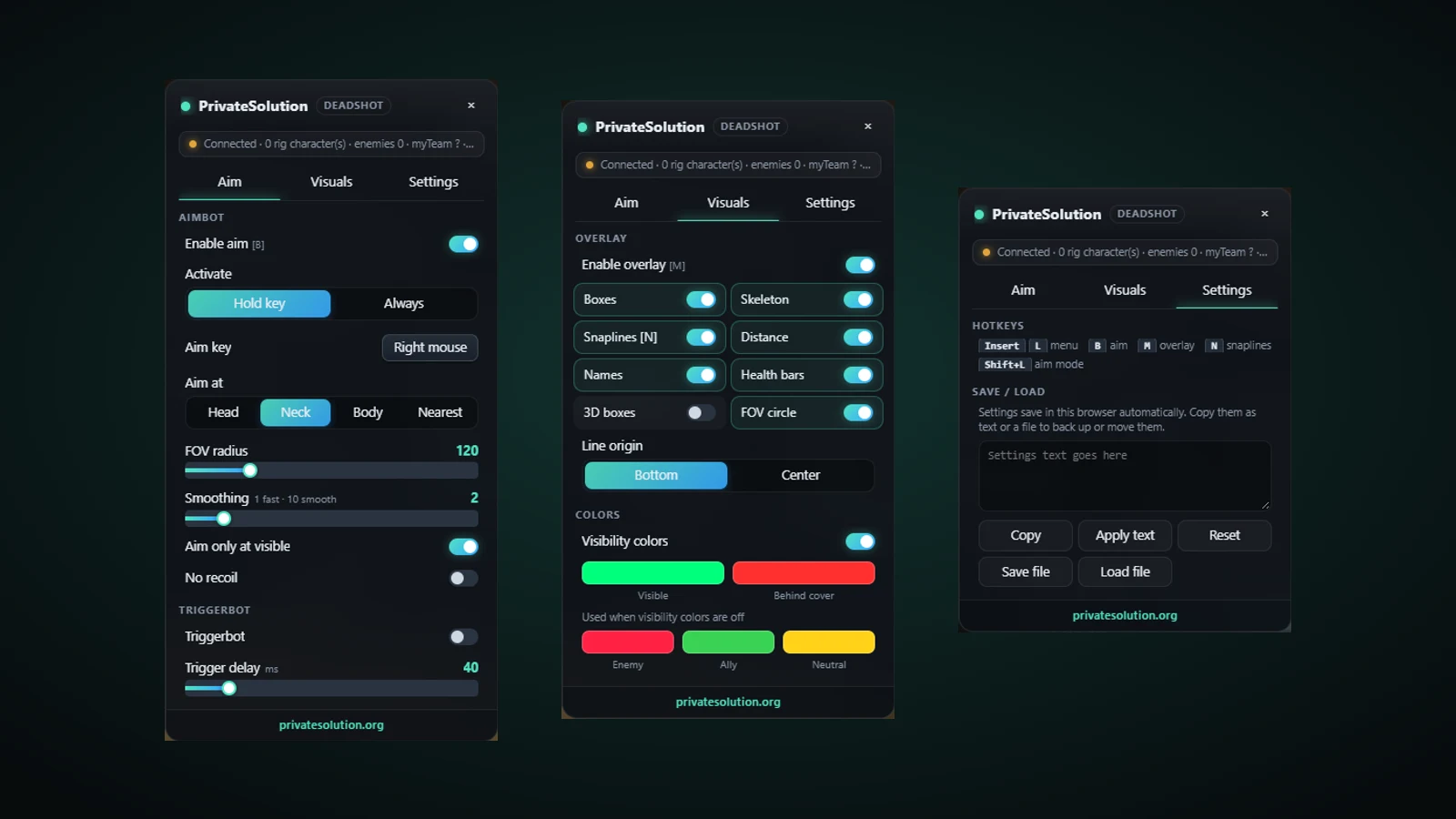
Deadshot.io aim assist, ESP and triggerbot
Deadshot.io Aim + ESP
See the whole field and hit what you aim at.
Deadshot draws a clean overlay over every other player: a marker, a line, the distance, a health bar and their name. It colours each one by line of sight, so you know at a glance who is in the open and who is behind cover, and it drops a player off the overlay the moment they go down.
Set the pointer to follow the body part you choose, inside a circle you size, with smoothing to taste and a hold-or-always switch. When your pointer is on someone it fires for you, after a delay you set. One menu, three tabs, and you are playing.
- From $1.99
- Aim + ESP + triggerbot
- Windows app, v2.5.0
- No DMA card needed
Everything in Deadshot.io Aim + ESP
AIM 6
- Aim assist on hold or always on, with the aim key you choose
- Pick the aim point: head, neck, body or nearest
- FOV radius slider and smoothing from 1 (fast) to 10 (smooth)
- Aim only at players you can actually see
- Dead players are never aimed at
- No recoil
ESP 7
- Player boxes, skeletons and optional 3D boxes
- Snaplines, starting from the bottom or the centre of the screen
- Names, distance and health bars over every player
- Visibility colours: one colour in line of sight, another behind a wall
- Separate enemy, ally and neutral colours
- FOV circle on screen
- Dead players drop their box straight away
TRIGGERBOT 2
- Fires the moment your pointer is on a target
- Trigger delay you set in milliseconds
MENU 4
- Three tabs: Aim, Visuals and Settings
- Hotkeys: menu (Insert or L), aim (B), overlay (M), snaplines (N), aim mode (Shift+L)
- Settings save automatically; copy them as text or save them to a file
- Reset everything back to the defaults in one click
Watch it in action
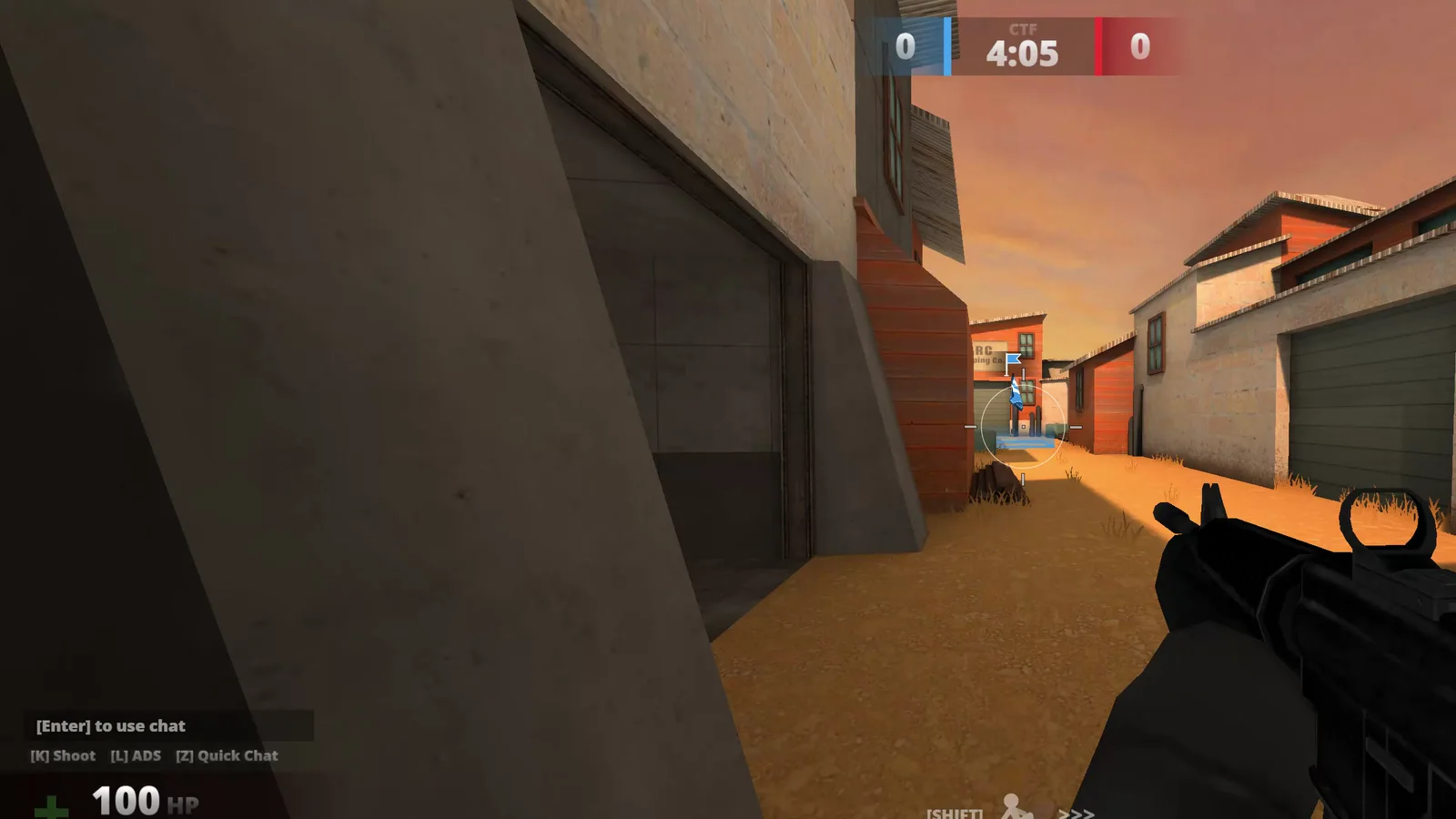
Our own gameplay, recorded 2026-11-02.
Screenshots
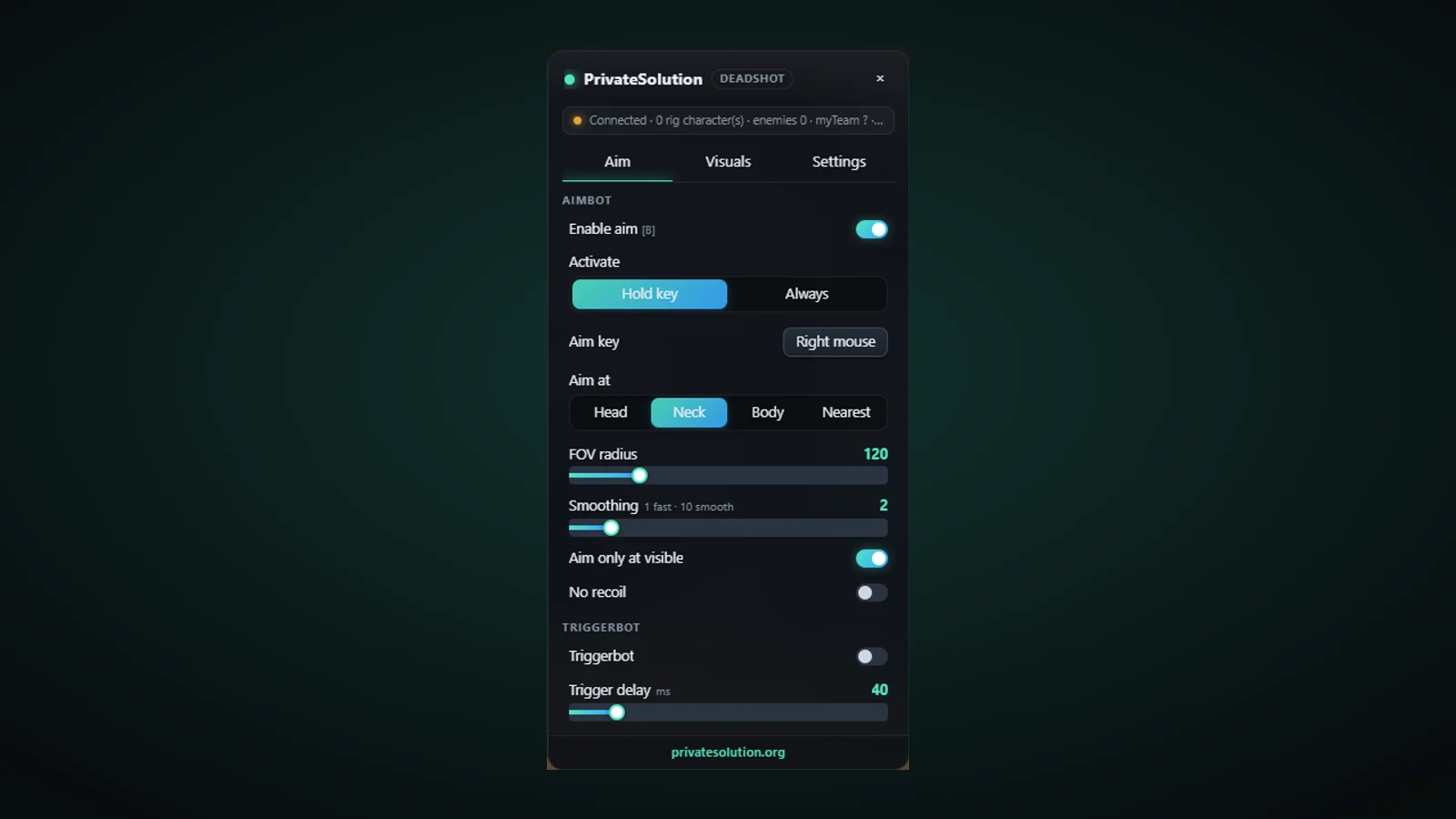
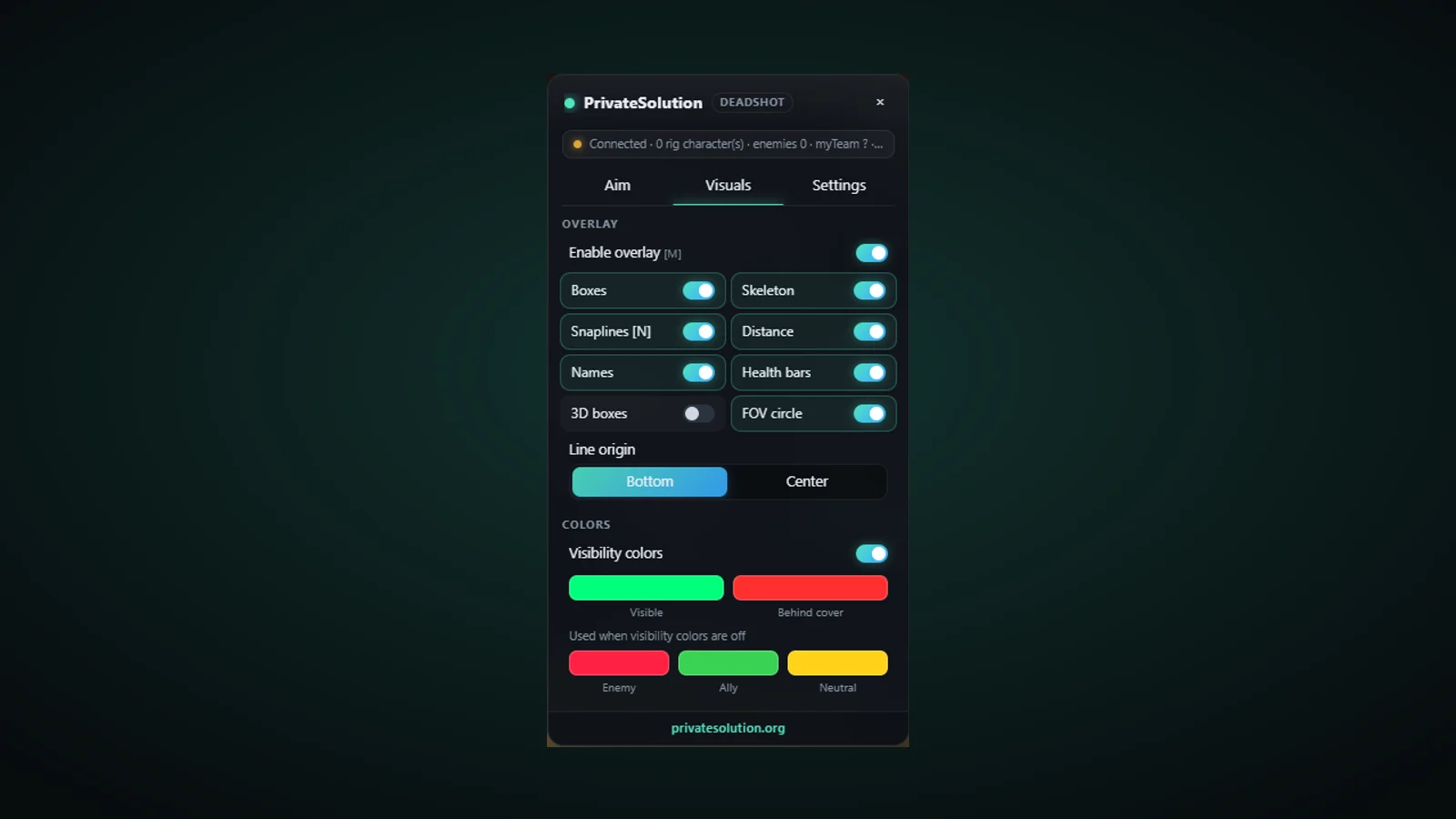
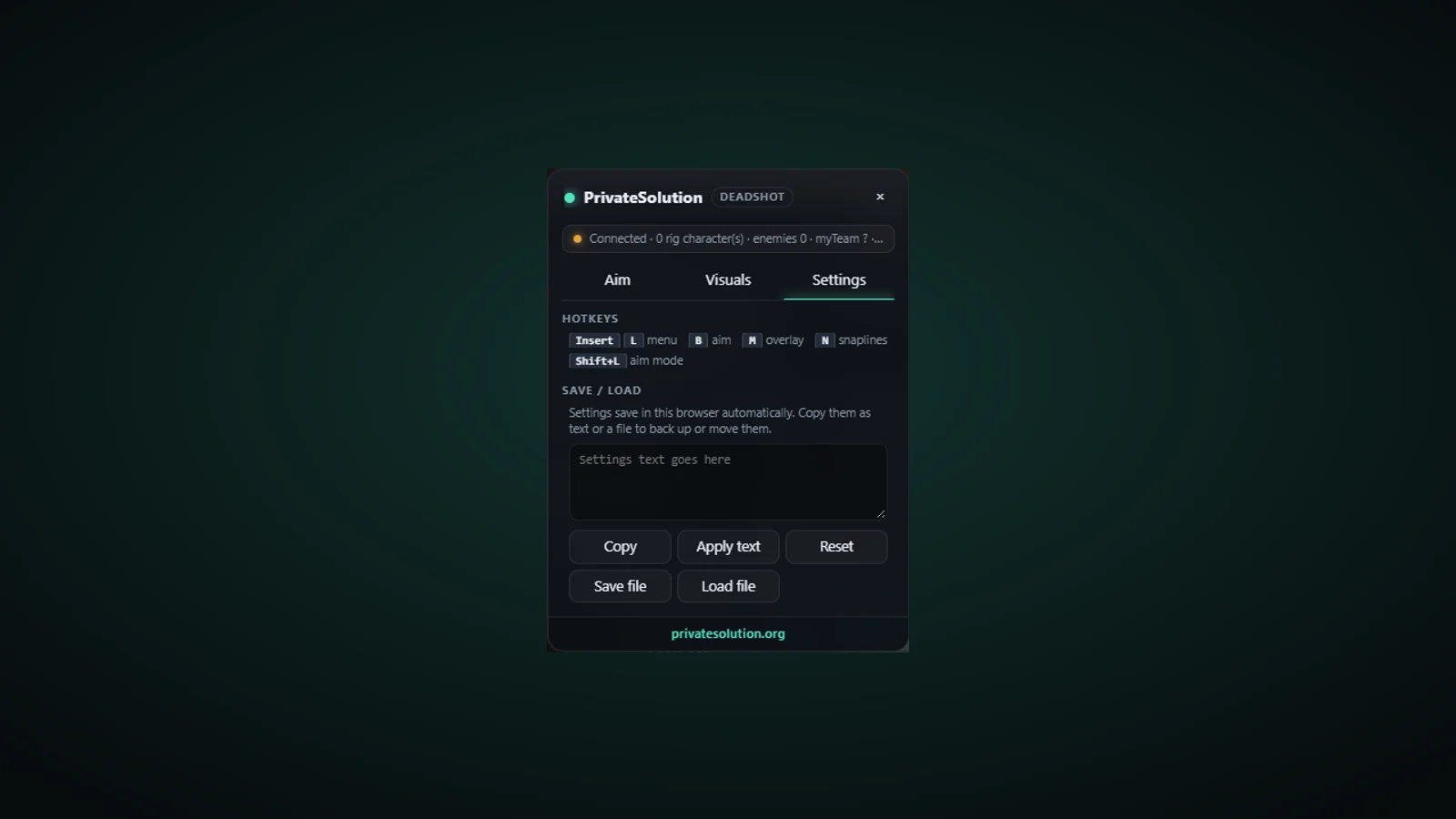
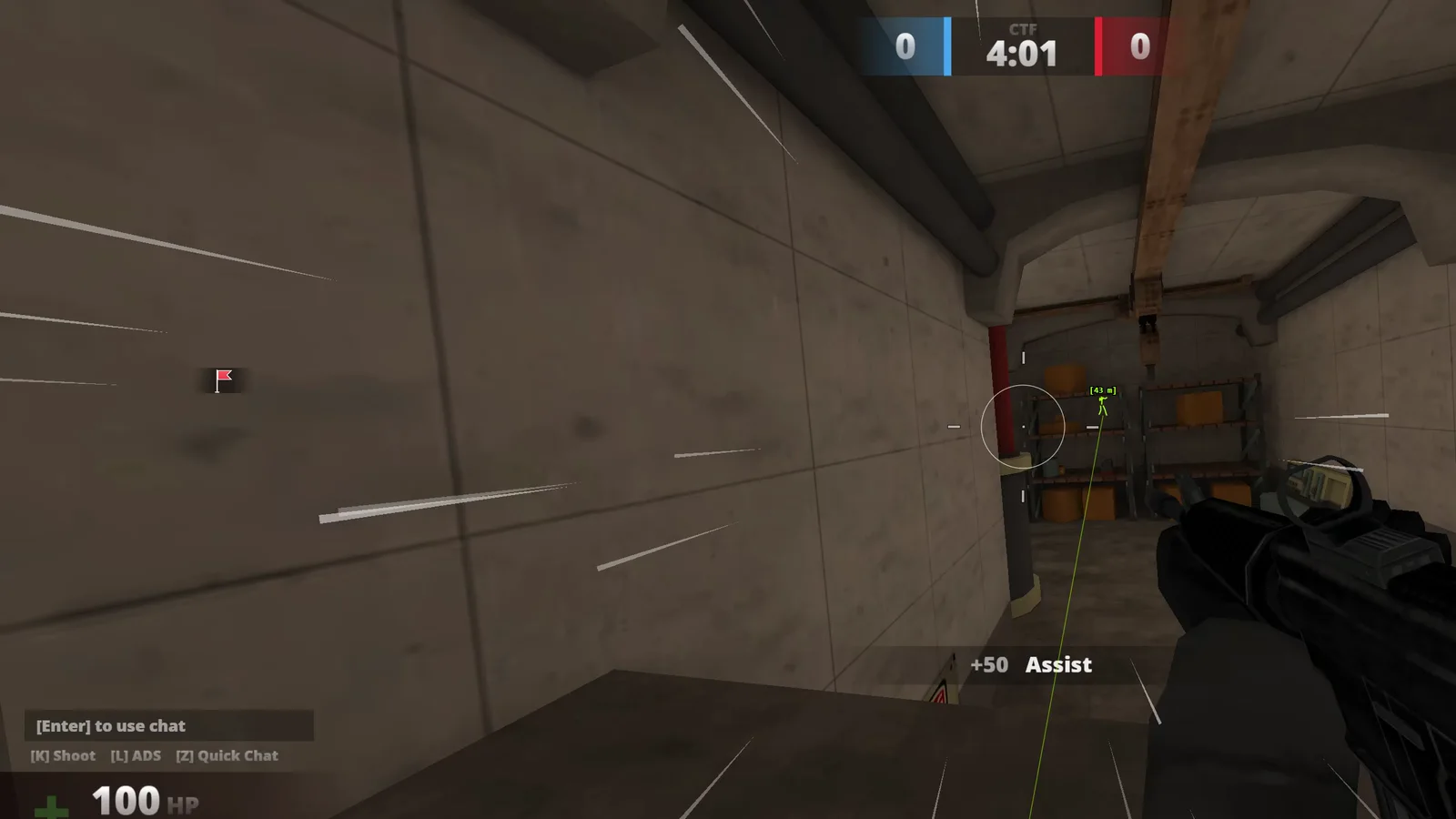
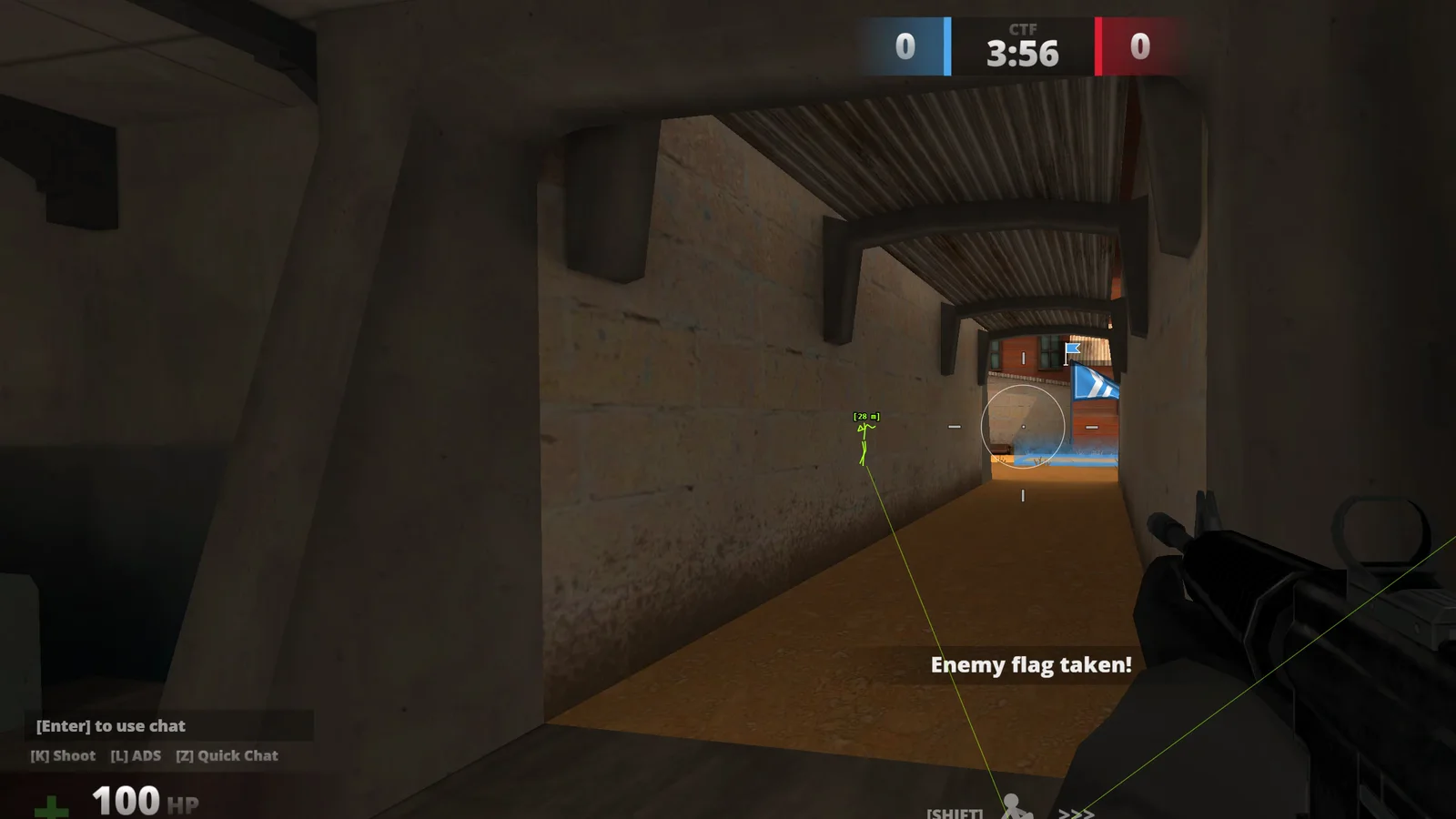
The app's own menu, version 2.5.0.
How to start
Buy and get your key
Buy the duration you want and get your key.
Paste your key
Open Deadshot and paste the key.
Set it up
Open the menu and set your parts, smoothing and delay across the three tabs.
Play
Launch the game and play.
Questions
What do you sell for Deadshot.io?
One Windows app, Deadshot.io Aim + ESP, made by Private Solutions. It has player ESP, aim assist, a triggerbot and a three-tab menu.
What does the ESP show?
Boxes, skeletons, snaplines, distance, health bars and names. Visibility colours show one colour for players in line of sight and another for players behind a wall. Dead players drop their box.
How does the aim assist work?
Hold a key (right mouse by default) or leave it always on. Pick head, neck, body or nearest, set the FOV radius and smoothing from 1 to 10, and aim only at visible players. Dead players are never aimed at.
Is there a triggerbot?
Yes. It has its own switch and a delay you set in milliseconds.
How much does it cost?
1 hour $1.99, 1 day $3.50, 1 week $5.99, 1 month $12.99, 3 months $22.99, and lifetime $49.99 with automatic updates.
Can I try it first?
There is no free trial, but a 1-hour test key costs $1.99, so you can try every feature before you pick a longer plan.
What do I need?
A Windows desktop with Google Chrome and a valid licence key. You need no DMA card, no second PC and no extra hardware.
What happens after I pay?
Your PS- key is emailed to you with a link to the setup guide. If anything does not work, open a ticket in our Discord and a real person helps you.
Is it risk-free?
We update the tool when Deadshot updates. No hack is risk-free, so play on an account you can afford to lose, and ask us on Discord for the current status before you buy.