Home / Wardogs DMA / Wardogs cheats Wardogs cheats
Wardogs (War Dogs) cheats and hacks for PC: DMA and gaming-PC software
Wardogs (also searched as War Dogs) combines 100-player infantry firefights with tanks, helicopters, FOBs and mortars across Lonestar, Valkyra and Manticore. Compare BellTower Wardogs on your gaming PC (from $1.99) against six two-PC DMA builds: Pure Wardogs DMA (from $4.99), Poseidon (from $4.99), Sensory (from $5), DIRECT (from $10), Caruso (from $13.99) and Zorvex (from $14.99).
Faction-aware player ESP (Lonestar, Valkyra and Manticore) Ballistic aimbot, visibility checks and vehicle targeting Mortar prediction, artillery alerts and shareable web radars 1-hour PC software trial key (BellTower) or two-PC DMA from 1 day (Pure, Sensory) Also searched as: war dogs cheats, wardogs hacks, war dogs hacks pc, wardogs dma cheats, buy wardogs cheats.
Gaming-PC software vs two-PC DMA for Wardogs (War Dogs) With no DMA card, BellTower Wardogs runs directly on your Windows 11 gaming PC from $1.99 for 1 hour, including ballistic aim, faction ESP, object ESP, no recoil and a mortar radar.
With a DMA card or RDMA and a second PC, Pure Wardogs DMA (from $4.99), Poseidon (from $4.99), Sensory (from $5), DIRECT (from $10), Caruso (from $13.99) and Zorvex (from $14.99) keep the client off your gaming PC.
Wardogs cheats: options and prices
BellTower Software: runs on your gaming PC. No DMA card or second PC needed.
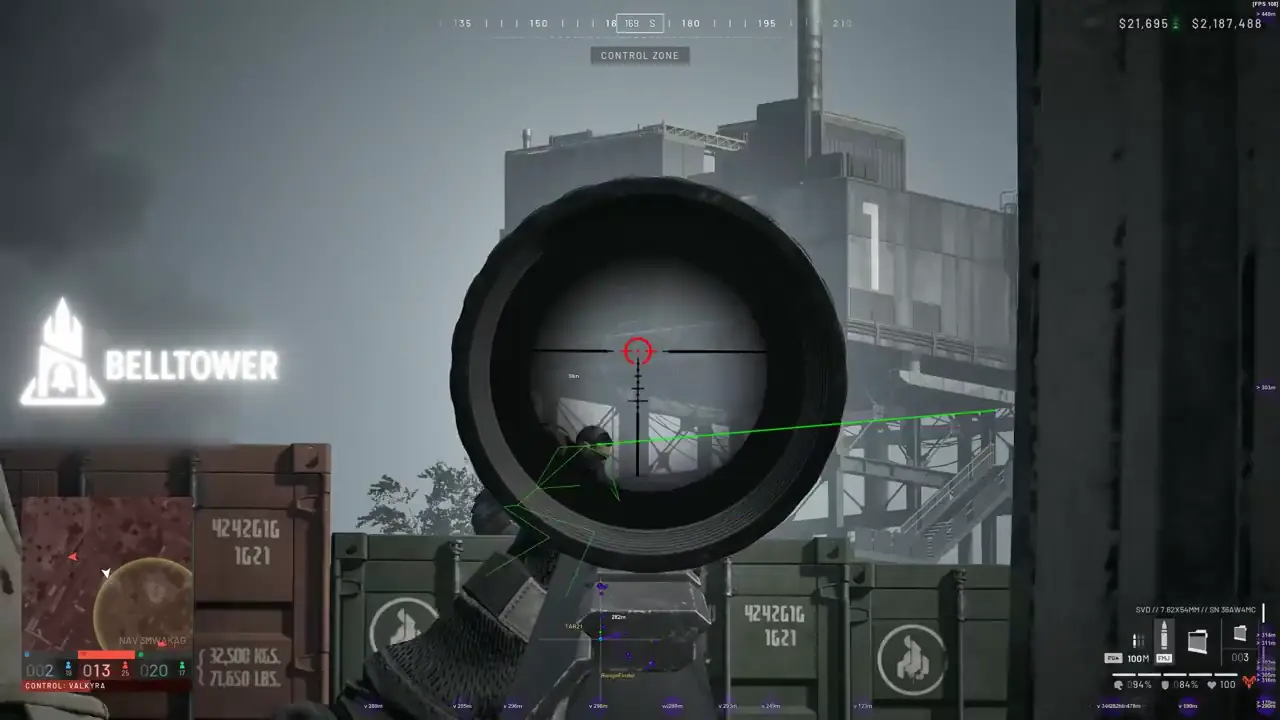
Enable / Disable Aim Lock Ballistic Prediction Skeleton Overlay Enable / Disable Mortar Radar No Recoil From BellTower's feature list.
1 hour $1.99 1 day $3.99 7 days $9.99 30 days $29.99 90 days $74.99 See details and buy
Fecurity Software: runs on your gaming PC. No DMA card or second PC needed.
Aim assist with your own aiming settings Set the maximum aiming speed Choose and set your aim points Tries to calculate bullet ballistics Shows enemy positions and gadgets From Fecurity's feature list.
1 day $3.00 7 days $15.00 30 days $30.00 See details and buy
Bleak Software: runs on your gaming PC. No DMA card or second PC needed.
Aim Mouse: Primary / Secondary keybinds Boxes: Full / Corner / 3D / None 2D radar Weapons: L81 / SPH-2 From Bleak's feature list.
1 day $2.99 7 days $14.99 30 days $29.99 See details and buy
Disconnect Software: runs on your gaming PC. No DMA card or second PC needed.
Aimbot Silent Aimbot Player Box ESP Squad ESP Player Radar From Disconnect's feature list.
1 day $4.99 3 days $9.99 7 days $17.99 30 days $34.99 lifetime $129.99 See details and buy
PureDMA DMA: runs on a second PC. Nothing runs on the PC you play on.
Factions (Name / Icon / Dot) Hardware Auto-Aim Browser Room Auto Flare From the seller's feature list.
1 day $4.99 3 days $9.99 1 week $14.99 1 month $29.99 See details and buy
Poseidon DMA: runs on a second PC. Nothing runs on the PC you play on.
Filters: hostile factions, your own faction, each faction, players, AI, downed, dead bodies and unknown faction FOBs and deployables, supply crates, dead bodies, backpacks and dropped items Target bone: head, chest or pelvis Names and look lines on a map backdrop From Poseidon's feature list.
2 days $4.99 30 days $19.99 90 days $44.99 See details and buy
Sensory DMA: runs on a second PC. Nothing runs on the PC you play on.
Configurable aim and trigger controls with supported hardware input devices Controller aim support through compatible MAKCU and Ferrum modes Active-keybind display for aim, trigger, mortar, and battle-mode controls Multi-radar support and faster minimap discovery Mortar prediction, landing forecasts, flight state, range, estimated impact time, and camera follow From Sensory's feature list.
1 day $5.00 7 days $15.00 30 days $30.00 See details and buy
Spectra DMA: runs on a second PC. Nothing runs on the PC you play on.
Visible Check Box / Skeleton Faction tags FOB Vehicle ESP From Spectra's feature list.
7 days $10.00 30 days $20.00 lifetime $200.00 See details and buy
DIRECT DMA: runs on a second PC. Nothing runs on the PC you play on.
Aimbot with distance, FOV, speed and smoothing Boxes, skeleton, head circle, health and armor bars From DIRECT's feature list.
7 days $10.00 30 days $25.00 90 days $60.00 1 year $199.00 See details and buy
Caruso DMA: runs on a second PC. Nothing runs on the PC you play on.
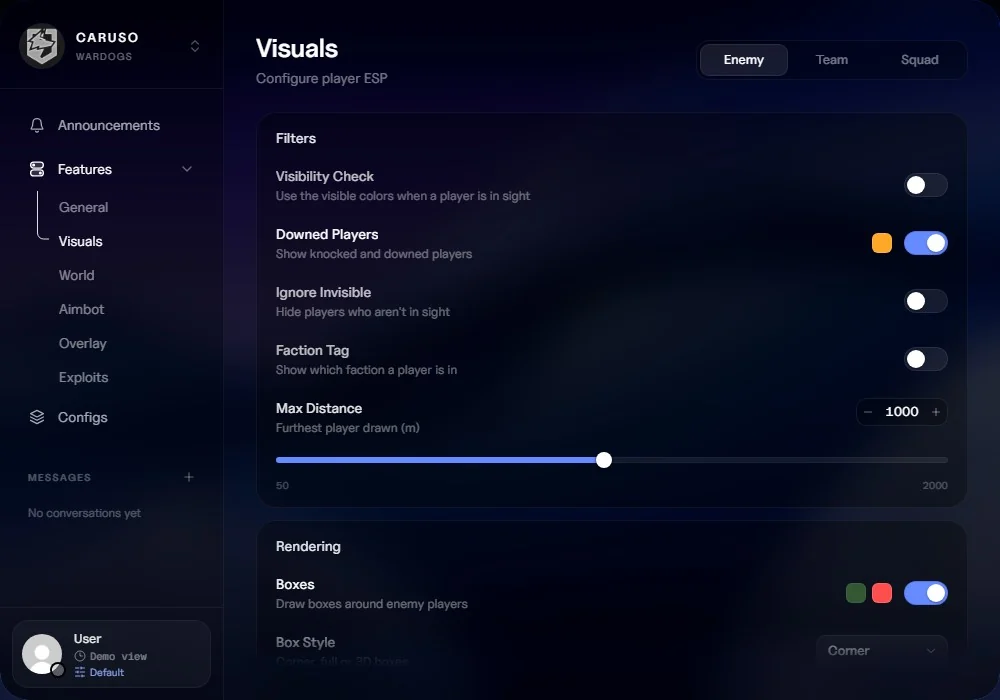
Factions: Lonestar, Valkyra and Manticore Vehicle ESP: trucks, tanks, artillery, transport and attack helicopters, aircraft, emplacements Mouse device (KmBox) or memory aim Mortar prediction From Caruso's feature list.
7 days $13.99 30 days $34.99 See details and buy
Snaw DMA: runs on a second PC. Nothing runs on the PC you play on.
Bullet prediction Land, air and stationary vehicles Triggerbot Web radar From Snaw's feature list.
7 days $15.00 30 days $30.00 90 days $70.00 lifetime $300.00 See details and buy
Zorvex DMA: runs on a second PC. Nothing runs on the PC you play on.
Smoothing (0-100), reaction delay (0-500ms), FOV (1-30°) FOV threshold, delay, burst length and cooldown Box: full, cornered or filled, with adjustable thickness and corner length From Zorvex's feature list.
7 days $14.99 30 days $23.99 90 days $52.99 See details and buy
Prices and stock can change; checkout always shows the current price before you pay. No cheat is risk-free, so check the status and ask us on Discord before you buy. Product status
More Wardogs products Every other Wardogs product we sell, including multi-game packages. Each card shows how it runs and its price.
Zorvex DMA: runs on a second PC. Nothing runs on the PC you play on.
30 days $70.99 90 days $152.99 See details and buy
BellTower BellTower software: runs on your gaming PC next to the game, no DMA card or second PC.
1 day $7.99 7 days $19.99 30 days $59.99 90 days $149.00 1 year $359.00 lifetime $499.00 See details and buy
Rie DMA: runs on a second PC. Nothing runs on the PC you play on.
7 days $20.00 1 month $40.00 1 year $300.00 See details and buy
Arcane External build (Arcane lists it as external): runs on your gaming PC, no DMA card.
See details and buy
Screenshots and videos from the sellers.
What you need For the DMA tools: a DMA card with firmware in your gaming PC, and a second Windows 10 or 11 PC that runs the software. A fuser, only if you want the overlay on your game screen. A MAKCU or KMBox is optional, for aim input. For BellTower Wardogs: Runs on your gaming PC: no DMA card or second PC needed. The latest Windows 11 (64-bit), Intel or AMD CPU, standard Windows install (no custom OS), display scaling at 100%. For Fecurity Wardogs: Runs on your gaming PC: no DMA card or second PC needed. Windows 10 or 11. For Bleak Wardogs: Runs on your gaming PC: no DMA card or second PC needed. Windows 10 or 11, with the Discord overlay turned on. For Disconnect Wardogs External: Runs on your gaming PC: no DMA card or second PC needed. Windows 10 or 11, Intel or AMD CPU. New to DMA? DMA for beginners · Find my setup · DMA cards and firmware
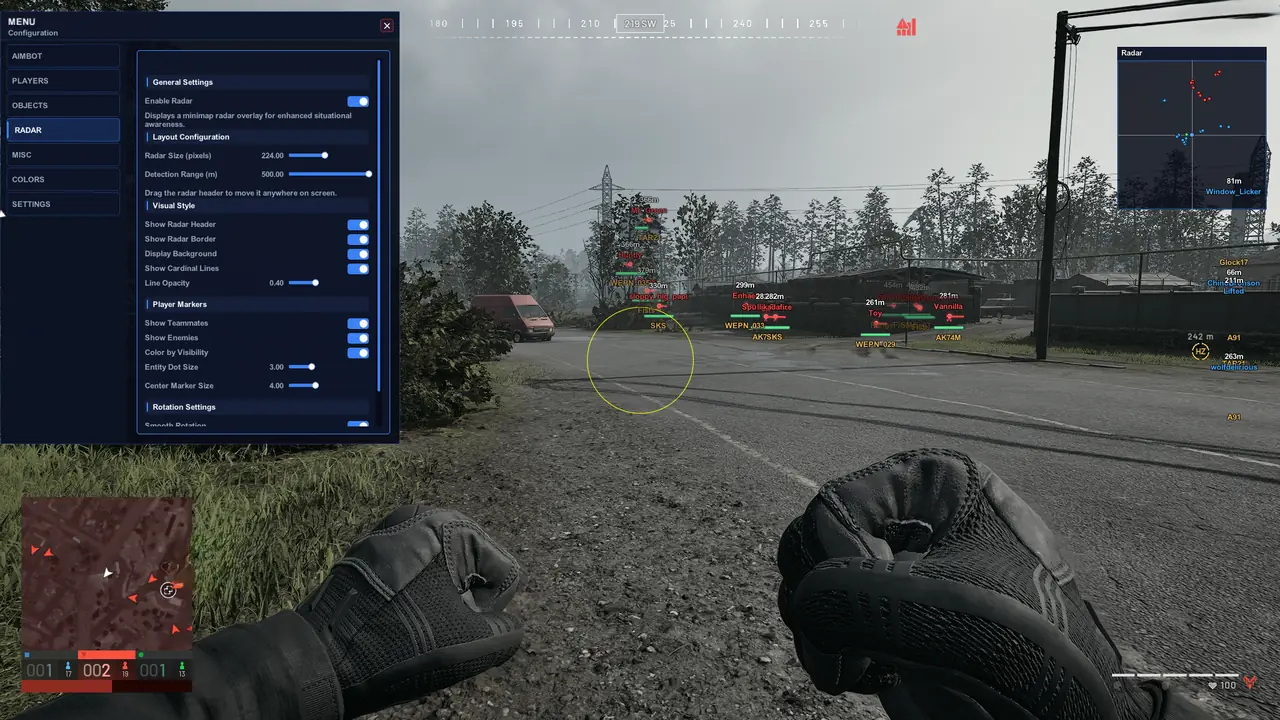
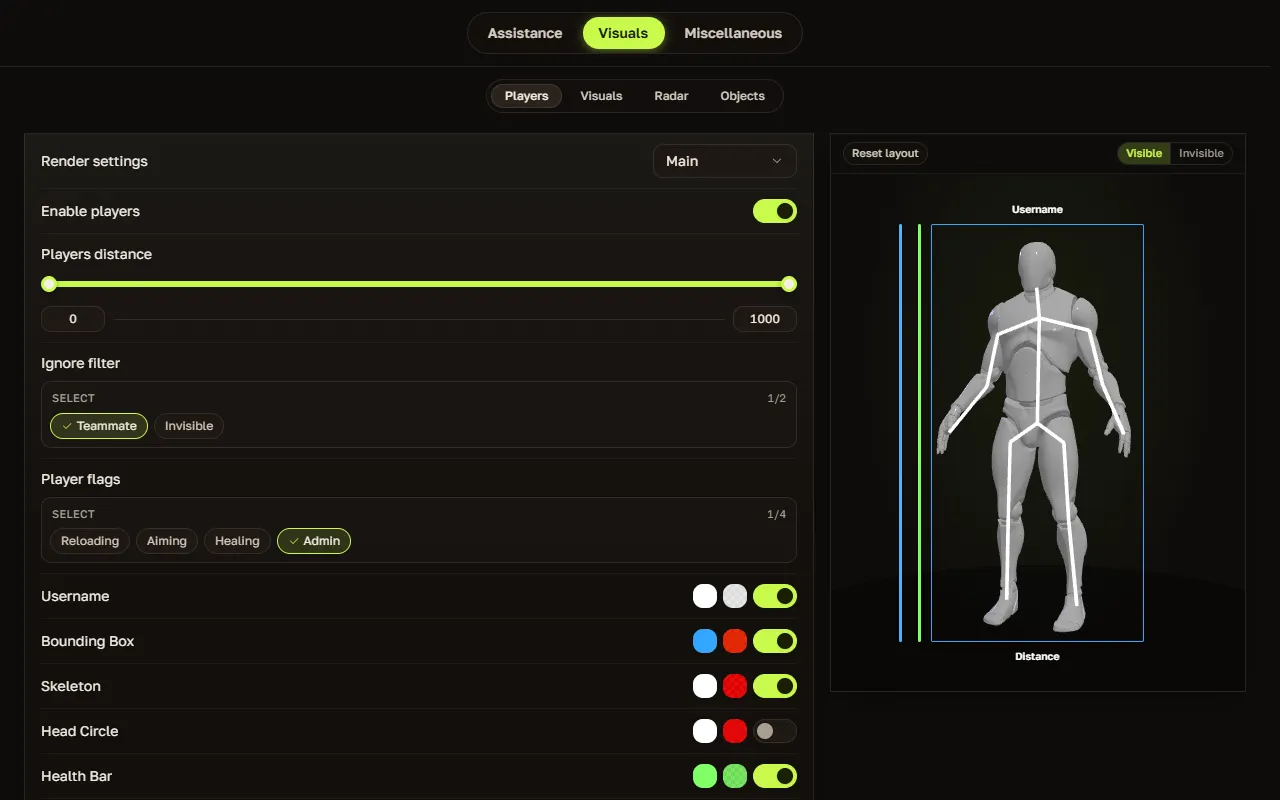
BellTower Wardogs feature guide AIMBOT: CORE SETTINGS Enable / Disable Aim Lock Lock Until Key Release Recoil Control System Dynamic Hitbox Hitbox Priority: Head / Torso First, Closest to Crosshair Target Bone Selection when Dynamic Hitbox is disabled: Head, Neck, Pelvis, Spine Aim Style: FOV Based, Closest Distance, Lowest Health Smooth Aim Adjustable Smoothness Deadzone Adjustable Deadzone Radius Adjustable Target Switch Delay PLAYER ESP: VISUAL ELEMENTS Bounding Box Style: Corners, 2D Box, 3D Box, Disabled Snap Lines: From Center, From Bottom, From Top, Disabled Adjustable Snap Line Thickness Player Name Distance Indicator Health Bar Health Bar Position: Below, Left, Right Health Percentage Limit Health Bar Distance Adjustable Bar Visibility Distance Skeleton Overlay Direction Indicator AIMBOT: FIELD OF VIEW / TARGET FILTERS FOV Circle Adjustable FOV Radius Aim at Enemies Aim at Downed Enemies Aim at Teammates Visible Targets Only Adjustable Maximum Distance OBJECT ESP Enable / Disable Object ESP Distance Display Adjustable Maximum Distance Supported object types: Cars, Tanks, Helicopters, Mortars / AA Guns, Supply Crates, Bags, Loot, Traps / Mines PLAYER ESP: GENERAL SETTINGS Enable / Disable Player ESP Faction Colors for ESP & Radar COLORS Colours for: Enemy, Visible Enemy, Teammate, Visible Teammate, Downed Player, Distance Text Colours for: Background, Border, Center Marker Crosshair Color PLAYER ESP: DISPLAY FILTERS Visible Players Only Color by Visibility Faction-Based Color Handling Adjustable Maximum Distance Show Teammates Show Enemies Show Downed Enemies Show Held Weapon SETTINGS Multiple Configuration Profiles Refresh Profile List Save Profile Load Profile Reset Profile Custom Profile Name Create Profile Toggle Menu Hotkey Aim Lock Key Emergency Disable Key RADAR: GENERAL AND LAYOUT AND MORE Enable / Disable Radar Adjustable Radar Size Adjustable Detection Range Show / Hide Radar Header Show / Hide Radar Border Display Background Cardinal Lines Adjustable Line Opacity Show Teammates Show Enemies Show Downed Enemies Color by Visibility RADAR: MORTAR RADAR Enable / Disable Mortar Radar Show / Hide Mortar Radar Header Show / Hide Mortar Radar Background Show / Hide Mortar Radar Border Show Coordinates Adjustable Mortar Dot Size Adjustable Mortar Radar Size Adjustable Impact Area Radius Show Teammates Show Enemies Show Downed Enemies Impact Marker in World WEAPON FEATURES No Sway No Recoil No Weapon Kickback No Spread MISCELLANEOUS Crosshair style: Cross, Dot, Circle, Cross + Dot, Off FPS Counter Resolution Display Current Time Fecurity Wardogs feature guide AIM ASSIST Aim assist with your own aiming settings Set the maximum aiming speed Choose and set your aim points Tries to calculate bullet ballistics ESP Shows enemy positions and gadgets Finds and marks targets in different ways Shows extra target numbers when it can read them from memory Shows objects on the ground Bleak Wardogs feature guide AIMBOT AND RECOIL CONTROL Aim Mouse: Primary / Secondary keybinds Aim point: Head / Neck / Body Smoothing: 1-10 Aim radius: 0-300 px Visibility check Auto-calibration FOV display: Thin circle Crosshair: Dot / Cross / T-Cross / Ring / Chevron Bullet prediction Anti-recoil PLAYER ESP Boxes: Full / Corner / 3D / None Player information: Names / Distance / Health / Armor Weapon ESP: Weapon name / Magazine ammo Armor: Durability / Body-part segments Skeletons: Thickness 1-5 Draw range Allies: Hide / Highlight Corpses Spectators Admin alert Danger warning Threat tracker: Visible / Hidden BATTLE MODE Enemies only Screen and radar filters Hotkey: F6 / Remappable LOOT AND VEHICLE ESP Dropped items: Names / Distance / Markers Loot categories: Weapons / Attachments / Ammo / Meds/Boost / Armor / Helmets / Backpacks / Grenades / Other Loot tiers: Blue / Gold rings Minimum loot tier Smart loot filter Item range: 1,000 m max Grenades: Trajectory / Impact marker Vehicles: Names / Distance / Health Vehicle crew: Names / Count / Faction color / Driver icon Vehicle filters: Helicopters / Planes / Tanks / APCs / Cars / Trucks / Boats / Stationary weapons Vehicle range: 3,000 m max ARTILLERY CALCULATOR Weapons: L81 / SPH-2 Charges: Low / High Impact prediction: Marker / Trajectory Aim correction: Elevation (mil) RADAR 2D radar Visibility: Visible / Hidden Filters: Players / Items / Vehicles / Corpses Layout: Zoom / Size (200-700) / Position / Dragging Radar preview COLORS AND INTERFACE Player colors: Boxes / Skeletons / Names / Visible / Hidden Additional colors: Distance / Allies / Knocked / Crosshair / Health / Armor / Kill feed / Damage World colors: Loot / Vehicles / Crew / Corpses / Grenades / Line of sight Overlay colors: Arrows / FOV / Radar Color palette: 30+ colors Player Hot Bar: Draggable Weapon panel: Ammo / Low-ammo alert / Armor / ADS dot Kill feed Session kill counter Icons: Weapons / Vehicles / F8 Menu: Tabs / Accent color / Background animation ESP text: Font / Size HOW IT RUNS Runs on your gaming PC through the Discord overlay: no DMA card or second PC Steam Windows 10 and 11 (2004 to 26H1) Works with Secure Boot on Disconnect Wardogs External feature guide AIMBOT & COMBAT Aimbot Silent Aimbot Aimbot Prediction Visible Check Target Lock Custom Hitbox Selection Head Targeting Chest Targeting Pelvis Targeting Adjustable Aim Smoothing Adjustable Aim Deadzone Maximum Aim Distance AIMBOT CUSTOMIZATION Adjustable Aim FOV Dynamic FOV FOV Circle Custom FOV Circle Color Target Line Custom Target Line Color Adjustable Aim Distance Custom Aimbot Keybind WEAPON & CAMERA UTILITIES Instant Aim (ADS) Recoil Modifier (Risky) Adjustable Recoil Percentage Zoom Adjustable Zoom FOV Custom Zoom Keybind Freecam Adjustable Freecam Speed Custom Freecam Keybind PLAYER VISUALS Player Name ESP Player Box ESP Full & Corner Boxes Player Skeleton ESP Player Distance Player Health Bars Side & Bottom Health Bars Friendly Skeleton ESP Wounded Skeleton ESP Custom Distance Position Visible & Hidden ESP Colors Custom Skeleton Colors SQUAD & FACTION VISUALS Squad ESP Faction ESP Faction Tags Custom Faction Tag Position Enemy Loadout Cost ESP Vehicle-Inclusive Loadout Value Minimum Loadout Cost Filter Custom Loadout Cost Position Wounded Enemy ESP Wounded Friendly ESP Squad Render Distance Faction Render Distance PLAYER RADAR Player Radar Teammate Radar Wounded Player Radar Radar Distance Visualizer Automatic Distance Scaling Adjustable Radar Player Size Adjustable Radar Radius Custom Radar Render Distance Radar Transparency Custom Enemy Radar Color Custom Radar Background Color VISUAL CUSTOMIZATION Custom Menu Accent Color Custom ESP Colors Custom Player Name Colors Custom Box Colors Custom Skeleton Colors Custom Distance Colors Custom Health Bar Styles Custom Faction Colors Custom Squad Colors Adjustable ESP Font Size Maximum Player Render Distance Maximum Squad Render Distance CONFIGS & SETTINGS Import Config from Clipboard Export Config to Clipboard Custom Menu Colors Adjustable ESP Font Size Watermark Toggle FPS Counter Custom Aimbot Keybind Custom Zoom Keybind Custom Freecam Keybind Exit Option (closes the software) HOW IT RUNS Runs on your gaming PC: no DMA card or second PC needed Windows 10 and 11, Intel and AMD processors No USB, BIOS or Windows features required Streamproof: hidden from game capture Wardogs DMA feature guide Open this product in the live store for its current feature list and setup requirements. No unlisted aim or overlay feature is assumed.
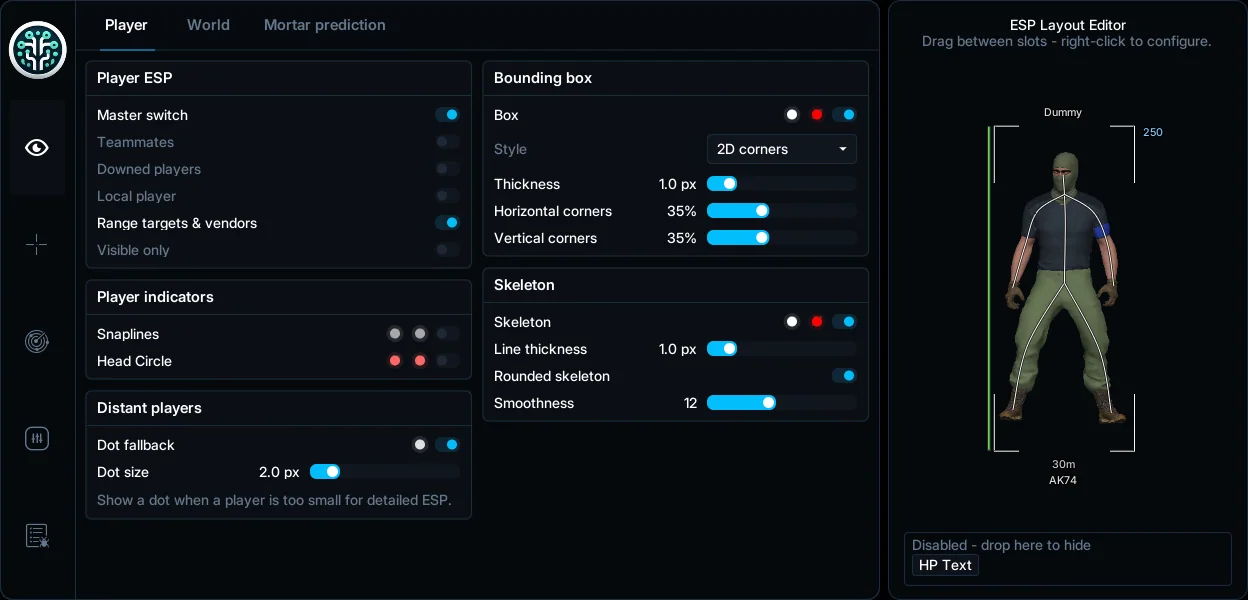
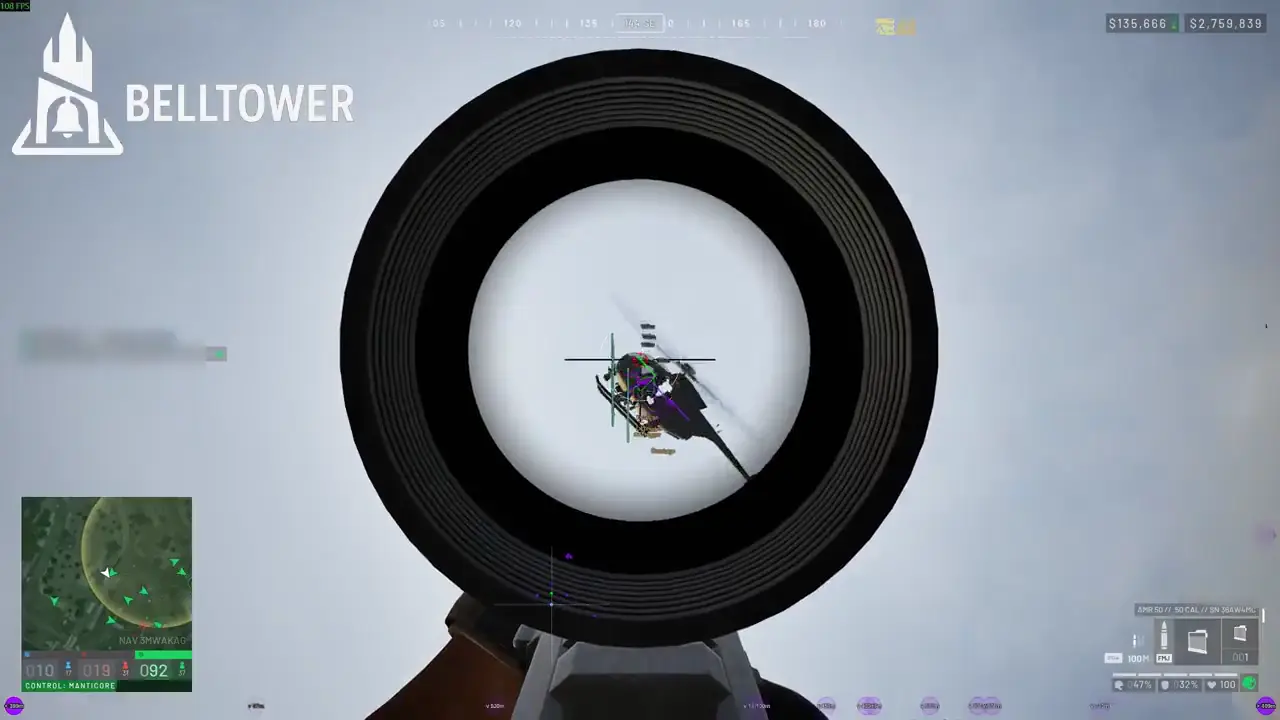
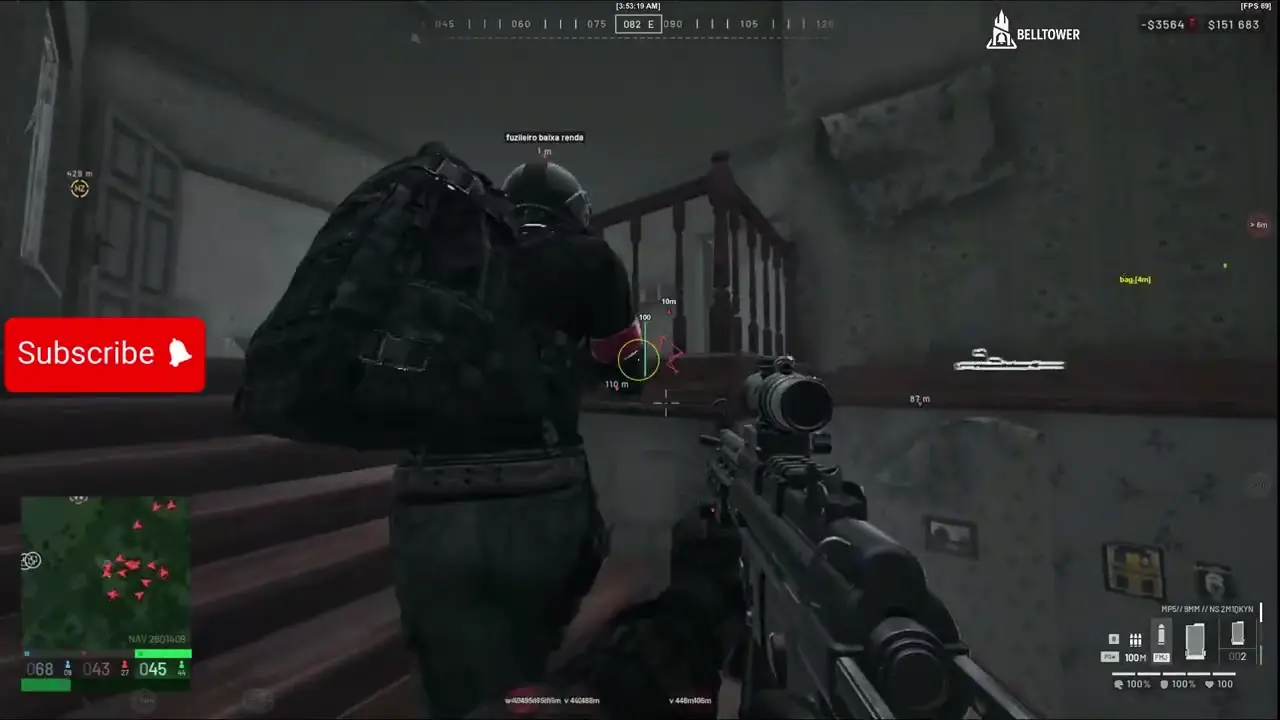
Poseidon Wardogs DMA feature guide PLAYER ESP Filters: hostile factions, your own faction, each faction, players, AI, downed, dead bodies and unknown faction Visible only, or dim players you can't see Boxes: 2D (full or cornered) or 3D, with thickness, outline and width Skeleton and head dot (filled or ring) Snaplines from the top, centre or bottom, to hostiles, your team, AI, vehicles or the dead INFO AND OVERLAY Name, distance, health, weapon, faction and bleedout state Health bar on the left or right, with a gradient Off-screen arrows Max distance, font and text size Overlay crosshair: dot, cross, circle or T-shape VEHICLES Land, air, sea and stationary vehicles, each with its own range Box, name and variant, distance, occupant count and health bar Faction colours, and empty vehicles if you want them A cap on how many vehicles show WORLD OBJECTS FOBs and deployables, supply crates, dead bodies, backpacks and dropped items Icon, name, distance, box and contents count A range for each category PROJECTILES Predicted trail and impact marker Grenade fuse and blast radius Throw prediction: arc preview, launch speed and impact marker WIDGETS Draggable player list with faction stripes and distance, sorted by range Player counter per faction, with alive and AI counts and a compact mode Combat mode key (hold or toggle) with its own feature mask RADAR Round or square, with size, range, opacity and a position lock Grid, range rings, range label, compass and view cone Names, height markers and look lines Rotates with the camera, scroll to zoom, map backdrop and a legend Shows players, AI, the dead, vehicles, FOBs, crates, dead bodies, backpacks, items and projectiles AIMBOT Aim key: hold or always on Target bone: head, chest or pelvis FOV circle, smoothing, sensitivity and max distance Visible only Prediction, with a choice of prediction point Target filters: hostile factions, your own team, AI, tagged friends and tagged enemies WEB RADAR Names and look lines on a map backdrop Rotates with your view, with a viewer indicator TRIGGERBOT AND RECOIL Triggerbot with its own key and delay, visible only Recoil strength INPUT DEVICES Ferrum, MAKCU, KMBox B and Arduino Automatic or manual COM port, and a test movement MENU AND CONFIGS Colours for each faction, vehicle type, world object, text and element Menu key (Insert by default) and second-PC cursor control Configs: save, load, new, delete, rename and set default KEYS 2, 30 or 90 day license keys Sensory Wardogs DMA feature guide AIM AND TRIGGER Configurable aim and trigger controls with supported hardware input devices Controller aim support through compatible MAKCU and Ferrum modes Active-keybind display for aim, trigger, mortar, and battle-mode controls VISUALS Player visuals, chams, visible and hidden styles, and per-bone visibility Grenade warnings with on-screen and off-screen markers, distance, and detonation timer Item names for weapons, ammunition, attachments, and equipment RADAR AND ARTILLERY Multi-radar support and faster minimap discovery Mortar prediction, landing forecasts, flight state, range, estimated impact time, and camera follow Artillery alerts for mortar and SPH-2 rounds SYSTEM DirectX 11, low-latency DirectX 11, and OpenGL presentation Built-in DMA latency, throughput, USB, and PCIe checks Automatic updates, config storage, ultrawide alignment fixes, and input testing Spectra Wardogs DMA feature guide AIMBOT Visible Check Different Weapon configs Aim FOV Double keybinds Prediction based on weapon Bone selection / nearest Skeleton Skeleton thickness ESP Box / Skeleton Visible players only Hide teammates Faction tags Downed players Health numbers Armor bars Armor numbers Held item Player distance Maximum visual distance Player names LOOT ESP Items Enable items Item names Item distance FOB Supply crates Backpacks Dropped items Supply types Generic crate Small crate Large crate MISC Color Customizations Thickness Customizations Keybinds Customizations Box type customization Delays Customizations per weapon Miniradar position customizations DIRECT Wardogs DMA feature guide AIM Aimbot with distance, FOV, speed and smoothing Aim trajectory you shape by dragging points Accuracy compensation and dynamic tracking Reaction time, and delays for knocked and dead targets PLAYER VISUALS Boxes, skeleton, head circle, health and armor bars Name, distance, weapon and ping Match K/D, assists, revives, role XP, money and faction icon MENU Fuser overlay mode, or a borderless window Frame rate limit, V-sync and input delay settings Hotkey to hide the menu KEYS 7 days, 30 days, 90 days or 1 year Caruso Wardogs DMA feature guide PLAYER ESP Boxes: corner, full or 3D, with see-through fill Skeleton, head marker and snap lines Health and armor as bars or numbers Name, distance, held item, ammo type and attachments Ping, match K/D, assists and revives Player state: reloading, aiming and healing Flags players aiming down sights Downed players, faction tag and visible check Corpse ESP Enemy, team and squad settings, up to 2000 m FILTERS Factions: Lonestar, Valkyra and Manticore Ignore teammates, or draw only the player nearest your crosshair Always on or on a hotkey ESP font and text size WORLD Vehicle ESP: trucks, tanks, artillery, transport and attack helicopters, aircraft, emplacements Vehicle name, distance, occupants and weapons Destroyed vehicles and faction colours, up to 5000 m Item ESP AIMBOT Mouse device (KmBox) or memory aim On hold or always on, your own aim key Hitbox, target priority and FOV, dynamic FOV when zoomed Target lock and prediction Speed, deadzone, max distance up to 1500 m, sensitivity match Ignore teammates, invisible or downed players Delays after a knock, a kill or a new target FOV circle, deadzone circle, aim line and target highlight OVERLAY Custom crosshair: cross, circle or dot Radar Mortar prediction Off-screen arrows WEAPON (WRITES GAME MEMORY) No spread, no sway and no recoil Infinite focus and instant ADS Force skeleton animation and dark sky HOW IT RUNS The loader runs on your second PC Web menu: it opens in your browser at dash.caruso.top on your gaming PC Saved configs KEYS 7 day and 30 day license keys Snaw Wardogs DMA feature guide PLAYER ESP Name Distance Weapon State Ping Dead players Health Snaplines Skeleton Hitboxes Armor Threats VEHICLES & WORLD Land, air and stationary vehicles Grenades with timer and trajectory Items FILTERS & ALERTS Team check Extrapolate Visible only Off-screen arrows and distance Crosshair popup Spectator warning AIMBOT Activation key (default: right mouse) FOV in degrees Bone: head and neck Aim inset Priority: crosshair (FOV) Visible only and team check Max distance Bullet prediction Smoothing (EMA) Target lock Dynamic FOV FOV circle with its own colour RADAR & CROSSHAIR Radar Web radar Crosshair Customizer PLAYER LIST Name, HP, distance, weapon, mode, ping, state and armor of every player CONFIGS & DEVICES My configs and community configs: load, save, delete, set default Aim device (MAKCU and others) Input device for the triggerbot SETTINGS Menu key Insert (Home always works as a backup) Monitor and resolution Uncapped FPS or an FPS limit Lightweight visibility check with per-bone colouring Overlay opacity, fullscreen and passthrough Keybind list, spectator warning and watermark Memory write features are off by default and turn off at every launch HOW IT RUNS DMA: runs on your second PC, nothing on your gaming PC Snaw pauses every Wardogs subscription when the playtest ends and resumes it when the game fully releases Zorvex Wardogs DMA feature guide AIMBOT Smoothing (0-100), reaction delay (0-500ms), FOV (1-30°) Mouse move rate limiter (30-500 Hz) Two independent keybinds, Hold / Toggle / Always Target priority: crosshair, nearest, lowest health, or crosshair with distance weighted Retargeting with an adjustable switch threshold and delay Per-bone targeting, grouped or single Adjustable hit zones for head, torso and limbs FOV circle and bone radius overlay Team check and only-visible check Aim from screen centre or from the cursor TRIGGERBOT FOV threshold, delay, burst length and cooldown Optional aim assist mode Independent keybind and its own bone set Team check PLAYER ESP Box: full, cornered or filled, with adjustable thickness and corner length Skeleton with adjustable thickness Head dot Name and distance with adjustable font sizes Snap line from screen bottom, crosshair or top Health bar: health colour, gradient or custom Offscreen arrows pointing toward players out of view Separate enemy and teammate sections with their own colours Distance limit and hide dead players RADAR In-game radar with rotate-with-view and tracers Web radar over LAN or public tunnel, password protected, with viewer list CAMERA Camera rewind, auto or manual, to line the overlay up with the screen Camera smoothing Multi-monitor support with adjustable game resolution HARDWARE SUPPORT MAKCU Ferrum KMBox Net KMBox B Pro Arduino CONFIGS Named profiles: save, load, overwrite and delete Zorvex Master Package feature guide GAMES Rob Run Call of Duty MW4 Wardogs Counter-Strike 2 H1Z1 (ROTK + ZEMU) Blood Strike Roblox Deadlock Unturned DayZ PUBG: Battlegrounds INCLUDED Every live Zorvex DMA on one key Games Zorvex launches while your key runs are added at no extra cost BellTower Pro Package feature guide PACKAGE BENEFITS Access to all current Internal products Access to future Internal product releases Multiple products in one package No need to purchase individual products separately One subscription for the complete Internal lineup GAMES IN THE PACKAGE Rob Run Wardogs ARC Raiders The Isle Rust Gray Zone Warfare Aniimo ARK: Survival Ascended ARK: Survival Evolved Arma Reforger Beasts of Bermuda Conan Exiles Rie Wardogs feature guide Aimbot Aimbot Enabled Aim Key Second Aim Key Dynamic FOV Team Check (Currently Broken; Fix Coming Soon) Visible Check Hitbox Selection Nearest Bone Aimbot Smooth Switch Delay Min Visible Time Health Priority Selection Trigger Triggerbot Enabled Triggerbot Key Magnet Triggerbot FOV Magnet Triggerbot Fire Time Magnet Triggerbot Enabled Trigger Hitbox Scale Visuals Draw 2D Box 2D Box Invisible Color 2D Box Visible Color Box Line Thickness 2D Corner Box Draw Bone Skeleton Invisible Color Skeleton Visible Color Skeleton Line Thickness Team Check Draw Name Draw Health 2D Radar Draw 2D Radar Rotate Minimap with Viewangle Show Teammates Show Vehicles Show Unknown Faction Vehicles Pin Out-of-Range Targets to Edge Height Indicator (>5m) Enemy / Friendly / Enemy Vehicles / Friendly Vehicles Reset Layout Button Arcane Wardogs feature guide AIMBOT Force aim keybind Prediction Type Mode Targets Find bone type Bones Bone priority Bone freeze FOV Size PLAYER ESP Bounding box Fill box Skeleton View line Line to enemy Health bar Glow Mortar operator Nicknames Draw knockeds BUILDING ESP Buildings Fortifications 3D Box Show on radar Show name Marker on radar edge ITEM ESP Supply Dropped 3D Box Show on radar Show name Marker on radar edge GRENADE ESP Throwables Mines Projectiles Grenade warning Show on radar Show name Marker on radar edge RADAR Targets Vehicles Loot Rotate with view Show FOV cone Distance rings Scale rim markers by distance Look position WEAPON MODS No Recoil No spread No sway Infinity breath No weapon collision Always crit spot Crosshair View Exploits Fullbright Show flags BATTLE MODE Hide Player Hide Corpse Hide World item Hide Vehicle Hide Building Hide Projectile Hide Radar Hide Game radar Hide Offscreen Hide Mortar helper Wardogs cheats questions Which Wardogs (War Dogs) cheat is the cheapest to test? BellTower Wardogs starts at $1.99 for a 1-hour key on your gaming PC. For two-PC DMA, Pure Wardogs DMA starts at $4.99 for 1 day, Poseidon starts at $4.99 for 2 days, and Sensory starts at $5 for 1 day.
Do I need a DMA card for Wardogs? Not for BellTower Wardogs: it runs on your gaming PC. Pure, Poseidon, Sensory, DIRECT, Caruso and Zorvex are DMA licenses and require a second PC with a DMA card (or RDMA).
Which anti-cheat does Wardogs (War Dogs) use? Wardogs (often searched as War Dogs) uses Elytra, while earlier builds used Easy Anti-Cheat. Ask in a Discord ticket which DMA firmware fits your setup.
Does it work on PS5 or Xbox? No. Every Wardogs (War Dogs) option here is made for Windows PCs only.
Can I get banned in Wardogs? No cheat is risk-free, and Wardogs bans accounts that use third-party tools. Check the live status page and ask us on Discord before you buy.
How do I get my key? Pay by card or crypto at checkout. Your key comes by email, and we help you set it up on Discord.
Are the Wardogs products here undetected? Yes, as far as the sellers know. Each product is on sale only while its seller reports it undetected and working. If a seller finds a detection, it pauses the product, and we mark it Updating on our status page and stop selling it until it is fixed. No cheat is risk-free, so check the status before you play.
Is a Wardogs script or userscript the right setup? DMA products require the hardware and companion setup named on the product page; they are not paste-in browser scripts. PC software has its own supported installer and requirements. Use the selected supplier's setup instructions. A Tampermonkey script, GitHub download or script for a different game does not activate the products listed here.
Does a Wardogs game bot come with the license? Aimbot or aim assist terminology does not mean unattended gameplay, farming, account leveling or an autonomous game bot. Buy for the capabilities explicitly listed on the chosen product page. No currency generator, account inbox script or universal cheat code is included by this comparison page.
How do I buy Wardogs software and get setup help? Choose a product and duration, check its live stock and status, then use its checkout. The price and available payment methods are shown before payment. Your order provides the key or next steps. Use the product's setup guide and Private Solutions support for installation help.