Undetected Overwatch 2 (OW2) cheats and hacks for PC
Compare Overwatch 2 (OW2) cheats for Windows PC from $4.99: three two-PC DMA options — PureDMA (from $4.99), Polarity (from $4.99) and DIRECT DMA (from $10) — plus single-PC DIRECT External (from $10).
Per-hero aimbot, flickbot, triggerbot and healbot profiles (Polarity, PureDMA)
Automatic hero projectile speed prediction including Hanzo bow-charge (PureDMA)
Enemy and teammate boxes, skeletons, hero icons, health packs and ultimate charge
Choose 2PC DMA for hardware separation or DIRECT External for one PC
Overwatch 2 mixes hitscan, projectiles and support heroes. PureDMA and Polarity both include per-hero overrides, projectile prediction and healbot/flickbot controls.
Prices and stock can change; checkout always shows the current price before you pay. No cheat is risk-free, so check the status and ask us on Discord before you buy. Product status
More Overwatch 2 products
Every other Overwatch 2 product we sell, including multi-game packages. Each card shows how it runs and its price.
For the DMA tools: a DMA card with firmware in your gaming PC, and a second Windows 10 or 11 PC that runs the software.
A fuser, only if you want the overlay on your game screen.
A MAKCU or KMBox is optional, for aim input.
For DIRECT Overwatch 2 External: Runs as an overlay on your gaming PC. No DMA card or second PC needed. After payment you get a DIRECT license key by email.
Open this product in the live store for its current feature list and setup requirements. No unlisted aim or overlay feature is assumed.
Polarity Overwatch DMA feature guide
LEGIT MENU
Aimbot, triggerbot, flickbot, healbot, and input menus
Per-hero aimbot settings with a default profile you can override
AIMBOT
Dynamic FOV, FOV, and deadzone FOV
Per-axis smoothing, and ignore rules such as when a target is moving fast or invincible
Lock aim target, target switch delay, targeting mode, and disable on reload
Extra assistance: automatic melee below a health threshold and sleep dart assistance
VISUALS
Enemy: rendering modifications, bounding box, predicted position, hero image, hero name, health, distance, capsules, and skeleton, with a live preview
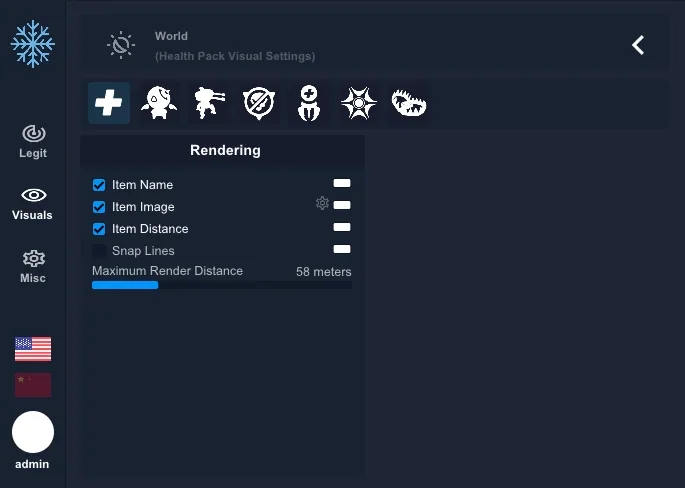
World: health packs and other world objects with name, image, distance, snap lines, and a maximum render distance
Ray-tracing visibility checks
CONFIG AND INPUT
Save, load, create, and delete configs, with import and export through the clipboard
Overlay size, monitor, V-Sync, and background color, plus second-PC control
Hardware input over a connected device, with a built-in mouse and keyboard input test
DIRECT Overwatch 2 DMA feature guide
AIM
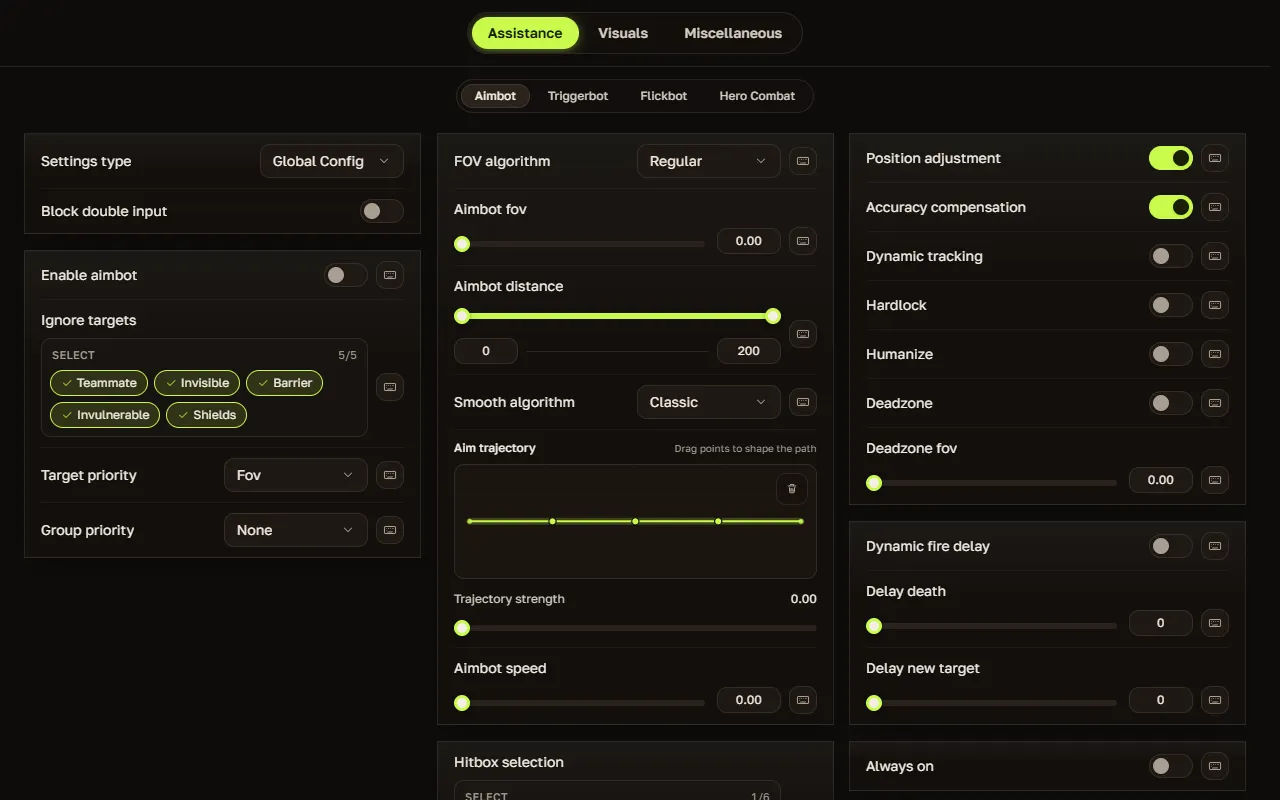
Aimbot with FOV, distance, speed and hitbox choice
Aim trajectory you shape by dragging points
Accuracy compensation and dynamic tracking
Group and target priority
Ignore fast targets, and a dynamic fire delay
PLAYER VISUALS
Boxes, skeleton and health bar
Name, distance, ultimate charge and hero avatar
MENU
Fuser overlay mode, or a borderless window
Frame rate limit, V-sync and input delay settings
Hotkey to hide the menu
KEYS
7 days, 30 days, 90 days or 1 year
DIRECT Overwatch 2 External feature guide
AIM
Aimbot with FOV, distance, speed and hitbox choice
Aim trajectory you shape by dragging points
Accuracy compensation and dynamic tracking
Group and target priority
Ignore fast targets, and a dynamic fire delay
PLAYER VISUALS
Boxes, skeleton and health bar
Name, distance, ultimate charge and hero avatar
MENU
Fuser overlay mode, or a borderless window
Frame rate limit, V-sync and input delay settings
Hotkey to hide the menu
KEYS
7 days, 30 days, 90 days or 1 year
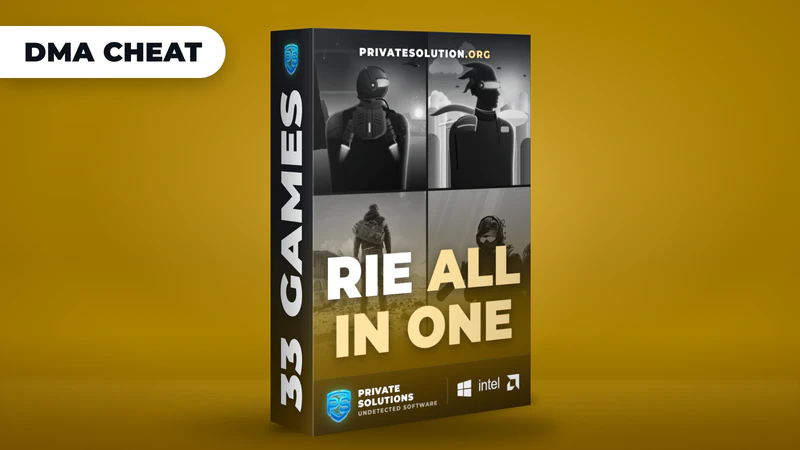
Rie Overwatch 2 feature guide
Aimbot
Hero config list
Current Hero Indicator
Aimbot enabled
Aim Key
Team Check
Disable Switch Target
Visible Check
Hitboxes selection
Aimbot Smooth
Input Move Interval
Aimbot Compensation
Aimbot FOV
Trigger
Triggerbot enabled
Triggerbot Key
Magnet Triggerbot fire time
Magnet Triggerbot FOV
Magnet Fire Mode
Disable Deadzone When Trigger
Auto Melee
Auto Melee HP Threshold
Auto Melee Distance Threshold
Visuals
2D Box Outline
Box Visible Color
Box Invisible Color
Skeleton
Skeleton Visible Color
Skeleton Invisible Color
Show Hero Name
Name Color
Show Health bar
Show Distance
Crosshair
Crosshair Color
Overwatch 2 cheats questions
Which anti-cheat does Overwatch 2 use?
Overwatch 2 uses Blizzard's own anti-cheat. Ask in a Discord ticket which DMA firmware or external build fits your PC.
Do Overwatch 2 cheats work on console?
No. Every Overwatch 2 product here is for Windows PC only.
Can I get banned in Overwatch 2?
No cheat is risk-free, and Blizzard bans accounts using third-party tools. Check live status before playing.
How do I get my key?
Pay by card or crypto at checkout. Your key comes by email, and we help you set it up on Discord.
Are the Overwatch 2 products here undetected?
Yes, as far as the sellers know. Each product is on sale only while its seller reports it undetected and working. If a seller finds a detection, it pauses the product, and we mark it Updating on our status page and stop selling it until it is fixed. No cheat is risk-free, so check the status before you play.
Is a Overwatch 2 script or userscript the right setup?
DMA products require the hardware and companion setup named on the product page; they are not paste-in browser scripts. PC software has its own supported installer and requirements. Use the selected supplier's setup instructions. A Tampermonkey script, GitHub download or script for a different game does not activate the products listed here.
Does a Overwatch 2 game bot come with the license?
Aimbot or aim assist terminology does not mean unattended gameplay, farming, account leveling or an autonomous game bot. Buy for the capabilities explicitly listed on the chosen product page. No currency generator, account inbox script or universal cheat code is included by this comparison page.
How do I buy Overwatch 2 software and get setup help?
Choose a product and duration, check its live stock and status, then use its checkout. The price and available payment methods are shown before payment. Your order provides the key or next steps. Use the product's setup guide and Private Solutions support for installation help.