
rivalsfps.com · Private Solutions
RivalsFPS ESP, boxes & snaplines
RivalsFPS ESP adds player markers over the game view. The overlay is separate from aim assist: a box can be drawn without changing your aim. The options and visibility limits below describe this game's build, rather than assuming every browser game exposes the same data.
Recorded RivalsFPS gameplay
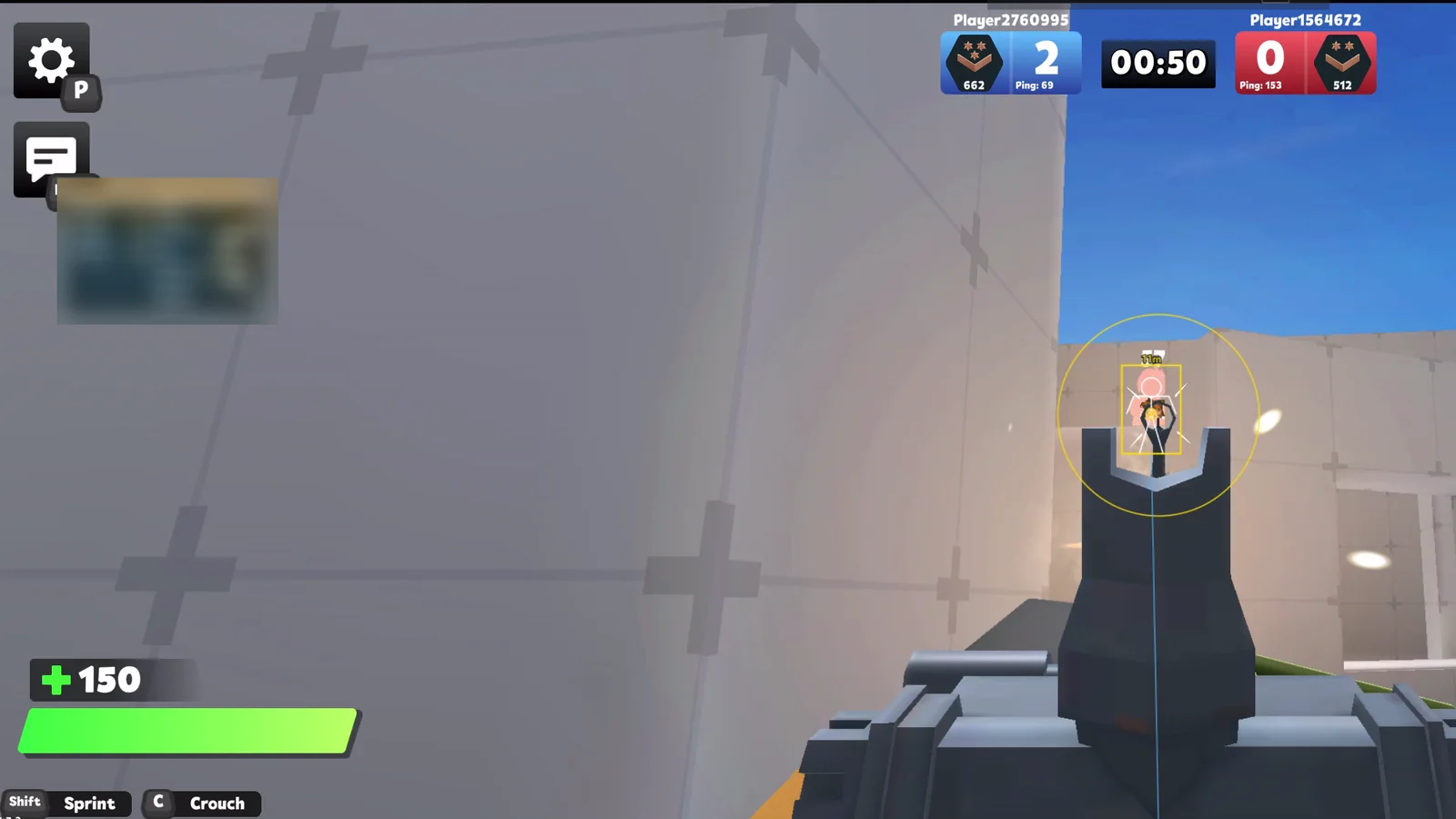
Recorded footage shows the build used in the recording. Read the current feature notes and setup guide for present requirements.
RivalsFPS questions
What does RivalsFPS ESP display?
2D boxes follow captured, posed player mesh bounds with resize and DPI tracking. This aligns the overlay with the observed render data; it does not prove alignment with server hitboxes.
Does the ESP circle mark a player?
No. The FOV circle shows the aim selection area around the crosshair. Player boxes, skeletons and snaplines are separate overlay elements.
Are overlay and visibility checks the same?
Only meshes captured from the renderer can be drawn. Culling or a changed game scene can omit a player. There is no line-of-sight occlusion check, and complete map and pose coverage is still unfinished.
Does the overlay guarantee every player is always shown?
No. Player data, game rendering and client updates affect what can be drawn. Use the current build notes and recorded gameplay to assess the product; a screenshot is not an all-map coverage guarantee.