Private Solutions · Blurred / Spectra / Rie / Evo / Poseidon / DIRECT / Arcane / Zorvex
Call of Duty cheats and software
Compare the Call of Duty products sold by Private Solutions. Choose by the actual features, installation requirements, status and plan prices. The options below keep each supplier's build separate.
Listed prices and status are catalog snapshots. Checkout verifies the current price and availability before you pay. An updating product is not a promise of immediate access.
Blurred COD DMA feature guide
SUPPORTED GAMES
Modern Warfare 4
Warzone
Black Ops 7
Black Ops 6
Modern Warfare 3
Modern Warfare 2
Steam, Battle.net and Game Pass
AIMBOT
Customizable aimbot: tune it anywhere from fully humanized to rage
Instant triggerbot: fires the moment your crosshair lands on an enemy
Recoil control: pulls your recoil down through your aim device
Raycast vischeck: per-bone visibility so aimbot and ESP only count what you can see
ESP
Enemy and team ESP: skeleton, name, health, platform and more
ESP Builder: lay out your own ESP with the elements, colors and flags you want
Loot ESP: weapons, ammo and items through walls
UAV radar overlay: player positions on the in-game map through your fuser
AWARENESS
Player list: everyone in your lobby, with tags that follow players across matches
Spectators list: see who is watching you play
Match alerts: incoming airstrikes, top 250 players and enemies looking at you
Web radar: puts your ESP on a page you can share with friends
Auto updater: no downtime for most game updates
WEB TOOLS
Web Menu: change every setting from any device with a browser
Cloud Configs: share your setup or download community configs
Blurred Master Package feature guide
INCLUDED
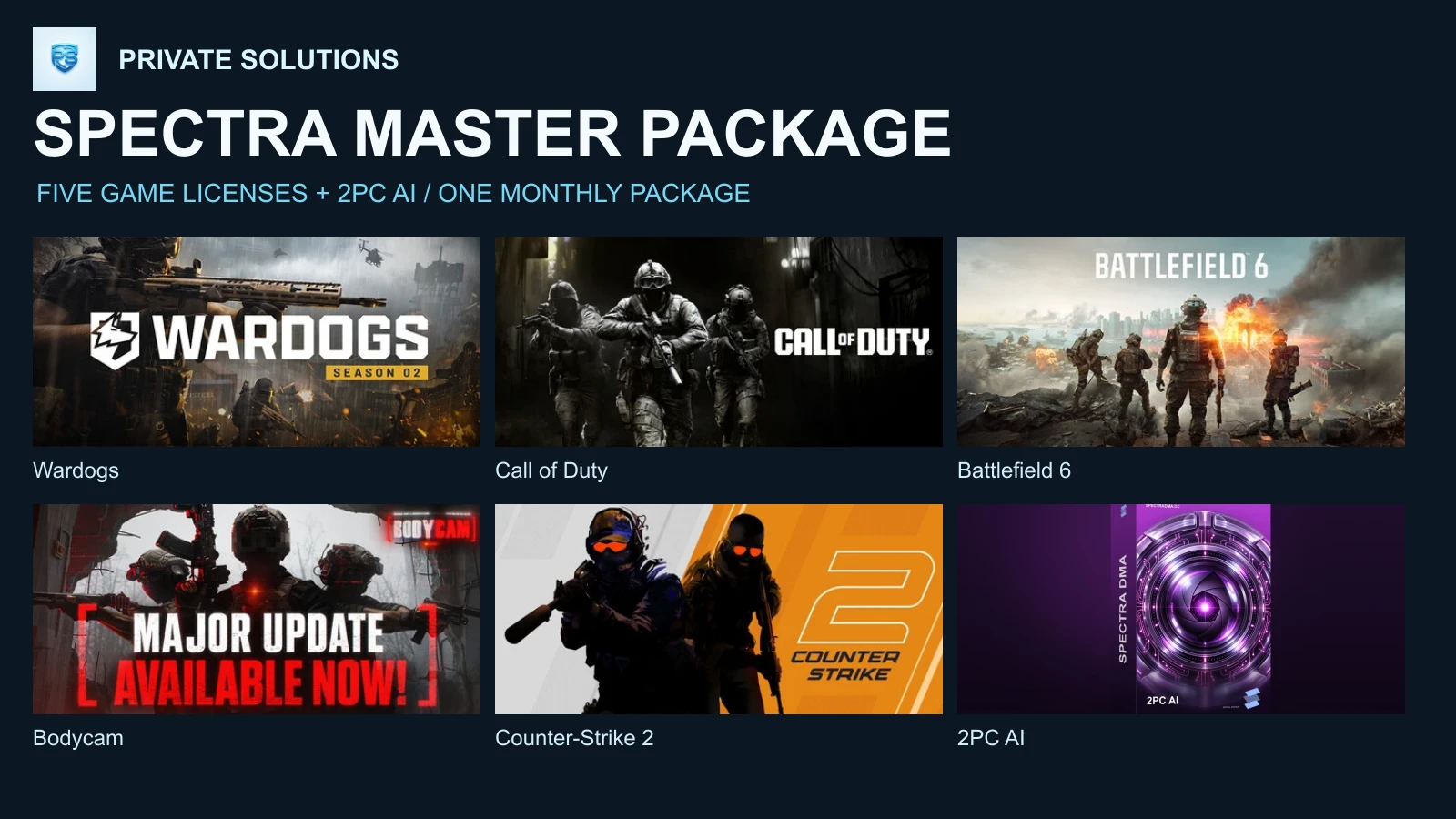
Call of Duty: MW4, Warzone, BO7, BO6, MW3 and MW2
ARC Raiders
Fortnite
Rust
GTA V & FiveM
EVERY GAME GETS
Aimbot and triggerbot: in every game
Player and loot ESP: see players and loot through walls
Web radar: share your ESP on a web page
Full feature set: each game keeps everything it has on its own
WEB TOOLS
Web Menu: change every setting from any device with a browser
Cloud Configs: share your setup or download community configs
Spectra Call of Duty DMA feature guide
AIMBOT
Visible Check
Different Weapon configs
Aim FOV
Double keybinds
Prediction based on weapon
Bone selection / nearest
TRIGGERBOT
All aim devices support
Visible Check
Different Weapon configs
Aim FOV
Double keybinds
Prediction based on weapon
Bone selection / nearest
ESP
Box
Lines
Skeleton
Name
Distance
Mini Radar
LOOT ESP
Rarity Filter
Max Distance
Show Distance
Color per rarity
Read-only chams (MW4 and Warzone)
MISC
Color Customizations
Thickness Customizations
Keybinds Customizations
Box type customization
Delays Customizations per weapon
Miniradar position customizations
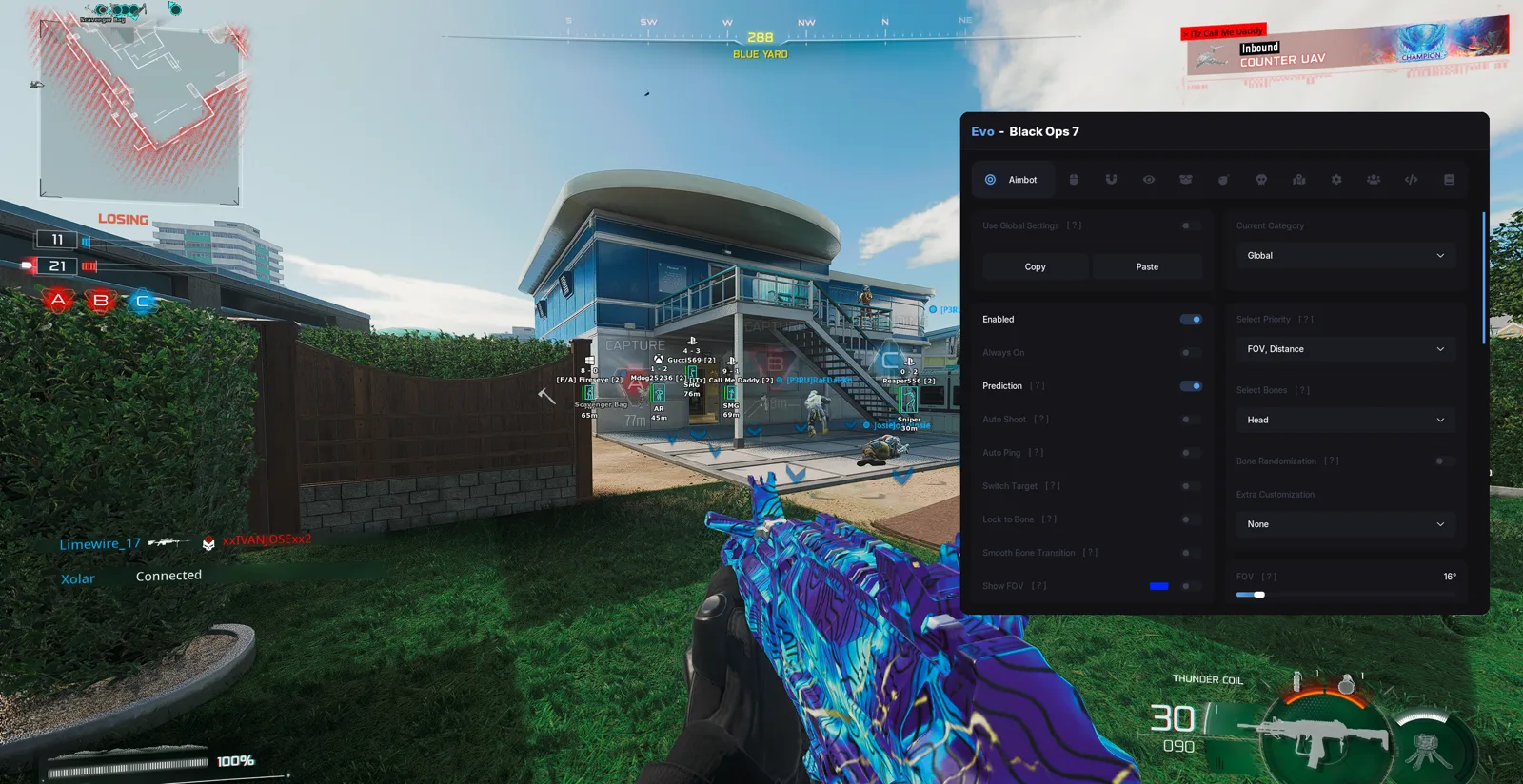
Evo COD DMA feature guide
SUPPORTED GAMES
Modern Warfare 4
Black Ops 7
Black Ops 6
Modern Warfare 3
Modern Warfare 2
Vanguard
Modern Warfare (2019)
AIMBOT
Per-category settings with copy and paste, or one global setting
Prediction, target priority (FOV, distance) and bone selection
Bone randomization, lock to bone and smooth bone transition
Auto shoot, switch target and a visible FOV circle
VISUALS
Player ESP with name, weapon and distance
Loot, cash and supply ESP in Warzone
Web radar, including while the host is in the Gulag
INPUT
MAKCU, Ferrum and KMBox, with Ferrum controller support in the older games
Poseidon MW4 DMA feature guide
VISUALS
Player ESP with boxes and skeleton
Name, weapon, distance and health
Visible and hidden colours
Chams
Adjustable max distance
AIM AND RADAR
Aim settings
Radar
GAME SUPPORT
Call of Duty: Modern Warfare 4
Xbox app, Battle.net and Steam versions
KEYS
7, 30 or 90 day license keys
DIRECT Call of Duty DMA feature guide
AIM
Aimbot with distance, FOV, speed and hitbox choice
Aim trajectory you shape by dragging points
Dynamic tracking, hardlock and humanize
Deadzone, reaction time and target delays
Triggerbot
PLAYER VISUALS
Boxes, skeleton, chams and health bar
Name, distance, team and platform
Player stats: K/D, prestige, ranked SR, win streak and season wins
Loot on the tac-map radar, and auto UAV
GAME SUPPORT
Black Ops 7 and MW4
Steam, Battle.net and Game Pass
Havok visibility check and engine prediction
Controller support
MENU
Fuser overlay mode, or a borderless window
Frame rate limit, V-sync and input delay settings
Hotkey to hide the menu
KEYS
7 days, 30 days, 90 days or 1 year
Arcane Warzone feature guide
AIMBOT
Aim type
Mode
Target
Find bone type
Bones selection
Bone priority
Prediction
Humanization
Recoil control system
Draw FOV
PLAYER ESP
Bounding box
Box fill
Skeleton
View line
Line to enemy
Health bar
Shield bar
Nicknames
Weapon names
Team name
WEAPONS & CHESTS
Common
Uncommon
Rare
Epic
Legendary
OTHER ITEMS
Dropped items
Ammo
Armor
Equipment
Money
RADAR
Entites
Position settings
OFF-SCREEN ARROWS
Entites
Position and radius settings
BATTLE MODE
Hide players
Hide items
Hide world items
Hide radar
Hide off-screen
Zorvex MW4 DMA feature guide
AIMBOT
Moves your aim through a MAKCU, KMBox, Ferrum or Arduino, so the game only sees a normal mouse
Field of view from 0.5 to 30 degrees, with an optional FOV circle
Smoothing from 0 (snaps straight on) to 100 (slow and human)
Reaction time of 0 to 250 ms before locking a new target
Two aim keys, each Hold, Toggle or Always
No aiming while the menu is open
Closest to the crosshair, nearest, or lowest health
Stay on target: keeps the same enemy until you let go of the key or they die
Visible only: never aims through walls, using the game's own line of sight
Skips teammates
Pick by region (head, torso, arms, legs) or from 16 single bones on a body figure
Leads moving targets, with a bullet speed and drop you tune to your gun
WEAPON PROFILES
One setup for every gun, one per weapon class, or one per gun
28 guns, each able to keep its own field of view, smoothing, reaction, target choice, bones and bullet prediction
Follow held gun: switches to the profile of the gun in your hands the moment you pick it up
A class or gun without settings of its own uses Global, and starts as a copy of it when you give it its own
The aimbot and the triggerbot keep separate profiles
TRIGGERBOT
Fires the moment your crosshair is on a bone you picked
Its own key, field of view (0.5 to 15 degrees), bones and FOV circle
Delay before the shot (0 to 500 ms), how long each click is held and the cooldown between clicks
Pull onto target: steers onto the bone first, then fires, with its own smoothing
Visible only and skip teammates
Per class or per gun settings, like the aimbot
PLAYER ESP
Box: full, corners or filled, with corner length, fill and thickness
Skeleton with adjustable thickness, and a head dot
Skeleton estimate: until the game builds a player's real skeleton (off screen, far away), a dimmed one is drawn from their stance and facing. The aimbot never uses it
Health bar: gradient or one colour
Name, distance in metres and the gun in their hands, as a name, an icon or both
KNOCKED, REVIVING or SELF-REVIVE while a player is down
One text size for all labels
Snap lines from the bottom, crosshair or top of the screen
View lines out of the head, the way each player is facing
Looking at you: an enemy facing you turns their box, view line and arrow your warning colour
Offscreen arrows around the crosshair, with adjustable size and distance
Separate settings, colours and range for each side
DMZ AI ESP
The AI in DMZ get their own tab: box, skeleton, head dot, distance, weapon, lines and offscreen arrows
In sight colour from the game's own line of sight, so a wall in the way shows
Looking at you warning when an AI turns toward you
Their own colours and range, separate from players
ITEM ESP
Dropped guns on the ground, named from the game's own weapon table, as a name, an icon or both
Lethal: frags, semtex, C4, claymores, mines and molotovs, drawn larger within 12 m
Tactical: flashes, smokes, gas, decoys, stims and heartbeat sensors
Gear: ammo and armor boxes, razor wire, trophies, drones and turrets
Killstreaks: supply drop markers and killstreak projectiles
Each kind in its own colour, out to 500 m, with name and distance
DMZ LOOT ESP
Containers that still hold something: lockers, toolboxes, duffels, cases and crates. Opened ones drop off
Supplies: grenades, mines, stims, smelling salts and defibrillators
Valuables: barter items like printer filament, circuit boards, zip ties, fuel and radios
Intel: vault keys, loot cards, binders and folders
Anything else that can be looted, named from its model
Each category in its own colour, out to 300 m
GAME RADAR
Marks every enemy on MW4's own minimap, including the ones the game does not show you
A tick for where each enemy is looking, and rings on the edge for enemies past it
Enemies looking your way take the warning colour
Square or circle, turns with your view, range from 10 to 200 m
Drag the outline onto the minimap and pull its corner to size; your teammates' dots line up the range
WEB RADAR
A live radar in any browser, on your phone or a second screen, on your own network
Players with the way they face, health rings and above or below markers
Zoom from 50 to 500 m, free pan, rotate with your view, and view from any player
Player list sorted by distance, name or health
Password protection, start on launch, and page refresh from 30 to 240 Hz
Your own colours for enemies, teammates, range rings and background
PERFORMANCE & MISC
Frame rate and DMA latency readout, in any corner
Overlay crosshair: cross, dot or circle, with size, thickness and colour
Overlay frame cap and DMA read rate
Resync and reattach buttons for a frozen ESP or a restarted game
Panic key that hides everything until you press it again
Menu button on the overlay, drag it anywhere
Every key works from either PC
Hides Mouse 4 and Mouse 5 from the game, so the side buttons can be your aim or trigger keys
HARDWARE SUPPORT
MAKCU
KMBox Net
KMBox B Pro
Ferrum
Arduino (Xenmouse)
Find device and a test move to check your setup
All major DMA cards, RDMA included
Modern Warfare 4 multiplayer and DMZ. DMZ AI, item and loot ESP need the Steam version
CONFIGS
Named profiles: create, switch, save and delete
Settings save as you change them
The default profile cannot be deleted
Updates itself on launch
Zorvex Master Package feature guide
GAMES
Rob Run
Call of Duty MW4
Wardogs
Counter-Strike 2
H1Z1 (ROTK + ZEMU)
Blood Strike
Roblox
Deadlock
Unturned
DayZ
INCLUDED
Every live Zorvex DMA on one key
Games Zorvex launches while your key runs are added at no extra cost
Rie Call of Duty feature guide
Aimbot
Enable Aimbot
Aim Key
Second Aim Key
Force Head Aim Key
Dynamic FOV
Team Check
Visible Check
Hitbox Selection
Nearest Bone
Aimbot Smooth
Aimbot Sleep
Aimbot Locking Time
Trigger
Triggerbot Enabled
Triggerbot Key
Magnet Triggerbot FOV
Magnet Triggerbot Fire Time
Magnet Triggerbot Interval
Magnet Triggerbot Enabled
Trigger Hitbox Scale
Draw Triggerbot Hitbox Debug
Visuals
Draw 2D Box
2D Box Invisible Color
2D Box Visible Color
Box Line Thickness
2D Corner Box
Draw Bone
Skeleton Invisible Color
Skeleton Visible Color
Skeleton Line Thickness
Skeleton Max Distance
Team Check
Draw Name
Radar / OOF
Draw Indicator Arrow (OOF)
Indicator Gradient Arrow Size
Indicator Circle Radius
Indicator Arrow Size
Indicator Max Distance
Enable Radar
Radar Size
Icon Size
Radar FOV Line
Radar Max Scale
Radar Ratio
Show Player
Aimbot
Enable Aimbot
Aim Key
Second Aim Key
Force Head Aim Key
Dynamic FOV
Team Check
Visible Check
Hitbox Selection
Nearest Bone
Aimbot Smooth
Aimbot Sleep
Aimbot Locking Time
Trigger
Triggerbot Enabled
Triggerbot Key
Magnet Triggerbot FOV
Magnet Triggerbot Fire Time
Magnet Triggerbot Interval
Magnet Triggerbot Enabled
Trigger Hitbox Scale
Draw Triggerbot Hitbox Debug
Visuals
Draw 2D Box
2D Box Invisible Color
2D Box Visible Color
Box Line Thickness
2D Corner Box
Draw Bone
Skeleton Invisible Color
Skeleton Visible Color
Skeleton Line Thickness
Skeleton Max Distance
Team Check
Draw Name
Radar / OOF
Draw Indicator Arrow (OOF)
Indicator Gradient Arrow Size
Indicator Circle Radius
Indicator Arrow Size
Indicator Max Distance
Enable Radar
Radar Size
Icon Size
Radar FOV Line
Radar Max Scale
Radar Ratio
Show Player
Aimbot
Enable Aimbot
Aim Key
Second Aim Key
Force Head Aim Key
Dynamic FOV
Team Check
Visible Check
Hitbox Selection
Nearest Bone
Aimbot Smooth
Aimbot Sleep
Aimbot Locking Time
Trigger
Triggerbot Enabled
Triggerbot Key
Magnet Triggerbot FOV
Magnet Triggerbot Fire Time
Magnet Triggerbot Interval
Magnet Triggerbot Enabled
Trigger Hitbox Scale
Draw Triggerbot Hitbox Debug
Visuals
Draw 2D Box
2D Box Invisible Color
2D Box Visible Color
Box Line Thickness
2D Corner Box
Draw Bone
Skeleton Invisible Color
Skeleton Visible Color
Skeleton Line Thickness
Skeleton Max Distance
Team Check
Draw Name
Radar / OOF
Draw Indicator Arrow (OOF)
Indicator Gradient Arrow Size
Indicator Circle Radius
Indicator Arrow Size
Indicator Max Distance
Enable Radar
Radar Size
Icon Size
Radar FOV Line
Radar Max Scale
Radar Ratio
Show Player
Aimbot
Enable Aimbot
Aim Key
Second Aim Key
Force Head Aim Key
Dynamic FOV
Team Check
Visible Check
Hitbox Selection
Nearest Bone
Aimbot Smooth
Aimbot Sleep
Aimbot Locking Time
Trigger
Triggerbot Enabled
Triggerbot Key
Magnet Triggerbot FOV
Magnet Triggerbot Fire Time
Magnet Triggerbot Interval
Magnet Triggerbot Enabled
Trigger Hitbox Scale
Draw Triggerbot Hitbox Debug
Visuals
Draw 2D Box
2D Box Invisible Color
2D Box Visible Color
Box Line Thickness
2D Corner Box
Draw Bone
Skeleton Invisible Color
Skeleton Visible Color
Skeleton Line Thickness
Skeleton Max Distance
Team Check
Draw Name
Radar / OOF
Draw Indicator Arrow (OOF)
Indicator Gradient Arrow Size
Indicator Circle Radius
Indicator Arrow Size
Indicator Max Distance
Enable Radar
Radar Size
Icon Size
Radar FOV Line
Radar Max Scale
Radar Ratio
Show Player
Aimbot
Enable Aimbot
Aim Key
Second Aim Key
Force Head Aim Key
Dynamic FOV
Team Check
Visible Check
Hitbox Selection
Nearest Bone
Aimbot Smooth
Aimbot Sleep
Aimbot Locking Time
Trigger
Triggerbot Enabled
Triggerbot Key
Magnet Triggerbot FOV
Magnet Triggerbot Fire Time
Magnet Triggerbot Interval
Magnet Triggerbot Enabled
Trigger Hitbox Scale
Draw Triggerbot Hitbox Debug
Visuals
Draw 2D Box
2D Box Invisible Color
2D Box Visible Color
Box Line Thickness
2D Corner Box
Draw Bone
Skeleton Invisible Color
Skeleton Visible Color
Skeleton Line Thickness
Skeleton Max Distance
Team Check
Draw Name
Radar / OOF
Draw Indicator Arrow (OOF)
Indicator Gradient Arrow Size
Indicator Circle Radius
Indicator Arrow Size
Indicator Max Distance
Enable Radar
Radar Size
Icon Size
Radar FOV Line
Radar Max Scale
Radar Ratio
Show Player
Aimbot
Enable Aimbot
Aim Key
Second Aim Key
Force Head Aim Key
Dynamic FOV
Team Check
Visible Check
Hitbox Selection
Nearest Bone
Aimbot Smooth
Aimbot Sleep
Aimbot Locking Time
Trigger
Triggerbot Enabled
Triggerbot Key
Magnet Triggerbot FOV
Magnet Triggerbot Fire Time
Magnet Triggerbot Interval
Magnet Triggerbot Enabled
Trigger Hitbox Scale
Draw Triggerbot Hitbox Debug
Visuals
Draw 2D Box
2D Box Invisible Color
2D Box Visible Color
Box Line Thickness
2D Corner Box
Draw Bone
Skeleton Invisible Color
Skeleton Visible Color
Skeleton Line Thickness
Skeleton Max Distance
Team Check
Draw Name
Radar / OOF
Draw Indicator Arrow (OOF)
Indicator Gradient Arrow Size
Indicator Circle Radius
Indicator Arrow Size
Indicator Max Distance
Enable Radar
Radar Size
Icon Size
Radar FOV Line
Radar Max Scale
Radar Ratio
Show Player
Aimbot
Enable Aimbot
Aim Key
Second Aim Key
Force Head Aim Key
Dynamic FOV
Team Check
Visible Check
Hitbox Selection
Nearest Bone
Aimbot Smooth
Aimbot Sleep
Aimbot Locking Time
Trigger
Triggerbot Enabled
Triggerbot Key
Magnet Triggerbot FOV
Magnet Triggerbot Fire Time
Magnet Triggerbot Interval
Magnet Triggerbot Enabled
Trigger Hitbox Scale
Draw Triggerbot Hitbox Debug
Visuals
Draw 2D Box
2D Box Invisible Color
2D Box Visible Color
Box Line Thickness
2D Corner Box
Draw Bone
Skeleton Invisible Color
Skeleton Visible Color
Skeleton Line Thickness
Skeleton Max Distance
Team Check
Draw Name
Radar / OOF
Draw Indicator Arrow (OOF)
Indicator Gradient Arrow Size
Indicator Circle Radius
Indicator Arrow Size
Indicator Max Distance
Enable Radar
Radar Size
Icon Size
Radar FOV Line
Radar Max Scale
Radar Ratio
Show Player
Spectra Master Package feature guide
Open this product in the live store for its current feature list and setup requirements. No unlisted aim or overlay feature is assumed.
Call of Duty scripts, free searches and feature questions
Which Call of Duty cheats and hacks are listed?
Private Solutions lists 11 Call of Duty product options from Blurred, Spectra, Evo, Poseidon, DIRECT, Arcane, Zorvex, Rie. Compare the named products, their current status, term prices and published features below. A feature in one supplier's build does not mean every other build includes it.
Is there a free Call of Duty hack, free cheat or free aimbot?
These are paid product listings, with listed plans from $5.00. This page does not provide a free hack or free license. Check whether the specific product includes aim features before purchasing; a free game and a free software license are different things.
Is a Call of Duty script or userscript the right setup?
DMA products require the hardware and companion setup named on the product page; they are not paste-in browser scripts. PC software has its own supported installer and requirements. Use the selected supplier's setup instructions. A Tampermonkey script, GitHub download or script for a different game does not activate the products listed here.
Is the Call of Duty product an internal cheat, external software or DMA?
The catalog options for this game include DMA licenses and PC software. Internal and external describe a particular software build; the words alone do not establish its setup requirements or features. Read the exact product name and installation guide before choosing. A browser script, an external application and a DMA setup are different installation paths.
Which Call of Duty aimbot, ESP and wallhack features are supported?
Read the product-specific feature groups on this page and open the full product details. Aim assist or aimbot changes target selection or aiming; ESP draws information, and wallhack is a common term for through-wall visuals. Only treat an option as supported when that product's own feature list says so. Settings and visibility limits differ between suppliers.
Does a Call of Duty game bot come with the license?
Aimbot or aim assist terminology does not mean unattended gameplay, farming, account leveling or an autonomous game bot. Buy for the capabilities explicitly listed on the chosen product page. No currency generator, account inbox script or universal cheat code is included by this comparison page.
How do I buy Call of Duty software and get setup help?
Choose a product and duration, check its live stock and status, then use its checkout. The price and available payment methods are shown before payment. Your order provides the key or next steps. Use the product's setup guide and Private Solutions support for installation help.