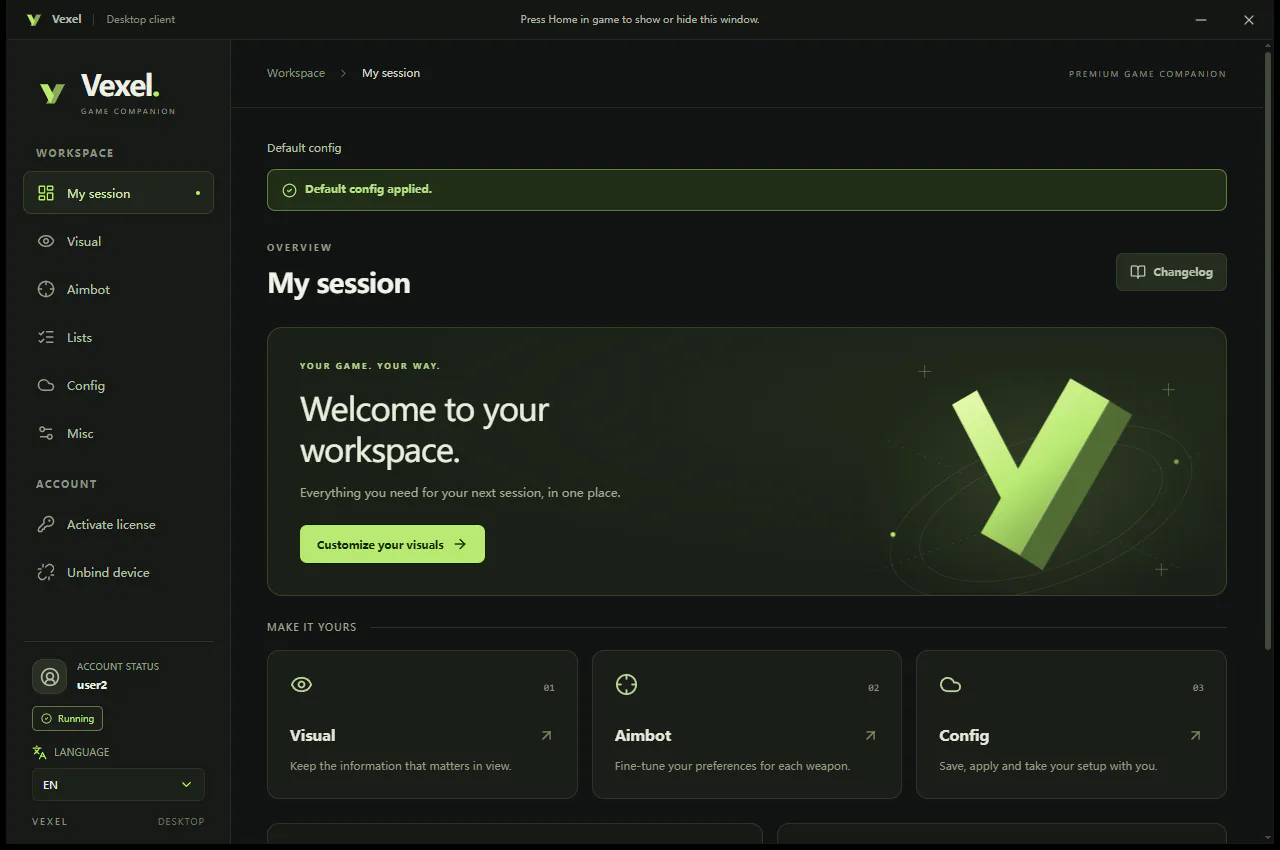
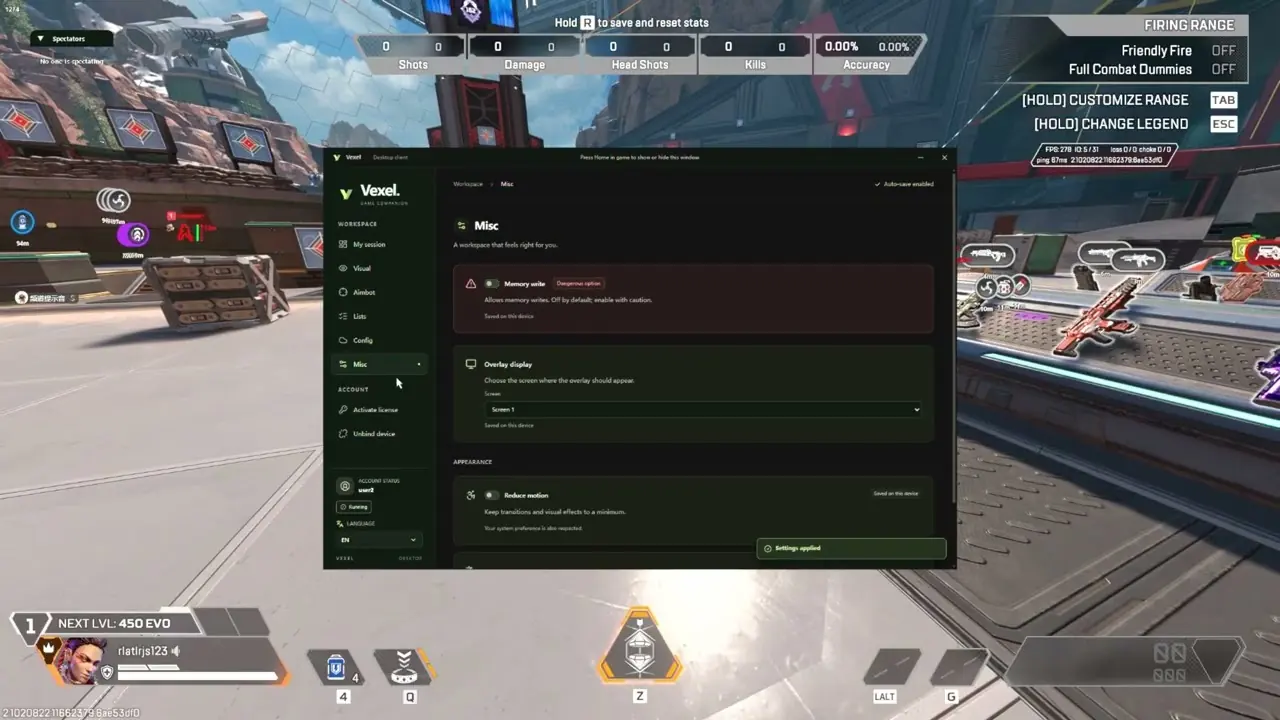
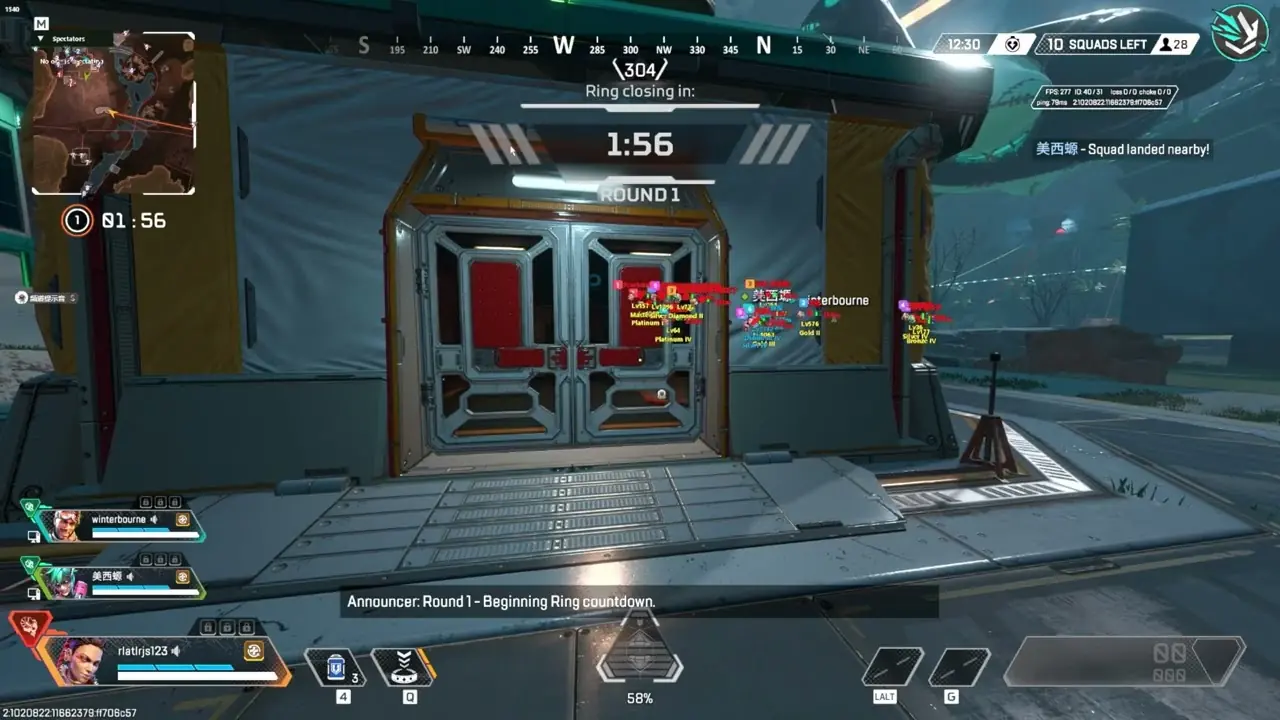
Vexel makes an Apex Legends DMA with aim, visuals, recoil control and player lists. It runs on your second PC with DMA or RDMA, and you download its loader from Vexel.
New V2.0 Enhanced Smoothing aimbot that adjusts the aim output to your system's performance, and a new prediction that adjusts compensation by target distance. Global Recoil Control is fixed and back on. The V2.0 Aimbot page can now apply a configuration to a whole weapon category, and Aimbot and Flick Shot have separate settings, with a combined Flick Shot + continuous left-click mode for full-auto weapons.
Vexel #changelog-日志Oct 26, 2026 · 5:59 AM
1024 Official Release
Added dual-mode ScriptMove with Tap Strafe, Super Grapple, Super Glide, Mantle Boost, and Bunny Hopping. Also added an overlay FPS limit, fixed controller-button assignment, and improved the weapon configuration interface.
Vexel #changelog-日志Oct 24, 2026 · 9:50 AM
1023 Official Release
Added a built-in font and replaced the font-rendering backend.
Vexel #changelog-日志Oct 22, 2026 · 11:02 PM
Apex Legends DMA Vexel features: ESP, Aim and Trigger
AIMBOT
Multi-hitbox selection
Aim radius / smoothing / strength
Visible / occluded / downed target options
Per-weapon settings
Aimflick / Triggerbot keybinds
VISUALS
Glow-like ESP (no memory write)
2D / 3D boxes
Skeleton / sight lines
Name / distance / legend
Visible / occluded / downed colors
Aimbot FOV
Spectator list
RECOIL CONTROL
No recoil X / Y
Linked X/Y adjustment
Per-weapon settings
PLAYER LISTS
Live player / spectator list
Search by name or User ID
Custom player lists
Custom marker colors
Bulk User ID import
CONFIG SYSTEM
Multiple configs
Cloud config storage
Default config auto-load
Import / export
Rename / overwrite / delete
Auto-save
OTHER
Full keyboard and mouse keybind system
Account and license management
Device unbind
Multi-language support
Individual feature toggles
AIMBOT INPUT / HARDWARE
DMA support
RDMA support
Memory-based aimbot
Ferrum
MAKCU
KMBox
YSC8K box
How Apex Legends DMA Vexel works
Apex Legends DMA Vexel runs on a second PC, not on the PC that runs Apex Legends. A DMA card with firmware, XMA or RDMA links the two PCs, the software reads the game from there and draws the ESP on the second screen or through a fuser, and aim features move your mouse through an input device such as a MAKCU or KMBox.
What you need
DMA or RDMA hardware, or a supported aim device (Ferrum, MAKCU, KMBox, or YSC8K).
See the feature list on this page, or ask us on Discord.
Is Apex Legends DMA Vexel working right now?
Yes, Vexel lists it as available today. After big game updates a product can pause for a while; the Product status page shows the latest.
What do I need for Apex Legends DMA Vexel?
DMA or RDMA hardware, or a supported aim device (Ferrum, MAKCU, KMBox, or YSC8K).
Does Apex Legends DMA Vexel come with a DMA card?
No. The key is the software. You also need a DMA card with firmware, XMA or RDMA to link your second PC. We sell all three and can check your PC first.
Which input devices work with Apex Legends DMA Vexel?
MAKCU, KMBox and Ferrum are supported for aim input. We sell MAKCU and KMBox-style devices too.
Do I need a fuser for Apex Legends DMA Vexel?
No. Without a fuser you watch the ESP on the second PC's screen. A fuser puts it over your game on the main monitor. See our fuser guide, or ask on Discord which fits your monitor.
What happens when Apex Legends updates?
Vexel updates the software after game patches. While it is being updated the Product status page shows it as updating, and your key keeps running as normal.
Does Apex Legends DMA Vexel work on PS5 or Xbox?
No. DMA works with Windows PCs only.
Can I pay by card?
Yes. Card, Apple Pay and Google Pay through Stripe, or crypto, at checkout. PayPal works in a Discord ticket.
How do I get my Apex Legends DMA Vexel key?
Pay by card or crypto at checkout. Your key is sent by email and shows on your My orders page.
Can I get a refund?
Keys cannot be refunded once they are activated. If a key we send will not activate, open a Discord ticket and we replace it.