Private Solutions · Pure / Spectra / Rie / Sensory / Poseidon / DIRECT / Caruso / Arcane / Zorvex
Wardogs cheats and software
Compare the Wardogs products sold by Private Solutions. Choose by the actual features, installation requirements, status and plan prices. The options below keep each supplier's build separate.
Listed prices and status are catalog snapshots. Checkout verifies the current price and availability before you pay. An updating product is not a promise of immediate access.
Wardogs DMA feature guide
Open this product in the live store for its current feature list and setup requirements. No unlisted aim or overlay feature is assumed.
Spectra Wardogs DMA feature guide
AIMBOT
Visible Check
Different Weapon configs
Aim FOV
Double keybinds
Prediction based on weapon
Bone selection / nearest
Skeleton
Skeleton thickness
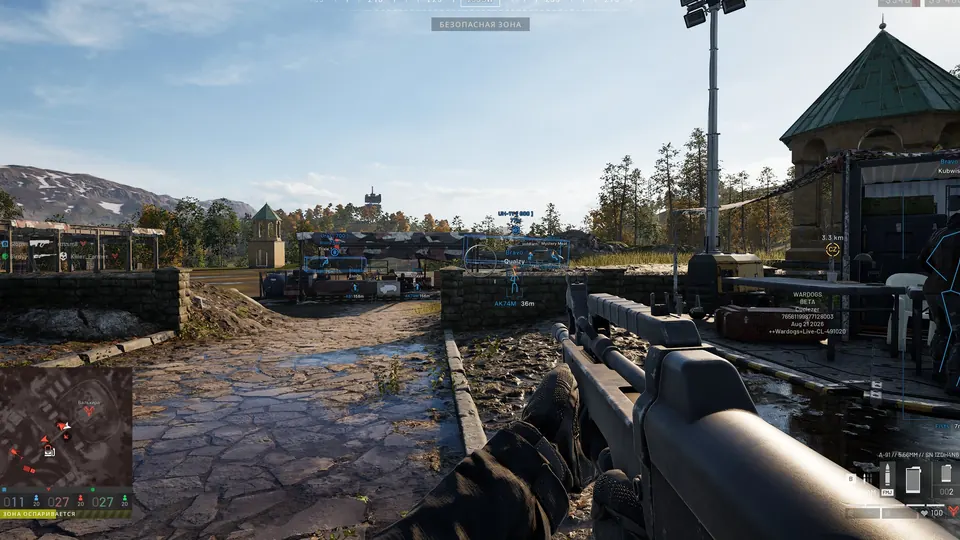
ESP
Box / Skeleton
Visible players only
Hide teammates
Faction tags
Downed players
Health numbers
Armor bars
Armor numbers
Held item
Player distance
Maximum visual distance
Player names
LOOT ESP
Items
Enable items
Item names
Item distance
FOB
Supply crates
Backpacks
Dropped items
Supply types
Generic crate
Small crate
Large crate
MISC
Color Customizations
Thickness Customizations
Keybinds Customizations
Box type customization
Delays Customizations per weapon
Miniradar position customizations
Vehicle ESP
Vehicle ESP
Sensory Wardogs DMA feature guide
AIM AND TRIGGER
Configurable aim and trigger controls with supported hardware input devices
Controller aim support through compatible MAKCU and Ferrum modes
Active-keybind display for aim, trigger, mortar, and battle-mode controls
VISUALS
Player visuals, chams, visible and hidden styles, and per-bone visibility
Grenade warnings with on-screen and off-screen markers, distance, and detonation timer
Item names for weapons, ammunition, attachments, and equipment
RADAR AND ARTILLERY
Multi-radar support and faster minimap discovery
Mortar prediction, landing forecasts, flight state, range, estimated impact time, and camera follow
Artillery alerts for mortar and SPH-2 rounds
SYSTEM
DirectX 11, low-latency DirectX 11, and OpenGL presentation
Built-in DMA latency, throughput, USB, and PCIe checks
Automatic updates, config storage, ultrawide alignment fixes, and input testing
Poseidon Wardogs DMA feature guide
GAME SUPPORT
Wardogs
KEYS
2, 30 or 90 day license keys
DIRECT Wardogs DMA feature guide
AIM
Aimbot with distance, FOV, speed and smoothing
Aim trajectory you shape by dragging points
Accuracy compensation and dynamic tracking
Reaction time, and delays for knocked and dead targets
PLAYER VISUALS
Boxes, skeleton, head circle, health and armor bars
Name, distance, weapon and ping
Match K/D, assists, revives, role XP, money and faction icon
GAME SUPPORT
Controller support
MENU
Fuser overlay mode, or a borderless window
Frame rate limit, V-sync and input delay settings
Hotkey to hide the menu
KEYS
7 days, 30 days, 90 days or 1 year
Caruso Wardogs DMA feature guide
GAME SUPPORT
Wardogs
HOW IT RUNS
The loader runs on your second PC
The menu opens in your browser at dash.caruso.top on your gaming PC
Open this product in the live store for its current feature list and setup requirements. No unlisted aim or overlay feature is assumed.
Wardogs scripts, free searches and feature questions
Which Wardogs cheats and hacks are listed?
Private Solutions lists 11 Wardogs product options from PureDMA, Spectra, Sensory, Poseidon, DIRECT, Caruso, Arcane, Zorvex, Rie. Compare the named products, their current status, term prices and published features below. A feature in one supplier's build does not mean every other build includes it.
Is there a free Wardogs hack, free cheat or free aimbot?
These are paid product listings, with listed plans from $4.00. This page does not provide a free hack or free license. Check whether the specific product includes aim features before purchasing; a free game and a free software license are different things.
Is a Wardogs script or userscript the right setup?
DMA products require the hardware and companion setup named on the product page; they are not paste-in browser scripts. PC software has its own supported installer and requirements. Use the selected supplier's setup instructions. A Tampermonkey script, GitHub download or script for a different game does not activate the products listed here.
Is the Wardogs product an internal cheat, external software or DMA?
The catalog options for this game include DMA licenses and PC software. Internal and external describe a particular software build; the words alone do not establish its setup requirements or features. Read the exact product name and installation guide before choosing. A browser script, an external application and a DMA setup are different installation paths.
Which Wardogs aimbot, ESP and wallhack features are supported?
Read the product-specific feature groups on this page and open the full product details. Aim assist or aimbot changes target selection or aiming; ESP draws information, and wallhack is a common term for through-wall visuals. Only treat an option as supported when that product's own feature list says so. Settings and visibility limits differ between suppliers.
Does a Wardogs game bot come with the license?
Aimbot or aim assist terminology does not mean unattended gameplay, farming, account leveling or an autonomous game bot. Buy for the capabilities explicitly listed on the chosen product page. No currency generator, account inbox script or universal cheat code is included by this comparison page.
How do I buy Wardogs software and get setup help?
Choose a product and duration, check its live stock and status, then use its checkout. The price and available payment methods are shown before payment. Your order provides the key or next steps. Use the product's setup guide and Private Solutions support for installation help.