Valorant Cheats und Hacks für den PC: Sensory Valorant DMA
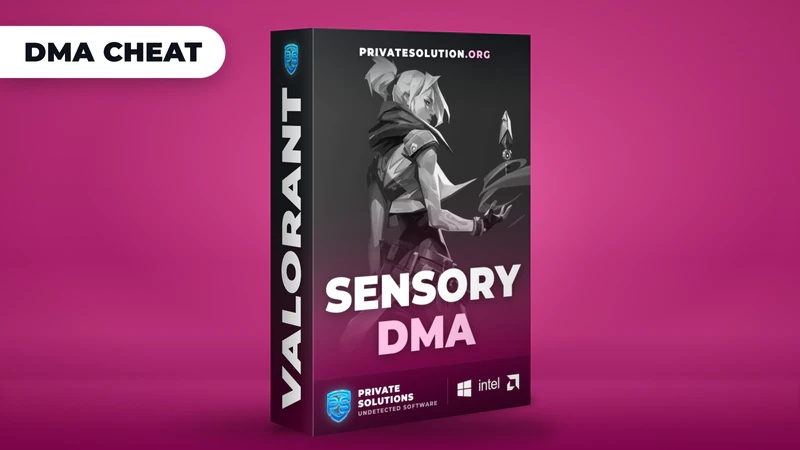
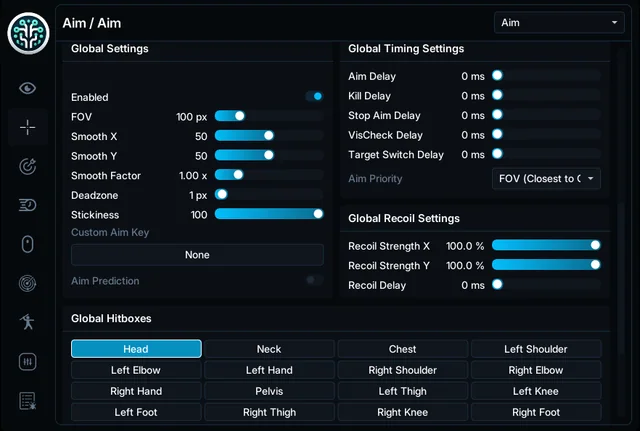
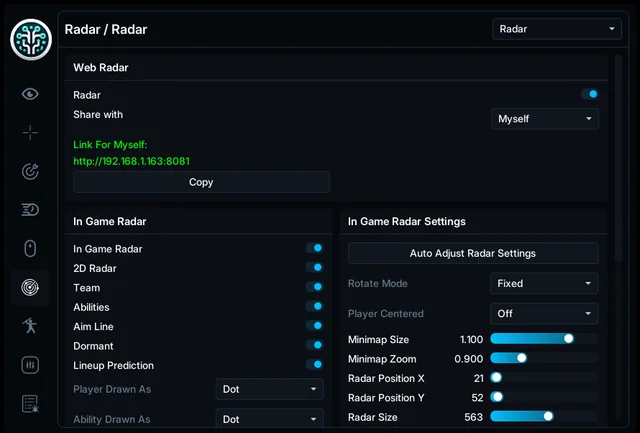
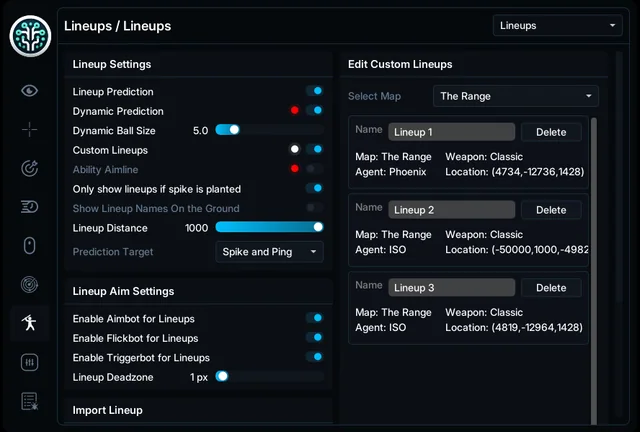
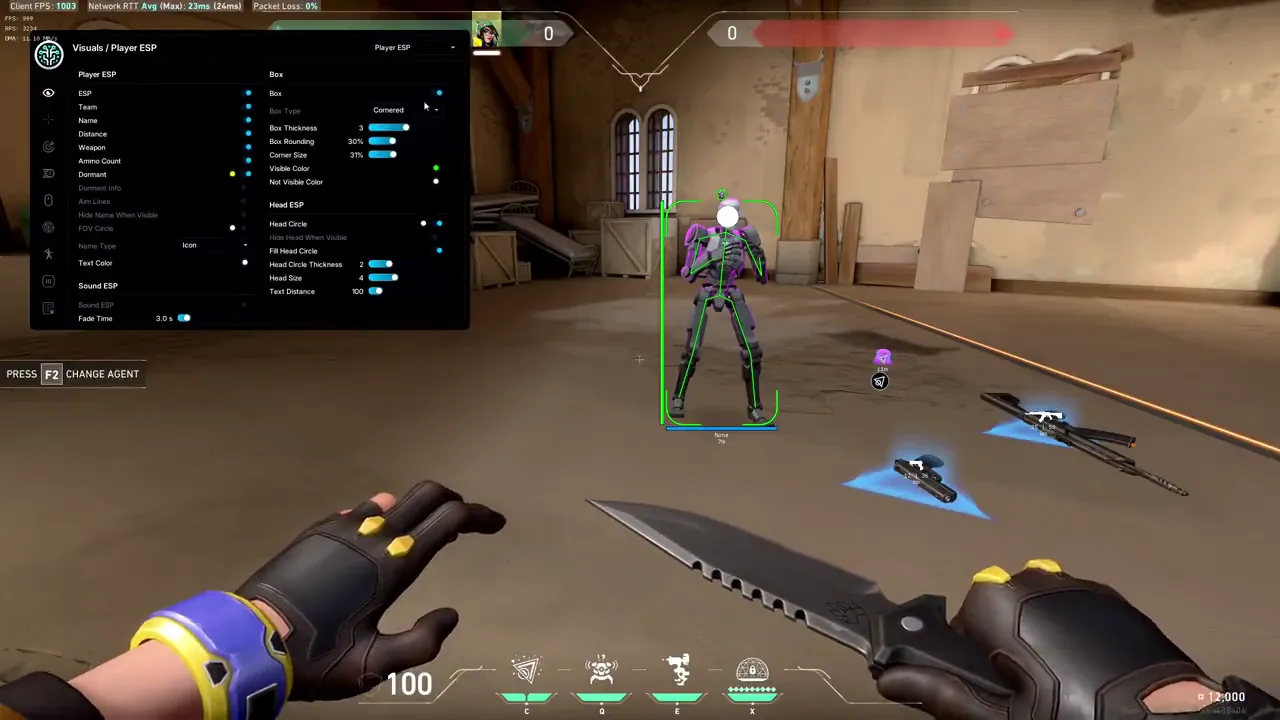
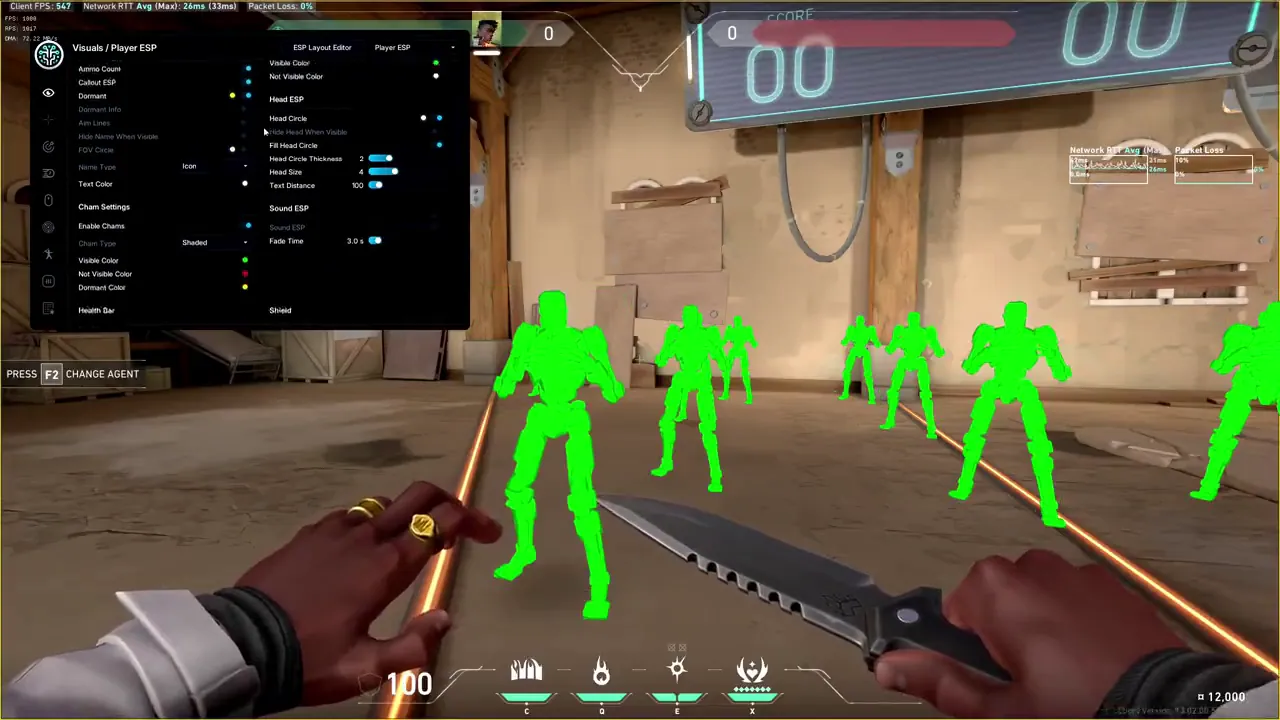
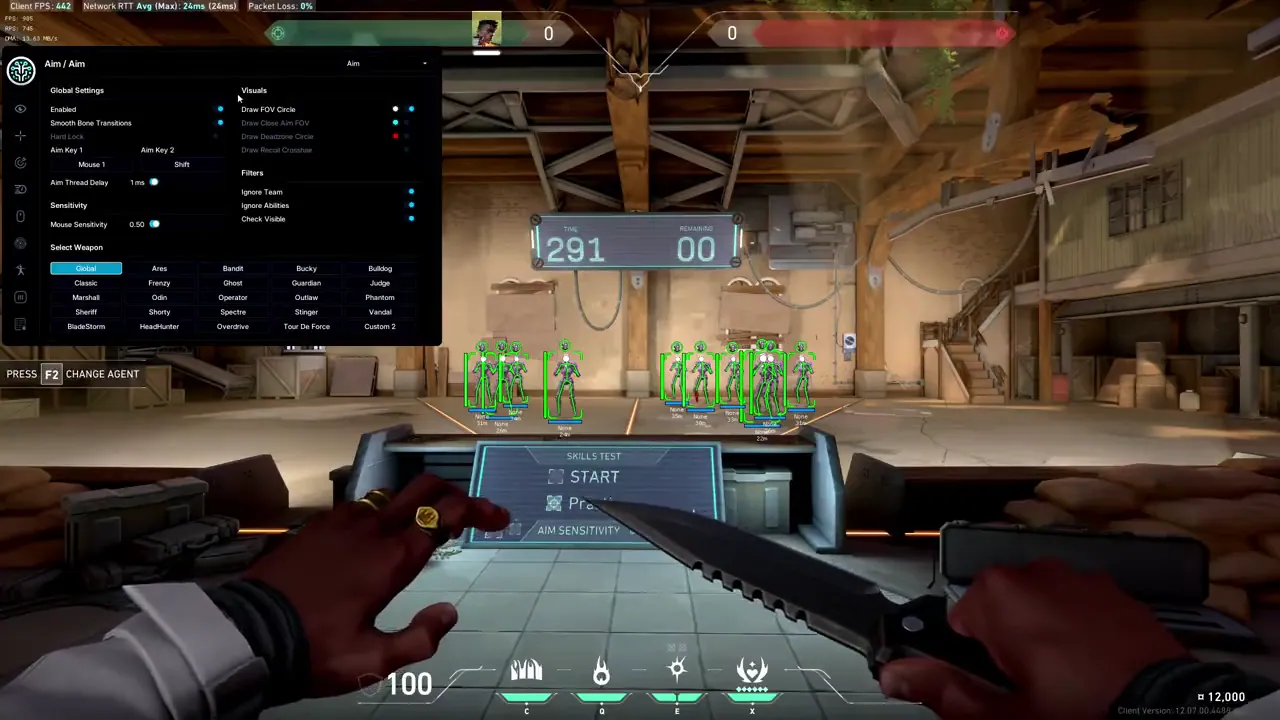
Riot Vanguard startet mit Windows, deshalb verkaufen wir keine injizierten internen Valorant-Versionen für deinen Gaming-PC. Sensory Valorant DMA läuft auf einem zweiten Windows-PC über eine DMA-Karte mit Vanguard-kompatibler Firmware und vereint Spieler- und Fähigkeiten-ESP, eigene Aim-Kurven, Flickbot, Triggerbot, teilbares Web-Radar und Lineup-Vorhersage in einem Key (1 Tag $7, 7 Tage $20 und 30 Tage $45).
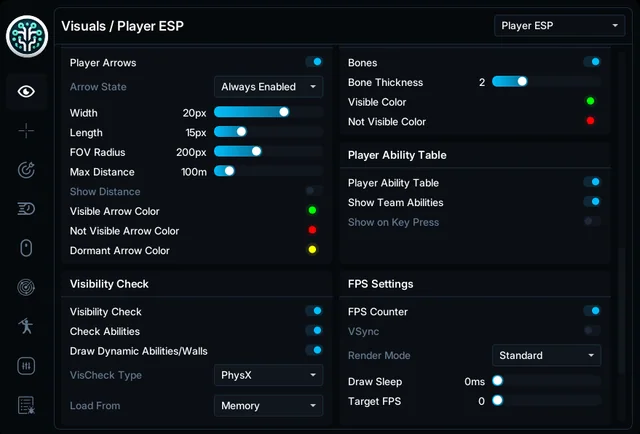
ESP für Spieler, Fähigkeiten, Sage-Wand, Rauch und Spike
Eigene Aim-Kurven, Flickbot mit zwei Tasten und Triggerbot pro Waffe
Teilbares Web-Radar im Browser plus dynamische Lineup-Vorhersage
20 aufgenommene Funktionsdemos von Sensory Valorant, die du vor dem Kauf ansehen kannst
Sensory Valorant DMA (ab $7) ist unsere komplette Valorant-DMA-Suite auf einem zweiten PC, mit Visuals, Web-Radar, Lineups und Hardware-Maus-Aim über MAKCU, KMBox, Ferrum, MoonLink, Raspberry Pi oder Arduino.
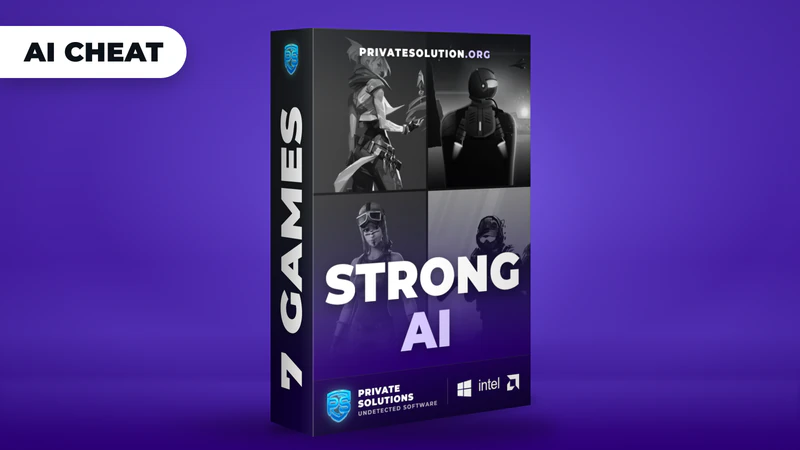
Du brauchst nur Aim ohne DMA-Karte? STRONG AI ($4.99 für 1 Tag) führt KI-Aim und Triggerbot auf einem zweiten PC über Capture-Karte oder OBS aus. Du willst eine Hardware-Lösung mit einem PC? K2Mobo-Mainboards mit eigenem BIOS ($799 AMD AM5 / $749 Intel LGA1700, Versand inklusive) laufen auf einem einzigen PC mit dem separaten Software-Abo von K2Mobo.
So funktioniert ein Valorant DMA
Sensory Valorant DMA läuft auf einem zweiten Windows-PC, nicht auf dem PC, auf dem Valorant läuft. Eine DMA-Karte in deinem Gaming-PC liest das Spiel aus und gibt es an den zweiten PC weiter, der die Visuals zeichnet und dein Aim über ein MAKCU, KMBox, Ferrum, MoonLink, Raspberry Pi oder Arduino bewegt. Laut Sensory braucht Valorant kompatible Firmware auf der Karte.
Keys: 1 Tag $7, 7 Tage $20 und 30 Tage $45. Jeder Key hat alle Funktionen.
Preise und Bestand können sich ändern; der Checkout zeigt vor dem Bezahlen immer den aktuellen Preis. Kein Cheat ist risikofrei, also prüfe den Status und frag uns auf Discord, bevor du kaufst. Produktstatus
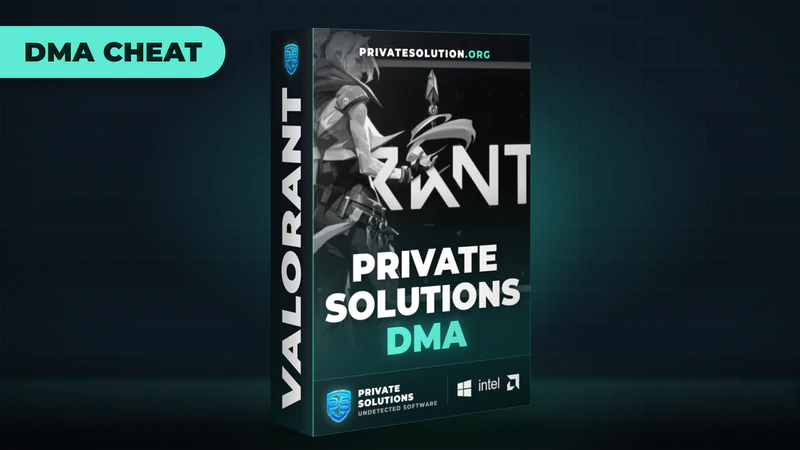
Weitere Valorant Produkte
Alle anderen Valorant Produkte, die wir verkaufen, auch Pakete für mehrere Spiele. Jede Karte zeigt, wie das Produkt läuft und was es kostet.
DirectX and OpenGL renderers, transparent or black backgrounds, stretched-resolution support, and monitor selection
Compatibility mode, older-offset option, hotkeys, player information table, and full config management
Support for MAKCU, KMBox, Ferrum, MoonLink, Raspberry Pi, and Arduino input paths
STRONG AI feature guide
AIMBOT
AI confidence: locks on only when it is sure enough
Target priority: sticky, closest or most sure
Prefer head: aims at the head when it can see one
Long range: looks harder at far targets (improved in the November update)
Aim point: head, neck, body or a custom spot
FOV: separate width and height
Initial movement delay: a short wait when a target first appears
MOVEMENT
Humanized aim: smooth, with separate X and Y speed
Dynamic speed: fast far away, slow up close
WindMouse: gravity and wind for natural paths
Bezier paths: curved moves instead of straight steps
Prediction: aims ahead of moving targets
Deadzone: holds still when already on target
Jitter: a small random shake
ABCurves: learns your mouse and shapes the aim path (Medius firmware only)
ADS scale: adjusts while the right mouse button is held
TRIGGERBOT
AI confidence: shoots only when it is sure enough
Accurate mode: fires only on the aim point
Fire modes: one-tap, tap with a count and gap, or a 3-click burst
Timing: delay before the first shot and max clicks per second
SETTINGS
Cloud configs: ready profiles inside STRONG AI
Community configs: share your config and use other people's
Profiles: create, save, import, export and load on start
Mouse binds: aimbot, triggerbot and masking on the middle or side buttons
Model quality: heavy, medium or low to match your second PC
CUDA: faster on 10 to 40 series NVIDIA cards, set up inside the menu
WEB MENU
Opens in any browser on your home network, phones included
QR code: scan it to open the menu on your phone
Pages: Capture, Aim, Trigger, Settings and ABCurves
Show screen: check the picture the second PC gets
Test move: checks that the board moves your mouse
CAPTURE
OBS plugin: streams your screen to the second PC, encrypted for each user
OBS plugin setup: picks the profile, adds Game Capture and sets the crop for your screen by itself
Capture card: works instead of OBS
Gaming PC: runs only OBS, or nothing with a capture card
SUPPORTED GAMES
Fortnite
Apex Legends
Counter-Strike 2
Rainbow Six Siege
The Finals
Rust
Valorant
Every other game (All-in-One model)
Valorant DMA feature guide
ESP
Every agent through walls with boxes, health bar, names and distance
Dead and despawned players drop off the overlay at once
SKELETONS
Full bone skeletons straight from the game's animation: standing, crouching or peeking
AIMBOT
Bone lock with recoil control through your hardware mouse (KMBox, Makcu or Ferrum)
FOV, speed, target bone and aim key of your choice
One-click calibration
MENU
The same draggable menu, colours and keybinds as every other game in the loader
Settings save on their own
HOW IT RUNS
Runs on your second PC and reads the game over your DMA card
Nothing on your gaming PC: no driver and no injected code
One loader for every game in the line, and it updates itself after game patches
GAME SUPPORT
Valorant
KEYS
1, 7 or 30 day license keys
Fragen zu Valorant cheats
Verkauft ihr einen Software-Cheat für einen PC für Valorant?
Nein. Wir verkaufen keine Software-Injektoren für den Gaming-PC bei Valorant. Unsere Software-Optionen für Valorant laufen auf einem zweiten PC: Sensory Valorant DMA über eine DMA-Karte oder STRONG AI über eine Capture-Karte oder OBS.
Welche DMA-Firmware funktioniert mit Riot Vanguard?
Riot Vanguard braucht dafür gemachte Firmware: Slotted Elite, Slotted Ultimate oder Option 2B auf unserer Firmware-Seite. Öffne ein Discord-Ticket, und wir prüfen dein Mainboard und dein Setup, bevor du bestellst.
Kann ich es zuerst testen?
Ja. Der 1-Tage-Key kostet $7, damit du es vor einem 7-Tage- oder 30-Tage-Key testen kannst.
Was brauche ich?
Zwei PCs mit Windows 10 oder 11, eine DMA-Karte mit Firmware für Valorant und ein MAKCU, KMBox, Ferrum, MoonLink, Raspberry Pi oder Arduino für Aim und Trigger. Ein Fuser ist optional. Wir verkaufen die Hardware und prüfen zuerst dein Setup.
Funktioniert es auf PS5 oder Xbox?
Nein. Sensory Valorant DMA liest Valorant auf einem Windows-PC von einem zweiten PC aus. Auf Konsolen funktioniert es nicht.
Kann ich in Valorant gebannt werden?
Kein Cheat ist risikofrei, und Riot bannt Accounts, die Tools von Drittanbietern nutzen. Prüfe den Produktstatus und frag uns auf Discord, bevor du kaufst.
Wie bekomme ich meinen Key?
Zahle im Checkout per Karte oder Krypto. Dein Key kommt per E-Mail, und wir helfen dir auf Discord bei der Einrichtung.
Sind die Valorant Produkte hier unentdeckt?
Ja, soweit die Anbieter wissen. Jedes Produkt wird nur verkauft, solange sein Anbieter es als unentdeckt und funktionsfähig meldet. Findet ein Anbieter eine Erkennung, pausiert er das Produkt, wir markieren es auf unserer Statusseite als „Update läuft“ und verkaufen es nicht, bis es repariert ist. Kein Cheat ist risikofrei, also prüfe den Status, bevor du spielst.
Ist ein Valorant Script oder Userscript die richtige Lösung?
DMA-Produkte brauchen die Hardware und die Begleit-Einrichtung, die auf der Produktseite stehen; es sind keine Scripts, die man in den Browser einfügt. Folge der Einrichtungsanleitung des gewählten Anbieters. Ein Tampermonkey-Script, ein GitHub-Download oder ein Script für ein anderes Spiel aktiviert die hier gelisteten Produkte nicht.
Ist bei der Lizenz ein Valorant Spiel-Bot dabei?
Begriffe wie Aimbot oder Aim-Assist bedeuten kein unbeaufsichtigtes Spielen, Farmen, Account-Leveling oder einen autonomen Spiel-Bot. Kaufe für die Funktionen, die auf der gewählten Produktseite ausdrücklich stehen. Diese Vergleichsseite enthält keinen Währungsgenerator, kein Account-Inbox-Script und keinen universellen Cheat-Code.
Wie kaufe ich Valorant Software und bekomme Hilfe bei der Einrichtung?
Wähle ein Produkt und eine Laufzeit, prüfe Live-Bestand und Status und nutze dann den Checkout. Preis und verfügbare Zahlungsarten siehst du vor dem Bezahlen. Deine Bestellung liefert den Key oder die nächsten Schritte. Nutze die Einrichtungsanleitung des Produkts und den Private Solutions Support für die Installation.