홈 / Wardogs DMA / Wardogs 핵 Wardogs 핵
PC용 Wardogs (War Dogs) 핵 & 치트: DMA 및 게이밍 PC 소프트웨어
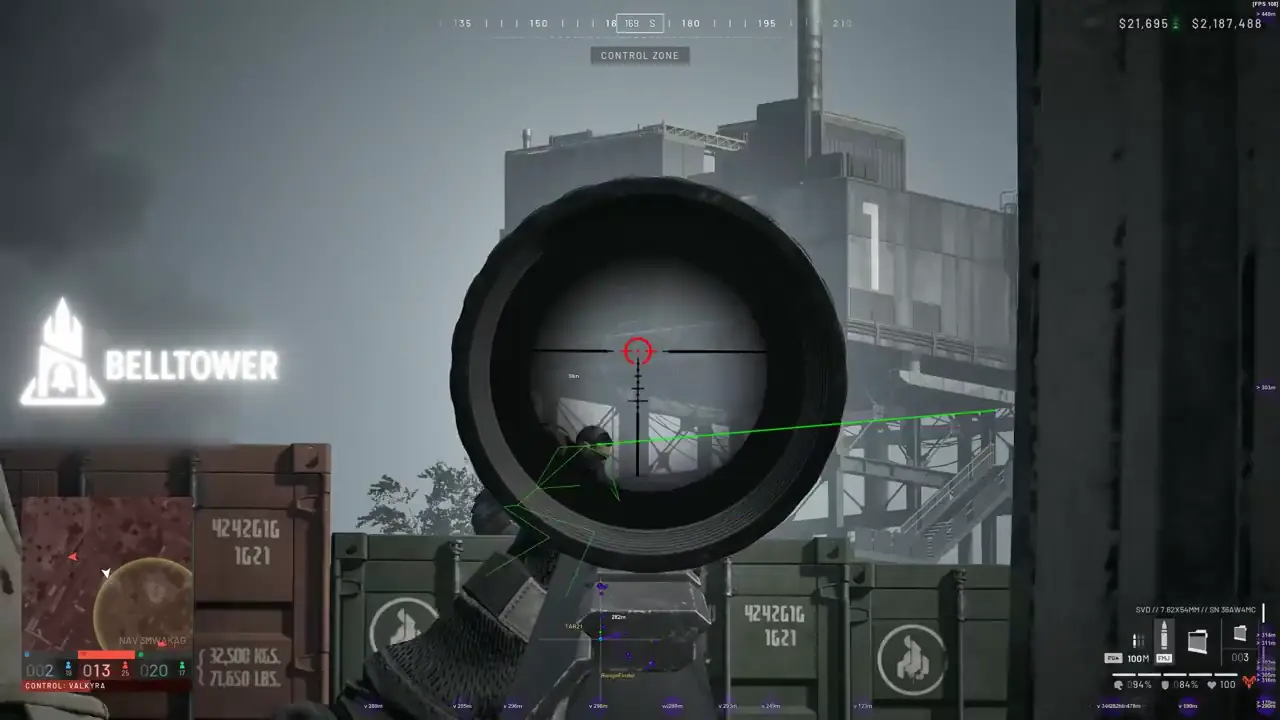
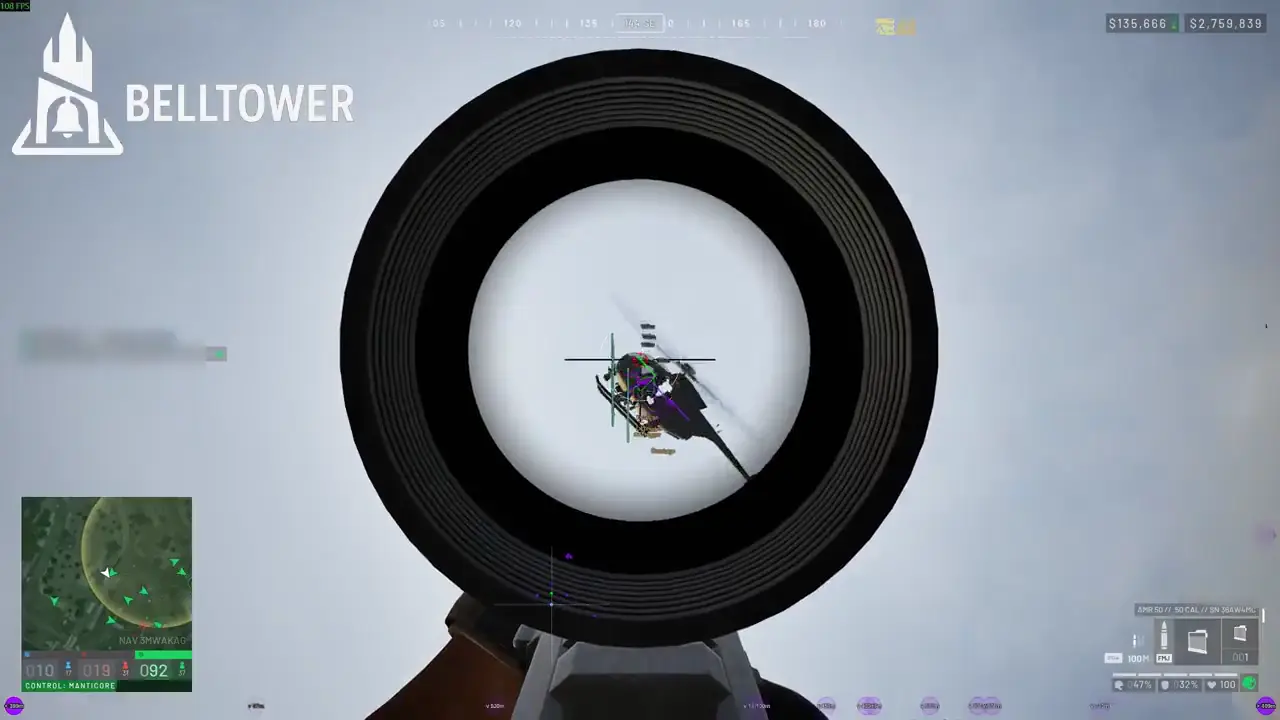
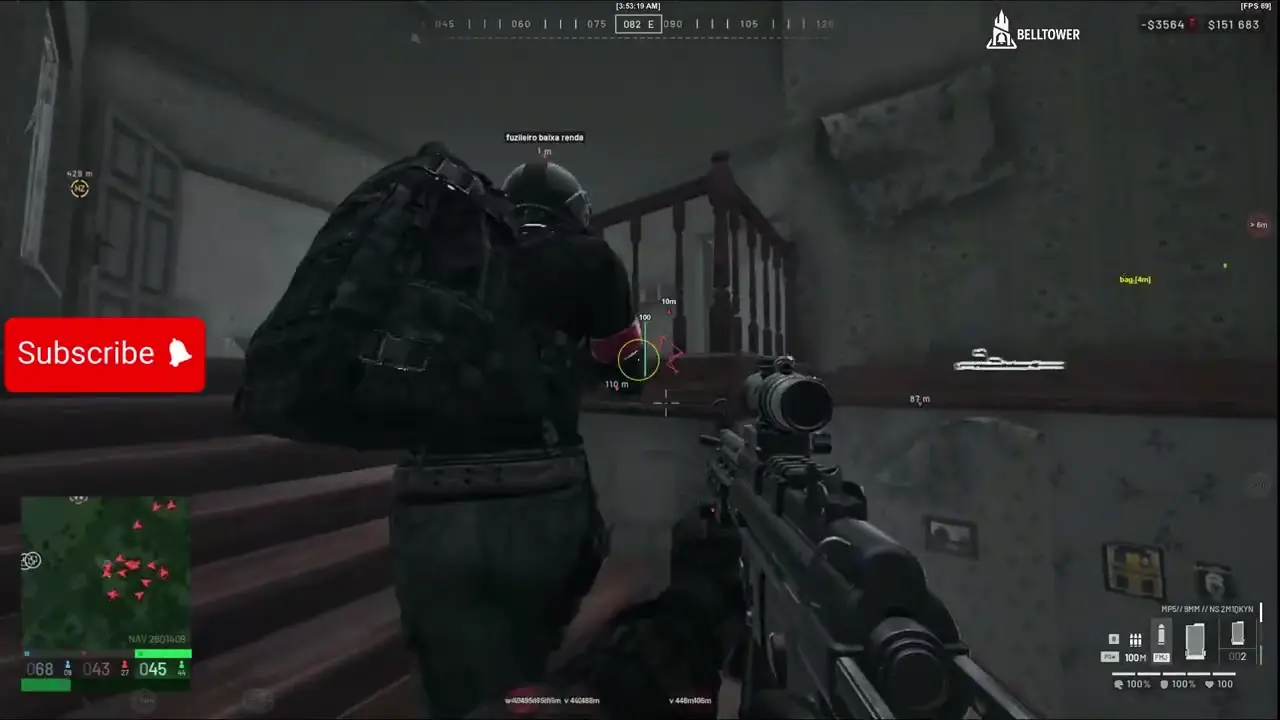
Wardogs(War Dogs로도 검색됨)는 Lonestar, Valkyra, Manticore 진영 간 100인 보병전과 전차, 헬기, FOB, 박격포 전투가 결합된 게임입니다. 게이밍 PC용 BellTower Wardogs($1.99부터)와 6종의 2PC DMA 빌드인 Pure Wardogs DMA($4.99부터), Poseidon($4.99부터), Sensory($5부터), DIRECT($10부터), Caruso($13.99부터), Zorvex($14.99부터)를 비교해 보세요.
진영 구분 플레이어 월핵/ESP (Lonestar, Valkyra, Manticore) 탄도 에임봇, 가시성 체크 및 차량 타겟팅 박격포 낙하 예측, 포격 알림 및 공유 가능한 웹 레이더 1시간 PC 소프트웨어 체험 키(BellTower) 또는 1일부터 시작하는 2PC DMA(Pure, Sensory) 관련 검색어: wardogs 핵, war dogs 치트, wardogs 월핵, wardogs 에임봇, wardogs dma 핵, wardogs 핵 구매.
Wardogs (War Dogs) 게이밍 PC 소프트웨어 vs 2PC DMA DMA 카드 없이 BellTower Wardogs는 Windows 11 게이밍 PC에서 바로 실행되며 1시간 $1.99부터 탄도 에임, 진영 ESP, 오브젝트 ESP, 무반동, 박격포 레이더를 제공합니다.
DMA 카드나 RDMA 및 보조 PC를 사용하면 Pure Wardogs DMA($4.99부터), Poseidon($4.99부터), Sensory($5부터), DIRECT($10부터), Caruso($13.99부터), Zorvex($14.99부터)가 게이밍 PC 외부에서 클라이언트를 실행합니다.
Wardogs 핵: 옵션 및 가격
BellTower 소프트웨어: 게이밍 PC에서 실행됩니다. DMA 카드나 보조 PC가 필요 없습니다.
에임 락 켜기 / 끄기 Ballistic Prediction Skeleton Overlay 박격포 레이더 켜기 / 끄기 No Recoil BellTower 기능 목록 기준.
1시간 $1.99 1일 $3.99 7일 $9.99 30일 $29.99 90일 $74.99 자세히 보고 구매하기
Fecurity 소프트웨어: 게이밍 PC에서 실행됩니다. DMA 카드나 보조 PC가 필요 없습니다.
Aim assist with your own aiming settings Set the maximum aiming speed Choose and set your aim points Tries to calculate bullet ballistics Shows enemy positions and gadgets Fecurity 기능 목록 기준.
자세히 보고 구매하기
Bleak 소프트웨어: 게이밍 PC에서 실행됩니다. DMA 카드나 보조 PC가 필요 없습니다.
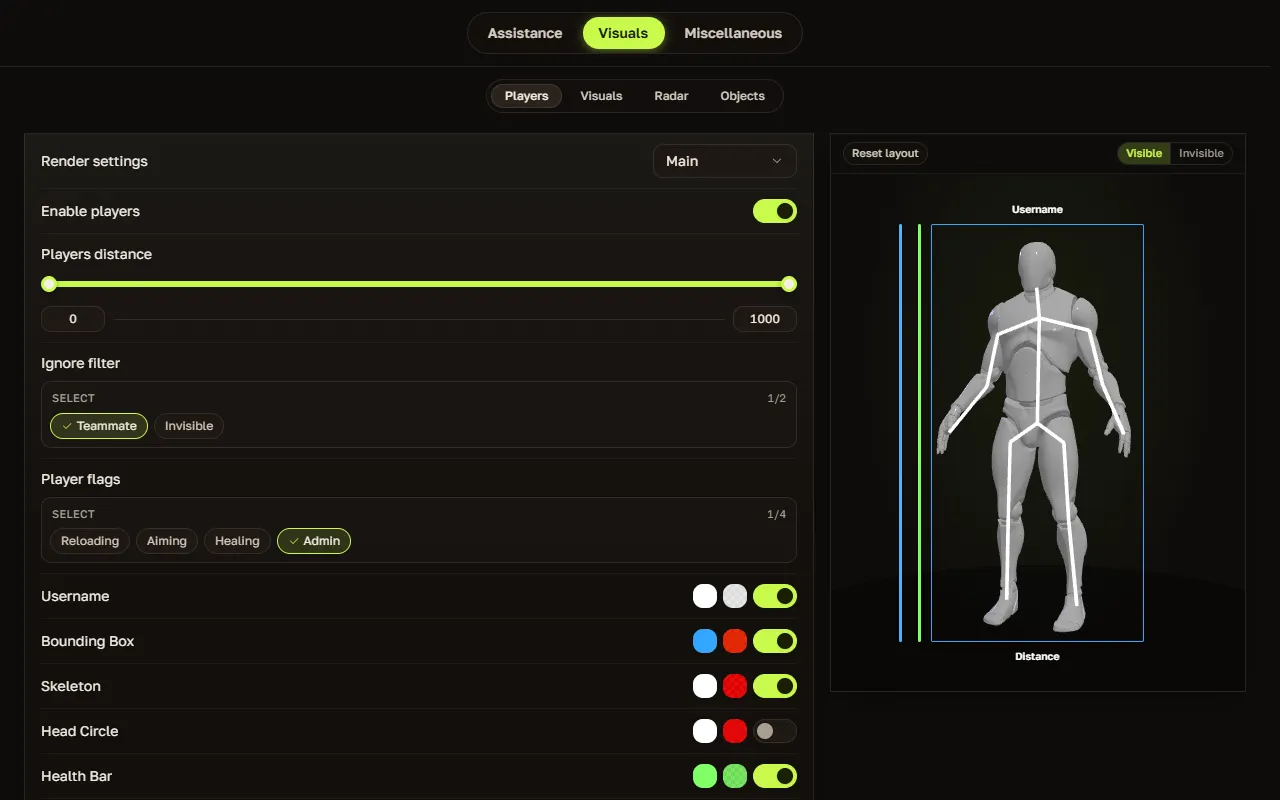
Aim Mouse: Primary / Secondary keybinds Boxes: Full / Corner / 3D / None 2D radar Weapons: L81 / SPH-2 Bleak 기능 목록 기준.
자세히 보고 구매하기
Disconnect 소프트웨어: 게이밍 PC에서 실행됩니다. DMA 카드나 보조 PC가 필요 없습니다.
Aimbot Silent Aimbot Player Box ESP Squad ESP Player Radar Disconnect 기능 목록 기준.
1일 $4.99 3일 $9.99 7일 $17.99 30일 $34.99 평생 $129.99 자세히 보고 구매하기
PureDMA DMA: 보조 PC에서 실행됩니다. 게임을 플레이하는 PC에서는 아무것도 실행되지 않습니다.
진영 (이름 / 아이콘 / 점) 하드웨어 Auto-Aim Browser Room Auto Flare 판매사 기능 목록 기준.
1일 $4.99 3일 $9.99 1주일 $14.99 1개월 $29.99 자세히 보고 구매하기
Poseidon DMA: 보조 PC에서 실행됩니다. 게임을 플레이하는 PC에서는 아무것도 실행되지 않습니다.
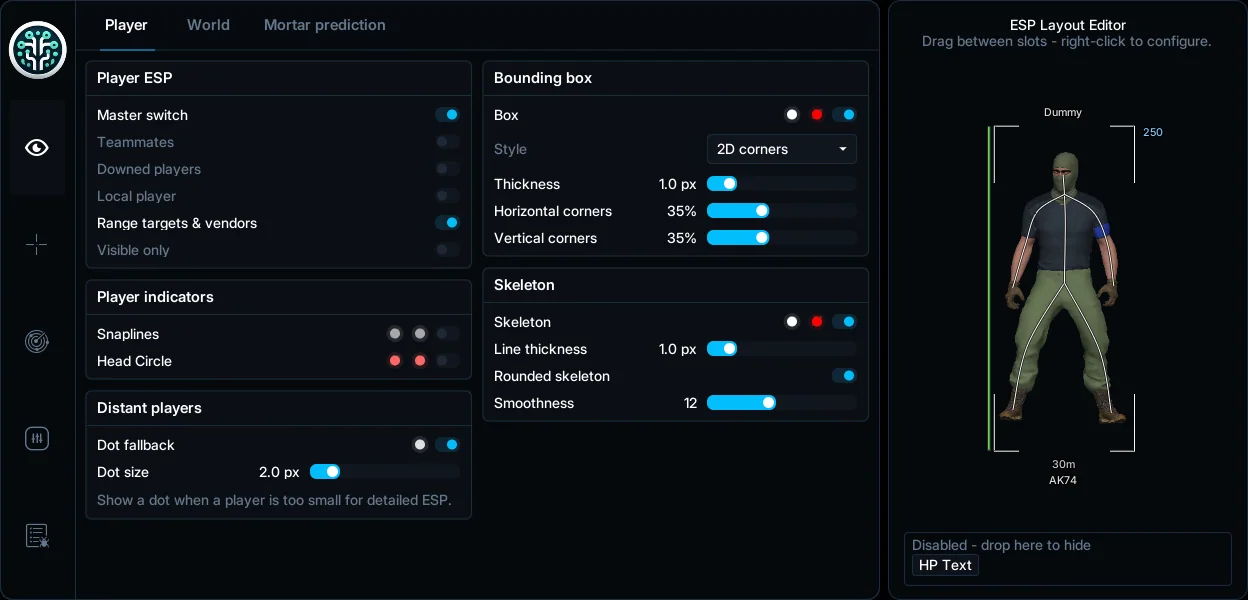
필터: 적대 진영, 아군 진영, 개별 진영, 플레이어, AI, 기절, 시체 및 미확인 진영 FOB 및 설치물, 보급 상자, 시체, 배낭 및 드롭 아이템 조준 부위: 머리, 가슴 또는 골반 지도 배경 위 이름 및 시선 방향 표시 Poseidon 기능 목록 기준.
2일 $4.99 30일 $19.99 90일 $44.99 자세히 보고 구매하기
Sensory DMA: 보조 PC에서 실행됩니다. 게임을 플레이하는 PC에서는 아무것도 실행되지 않습니다.
지원 하드웨어 입력 장치와 연동되는 맞춤 에임 및 트리거 설정 호환 MAKCU 및 Ferrum 모드를 통한 컨트롤러 에임 지원 에임, 트리거, 박격포, 전투 모드용 활성 단축키 표시 멀티 레이더 지원 및 빠른 미니맵 감지 박격포 예측, 탄착 지점 예보, 비행 상태, 사거리, 예상 탄착 시간 및 카메라 추적 Sensory 기능 목록 기준.
자세히 보고 구매하기
Spectra DMA: 보조 PC에서 실행됩니다. 게임을 플레이하는 PC에서는 아무것도 실행되지 않습니다.
가시 여부 확인 Box / Skeleton Faction tags FOB 차량 ESP Spectra 기능 목록 기준.
7일 $10.00 30일 $20.00 평생 $200.00 자세히 보고 구매하기
DIRECT DMA: 보조 PC에서 실행됩니다. 게임을 플레이하는 PC에서는 아무것도 실행되지 않습니다.
거리, FOV, 속도 및 스무딩 설정 에임봇 박스, 스켈레톤, 헤드 서클, 체력 및 방어구 바 DIRECT 기능 목록 기준.
7일 $10.00 30일 $25.00 90일 $60.00 1년 $199.00 자세히 보고 구매하기
Caruso DMA: 보조 PC에서 실행됩니다. 게임을 플레이하는 PC에서는 아무것도 실행되지 않습니다.
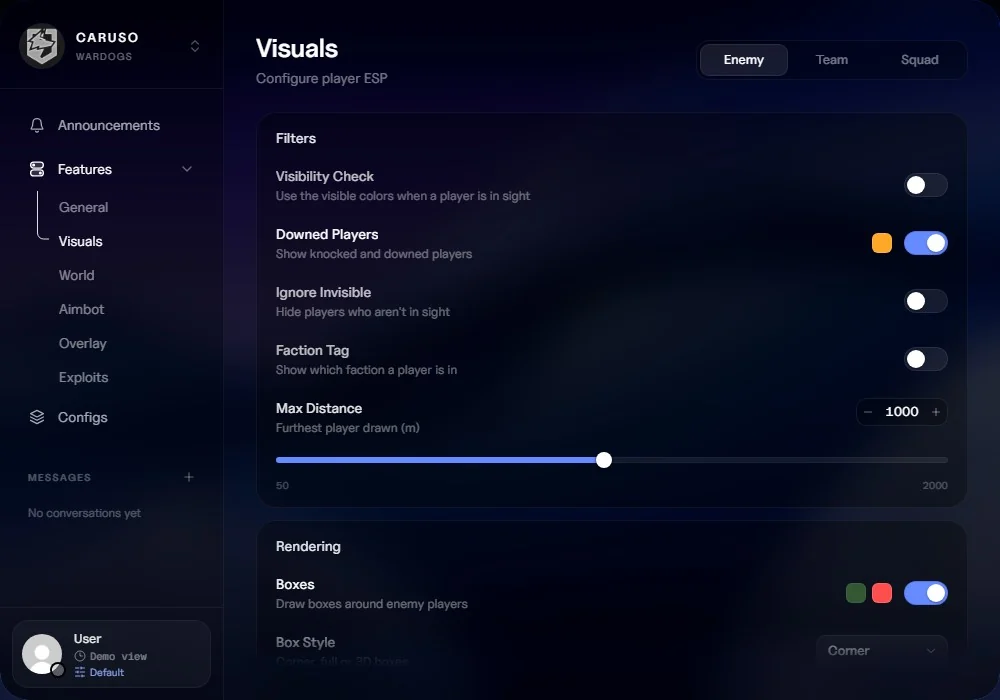
진영: Lonestar, Valkyra, Manticore 차량 ESP: 트럭, 전차, 자주포, 수송·공격 헬기, 항공기, 거치 화기 마우스 장치(KmBox) 또는 메모리 에임 박격포 탄착 예측 Caruso 기능 목록 기준.
자세히 보고 구매하기
Snaw DMA: 보조 PC에서 실행됩니다. 게임을 플레이하는 PC에서는 아무것도 실행되지 않습니다.
Bullet prediction Land, air and stationary vehicles Triggerbot Web radar Snaw 기능 목록 기준.
7일 $15.00 30일 $30.00 90일 $70.00 평생 $300.00 자세히 보고 구매하기
Zorvex DMA: 보조 PC에서 실행됩니다. 게임을 플레이하는 PC에서는 아무것도 실행되지 않습니다.
스무딩 (0-100), 반응 지연 (0-500ms), FOV (1-30°) FOV 임계값, 지연 시간, 점사 길이 및 쿨다운 박스: 전체, 코너 또는 채움(두께 및 코너 길이 조절 가능) Zorvex 기능 목록 기준.
7일 $14.99 30일 $23.99 90일 $52.99 자세히 보고 구매하기
가격과 재고는 변동될 수 있으며 결제 전 항상 최신 금액이 표시됩니다. 어떤 핵도 위험이 없을 수 없으므로 구매 전 상태를 확인하고 Discord로 문의해 주세요. 제품 상태
더 많은 Wardogs 제품 멀티 게임 패키지를 포함한 기타 모든 Wardogs 판매 제품입니다. 각 카드에서 실행 방식과 가격을 확인하세요.
Zorvex DMA: 보조 PC에서 실행됩니다. 게임을 플레이하는 PC에서는 아무것도 실행되지 않습니다.
자세히 보고 구매하기
BellTower BellTower 소프트웨어: DMA 카드나 보조 PC 없이 게이밍 PC에서 게임과 함께 실행됩니다.
1일 $7.99 7일 $19.99 30일 $59.99 90일 $149.00 1년 $359.00 평생 $499.00 자세히 보고 구매하기
Rie DMA: 보조 PC에서 실행됩니다. 게임을 플레이하는 PC에서는 아무것도 실행되지 않습니다.
7일 $20.00 1개월 $40.00 1년 $300.00 자세히 보고 구매하기
Arcane 외부(External) 빌드(Arcane 기준 external): DMA 카드 없이 게이밍 PC에서 실행됩니다.
자세히 보고 구매하기
필요한 것 DMA 도구 사용 시: 게이밍 PC에 펌웨어가 설치된 DMA 카드와 소프트웨어를 실행할 Windows 10 또는 11 보조 PC가 필요합니다. 퓨저(Fuser)는 게임 화면에 직접 오버레이를 띄우고 싶을 때만 필요합니다. MAKCU 또는 KMBox는 에임 입력용 선택 장비입니다. BellTower Wardogs 요구 사양: DMA 카드나 보조 PC 없이 게이밍 PC에서 실행됩니다. 최신 Windows 11(64비트), Intel 또는 AMD CPU, 순정 Windows 설치(커스텀 OS 불가), 디스플레이 배율 100%. Fecurity Wardogs 요구 사양: DMA 카드나 보조 PC 없이 게이밍 PC에서 실행됩니다. Windows 10 또는 11. Bleak Wardogs 요구 사양: DMA 카드나 보조 PC 없이 게이밍 PC에서 실행됩니다. Windows 10 또는 11, Discord 오버레이 활성화 필요. Disconnect Wardogs External 요구 사양: DMA 카드나 보조 PC 없이 게이밍 PC에서 실행됩니다. Windows 10 또는 11, Intel 또는 AMD CPU. DMA가 처음이세요? 입문자를 위한 DMA 가이드 · 내 세팅 찾기 · DMA 카드와 펌웨어
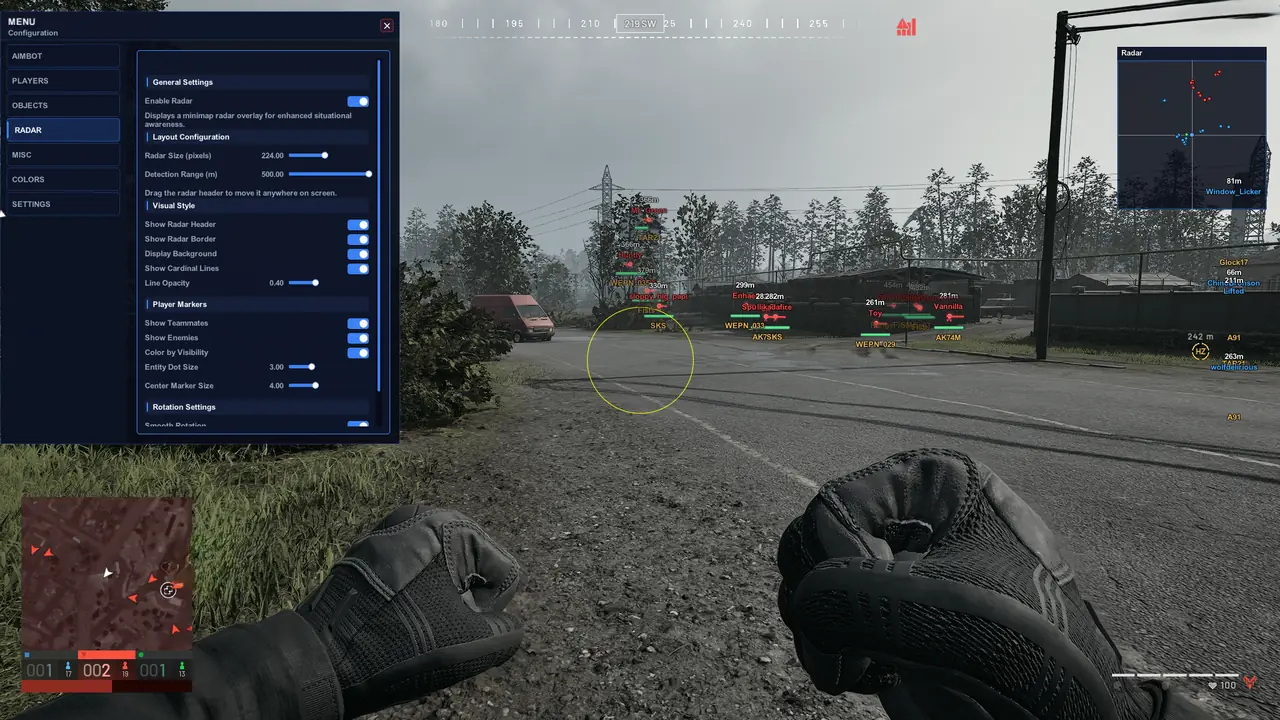
BellTower Wardogs feature guide AIMBOT: CORE SETTINGS 에임 락 켜기 / 끄기 Lock Until Key Release Recoil Control System Dynamic Hitbox Hitbox Priority: Head / Torso First, Closest to Crosshair Target Bone Selection when Dynamic Hitbox is disabled: Head, Neck, Pelvis, Spine Aim Style: FOV Based, Closest Distance, Lowest Health Smooth Aim Adjustable Smoothness Deadzone Adjustable Deadzone Radius Adjustable Target Switch Delay PLAYER ESP: VISUAL ELEMENTS Bounding Box Style: Corners, 2D Box, 3D Box, Disabled Snap Lines: From Center, From Bottom, From Top, Disabled Adjustable Snap Line Thickness Player Name Distance Indicator Health Bar Health Bar Position: Below, Left, Right Health Percentage Limit Health Bar Distance Adjustable Bar Visibility Distance Skeleton Overlay Direction Indicator AIMBOT: FIELD OF VIEW / TARGET FILTERS FOV Circle Adjustable FOV Radius Aim at Enemies Aim at Downed Enemies Aim at Teammates Visible Targets Only Adjustable Maximum Distance OBJECT ESP Enable / Disable Object ESP Distance Display Adjustable Maximum Distance Supported object types: Cars, Tanks, Helicopters, Mortars / AA Guns, Supply Crates, Bags, Loot, Traps / Mines PLAYER ESP: GENERAL SETTINGS Enable / Disable Player ESP Faction Colors for ESP & Radar COLORS Colours for: Enemy, Visible Enemy, Teammate, Visible Teammate, Downed Player, Distance Text Colours for: Background, Border, Center Marker Crosshair Color PLAYER ESP: DISPLAY FILTERS Visible Players Only Color by Visibility Faction-Based Color Handling Adjustable Maximum Distance 팀원 표시 Show Enemies Show Downed Enemies Show Held Weapon SETTINGS Multiple Configuration Profiles Refresh Profile List Save Profile Load Profile Reset Profile Custom Profile Name Create Profile Toggle Menu Hotkey Aim Lock Key Emergency Disable Key RADAR: GENERAL AND LAYOUT AND MORE Enable / Disable Radar Adjustable Radar Size 감지 범위 조절 Show / Hide Radar Header Show / Hide Radar Border Display Background Cardinal Lines Adjustable Line Opacity 팀원 표시 Show Enemies Show Downed Enemies Color by Visibility RADAR: MORTAR RADAR 박격포 레이더 켜기 / 끄기 Show / Hide Mortar Radar Header Show / Hide Mortar Radar Background Show / Hide Mortar Radar Border Show Coordinates Adjustable Mortar Dot Size Adjustable Mortar Radar Size Adjustable Impact Area Radius 팀원 표시 Show Enemies Show Downed Enemies Impact Marker in World WEAPON FEATURES No Sway No Recoil No Weapon Kickback No Spread MISCELLANEOUS Crosshair style: Cross, Dot, Circle, Cross + Dot, Off FPS Counter Resolution Display Current Time Fecurity Wardogs feature guide AIM ASSIST Aim assist with your own aiming settings Set the maximum aiming speed Choose and set your aim points Tries to calculate bullet ballistics ESP Shows enemy positions and gadgets Finds and marks targets in different ways Shows extra target numbers when it can read them from memory Shows objects on the ground Bleak Wardogs feature guide AIMBOT AND RECOIL CONTROL Aim Mouse: Primary / Secondary keybinds Aim point: Head / Neck / Body Smoothing: 1-10 Aim radius: 0-300 px Visibility check Auto-calibration FOV display: Thin circle Crosshair: Dot / Cross / T-Cross / Ring / Chevron Bullet prediction Anti-recoil PLAYER ESP Boxes: Full / Corner / 3D / None Player information: Names / Distance / Health / Armor Weapon ESP: Weapon name / Magazine ammo Armor: Durability / Body-part segments Skeletons: Thickness 1-5 Draw range Allies: Hide / Highlight Corpses Spectators Admin alert Danger warning Threat tracker: Visible / Hidden BATTLE MODE Enemies only Screen and radar filters Hotkey: F6 / Remappable LOOT AND VEHICLE ESP Dropped items: Names / Distance / Markers Loot categories: Weapons / Attachments / Ammo / Meds/Boost / Armor / Helmets / Backpacks / Grenades / Other Loot tiers: Blue / Gold rings Minimum loot tier Smart loot filter Item range: 1,000 m max Grenades: Trajectory / Impact marker Vehicles: Names / Distance / Health Vehicle crew: Names / Count / Faction color / Driver icon Vehicle filters: Helicopters / Planes / Tanks / APCs / Cars / Trucks / Boats / Stationary weapons Vehicle range: 3,000 m max ARTILLERY CALCULATOR Weapons: L81 / SPH-2 Charges: Low / High Impact prediction: Marker / Trajectory Aim correction: Elevation (mil) RADAR 2D radar Visibility: Visible / Hidden Filters: Players / Items / Vehicles / Corpses Layout: Zoom / Size (200-700) / Position / Dragging Radar preview COLORS AND INTERFACE Player colors: Boxes / Skeletons / Names / Visible / Hidden Additional colors: Distance / Allies / Knocked / Crosshair / Health / Armor / Kill feed / Damage World colors: Loot / Vehicles / Crew / Corpses / Grenades / Line of sight Overlay colors: Arrows / FOV / Radar Color palette: 30+ colors Player Hot Bar: Draggable Weapon panel: Ammo / Low-ammo alert / Armor / ADS dot Kill feed Session kill counter Icons: Weapons / Vehicles / F8 Menu: Tabs / Accent color / Background animation ESP text: Font / Size HOW IT RUNS Runs on your gaming PC through the Discord overlay: no DMA card or second PC Steam Windows 10 and 11 (2004 to 26H1) Works with Secure Boot on Disconnect Wardogs External feature guide AIMBOT & COMBAT Aimbot Silent Aimbot Aimbot Prediction 가시 여부 확인 Target Lock Custom Hitbox Selection Head Targeting Chest Targeting Pelvis Targeting Adjustable Aim Smoothing Adjustable Aim Deadzone Maximum Aim Distance AIMBOT CUSTOMIZATION Adjustable Aim FOV 동적 FOV FOV Circle Custom FOV Circle Color Target Line Custom Target Line Color Adjustable Aim Distance Custom Aimbot Keybind WEAPON & CAMERA UTILITIES Instant Aim (ADS) Recoil Modifier (Risky) Adjustable Recoil Percentage Zoom Adjustable Zoom FOV Custom Zoom Keybind Freecam Adjustable Freecam Speed Custom Freecam Keybind PLAYER VISUALS Player Name ESP Player Box ESP Full & Corner Boxes Player Skeleton ESP Player Distance Player Health Bars Side & Bottom Health Bars Friendly Skeleton ESP Wounded Skeleton ESP Custom Distance Position Visible & Hidden ESP Colors Custom Skeleton Colors SQUAD & FACTION VISUALS Squad ESP Faction ESP Faction Tags Custom Faction Tag Position Enemy Loadout Cost ESP Vehicle-Inclusive Loadout Value Minimum Loadout Cost Filter Custom Loadout Cost Position Wounded Enemy ESP Wounded Friendly ESP Squad Render Distance Faction Render Distance PLAYER RADAR Player Radar Teammate Radar Wounded Player Radar Radar Distance Visualizer Automatic Distance Scaling Adjustable Radar Player Size Adjustable Radar Radius Custom Radar Render Distance Radar Transparency Custom Enemy Radar Color Custom Radar Background Color VISUAL CUSTOMIZATION Custom Menu Accent Color Custom ESP Colors Custom Player Name Colors Custom Box Colors Custom Skeleton Colors Custom Distance Colors Custom Health Bar Styles Custom Faction Colors Custom Squad Colors Adjustable ESP Font Size Maximum Player Render Distance Maximum Squad Render Distance CONFIGS & SETTINGS Import Config from Clipboard Export Config to Clipboard Custom Menu Colors Adjustable ESP Font Size Watermark Toggle FPS Counter Custom Aimbot Keybind Custom Zoom Keybind Custom Freecam Keybind Exit Option (closes the software) HOW IT RUNS Runs on your gaming PC: no DMA card or second PC needed Windows 10 and 11, Intel and AMD processors No USB, BIOS or Windows features required Streamproof: hidden from game capture Wardogs DMA feature guide 최신 기능 목록과 설치 요구 사항은 실시간 스토어에서 이 제품을 열어 확인하세요. 목록에 없는 에임이나 오버레이 기능은 포함되지 않은 것으로 간주합니다.
Poseidon Wardogs DMA feature guide PLAYER ESP 필터: 적대 진영, 아군 진영, 개별 진영, 플레이어, AI, 기절, 시체 및 미확인 진영 Visible only, or dim players you can't see Boxes: 2D (full or cornered) or 3D, with thickness, outline and width Skeleton and head dot (filled or ring) Snaplines from the top, centre or bottom, to hostiles, your team, AI, vehicles or the dead INFO AND OVERLAY Name, distance, health, weapon, faction and bleedout state Health bar on the left or right, with a gradient Off-screen arrows Max distance, font and text size Overlay crosshair: dot, cross, circle or T-shape VEHICLES Land, air, sea and stationary vehicles, each with its own range Box, name and variant, distance, occupant count and health bar Faction colours, and empty vehicles if you want them A cap on how many vehicles show WORLD OBJECTS FOB 및 설치물, 보급 상자, 시체, 배낭 및 드롭 아이템 Icon, name, distance, box and contents count A range for each category PROJECTILES Predicted trail and impact marker Grenade fuse and blast radius Throw prediction: arc preview, launch speed and impact marker WIDGETS Draggable player list with faction stripes and distance, sorted by range Player counter per faction, with alive and AI counts and a compact mode Combat mode key (hold or toggle) with its own feature mask RADAR Round or square, with size, range, opacity and a position lock Grid, range rings, range label, compass and view cone Names, height markers and look lines Rotates with the camera, scroll to zoom, map backdrop and a legend Shows players, AI, the dead, vehicles, FOBs, crates, dead bodies, backpacks, items and projectiles AIMBOT Aim key: hold or always on 조준 부위: 머리, 가슴 또는 골반 FOV circle, smoothing, sensitivity and max distance Visible only Prediction, with a choice of prediction point Target filters: hostile factions, your own team, AI, tagged friends and tagged enemies WEB RADAR 지도 배경 위 이름 및 시선 방향 표시 Rotates with your view, with a viewer indicator TRIGGERBOT AND RECOIL Triggerbot with its own key and delay, visible only Recoil strength INPUT DEVICES Ferrum, MAKCU, KMBox B and Arduino Automatic or manual COM port, and a test movement MENU AND CONFIGS Colours for each faction, vehicle type, world object, text and element Menu key (Insert by default) and second-PC cursor control Configs: save, load, new, delete, rename and set default KEYS 2, 30 or 90 day license keys Sensory Wardogs DMA feature guide AIM AND TRIGGER 지원 하드웨어 입력 장치와 연동되는 맞춤 에임 및 트리거 설정 호환 MAKCU 및 Ferrum 모드를 통한 컨트롤러 에임 지원 에임, 트리거, 박격포, 전투 모드용 활성 단축키 표시 VISUALS Player visuals, chams, visible and hidden styles, and per-bone visibility Grenade warnings with on-screen and off-screen markers, distance, and detonation timer Item names for weapons, ammunition, attachments, and equipment RADAR AND ARTILLERY 멀티 레이더 지원 및 빠른 미니맵 감지 박격포 예측, 탄착 지점 예보, 비행 상태, 사거리, 예상 탄착 시간 및 카메라 추적 Artillery alerts for mortar and SPH-2 rounds SYSTEM DirectX 11, low-latency DirectX 11, and OpenGL presentation Built-in DMA latency, throughput, USB, and PCIe checks Automatic updates, config storage, ultrawide alignment fixes, and input testing Spectra Wardogs DMA feature guide AIMBOT 가시 여부 확인 Different Weapon configs Aim FOV Double keybinds Prediction based on weapon Bone selection / nearest Skeleton Skeleton thickness ESP Box / Skeleton Visible players only Hide teammates Faction tags Downed players Health numbers Armor bars Armor numbers Held item Player distance Maximum visual distance Player names LOOT ESP 아이템 Enable items Item names Item distance FOB Supply crates 배낭 Dropped items Supply types Generic crate Small crate Large crate MISC Color Customizations Thickness Customizations Keybinds Customizations Box type customization Delays Customizations per weapon Miniradar position customizations DIRECT Wardogs DMA feature guide AIM 거리, FOV, 속도 및 스무딩 설정 에임봇 Aim trajectory you shape by dragging points Accuracy compensation and dynamic tracking Reaction time, and delays for knocked and dead targets PLAYER VISUALS 박스, 스켈레톤, 헤드 서클, 체력 및 방어구 바 Name, distance, weapon and ping Match K/D, assists, revives, role XP, money and faction icon MENU Fuser overlay mode, or a borderless window Frame rate limit, V-sync and input delay settings Hotkey to hide the menu KEYS 7 days, 30 days, 90 days or 1 year Caruso Wardogs DMA feature guide PLAYER ESP Boxes: corner, full or 3D, with see-through fill Skeleton, head marker and snap lines Health and armor as bars or numbers Name, distance, held item, ammo type and attachments Ping, match K/D, assists and revives Player state: reloading, aiming and healing Flags players aiming down sights Downed players, faction tag and visible check Corpse ESP Enemy, team and squad settings, up to 2000 m FILTERS 진영: Lonestar, Valkyra, Manticore Ignore teammates, or draw only the player nearest your crosshair Always on or on a hotkey ESP font and text size WORLD 차량 ESP: 트럭, 전차, 자주포, 수송·공격 헬기, 항공기, 거치 화기 Vehicle name, distance, occupants and weapons Destroyed vehicles and faction colours, up to 5000 m Item ESP AIMBOT 마우스 장치(KmBox) 또는 메모리 에임 On hold or always on, your own aim key Hitbox, target priority and FOV, dynamic FOV when zoomed Target lock and prediction Speed, deadzone, max distance up to 1500 m, sensitivity match Ignore teammates, invisible or downed players Delays after a knock, a kill or a new target FOV circle, deadzone circle, aim line and target highlight OVERLAY Custom crosshair: cross, circle or dot Radar 박격포 탄착 예측 Off-screen arrows WEAPON (WRITES GAME MEMORY) No spread, no sway and no recoil Infinite focus and instant ADS Force skeleton animation and dark sky HOW IT RUNS The loader runs on your second PC Web menu: it opens in your browser at dash.caruso.top on your gaming PC Saved configs KEYS 7 day and 30 day license keys Snaw Wardogs DMA feature guide PLAYER ESP Name 거리 Weapon State Ping Dead players 체력 스냅라인 Skeleton Hitboxes 방어구 Threats VEHICLES & WORLD Land, air and stationary vehicles Grenades with timer and trajectory 아이템 FILTERS & ALERTS Team check Extrapolate Visible only Off-screen arrows and distance Crosshair popup Spectator warning AIMBOT Activation key (default: right mouse) FOV in degrees Bone: head and neck Aim inset Priority: crosshair (FOV) Visible only and team check Max distance Bullet prediction Smoothing (EMA) Target lock 동적 FOV FOV circle with its own colour RADAR & CROSSHAIR Radar Web radar Crosshair Customizer PLAYER LIST Name, HP, distance, weapon, mode, ping, state and armor of every player CONFIGS & DEVICES My configs and community configs: load, save, delete, set default Aim device (MAKCU and others) Input device for the triggerbot SETTINGS Menu key Insert (Home always works as a backup) Monitor and resolution Uncapped FPS or an FPS limit Lightweight visibility check with per-bone colouring Overlay opacity, fullscreen and passthrough Keybind list, spectator warning and watermark Memory write features are off by default and turn off at every launch HOW IT RUNS DMA: runs on your second PC, nothing on your gaming PC Snaw pauses every Wardogs subscription when the playtest ends and resumes it when the game fully releases Zorvex Wardogs DMA feature guide AIMBOT 스무딩 (0-100), 반응 지연 (0-500ms), FOV (1-30°) Mouse move rate limiter (30-500 Hz) Two independent keybinds, Hold / Toggle / Always Target priority: crosshair, nearest, lowest health, or crosshair with distance weighted Retargeting with an adjustable switch threshold and delay Per-bone targeting, grouped or single Adjustable hit zones for head, torso and limbs FOV circle and bone radius overlay Team check and only-visible check Aim from screen centre or from the cursor TRIGGERBOT FOV 임계값, 지연 시간, 점사 길이 및 쿨다운 Optional aim assist mode Independent keybind and its own bone set Team check PLAYER ESP 박스: 전체, 코너 또는 채움(두께 및 코너 길이 조절 가능) Skeleton with adjustable thickness Head dot Name and distance with adjustable font sizes Snap line from screen bottom, crosshair or top Health bar: health colour, gradient or custom Offscreen arrows pointing toward players out of view Separate enemy and teammate sections with their own colours Distance limit and hide dead players RADAR In-game radar with rotate-with-view and tracers Web radar over LAN or public tunnel, password protected, with viewer list CAMERA Camera rewind, auto or manual, to line the overlay up with the screen Camera smoothing Multi-monitor support with adjustable game resolution HARDWARE SUPPORT MAKCU Ferrum KMBox Net KMBox B Pro Arduino CONFIGS Named profiles: save, load, overwrite and delete Zorvex Master Package feature guide GAMES Rob Run Call of Duty MW4 Wardogs Counter-Strike 2 H1Z1 (ROTK + ZEMU) Blood Strike Roblox Deadlock Unturned DayZ PUBG: Battlegrounds INCLUDED Every live Zorvex DMA on one key Games Zorvex launches while your key runs are added at no extra cost BellTower Pro Package feature guide PACKAGE BENEFITS Access to all current Internal products Access to future Internal product releases Multiple products in one package No need to purchase individual products separately One subscription for the complete Internal lineup GAMES IN THE PACKAGE Rob Run Wardogs ARC Raiders The Isle Rust Gray Zone Warfare Aniimo ARK: Survival Ascended ARK: Survival Evolved Arma Reforger Beasts of Bermuda Conan Exiles Rie Wardogs feature guide Aimbot Aimbot 활성화 에임 키 두 번째 에임 키 동적 FOV 팀 확인 (현재 작동하지 않음, 곧 수정 예정) 가시 여부 확인 히트박스 선택 가장 가까운 본 Aimbot 스무딩 전환 지연 최소 가시 시간 체력 우선순위 선택 Trigger Triggerbot 활성화 Triggerbot 키 Magnet Triggerbot FOV Magnet Triggerbot 발사 시간 Magnet Triggerbot 활성화 Trigger 히트박스 배율 비주얼 2D 박스 표시 2D 박스 비가시 색상 2D 박스 가시 색상 박스 선 두께 2D 코너 박스 본 표시 Skeleton 비가시 색상 Skeleton 가시 색상 Skeleton 선 두께 팀 확인 이름 표시 체력 표시 2D Radar 2D Radar 표시 시야각에 맞춰 미니맵 회전 팀원 표시 차량 표시 알 수 없는 진영의 차량 표시 범위 밖 대상을 가장자리에 고정 높이 표시 (>5m) 적 / 아군 / 적 차량 / 아군 차량 레이아웃 초기화 버튼 Arcane Wardogs feature guide AIMBOT Force aim keybind 예측 Type Mode Targets Find bone type Bones Bone priority Bone freeze FOV Size PLAYER ESP 바운딩 박스 Fill box Skeleton View line Line to enemy Health bar Glow Mortar operator Nicknames Draw knockeds BUILDING ESP Buildings Fortifications 3D Box Show on radar Show name Marker on radar edge ITEM ESP Supply Dropped 3D Box Show on radar Show name Marker on radar edge GRENADE ESP Throwables 지뢰 Projectiles Grenade warning Show on radar Show name Marker on radar edge RADAR Targets Vehicles Loot Rotate with view Show FOV cone Distance rings Scale rim markers by distance Look position WEAPON MODS No Recoil No spread No sway Infinity breath No weapon collision Always crit spot Crosshair View Exploits Fullbright Show flags BATTLE MODE Hide Player Hide Corpse Hide World item Hide Vehicle Hide Building Hide Projectile Hide Radar Hide Game radar Hide Offscreen Hide Mortar helper Wardogs cheats 질문 가장 저렴하게 테스트할 수 있는 Wardogs (War Dogs) 핵은 무엇인가요? 게이밍 PC용 BellTower Wardogs는 1시간 키가 $1.99부터 시작합니다. 2PC DMA는 Pure Wardogs DMA 1일 $4.99부터, Poseidon 2일 $4.99부터, Sensory 1일 $5부터 이용할 수 있습니다.
Wardogs에 DMA 카드가 필요한가요? BellTower Wardogs는 게이밍 PC에서 바로 실행되므로 필요하지 않습니다. Pure, Poseidon, Sensory, DIRECT, Caruso, Zorvex는 DMA 라이선스로, DMA 카드(또는 RDMA)와 보조 PC가 필요합니다.
Wardogs (War Dogs)는 어떤 안티치트를 사용하나요? Wardogs(War Dogs)는 Elytra를 사용하며 초기 빌드는 Easy Anti-Cheat를 사용했습니다. 사용 중인 환경에 맞는 DMA 펌웨어는 Discord 티켓으로 문의하세요.
PS5나 Xbox에서도 작동하나요? 아니요. 이곳의 모든 Wardogs (War Dogs) 제품은 Windows PC 전용입니다.
Wardogs에서 계정 정지를 당할 수 있나요? 어떤 핵도 위험이 없을 수 없으며 Wardogs는 서드파티 도구를 사용하는 계정을 제재합니다. 구매 전 실시간 상태 페이지를 확인하고 Discord로 문의하세요.
키는 어떻게 받나요? 결제 페이지에서 카드 또는 암호화폐로 결제하면 이메일로 키가 발송되며, Discord에서 설치를 도와드립니다.
여기 Wardogs 제품들은 미감지 상태인가요? 네, 판매사 확인 기준으로 제공됩니다. 각 제품은 판매사가 미감지 및 정상 작동으로 보고하는 동안에만 판매됩니다. 감지가 확인되면 판매사가 제품을 일시 중지하며, 저희도 상태 페이지에 '업데이트 중'으로 표시하고 수정될 때까지 판매를 중단합니다. 어떤 핵도 위험이 없을 수 없으므로 플레이 전 상태를 확인하세요.
Wardogs 스크립트나 유저스크립트로 사용할 수 있나요? DMA 제품은 상품 페이지에 안내된 하드웨어와 전용 설정이 필요하며, 브라우저에 붙여 넣는 스크립트가 아닙니다. PC 소프트웨어에도 전용 설치 프로그램과 요구 사양이 있습니다. 선택한 공급사의 설치 가이드를 따르세요. Tampermonkey 스크립트, GitHub 다운로드 파일 또는 다른 게임용 스크립트는 여기 제품을 활성화하지 않습니다.
라이선스에 Wardogs 게임 봇이 포함되나요? 에임봇이나 조준 보조는 무인 플레이, 자동 파밍, 계정 레벨링 또는 자율 게임 봇을 의미하지 않습니다. 선택한 제품 페이지에 명시된 기능만 기준으로 구매하세요. 이 비교 페이지에는 재화 생성기, 계정 스크립트 또는 만능 치트 코드가 포함되지 않습니다.
Wardogs 소프트웨어 구매 및 설치 지원은 어떻게 받나요? 제품과 기간을 선택하고 실시간 재고와 상태를 확인한 뒤 결제를 진행하세요. 결제 전에 가격과 지원 결제 수단이 표시됩니다. 주문 완료 후 키 또는 다음 안내가 제공되며, 설치는 제품 설정 가이드와 Private Solutions 지원팀의 도움을 받을 수 있습니다.