홈 / Apex Legends DMA / Apex Legends 핵 Apex Legends 핵
PC용 Apex Legends 핵 & 치트: DMA 및 게이밍 PC 소프트웨어
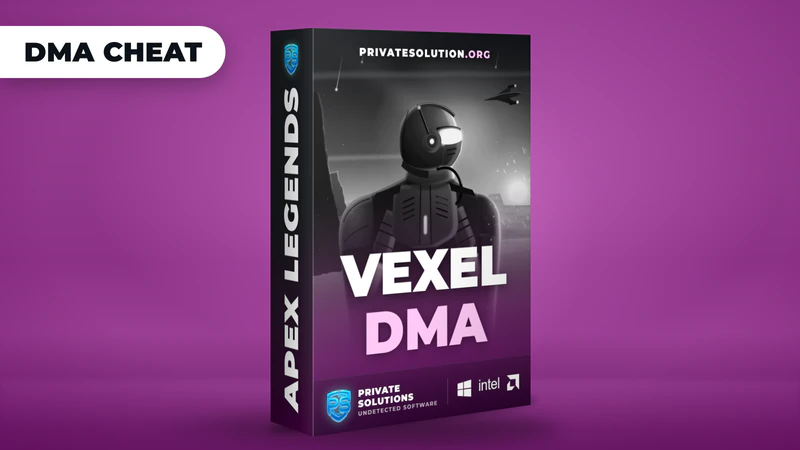
PC용 Apex Legends가 EA Javelin 안티치트로 전환되면서 게이밍 PC 소프트웨어와 함께 2PC DMA가 랭크전의 주력 구성이 되었습니다. 아래에서 Fecurity Apex Legends($4부터), Limitless Apex Legends DMA($5부터), DIRECT Apex Legends DMA($10부터), Arcane Apex Legends($5부터)와 함께 Vexel Apex DMA(월 $30, 4시간 무료 DMA 체험) 및 STRONG AI(일 $4.99)를 비교해 보세요.
1일 PC 소프트웨어 키 $4부터(Fecurity) 또는 DMA $5부터(Limitless) + Vexel DMA 4시간 무료 체험 실드 등급별 플레이어 글로우, Seer 체력 바, 랭크/레전드 ESP 및 스마트 루트 정밀 낙차 예측, KMBox 휴머나이즈, 트리거봇 & SkyNade Limitless 무브먼트 도구: SuperGlide, TapStrafe, BunnyHop & Freecam 관련 검색어: 에이펙스 핵, apex legends 월핵, 에이펙스 에임봇, apex dma 핵, 에이펙스 핵 구매.
EA Javelin 환경의 Apex Legends: 2PC DMA vs 1PC 빌드 Limitless(1일 $5, 7일 $15, 30일 $25, 1년 $200, 영구 $350)와 DIRECT(7일 $10, 30일 $25, 90일 $60, 1년 $199)는 DMA 카드를 통해 보조 Windows PC에서 실행되므로 게이밍 PC의 EA Javelin과 함께 클라이언트가 실행되지 않습니다. DMA 보유자에게 4시간 무료 체험을 제공하는 Vexel Apex DMA(/vexel-dma/apex/, 30일 $30)도 판매 중입니다.
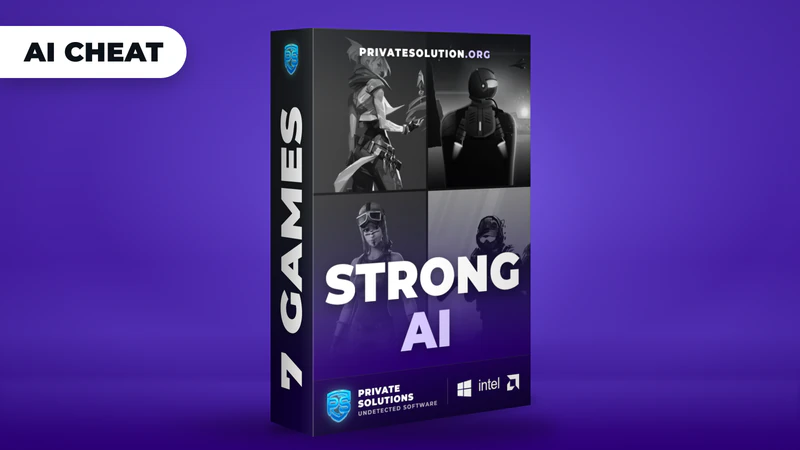
DMA 없는 옵션을 찾으시나요? Fecurity Apex Legends($4부터)와 Arcane Apex Legends는 게이밍 PC에서 직접 실행되며(주문 전 아래 실시간 상태 배지 확인), STRONG AI는 캡처카드/OBS 기반 외부 시각 조준 보조를 1일 $4.99부터 제공합니다.
Apex Legends 핵: 옵션 및 가격
Fecurity 소프트웨어: 게이밍 PC에서 실행됩니다. DMA 카드나 보조 PC가 필요 없습니다.
Aim assist with your own aiming settings Set the maximum aiming speed Choose and set your aim points Tries to calculate bullet ballistics Shows enemy positions and gadgets Fecurity 기능 목록 기준.
자세히 보고 구매하기
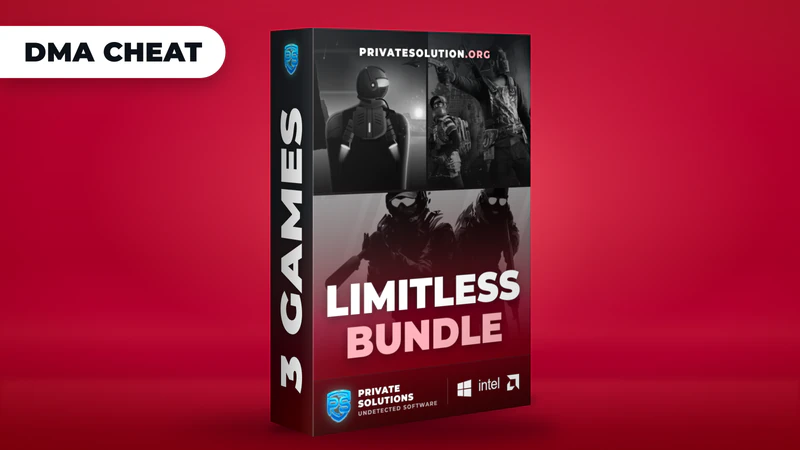
Limitless DMA: 보조 PC에서 실행됩니다. 게임을 플레이하는 PC에서는 아무것도 실행되지 않습니다.
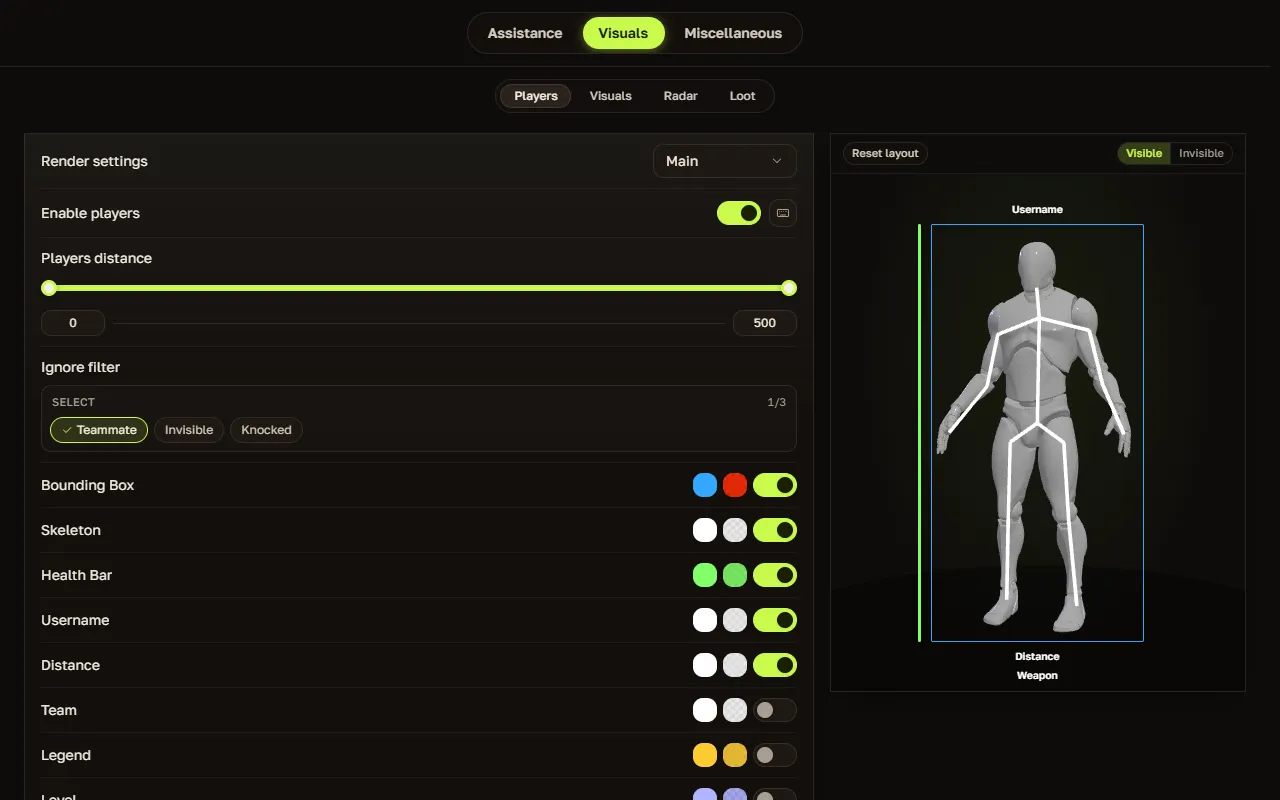
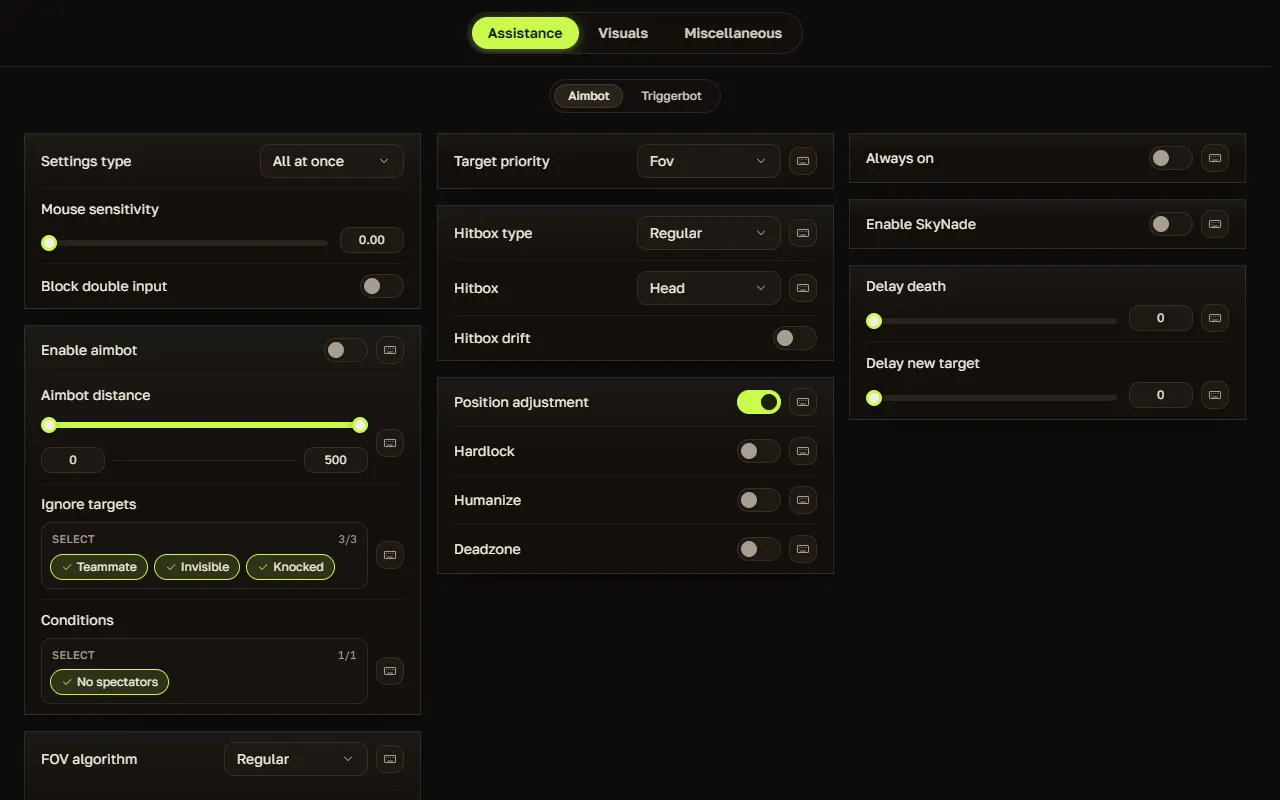
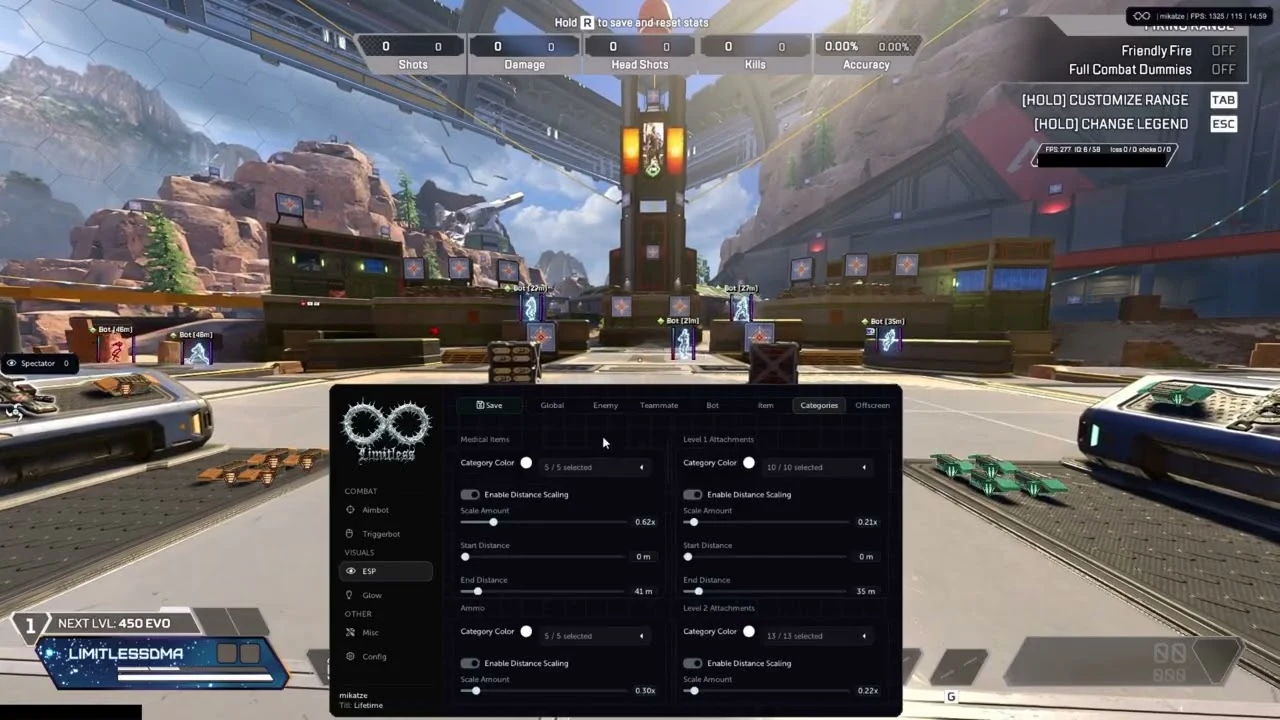
에임 모드: 메모리 에임 또는 KmBox 에임 FOV, 스무스, 단축키, 표시기 및 수류탄을 지원하는 SkyNade 어시스트 이름, 거리, 레벨, 랭크, 무기, 회복, 체력, 스켈레톤, 팀 표시 및 기절 상태 표시 실드 등급별 색상 선택 가능한 플레이어 글로우 SuperGlide Limitless 기능 목록 기준.
1일 $5.00 7일 $15.00 30일 $25.00 1년 $200.00 평생 $350.00 자세히 보고 구매하기
DIRECT DMA: 보조 PC에서 실행됩니다. 게임을 플레이하는 PC에서는 아무것도 실행되지 않습니다.
거리, FOV, 속도 및 히트박스 선택 에임봇 SkyNade 하드락, 휴머나이즈 및 데드존 박스, 스켈레톤 및 체력 바 실드 바, 레전드, 레벨 및 무기 DIRECT 기능 목록 기준.
7일 $10.00 30일 $25.00 90일 $60.00 1년 $199.00 자세히 보고 구매하기
Arcane 소프트웨어: 게이밍 PC에서 실행됩니다. DMA 카드나 보조 PC가 필요 없습니다.
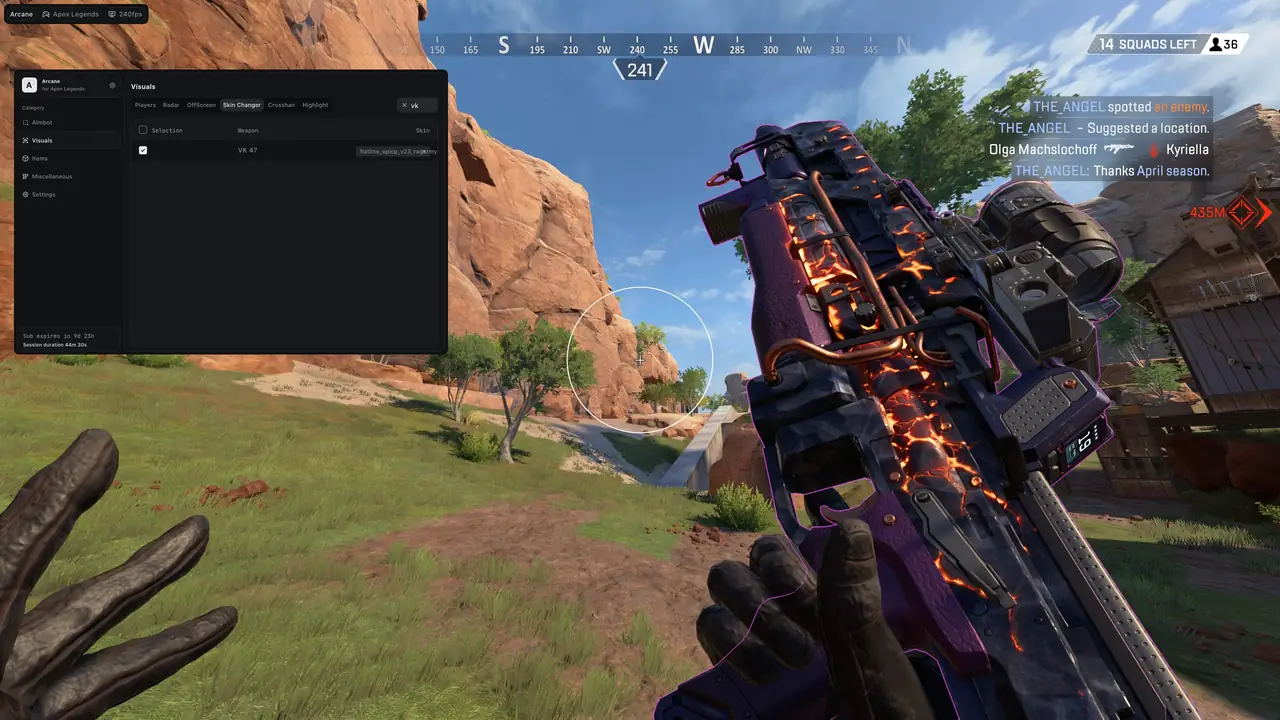
현재 모드: (Legit, Rage) 예측 Players ESP Items ESP Radar Arcane 기능 목록 기준.
자세히 보고 구매하기
Arcane Apex Legends는 게임 패치 이후 업데이트 중입니다. 가격과 재고는 변동될 수 있으며 결제 전 항상 최신 금액이 표시됩니다. 어떤 핵도 위험이 없을 수 없으므로 구매 전 상태를 확인하고 Discord로 문의하세요. 제품 상태
더 많은 Apex Legends 제품 멀티 게임 패키지를 포함한 기타 모든 Apex Legends 판매 제품입니다. 각 카드에서 실행 방식과 가격을 확인하세요.
Vexel DMA: 보조 PC에서 실행됩니다. 게임을 플레이하는 PC에서는 아무것도 실행되지 않습니다.
자세히 보고 구매하기
STRONG AI 에임: 보조 PC가 OBS나 캡처카드로 게임 화면을 인식하고 MAKCU 또는 Ferrum 보드로 조준합니다. DMA 카드가 필요 없습니다.
1일 $4.99 7일 $13.99 30일 $39.99 90일 $79.99 자세히 보고 구매하기
Rie DMA: 보조 PC에서 실행됩니다. 게임을 플레이하는 PC에서는 아무것도 실행되지 않습니다.
7일 $20.00 1개월 $40.00 1년 $300.00 자세히 보고 구매하기
Limitless DMA: 보조 PC에서 실행됩니다. 게임을 플레이하는 PC에서는 아무것도 실행되지 않습니다.
자세히 보고 구매하기
필요한 것 DMA 도구 사용 시: 게이밍 PC에 펌웨어가 설치된 DMA 카드와 소프트웨어를 실행할 Windows 10 또는 11 보조 PC가 필요합니다. 퓨저(Fuser)는 게임 화면에 직접 오버레이를 띄우고 싶을 때만 필요합니다. MAKCU 또는 KMBox는 에임 입력용 선택 장비입니다. Fecurity Apex Legends 요구 사양: DMA 카드나 보조 PC 없이 게이밍 PC에서 실행됩니다. Windows 10 또는 11. Arcane Apex Legends 요구 사양: DMA 카드나 보조 PC 없이 게이밍 PC에서 실행됩니다. Intel 또는 AMD CPU, Windows 10 또는 Windows 11(64비트). DMA가 처음이세요? 입문자를 위한 DMA 가이드 · 내 세팅 찾기 · DMA 카드와 펌웨어
Apex Legends 안티치트 및 DMA 펌웨어 Apex Legends는 EA Javelin을 사용합니다. 호환 DMA 펌웨어는 Discord 티켓으로 문의하세요. 내 게임은 어떤 안티치트를 사용하나요?
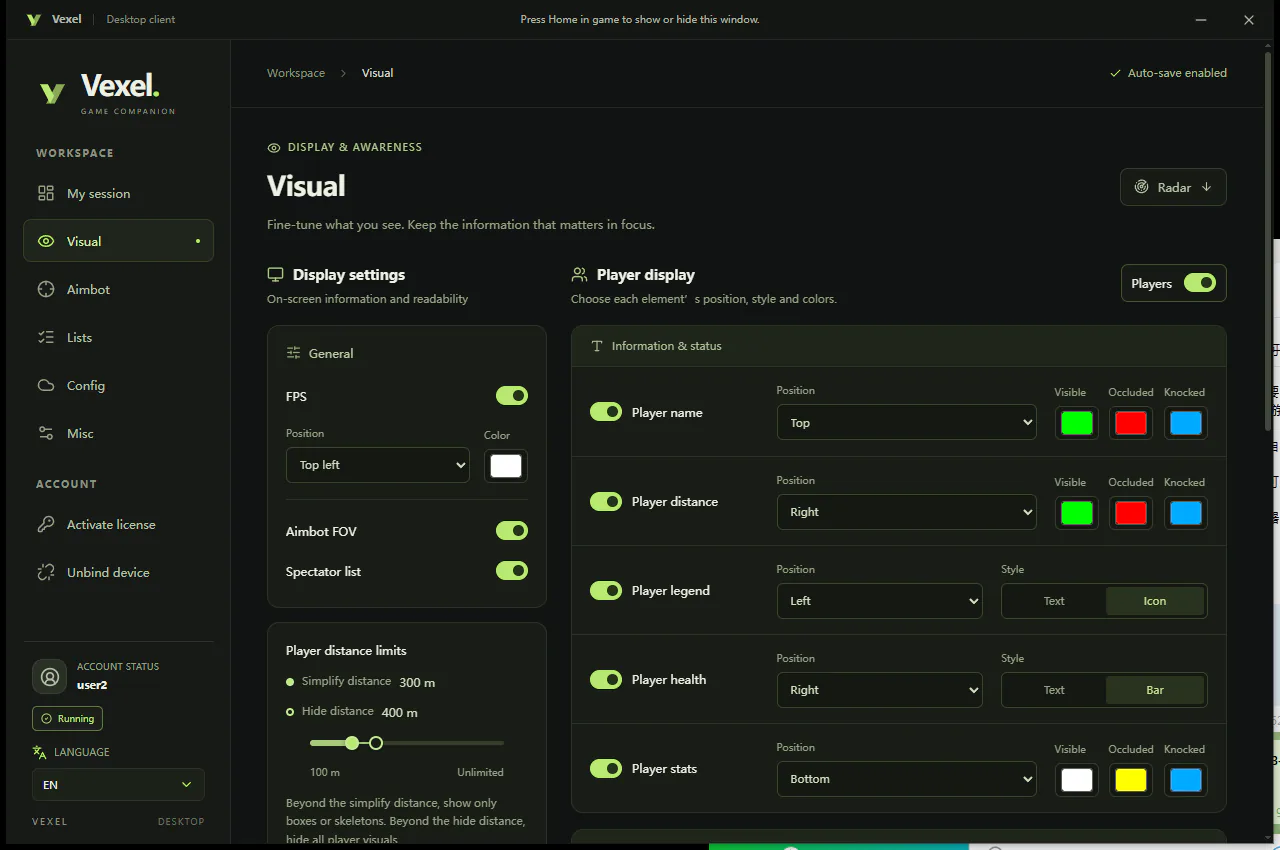
Fecurity Apex Legends feature guide AIM ASSIST Aim assist with your own aiming settings Set the maximum aiming speed Choose and set your aim points Tries to calculate bullet ballistics ESP Shows enemy positions and gadgets Finds and marks targets in different ways Shows extra target numbers when it can read them from memory Shows objects on the ground Apex Legends DMA Limitless feature guide AIMBOT Enable/disable aimbot 에임 모드: 메모리 에임 또는 KmBox 에임 Keybinds for aim, secondary aim, and force-head aim Target filters: enemies, teammates, bots, visible only, ignore knocked Priority modes: distance, FOV, health Legit + Rage profiles with separate Hipfire/ADS tuning Smooth, FOV, recoil X/Y, target-switch smoothing, spectator smoothing Humanization modes: curve offset, bezier path, windmouse Hitbox controls: auto bone, manual bone, shield check, random offset, deadzone, overshoot damping Prediction systems: quartic, unified, linear, bullet-drop modes, prediction point display FOV, 스무스, 단축키, 표시기 및 수류탄을 지원하는 SkyNade 어시스트 Per-weapon configs, category copy/reset tools TRIGGERBOT Trigger modes: auto fire on hit or calculated bone trigger Trigger delay Keybinds for normal trigger and magnetic trigger Hitbox expansion and close-range auto expansion Prediction side preference Show hitboxes/prediction overlays and debug info ESP Separate enemy, teammate, and bot ESP 이름, 거리, 레벨, 랭크, 무기, 회복, 체력, 스켈레톤, 팀 표시 및 기절 상태 표시 Box styles: none, 2D box, corner box Health bar styles: Seer, Classic, Custom, Horizontal Visible/invisible colors, text colors, special marked-player colors ESP thickness and skeleton thickness Distance-based fade/animation controls Spectator overlay with modes Shield ESP with per-legend shield filters and distance control ESP key system with hold/toggle and controller binds ITEM ESP Show name, distance, icon, optional item ID Styles: text only, icon only, text + icon Max distance, FOV fade, scale controls Per-category enable/color/item selection Categories include meds, ammo, weapon classes, grenades, attachments, armor tiers Auto-hides ground attachments that don't fit your held weapons (slot/ammo mismatch) Auto-hides attachments at or below the tier already equipped Master toggle in ESP tab Non-attachments (weapons, armor, meds, ordnance) always pass through OFFSCREEN ESP Offscreen enemy indicators Enemy-only mode Show distance Radius, arrow size, arrow angle controls Dynamic radius by distance Separate far/medium/close/very-close distance color bands GLOW Ignore teammates / ignore bots 실드 등급별 색상 선택 가능한 플레이어 글로우 Outline size, inside type, outline type, highlight scale Max distance Colors for visible, invisible, knocked, player-list glow Item glow Ammo/weapon glow filters Rarity filters: grey, blue, purple, gold, red MISC SuperGlide TapStrafe BunnyHop LurchStrafing Fast Reload Freecam Mode 1 Freecam Mode 2 Controller mode toggle Fullscreen vs borderless toggle Menu/end/fullscreen keybinds FONTS / UI Dynamic font loading from managed AppData fonts folder Separate ESP font, small font, item font, item small font Live font size updates Custom menu shell with sidebar tabs + top subtabs Quick Save button Watermark with logo, username, FPS, time Draggable/snap-position watermark DIRECT Apex Legends DMA feature guide AIM 거리, FOV, 속도 및 히트박스 선택 에임봇 SkyNade 하드락, 휴머나이즈 및 데드존 PLAYER VISUALS 박스, 스켈레톤 및 체력 바 실드 바, 레전드, 레벨 및 무기 이름, 거리 및 팀 GAME SUPPORT Controller support Needs stable DMA firmware MENU Fuser overlay mode, or a borderless window Frame rate limit, V-sync and input delay settings Hotkey to hide the menu KEYS 7 days, 30 days, 90 days or 1 year Arcane Apex Legends feature guide AIMBOT Type: (On hold, Always) Target: (Players, Teammates, Knocked, BOTs) 현재 모드: (Legit, Rage) Bone selection mode: (Selected bone, Closest bone, Random bone) Bones: (Head, Neck, Body, Pelvis...) RCS: (RCS X, RCS Y) Switch delay 예측 First keybind Second keybind MAX DISTANCE Players ESP Entity: (Players, BOTs, Knockeds, Teammates) Box 2D: (Rectangle, Corner) Box Filled: (Static, Gradient) Skeleton: (Head circle, Thickness) Health bar: (Static, Health based, Gradient) Shield bar: (Static, Shield based) Line to enemy: (Position) View line: (Start color, End color) Nickname LOCAL PLAYER WEAPON Draw model Brightness Outline radius Mode: (Basic, Advanced) Basic type: (Static, Rainbow) Advanced outline: (Static) Items ESP Show glow Battlemode keybind Filter type: (Category, List) SNIPER Items Filter Item search Selection Item name Each item color SKINS LIST Radar Entity: (Players, BOTs, Teammates, Knockeds) Point style: (Box, Circle, Triangle) Point color: (Static, Health based) Draw outline Draw background Radar zoom Radar size Visibility check OFF-SCREEN ARROWS Entity: (Players, BOTs, Teammates, Knockeds) Arrow color: (Static, Health based) Draw outline Visibility check CROSSHAIR Crosshair style Crosshair size CROSSHAIR THICKNESS 설정 Menu key Unload key DPI Scale VSync Theme (Murky, Sunny) Watermark Language (EN, RU, CH) Configuration Create Apex Legends DMA Vexel feature guide AIMBOT Multi-hitbox selection Aim radius / smoothing / strength Visible / occluded / downed target options Per-weapon settings Aimflick / Triggerbot keybinds VISUALS Glow-like ESP (no memory write) 2D / 3D boxes Skeleton / sight lines Name / distance / legend Visible / occluded / downed colors Aimbot FOV Spectator list RECOIL CONTROL No recoil X / Y Linked X/Y adjustment Per-weapon settings PLAYER LISTS Live player / spectator list Search by name or User ID Custom player lists Custom marker colors Bulk User ID import CONFIG SYSTEM Multiple configs Cloud config storage Default config auto-load Import / export Rename / overwrite / delete Auto-save OTHER Full keyboard and mouse keybind system Account and license management Device unbind Multi-language support Individual feature toggles AIMBOT INPUT / HARDWARE DMA support RDMA support Memory-based aimbot Ferrum MAKCU KMBox YSC8K box STRONG AI feature guide AIMBOT AI confidence: locks on only when it is sure enough Target priority: sticky, closest or most sure Prefer head: aims at the head when it can see one Long range: looks harder at far targets (improved in the November update) Aim point: head, neck, body or a custom spot FOV: separate width and height Initial movement delay: a short wait when a target first appears MOVEMENT Humanized aim: smooth, with separate X and Y speed Dynamic speed: fast far away, slow up close WindMouse: gravity and wind for natural paths Bezier paths: curved moves instead of straight steps Prediction: aims ahead of moving targets Deadzone: holds still when already on target Jitter: a small random shake ABCurves: learns your mouse and shapes the aim path (Medius firmware only) ADS scale: adjusts while the right mouse button is held TRIGGERBOT AI confidence: shoots only when it is sure enough Accurate mode: fires only on the aim point Fire modes: one-tap, tap with a count and gap, or a 3-click burst Timing: delay before the first shot and max clicks per second SETTINGS Cloud configs: ready profiles inside STRONG AI Community configs: share your config and use other people's Profiles: create, save, import, export and load on start Mouse binds: aimbot, triggerbot and masking on the middle or side buttons Model quality: heavy, medium or low to match your second PC CUDA: faster on 10 to 40 series NVIDIA cards, set up inside the menu WEB MENU Opens in any browser on your home network, phones included QR code: scan it to open the menu on your phone Pages: Capture, Aim, Trigger, Settings and ABCurves Show screen: check the picture the second PC gets Test move: checks that the board moves your mouse CAPTURE OBS plugin: streams your screen to the second PC, encrypted for each user OBS plugin setup: picks the profile, adds Game Capture and sets the crop for your screen by itself Capture card: works instead of OBS Gaming PC: runs only OBS, or nothing with a capture card SUPPORTED GAMES Fortnite Apex Legends Counter-Strike 2 Rainbow Six Siege The Finals Rust Valorant Every other game (All-in-One model) Rie Apex Legends feature guide Aimbot Aimbot enabled Primary Aim Key Secondary Aim Key Head Aim Key 가시 여부 확인 팀 확인 Safe Mode Ignore Knocked Aimbot Predict RCS X/Y Hitbox selection Aimbot 스무딩 Trigger Triggerbot enabled Triggerbot 키 Magnet Triggerbot 비주얼 Box (2D/3D) Skeleton ESP Distance Show Name Health Bar Spectator Count Show Rank Glow ESP Map Hack Crosshair FOV Circle 아이템 Item ESP Battle Mode Per-item customization Draw Item Range Limitless Bundle DMA feature guide INCLUDED ACCESS Rust DMA Apex Legends DMA Counter-Strike 2 DMA Other eligible DMA releases ACCOUNT AND DELIVERY One account-bound subscription Updates during the active term Loader delivery from the Account Center Live availability shown before checkout Apex Legends cheats 질문 현재 Apex Legends는 어떤 안티치트를 사용하나요? PC용 Apex Legends는 Easy Anti-Cheat에서 EA Javelin으로 전환되었습니다. 보유한 DMA 펌웨어의 EA Javelin 호환 여부를 확인하려면 구매 전 Discord 티켓을 열어 주세요.
가장 저렴하게 시작할 수 있는 Apex Legends 핵은 무엇인가요? DMA 보유자는 Vexel Apex 상품 페이지에서 4시간 무료 체험을 신청하거나 Limitless Apex DMA 1일 키를 $5에 구매할 수 있습니다. 1PC 환경에서는 Fecurity가 1일 $4부터 시작합니다.
PS5나 Xbox에서도 작동하나요? 아니요. Limitless, DIRECT, Vexel, Fecurity, Arcane은 Windows PC용 Apex Legends 전용입니다.
Apex Legends에서 계정 정지를 당할 수 있나요? 어떤 핵도 위험이 없을 수 없으며 EA는 서드파티 도구를 사용하는 계정을 제재합니다. 구매 전 실시간 상태 페이지를 확인하고 Discord로 문의하세요.
키는 어떻게 받나요? 결제 페이지에서 카드 또는 암호화폐로 결제하면 이메일로 키가 발송되며, Discord에서 설치를 도와드립니다.
여기 Apex Legends 제품들은 미감지 상태인가요? 네, 판매사 확인 기준으로 제공됩니다. 각 제품은 판매사가 미감지 및 정상 작동으로 보고하는 동안에만 판매됩니다. 감지가 확인되면 판매사가 제품을 일시 중지하며, 저희도 상태 페이지에 '업데이트 중'으로 표시하고 수정될 때까지 판매를 중단합니다. 어떤 핵도 위험이 없을 수 없으므로 플레이 전 상태를 확인하세요.
Apex Legends 스크립트나 유저스크립트로 사용할 수 있나요? DMA 제품은 상품 페이지에 안내된 하드웨어와 전용 설정이 필요하며, 브라우저에 붙여 넣는 스크립트가 아닙니다. PC 소프트웨어에도 전용 설치 프로그램과 요구 사양이 있습니다. 선택한 공급사의 설치 가이드를 따르세요. Tampermonkey 스크립트, GitHub 다운로드 파일 또는 다른 게임용 스크립트는 여기 제품을 활성화하지 않습니다.
라이선스에 Apex Legends 게임 봇이 포함되나요? 에임봇이나 조준 보조는 무인 플레이, 자동 파밍, 계정 레벨링 또는 자율 게임 봇을 의미하지 않습니다. 선택한 제품 페이지에 명시된 기능만 기준으로 구매하세요. 이 비교 페이지에는 재화 생성기, 계정 스크립트 또는 만능 치트 코드가 포함되지 않습니다.
Apex Legends 소프트웨어 구매 및 설치 지원은 어떻게 받나요? 제품과 기간을 선택하고 실시간 재고와 상태를 확인한 뒤 결제를 진행하세요. 결제 전에 가격과 지원 결제 수단이 표시됩니다. 주문 완료 후 키 또는 다음 안내가 제공되며, 설치는 제품 설정 가이드와 Private Solutions 지원팀의 도움을 받을 수 있습니다.