PrivateSolutions

Call of Duty 핵

PC용 Call of Duty 핵 & 치트: Warzone, Modern Warfare 4, Black Ops 7 & BO6

Warzone, Modern Warfare 4(MW4 & DMZ), Black Ops 7(BO7), Black Ops 6(BO6)용 모든 Call of Duty PC 제품을 비교하세요. $3.99의 1일 Warzone DMA 키로 시작하거나 Poseidon($7.99부터), DIRECT($10부터), Zorvex($14.99부터), Blurred($19.99부터)의 멀티 타이틀 DMA 빌드를 선택할 수 있습니다.

관련 검색어: 콜오브듀티 핵, 워존 핵, mw4 핵, black ops 7 핵, bo7 dma, bo6 핵, cod 핵 구매.

게임별 맞춤 COD 키 선택 (Warzone, MW4, BO7, BO6)

Warzone이나 Resurgence를 플레이하시나요? Private Solutions Warzone DMA는 1일 $3.99(1일 $3.99, 7일 $7.99, 30일 $22.99)부터 시작하며, Blurred COD DMA($19.99부터)는 Steam, Battle.net, Game Pass에서 Warzone과 MW4, BO7, BO6, MW3, MW2를 모두 지원합니다.

Modern Warfare 4이나 Black Ops 7 멀티플레이어 및 DMZ를 플레이하시나요? Poseidon MW4($7.99부터)와 Zorvex MW4($14.99부터)는 MW4와 DMZ 보스/루트에 특화되어 있으며, DIRECT Call of Duty DMA($10부터)는 Black Ops 7와 MW4를 모두 지원합니다.

Call of Duty 핵: 옵션 및 가격

Fecurity

Fecurity Call of Duty

이용 가능

소프트웨어: 게이밍 PC에서 실행됩니다. DMA 카드나 보조 PC가 필요 없습니다.

  • Aim assist with your own aiming settings
  • Set the maximum aiming speed
  • Choose and set your aim points
  • Tries to calculate bullet ballistics
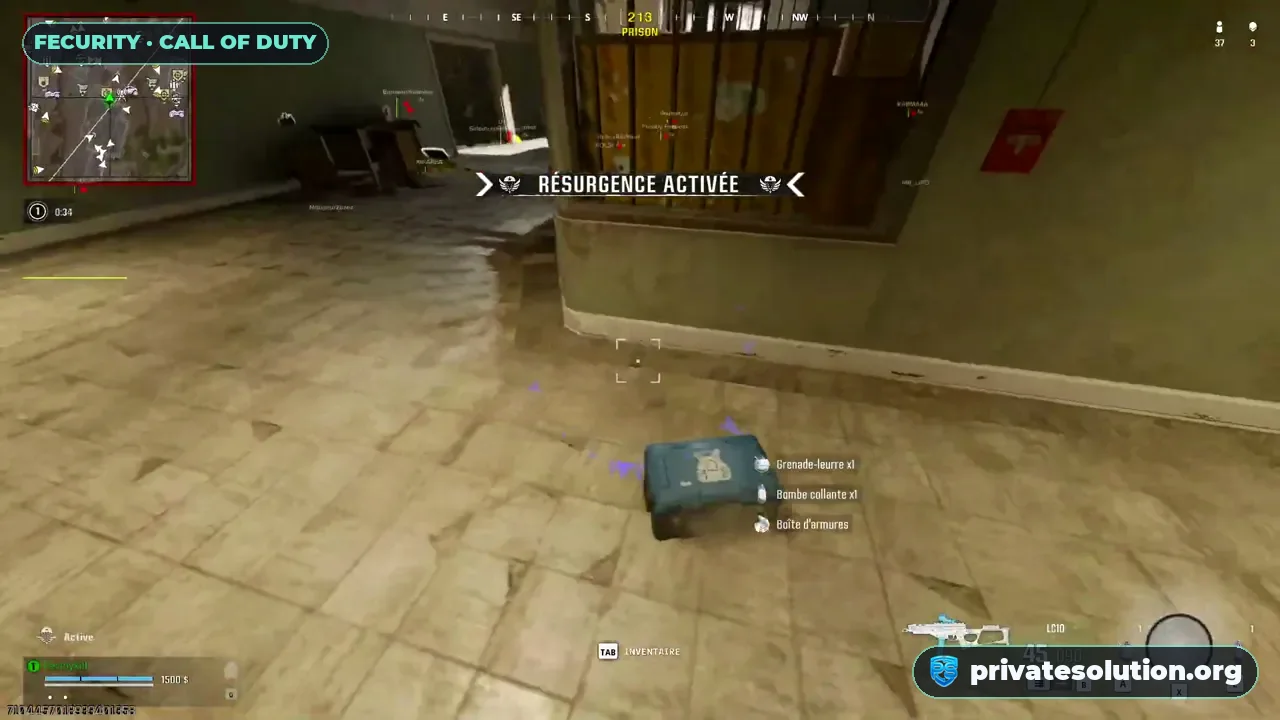
  • Shows enemy positions and gadgets

Fecurity 기능 목록 기준.

  • 1일$8.00
  • 3일$12.00
  • 7일$20.00
  • 30일$30.00
  • 90일$65.00
자세히 보고 구매하기

Private Solutions DMA

Warzone DMA

이용 가능

DMA: 보조 PC에서 실행됩니다. 게임을 플레이하는 PC에서는 아무것도 실행되지 않습니다.

  • 벽 너머 박스, 이름, 거리 및 스켈레톤 표시
  • 하드웨어 마우스 장치를 통한 부드러운 에임
  • 희귀도별 색상으로 표시되는 상자, 방탄판, 탄약 및 바닥 아이템
  • Call of Duty: Warzone 및 Resurgence

Private Solutions DMA 기능 목록 기준.

  • 1일$3.99
  • 7일$7.99
  • 30일$22.99
자세히 보고 구매하기

Poseidon

Poseidon MW4 DMA

이용 가능

DMA: 보조 PC에서 실행됩니다. 게임을 플레이하는 PC에서는 아무것도 실행되지 않습니다.

  • 박스: 전체, 코너, 3D, 채움 또는 둥근 모서리(체력별 색상 옵션 지원)
  • 재질: 플랫, 음영, 글로우, 와이어프레임, 펄스, 레인보우 및 열화상
  • 이동 표적 예측이 포함된 스무스, 선형, 베지어 또는 사용자 지정 커브
  • 로컬 네트워크 또는 인터넷으로 공유 가능한 브라우저 실시간 레이더

Poseidon 기능 목록 기준.

  • 7일$7.99
  • 30일$24.99
  • 90일$64.99
자세히 보고 구매하기

DIRECT

DIRECT Call of Duty DMA

이용 가능

DMA: 보조 PC에서 실행됩니다. 게임을 플레이하는 PC에서는 아무것도 실행되지 않습니다.

  • 거리, FOV, 속도 및 히트박스 선택 에임봇
  • 박스, 스켈레톤, 챔스 및 체력 바
  • 전술 지도 레이더 아이템 표시 및 자동 UAV
  • Black Ops 7 및 MW4

DIRECT 기능 목록 기준.

  • 7일$10.00
  • 30일$25.00
  • 90일$60.00
  • 1년$199.00
자세히 보고 구매하기

Spectra

Spectra Call of Duty DMA

이용 가능

DMA: 보조 PC에서 실행됩니다. 게임을 플레이하는 PC에서는 아무것도 실행되지 않습니다.

  • 가시 여부 확인
  • Box
  • Skeleton
  • Mini Radar
  • Read-only chams (MW4 and Warzone)

Spectra 기능 목록 기준.

  • 7일$10.00
  • 30일$20.00
  • 평생$200.00
자세히 보고 구매하기

Zorvex

Zorvex MW4 DMA

이용 가능

DMA: 보조 PC에서 실행됩니다. 게임을 플레이하는 PC에서는 아무것도 실행되지 않습니다.

  • MAKCU, KMBox, Ferrum 또는 Arduino를 통해 조준을 이동시켜 게임에는 일반 마우스 입력으로만 전달됩니다
  • 28종 총기별로 개별 FOV, 스무딩, 반응 속도, 타겟 우선순위, 부위 및 탄도 예측 설정 가능
  • 게임에 표시되지 않는 적까지 포함해 모든 적을 MW4 기본 미니맵에 표시합니다
  • 같은 네트워크 내 스마트폰, 보조 모니터 등 모든 브라우저에서 보는 실시간 레이더

Zorvex 기능 목록 기준.

  • 7일$14.99
  • 30일$23.99
  • 90일$52.99
자세히 보고 구매하기

Blurred

Blurred COD DMA

이용 가능

DMA: 보조 PC에서 실행됩니다. 게임을 플레이하는 PC에서는 아무것도 실행되지 않습니다.

  • Modern Warfare 4
  • Warzone
  • Black Ops 7
  • 맞춤형 에임봇: 자연스러운 휴머나이즈부터 레이지까지 자유롭게 조절
  • UAV 레이더 오버레이: 퓨저를 통해 인게임 지도에 플레이어 위치 표시

Blurred 기능 목록 기준.

  • 7일$19.99
  • 30일$29.99
  • 90일$79.99
  • 평생$399.99
자세히 보고 구매하기

Arcane

Arcane Warzone

업데이트 중

소프트웨어: 게이밍 PC에서 실행됩니다. DMA 카드나 보조 PC가 필요 없습니다.

  • 예측
  • Humanization
  • 바운딩 박스
  • Skeleton
  • 실드 바

Arcane 기능 목록 기준.

    자세히 보고 구매하기

    Arcane Warzone은 게임 패치 이후 업데이트 중입니다. 가격과 재고는 변동될 수 있으며 결제 전 항상 최신 금액이 표시됩니다. 어떤 핵도 위험이 없을 수 없으므로 구매 전 상태를 확인하고 Discord로 문의하세요. 제품 상태

    더 많은 Call of Duty 제품

    멀티 게임 패키지를 포함한 기타 모든 Call of Duty 판매 제품입니다. 각 카드에서 실행 방식과 가격을 확인하세요.

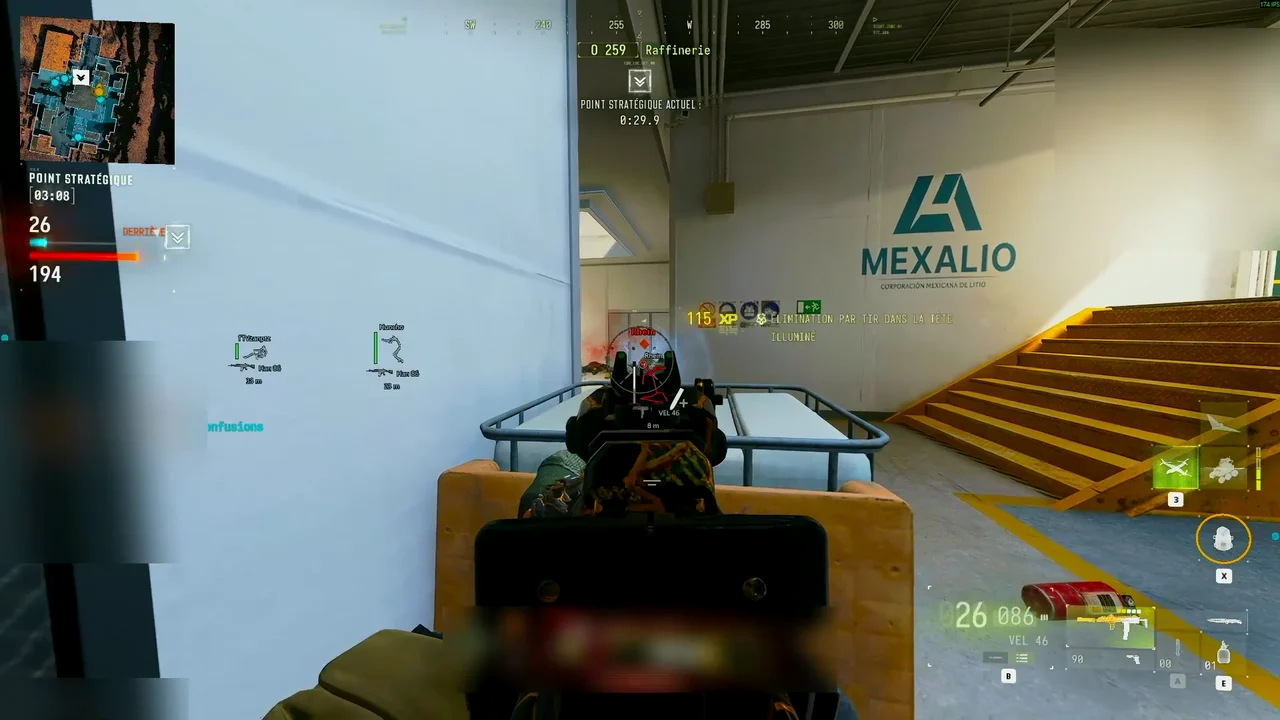
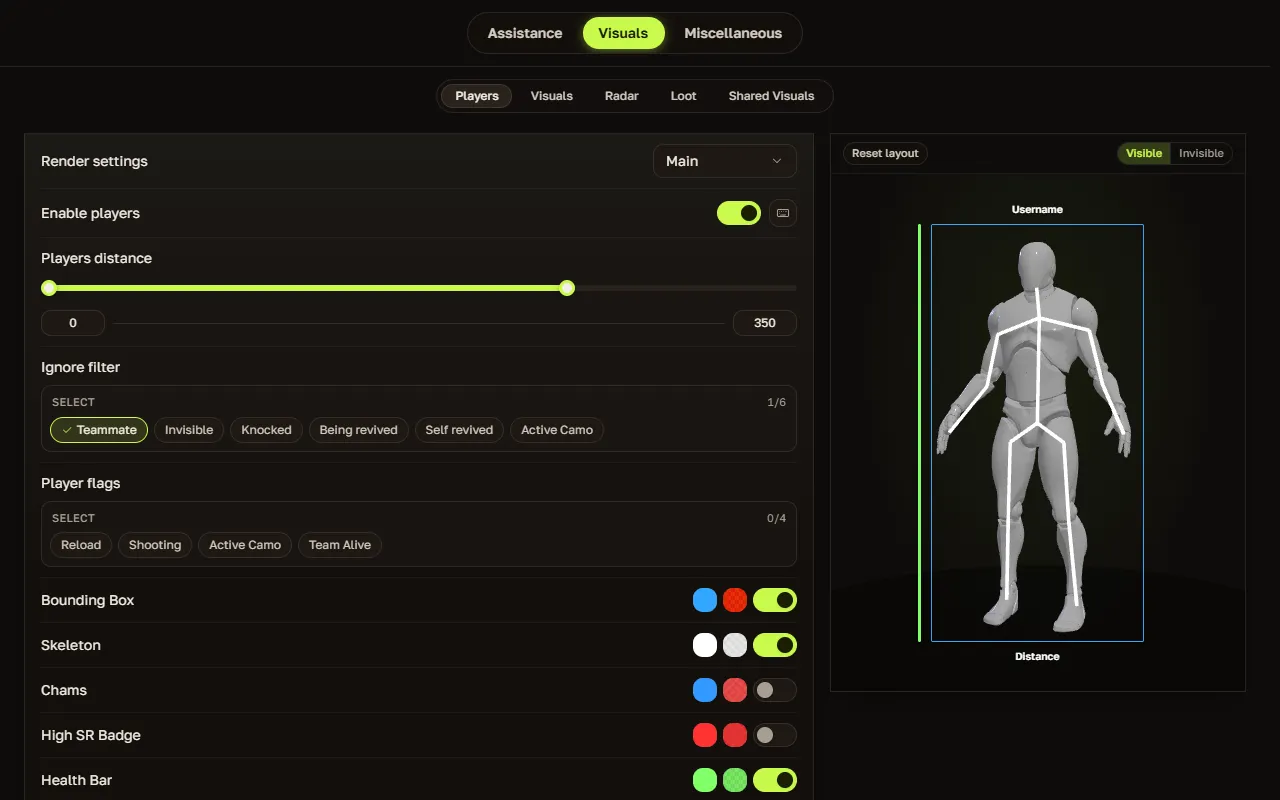
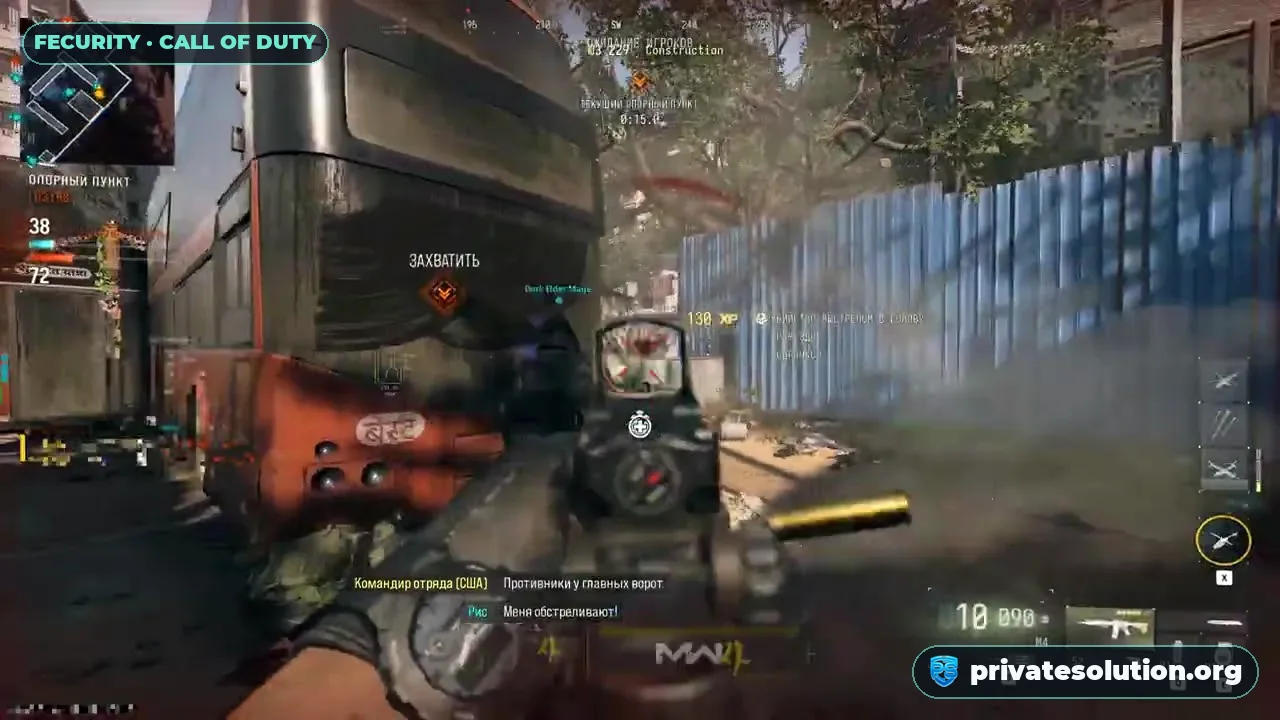
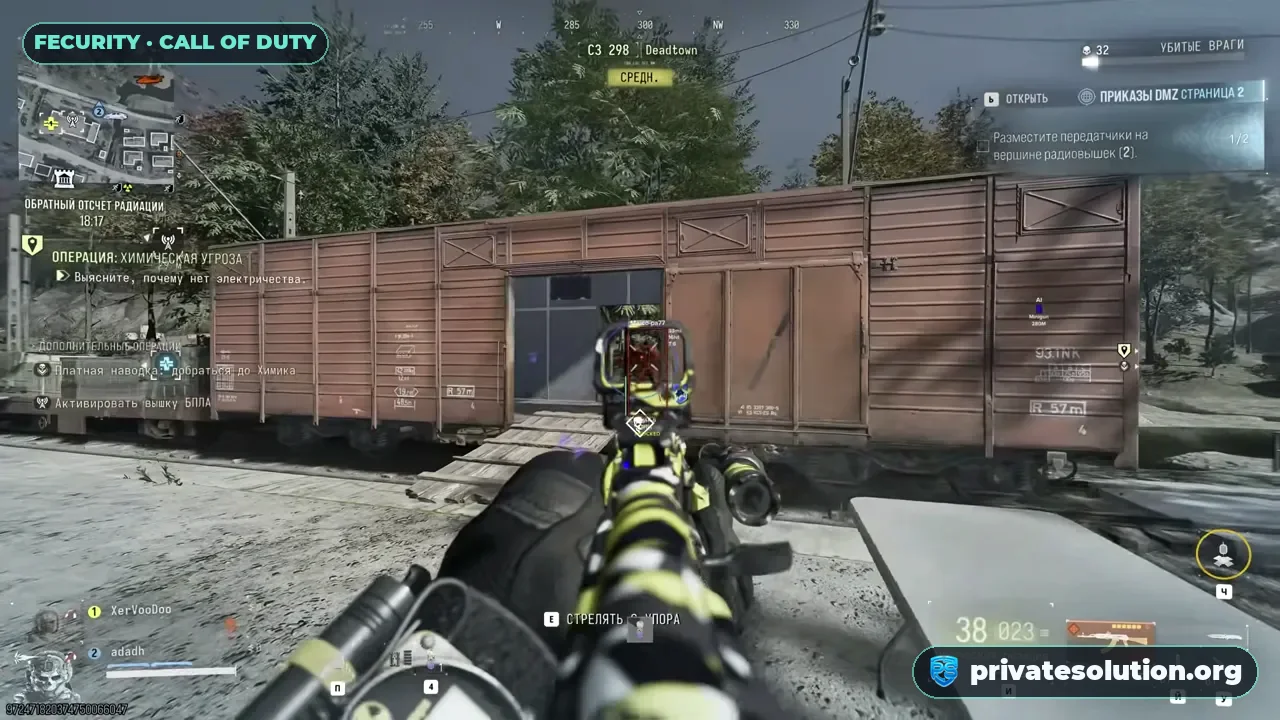
    미리 보기

    판매사가 제공한 스크린샷 및 영상입니다.

    필요한 것

    DMA가 처음이세요? 입문자를 위한 DMA 가이드 · 내 세팅 찾기 · DMA 카드와 펌웨어

    Call of Duty 안티치트 및 DMA 펌웨어

    Call of Duty는 Ricochet을 사용합니다. 호환 DMA 펌웨어: Basic. 내 게임은 어떤 안티치트를 사용하나요?

    Fecurity Call of Duty feature guide

    AIM ASSIST

    • Aim assist with your own aiming settings
    • Set the maximum aiming speed
    • Choose and set your aim points
    • Tries to calculate bullet ballistics

    ESP

    • Shows enemy positions and gadgets
    • Finds and marks targets in different ways
    • Shows extra target numbers when it can read them from memory
    • Shows objects on the ground

    GAMES AND MODES

    • Call of Duty: Warzone (current)
    • Modern Warfare 4 (2026)
    • Black Ops 7 (2025)
    • Black Ops 6 (2024)
    • Modern Warfare 3 (2023)
    • Modern Warfare 2 (2022)
    • Vanguard (2021)
    • Modern Warfare (2019)
    • Modes: Multiplayer, Zombies, DMZ, Warzone
    • Launchers: Steam, Battle.net, Xbox (Microsoft Store)

    REQUIREMENTS

    • Intel CPU 6th gen or newer, AMD Ryzen 5000 or newer
    • Windows 10 21H2 or 22H2; Windows 11 21H2 to 26H2
    • Medal.TV or Discord overlay turned on
    • Game in Windowed or Borderless mode
    • Secure Boot turned on for the newest game versions

    Warzone DMA feature guide

    ESP

    • 벽 너머 박스, 이름, 거리 및 스켈레톤 표시
    • Visibility colours: see at a glance who is in view
    • Teammates optional

    AIMBOT

    • 하드웨어 마우스 장치를 통한 부드러운 에임
    • FOV, smoothing, target bone and aim key of your choice
    • Triggerbot

    LOOT ESP

    • 희귀도별 색상으로 표시되는 상자, 방탄판, 탄약 및 바닥 아이템

    MENU

    • Draggable overlay menu on a click-through layer
    • Every feature and colour changes live, no restart

    HOW IT RUNS

    • Runs on your second PC and reads the game over your DMA card
    • Nothing on your gaming PC: no driver and no injected code
    • One loader for every game in the line, and it updates itself after game patches

    GAME SUPPORT

    • Call of Duty: Warzone 및 Resurgence
    • Modern Warfare 4 is in development on the same key

    KEYS

    • 1, 7 or 30 day license keys

    Poseidon MW4 DMA feature guide

    PLAYER ESP

    • Separate settings for enemies and teammates, plus AI and bosses in DMZ
    • Show players always, only when visible or only when hidden, with visible and hidden colours
    • 박스: 전체, 코너, 3D, 채움 또는 둥근 모서리(체력별 색상 옵션 지원)
    • Skeleton, head circle (filled or ring), snaplines and look lines
    • Off-screen arrows, with distance
    • Max distance and detail distance, with fade by distance
    • Overlay crosshair: cross, dot, circle, or cross and dot

    PLAYER INFO

    • Name, weapon, distance, health, kills / deaths and ping
    • Flags: visible, aiming down sights, reloading and bot
    • DMZ flags: downed, playing dead and AI armour tier
    • Health bar with a damage-taken indicator
    • Pictures: weapons and projectiles, plus vehicles, containers, bodies, doors, objectives and bosses in DMZ
    • Drag-and-drop layout with a live preview

    CHAMS

    • 재질: 플랫, 음영, 글로우, 와이어프레임, 펄스, 레인보우 및 열화상
    • Brightness, outline and outline colour
    • Visible and hidden colours, with separate settings for each ESP group

    DMZ BOSSES

    • Separate ESP for bosses and commanders: names, boxes, skeletons, chams, health and armour tier
    • Per-boss colours, and juggernauts can count as bosses

    PROJECTILES

    • Frags, semtex, molotovs, thermite, flashes, stuns, smokes, gas, decoys, claymores, C4, mines, trip wires, drill charges, rockets, killstreaks, drones and more
    • Timer, trail, lethal radius and off-screen arrows
    • Smoke, gas and fire areas, and planted equipment
    • Danger warning, with a warning distance
    • Filter by owner: enemies, teammates, yours or DMZ AI, each in its own colour

    DMZ LOOT

    • 20 categories: weapons, ammo, armour plates and vests, backpacks, cash, keys, valuables, intel, medical and more
    • Name, distance, value, value per slot and rarity, with item icons
    • Minimum rarity and value, colour by rarity and a search highlight
    • Merges nearby labels to keep the screen clear
    • Item rules: always or never show an item, with its own colour and a nearby alert
    • Recipe tracking: track ingredients with wanted and collected counts

    DMZ WORLD AND MISSIONS

    • Containers with a state badge and the contents seen before, and an alert when someone uses one
    • Bodies, backpacks, locked doors and vehicles
    • Mission guidance with objective markers, distance and off-screen arrows
    • Mission panel with objective progress, exfil information and a boss bar

    ALERTS AND PROFILES

    • Alerts: nearby enemy, enemy aiming at you, nearby boss and valuable loot nearby
    • Aiming-at-you list
    • Combat mode (hold, toggle or always on): pick which features it turns on and off
    • ESP profiles with six hotkey slots and starter Combat and Looting profiles, separate per mode

    RADAR

    • Round or square, draggable, with a position lock
    • Centred on you and rotating with your view, with a see-through mode and the map behind it
    • Enemies, teammates, dead players and projectiles, plus AI, bosses, loot, containers, vehicles and objectives in DMZ
    • Names, view cones, above / below markers, marker pictures and web radar pings

    WEB RADAR

    • 로컬 네트워크 또는 인터넷으로 공유 가능한 브라우저 실시간 레이더
    • Players, plus AI, bosses, loot, containers, vehicles and objectives in DMZ
    • Place map pings, shown on the minimap and over the game

    AIMBOT

    • Aim key: hold, toggle or always on, with mouse or controller aim-assist input
    • Targets bots, and AI and downed players in DMZ
    • Hitboxes: head, neck, chest, stomach and pelvis, or the nearest
    • Priority: nearest to crosshair, nearest player, lowest health or aiming at you
    • Dynamic FOV with near and far settings, visible only and max distance

    AIM TUNING

    • 이동 표적 예측이 포함된 스무스, 선형, 베지어 또는 사용자 지정 커브
    • Humanizer: reaction time, jitter, deliberate miss, deadzone, vertical speed, bowed path and overshoot
    • Weapon profiles: default, per group (pistols, SMGs, rifles, marksman rifles, snipers, shotguns, LMGs, launchers) or per weapon
    • Each profile keeps its own targeting, movement, humanizer, trigger, flick and recoil strength
    • FOV ring and target marker

    TRIGGERBOT, FLICK AND MELEE

    • Triggerbot key: hold, toggle or always on
    • Triggerbot delay, random timing, shot hold time and hitbox filters
    • Triggerbot only when standing still, if you want
    • Flick with its own key, FOV and duration; it can shoot after the flick and return to where you were aiming
    • Auto melee with a health threshold, angle limit and cooldown

    MENU AND CONFIGS

    • Searchable, draggable menu (Insert by default) with a diagnostics panel
    • Control the menu and cursor from the game PC
    • Separate Multiplayer and DMZ configs, with share codes and auto-save
    • Separate settings for the overlay PC
    • Monitor choice, native or stretched resolution, Vsync and FPS cap

    RECOIL

    • Recoil control with its own key and horizontal and vertical strength, from a set bullet
    • Separate recoil strength while aiming
    • Recoil crosshair: cross, dot, circle, or cross and dot

    CONTROLLER AIM ASSIST

    • Assist radius, slowdown, magnetism and tracking, only while aiming if you want
    • Controller stick or mouse-to-controller converter output
    • Learns your stick response automatically

    INPUT DEVICES

    • Ferrum, MAKCU, KMBox B, KMBox Net and Arduino (text or binary protocol)
    • Keys from the device, the game PC or the overlay PC; blocks the aim, trigger and flick keys from reaching the game
    • Controller through MAKCU or Ferrum, with button binding and a live input display

    GAME SUPPORT

    • Call of Duty: Modern Warfare 4
    • Multiplayer and DMZ
    • Xbox app, Battle.net and Steam versions

    KEYS

    • 7, 30 or 90 day license keys

    DIRECT Call of Duty DMA feature guide

    AIM

    • 거리, FOV, 속도 및 히트박스 선택 에임봇
    • Aim trajectory you shape by dragging points
    • Dynamic tracking, hardlock and humanize
    • Deadzone, reaction time and target delays
    • Triggerbot

    PLAYER VISUALS

    • 박스, 스켈레톤, 챔스 및 체력 바
    • Name, distance, team and platform
    • Player stats: K/D, prestige, ranked SR, win streak and season wins
    • 전술 지도 레이더 아이템 표시 및 자동 UAV

    GAME SUPPORT

    • Black Ops 7 및 MW4
    • Steam, Battle.net and Game Pass
    • Havok visibility check and engine prediction
    • Controller support

    MENU

    • Fuser overlay mode, or a borderless window
    • Frame rate limit, V-sync and input delay settings
    • Hotkey to hide the menu

    KEYS

    • 7 days, 30 days, 90 days or 1 year

    Spectra Call of Duty DMA feature guide

    AIMBOT

    • 가시 여부 확인
    • Different Weapon configs
    • Aim FOV
    • Double keybinds
    • Prediction based on weapon
    • Bone selection / nearest

    TRIGGERBOT

    • All aim devices support
    • 가시 여부 확인
    • Different Weapon configs
    • Aim FOV
    • Double keybinds
    • Prediction based on weapon
    • Bone selection / nearest

    ESP

    • Box
    • Lines
    • Skeleton
    • Name
    • 거리
    • Mini Radar
    • LOOT ESP
    • Rarity Filter
    • Max Distance
    • Show Distance
    • Color per rarity
    • Read-only chams (MW4 and Warzone)

    MISC

    • Color Customizations
    • Thickness Customizations
    • Keybinds Customizations
    • Box type customization
    • Delays Customizations per weapon
    • Miniradar position customizations

    Zorvex MW4 DMA feature guide

    AIMBOT

    • MAKCU, KMBox, Ferrum 또는 Arduino를 통해 조준을 이동시켜 게임에는 일반 마우스 입력으로만 전달됩니다
    • Field of view from 0.5 to 30 degrees, with an optional FOV circle
    • Smoothing from 0 (snaps straight on) to 100 (slow and human)
    • Reaction time of 0 to 250 ms before locking a new target
    • Two aim keys, each Hold, Toggle or Always
    • No aiming while the menu is open
    • Closest to the crosshair, nearest, or lowest health
    • Stay on target: keeps the same enemy until you let go of the key or they die
    • Visible only: never aims through walls, using the game's own line of sight
    • Skips teammates
    • Pick by region (head, torso, arms, legs) or from 16 single bones on a body figure
    • Leads moving targets, with a bullet speed and drop you tune to your gun

    WEAPON PROFILES

    • One setup for every gun, one per weapon class, or one per gun
    • 7 classes: assault rifles, SMGs, shotguns, LMGs, marksman rifles, snipers and pistols
    • 28종 총기별로 개별 FOV, 스무딩, 반응 속도, 타겟 우선순위, 부위 및 탄도 예측 설정 가능
    • Follow held gun: switches to the profile of the gun in your hands the moment you pick it up
    • A class or gun without settings of its own uses Global, and starts as a copy of it when you give it its own
    • The aimbot and the triggerbot keep separate profiles

    TRIGGERBOT

    • Fires the moment your crosshair is on a bone you picked
    • Its own key, field of view (0.5 to 15 degrees), bones and FOV circle
    • Delay before the shot (0 to 500 ms), how long each click is held and the cooldown between clicks
    • Pull onto target: steers onto the bone first, then fires, with its own smoothing
    • Visible only and skip teammates
    • Per class or per gun settings, like the aimbot

    PLAYER ESP

    • Box: full, corners or filled, with corner length, fill and thickness
    • Skeleton with adjustable thickness, and a head dot
    • Skeleton estimate: until the game builds a player's real skeleton (off screen, far away), a dimmed one is drawn from their stance and facing. The aimbot never uses it
    • Health bar: gradient or one colour
    • Name, distance in metres and the gun in their hands, as a name, an icon or both
    • KNOCKED, REVIVING or SELF-REVIVE while a player is down
    • One text size for all labels
    • Snap lines from the bottom, crosshair or top of the screen
    • View lines out of the head, the way each player is facing
    • Looking at you: an enemy facing you turns their box, view line and arrow your warning colour
    • Offscreen arrows around the crosshair, with adjustable size and distance
    • Separate settings, colours and range for each side

    DMZ AI ESP

    • The AI in DMZ get their own tab: box, skeleton, head dot, distance, weapon, lines and offscreen arrows
    • In sight colour from the game's own line of sight, so a wall in the way shows
    • Looking at you warning when an AI turns toward you
    • Their own colours and range, separate from players

    ITEM ESP

    • Dropped guns on the ground, named from the game's own weapon table, as a name, an icon or both
    • Lethal: frags, semtex, C4, claymores, mines and molotovs, drawn larger within 12 m
    • Tactical: flashes, smokes, gas, decoys, stims and heartbeat sensors
    • Gear: ammo and armor boxes, razor wire, trophies, drones and turrets
    • Killstreaks: supply drop markers and killstreak projectiles
    • Each kind in its own colour, out to 500 m, with name and distance

    DMZ LOOT ESP

    • Containers that still hold something: lockers, toolboxes, duffels, cases and crates. Opened ones drop off
    • Supplies: grenades, mines, stims, smelling salts and defibrillators
    • Valuables: barter items like printer filament, circuit boards, zip ties, fuel and radios
    • Intel: vault keys, loot cards, binders and folders
    • Anything else that can be looted, named from its model
    • Each category in its own colour, out to 300 m

    GAME RADAR

    • 게임에 표시되지 않는 적까지 포함해 모든 적을 MW4 기본 미니맵에 표시합니다
    • A tick for where each enemy is looking, and rings on the edge for enemies past it
    • Enemies looking your way take the warning colour
    • Square or circle, turns with your view, range from 10 to 200 m
    • Drag the outline onto the minimap and pull its corner to size; your teammates' dots line up the range

    WEB RADAR

    • 같은 네트워크 내 스마트폰, 보조 모니터 등 모든 브라우저에서 보는 실시간 레이더
    • Players with the way they face, health rings and above or below markers
    • Zoom from 50 to 500 m, free pan, rotate with your view, and view from any player
    • Player list sorted by distance, name or health
    • Password protection, start on launch, and page refresh from 30 to 240 Hz
    • Your own colours for enemies, teammates, range rings and background

    PERFORMANCE & MISC

    • Frame rate and DMA latency readout, in any corner
    • Overlay crosshair: cross, dot or circle, with size, thickness and colour
    • Overlay frame cap and DMA read rate
    • Resync and reattach buttons for a frozen ESP or a restarted game
    • Panic key that hides everything until you press it again
    • Menu button on the overlay, drag it anywhere
    • Every key works from either PC
    • Hides Mouse 4 and Mouse 5 from the game, so the side buttons can be your aim or trigger keys

    HARDWARE SUPPORT

    • MAKCU
    • KMBox Net
    • KMBox B Pro
    • Ferrum
    • Arduino (Xenmouse)
    • Find device and a test move to check your setup
    • All major DMA cards, RDMA included
    • Modern Warfare 4 multiplayer and DMZ. DMZ AI, item and loot ESP need the Steam version

    CONFIGS

    • Named profiles: create, switch, save and delete
    • Settings save as you change them
    • The default profile cannot be deleted
    • Updates itself on launch

    Blurred COD DMA feature guide

    SUPPORTED GAMES

    • Modern Warfare 4
    • Warzone
    • Black Ops 7
    • Black Ops 6
    • Modern Warfare 3
    • Modern Warfare 2
    • Steam, Battle.net and Game Pass

    AIMBOT

    • 맞춤형 에임봇: 자연스러운 휴머나이즈부터 레이지까지 자유롭게 조절
    • Instant triggerbot: fires the moment your crosshair lands on an enemy
    • Recoil control: pulls your recoil down through your aim device
    • Raycast vischeck: per-bone visibility so aimbot and ESP only count what you can see

    ESP

    • 적 및 아군 ESP: 스켈레톤, 이름, 체력, 플랫폼 등
    • ESP Builder: lay out your own ESP with the elements, colors and flags you want
    • 루트 ESP: 벽 너머 무기, 탄약 및 아이템 표시
    • UAV 레이더 오버레이: 퓨저를 통해 인게임 지도에 플레이어 위치 표시

    AWARENESS

    • Player list: everyone in your lobby, with tags that follow players across matches
    • Spectators list: see who is watching you play
    • Match alerts: incoming airstrikes, top 250 players and enemies looking at you
    • Web radar: puts your ESP on a page you can share with friends
    • Auto updater: no downtime for most game updates

    WEB TOOLS

    • Web Menu: change every setting from any device with a browser
    • Cloud Configs: share your setup or download community configs

    Arcane Warzone feature guide

    AIMBOT

    • Aim type
    • Mode
    • 대상
    • Find bone type
    • Bones selection
    • Bone priority
    • 예측
    • Humanization
    • 반동 제어 시스템
    • Draw FOV

    PLAYER ESP

    • 바운딩 박스
    • Box fill
    • Skeleton
    • View line
    • Line to enemy
    • Health bar
    • 실드 바
    • Nicknames
    • 무기 이름
    • Team name

    WEAPONS & CHESTS

    • Common
    • Uncommon
    • Rare
    • Epic
    • Legendary

    OTHER ITEMS

    • Dropped items
    • Ammo
    • 방어구
    • Equipment
    • Money

    RADAR

    • Entities
    • Position settings

    OFF-SCREEN ARROWS

    • Entities
    • Position and radius settings

    BATTLE MODE

    • Hide players
    • Hide items
    • Hide world items
    • Hide radar
    • Hide off-screen

    Blurred Master Package feature guide

    INCLUDED

    • Call of Duty: MW4, Warzone, BO7, BO6, MW3 and MW2
    • ARC Raiders
    • Fortnite
    • Rust
    • GTA V & FiveM

    EVERY GAME GETS

    • Aimbot and triggerbot: in every game
    • Player and loot ESP: see players and loot through walls
    • Web radar: share your ESP on a web page
    • Full feature set: each game keeps everything it has on its own

    WEB TOOLS

    • Web Menu: change every setting from any device with a browser
    • Cloud Configs: share your setup or download community configs

    Zorvex Master Package feature guide

    GAMES

    • Rob Run
    • Call of Duty MW4
    • Wardogs
    • Counter-Strike 2
    • H1Z1 (ROTK + ZEMU)
    • Blood Strike
    • Roblox
    • Deadlock
    • Unturned
    • DayZ
    • PUBG: Battlegrounds

    INCLUDED

    • Every live Zorvex DMA on one key
    • Games Zorvex launches while your key runs are added at no extra cost

    Rie Call of Duty feature guide

    Aimbot

    • Enable Aimbot
    • 에임 키
    • 두 번째 에임 키
    • Force Head Aim Key
    • 동적 FOV
    • 팀 확인
    • 가시 여부 확인
    • 히트박스 선택
    • 가장 가까운 본
    • Aimbot 스무딩
    • Aimbot Sleep
    • Aimbot Locking Time

    Trigger

    • Triggerbot 활성화
    • Triggerbot 키
    • Magnet Triggerbot FOV
    • Magnet Triggerbot 발사 시간
    • Magnet Triggerbot Interval
    • Magnet Triggerbot 활성화
    • Trigger 히트박스 배율
    • Draw Triggerbot Hitbox Debug

    비주얼

    • 2D 박스 표시
    • 2D 박스 비가시 색상
    • 2D 박스 가시 색상
    • 박스 선 두께
    • 2D 코너 박스
    • 본 표시
    • Skeleton 비가시 색상
    • Skeleton 가시 색상
    • Skeleton 선 두께
    • Skeleton Max Distance
    • 팀 확인
    • 이름 표시

    Radar / OOF

    • Draw Indicator Arrow (OOF)
    • Indicator Gradient Arrow Size
    • Indicator Circle Radius
    • Indicator Arrow Size
    • Indicator Max Distance
    • Enable Radar
    • Radar Size
    • Icon Size
    • Radar FOV Line
    • Radar Max Scale
    • Radar Ratio
    • Show Player

    Call of Duty cheats 질문

    가장 많은 COD 타이틀을 지원하는 Call of Duty DMA 키는 무엇인가요?

    Blurred COD DMA(7일 $19.99, 30일 $29.99, 90일 $79.99, 영구 $399.99)는 Steam, Battle.net, Game Pass에서 Modern Warfare 4, Warzone, Black Ops 7, Black Ops 6, Modern Warfare 3, Modern Warfare 2을 지원합니다.

    Ricochet에는 어떤 DMA 펌웨어가 필요한가요?

    Call of Duty의 Ricochet 안티치트는 펌웨어 카탈로그(/learn/cod-ricochet-dma-firmware/)의 Basic 이상 DMA 펌웨어와 호환됩니다.

    PS5나 Xbox에서도 작동하나요?

    아니요. 이곳의 모든 Call of Duty 및 Warzone 제품은 Windows PC 버전(빌드에 따라 Steam, Battle.net 또는 Xbox PC 앱) 전용이며, Poseidon, DIRECT 및 호환 DMA 장치는 PC에서 컨트롤러를 지원합니다.

    Call of Duty나 Warzone에서 계정 정지를 당할 수 있나요?

    어떤 핵도 위험이 없을 수 없으며 Activision의 Ricochet 팀은 서드파티 도구를 사용하는 계정을 제재합니다. 구매 전 실시간 상태 페이지를 확인하고 Discord로 문의하세요.

    키는 어떻게 받나요?

    결제 페이지에서 카드 또는 암호화폐로 결제하면 이메일로 키가 발송되며, Discord에서 설치를 도와드립니다.

    여기 Call of Duty 제품들은 미감지 상태인가요?

    네, 판매사 확인 기준으로 제공됩니다. 각 제품은 판매사가 미감지 및 정상 작동으로 보고하는 동안에만 판매됩니다. 감지가 확인되면 판매사가 제품을 일시 중지하며, 저희도 상태 페이지에 '업데이트 중'으로 표시하고 수정될 때까지 판매를 중단합니다. 어떤 핵도 위험이 없을 수 없으므로 플레이 전 상태를 확인하세요.

    Call of Duty 스크립트나 유저스크립트로 사용할 수 있나요?

    DMA 제품은 상품 페이지에 안내된 하드웨어와 전용 설정이 필요하며, 브라우저에 붙여 넣는 스크립트가 아닙니다. PC 소프트웨어에도 전용 설치 프로그램과 요구 사양이 있습니다. 선택한 공급사의 설치 가이드를 따르세요. Tampermonkey 스크립트, GitHub 다운로드 파일 또는 다른 게임용 스크립트는 여기 제품을 활성화하지 않습니다.

    라이선스에 Call of Duty 게임 봇이 포함되나요?

    에임봇이나 조준 보조는 무인 플레이, 자동 파밍, 계정 레벨링 또는 자율 게임 봇을 의미하지 않습니다. 선택한 제품 페이지에 명시된 기능만 기준으로 구매하세요. 이 비교 페이지에는 재화 생성기, 계정 스크립트 또는 만능 치트 코드가 포함되지 않습니다.

    Call of Duty 소프트웨어 구매 및 설치 지원은 어떻게 받나요?

    제품과 기간을 선택하고 실시간 재고와 상태를 확인한 뒤 결제를 진행하세요. 결제 전에 가격과 지원 결제 수단이 표시됩니다. 주문 완료 후 키 또는 다음 안내가 제공되며, 설치는 제품 설정 가이드와 Private Solutions 지원팀의 도움을 받을 수 있습니다.

    Call of Duty 더 보기

    판매 중인 유사 게임