PrivateSolutions

มีขายในร้านแล้ว

โปรแกรมโกงและแฮก Rob Run ที่ยังไม่ถูกตรวจจับ

Rob Run (also written RobRun) cheats and hacks for PC (Steam) are in our store now: BellTower Rob Run, Bleak Rob Run, Arcane Rob Run, Fecurity Rob Run, Disconnect Rob Run External, Pure Rob Run DMA, Poseidon Rob Run DMA, Snaw Rob Run DMA and Zorvex Rob Run DMA, from $1.99. BellTower Rob Run, Bleak Rob Run, Arcane Rob Run, Fecurity Rob Run and Disconnect Rob Run External run on your gaming PC with no DMA card. Pure Rob Run DMA, Poseidon Rob Run DMA, Snaw Rob Run DMA and Zorvex Rob Run DMA are DMA products that run on a second PC linked to your gaming PC. See ทุกตัวเลือก Rob Run DMA. แต่ละตัววางขายเฉพาะตอนที่ผู้ขายรายงานว่ายังไม่ถูกตรวจจับ หากถูกตรวจจับ สินค้าจะถูกพักไว้จนกว่าจะแก้ไขเสร็จ (สถานะแบบเรียลไทม์) เลือกแพ็กเกจด้านล่าง หรือถามเราใน Discord

สินค้าและราคา Rob Run

สิ่งที่โปร Rob Run ที่นี่ทำได้ จากรายการฟีเจอร์ของผู้ขายแต่ละราย: Aimbot, ESP, เรดาร์ และ Triggerbot

BellTower

BellTower Rob Run

พร้อมจำหน่าย

ซอฟต์แวร์ BellTower: รันบน PC เล่นเกมของคุณควบคู่กับเกม ไม่ต้องใช้การ์ด DMA หรือ PC เครื่องที่สอง

  • Aimbot · Visuals and Player ESP · Radar · Colors · Object ESP and Loot Tracking · Settings · Miscellaneous · Weapon Modifications

จากรายการฟีเจอร์ของ BellTower

  • 1 ชั่วโมง$1.99
  • 1 วัน$3.99
  • 7 วัน$9.99
  • 30 วัน$29.99
  • 90 วัน$74.99
ดูรายละเอียดและซื้อ

Bleak

Bleak Rob Run

พร้อมจำหน่าย

เวอร์ชัน External ที่รันบน PC เล่นเกมของคุณผ่านโอเวอร์เลย์ของ Discord ไม่ต้องใช้การ์ด DMA

  • Controls · Aim · FOV and Crosshair · Battle Mode · Visuals and Players · Visuals and Equipment · World and Vehicles · World and Objects · World and Interactions · Radar · Radar and Auto Zoom · Police HUD · Palette · Interface · Config · How It Runs

จากรายการฟีเจอร์ของ Bleak

  • 1 วัน$3.99
  • 3 วัน$9.99
  • 7 วัน$17.99
  • 30 วัน$31.99
ดูรายละเอียดและซื้อ

Arcane

Arcane Rob Run

พร้อมจำหน่าย

เวอร์ชัน External (Arcane ระบุว่าเป็น external): รันบน PC เล่นเกมของคุณ ไม่ต้องใช้การ์ด DMA

  • Aimbot · Player ESP · NPC ESP · Vehicle ESP · Item ESP · Radar · Misc · Battle Mode

จากรายการฟีเจอร์ของ Arcane

  • 1 วัน$4.00
  • 3 วัน$8.00
  • 7 วัน$18.00
  • 30 วัน$35.00
ดูรายละเอียดและซื้อ

Fecurity

Fecurity Rob Run

พร้อมจำหน่าย

ซอฟต์แวร์ Fecurity: รันบน PC เล่นเกมของคุณ ไม่ต้องใช้การ์ด DMA หรือ PC เครื่องที่สอง

  • Aim Assist · Players ESP · Players Glow · Players Chams · Projectiles ESP · NPC ESP · Objects ESP · Items ESP · Cars ESP · Bases ESP · Weapon · Triggerbot · Radar and Game Map · HUD and Warnings · Player List · Battle Mode · Free Camera · Overlay and Interface · Skin Changer

จากรายการฟีเจอร์ของ Fecurity

  • 1 วัน$4.00
  • 7 วัน$15.00
  • 30 วัน$30.00
ดูรายละเอียดและซื้อ

Disconnect

Disconnect Rob Run External

พร้อมจำหน่าย

เวอร์ชัน External ที่รันบน PC เล่นเกมควบคู่กับเกม ซ่อนจากการจับภาพเกม ไม่ต้องใช้การ์ด DMA

  • Aimbot & Targeting · Detailed Player Visuals · Loot & Item Visuals · World Objects & Hidden Players · Character & Weapon Skin Changer · Movement & Utilities · Lobby & Friends · Player & Vehicle Radar · Bodybags & Despawn Timers · Player & Local Chams · Bases & Buildings · Workbenches & Production · Vehicle Tracking · Cameras & Alarms · Off-screen Player Indicators · Settings & Configs · How It Runs

จากรายการฟีเจอร์ของ Disconnect

  • 1 วัน$4.99
  • 3 วัน$9.99
  • 7 วัน$17.99
  • 30 วัน$34.99
  • ตลอดชีพ$119.99
ดูรายละเอียดและซื้อ

PureDMA

Pure Rob Run DMA

พร้อมจำหน่าย

DMA: รันบน PC เครื่องที่สอง ไม่มีอะไรรันบน PC ที่คุณใช้เล่น

  • Player ESP · Team ESP · Item ESP · Containers · Loot Bags · Thrown Grenades · Vehicle ESP · Base ESP · Out of FOV · Server Dashboard · World Markers · Connection · Aimbot · Crosshair · Mini Radar · Big Radar · Web Radar

จากรายการฟีเจอร์ของ PureDMA

  • 1 วัน$4.99
  • 1 สัปดาห์$14.99
  • 1 เดือน$29.99
ดูรายละเอียดและซื้อ

Poseidon

Poseidon Rob Run DMA

พร้อมจำหน่าย

DMA: รันบน PC เครื่องที่สอง ไม่มีอะไรรันบน PC ที่คุณใช้เล่น

  • Player ESP · Player Info and Colours · Visibility Check · Chams · Aimbot · Aim Profiles · Triggerbot and Flick · Controller Aim Assist · Loot and Items · Places and Vehicles · Grenades and Shots · Minimap Radar · Web Radar · Alerts and Player List · Input Devices · Menu and Configs

จากรายการฟีเจอร์ของ Poseidon

  • 7 วัน$9.99
  • 30 วัน$19.99
  • 90 วัน$44.99
ดูรายละเอียดและซื้อ

Snaw

Snaw Rob Run DMA

พร้อมจำหน่าย

DMA: รันบน PC เครื่องที่สอง ไม่มีอะไรรันบน PC ที่คุณใช้เล่น

  • Feature List · How It Runs

จากรายการฟีเจอร์ของ Snaw

  • 7 วัน$15.00
  • 30 วัน$30.00
  • 90 วัน$75.00
  • ตลอดชีพ$300.00
ดูรายละเอียดและซื้อ

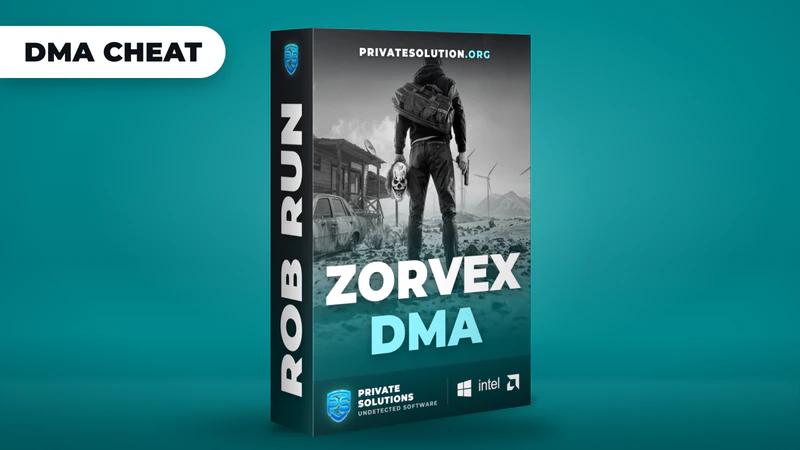
Zorvex

Zorvex Rob Run DMA

พร้อมจำหน่าย

DMA: รันบน PC เครื่องที่สอง ไม่มีอะไรรันบน PC ที่คุณใช้เล่น

  • Aimbot · Triggerbot · Line of Sight · Player ESP · Loot and Vehicle ESP · Trust List · Radars

จากรายการฟีเจอร์ของ Zorvex

  • 30 วัน$23.99
  • 90 วัน$52.99
ดูรายละเอียดและซื้อ

ช่องทางเพิ่มเติมในการซื้อโปร Rob Run

แพ็กเกจและคีย์อื่นที่รวม Rob Run แต่ละการ์ดแสดงวิธีการทำงานและราคา

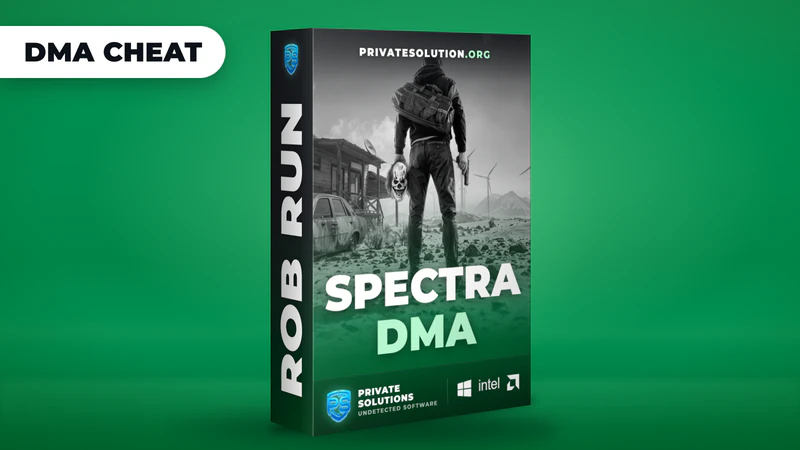
Spectra

Spectra Rob Run DMA

พร้อมจำหน่าย

DMA: รันบน PC เครื่องที่สอง ไม่มีอะไรรันบน PC ที่คุณใช้เล่น

  • Aimbot · Aim Response · Hardware Recoil · Player ESP · Team · Vehicles & World · Loot ESP · Containers · Radar · Insights · Widgets · General

จากรายการฟีเจอร์ของ Spectra

  • 7 วัน$8.00
  • 30 วัน$15.00
  • ตลอดชีพ$100.00
ดูรายละเอียดและซื้อ

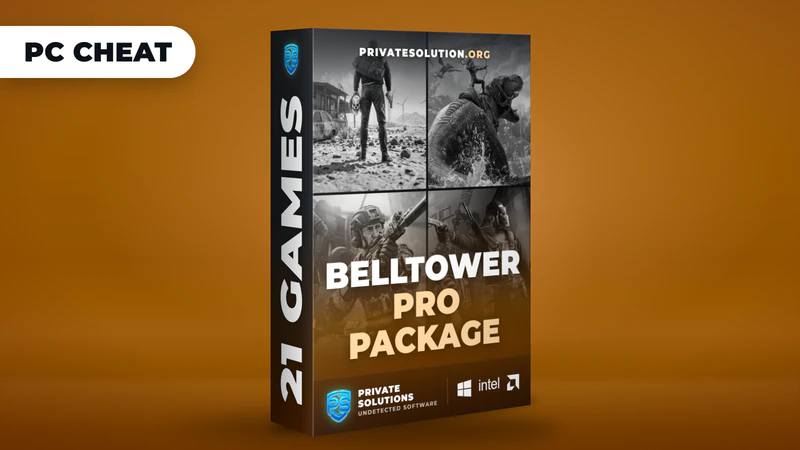
BellTower

BellTower Pro Package

พร้อมจำหน่าย

ซอฟต์แวร์ BellTower: รันบน PC เล่นเกมของคุณควบคู่กับเกม ไม่ต้องใช้การ์ด DMA หรือ PC เครื่องที่สอง

  • Package Benefits · Games in the Package

จากรายการฟีเจอร์ของ BellTower

  • 1 วัน$7.99
  • 7 วัน$19.99
  • 30 วัน$59.99
  • 90 วัน$149.00
  • 1 ปี$359.00
  • ตลอดชีพ$499.00
ดูรายละเอียดและซื้อ

เกี่ยวกับ Rob Run

Rob Run เป็นเกมแซนด์บ็อกซ์อาชญากรรมแบบผู้เล่นหลายคนของ Kefir สำหรับ Windows เปิดตัวบน Steam เมื่อวันที่ 4 พฤศจิกายน 2026 ตำรวจและอาชญากรทุกคนในเกมเป็นผู้เล่นจริง คุณปล้นธนาคาร สร้างที่ซ่อน หรือแย่งชิงอาณาเขตกับตำรวจและแก๊งคู่แข่งได้ รวมถึงตั้งครอบครัวมาเฟียหรือเข้าร่วมแคลน

โปร Rob Run แยกตามฟีเจอร์

BellTower Rob Run feature guide

AIMBOT: GENERAL SETTINGS AND MORE

  • Enable / Disable Aimbot
  • Aim Mode Selection: AimLock, Silent Aim
  • Lock Only Visible Targets
  • Keep Target While Held
  • Target Bone Selection: Head, Neck, Chest, Stomach, Pelvis
  • Adjustable Aim Response (AimLock)
  • Configurable Aimbot Hold Key
  • AimLock: Automatically tracks the selected target bone; Adjustable Aim Response for faster target acquisition; Continuously follows target movement while active
  • Silent Aim: Redirects shots toward the selected target bone; Does not move the camera; Supports configurable target filtering
  • Movement Prediction
  • Target Bone Movement Prediction
  • Camera Movement Prediction

VISUALS AND PLAYER ESP: VISUAL ELEMENTS

  • Configurable Bounding Box
  • Configurable Snap Lines
  • Player Name
  • Clan Tag
  • Player Role
  • Equipped Weapon
  • Armor / Character Status
  • Distance Indicator
  • Category Labels
  • Off-Screen Arrows
  • Nearest Target Marker
  • Skeleton Overlay

AIMBOT: TARGET FILTERS / AUTO FIRE

  • Aim at Players
  • Aim at NPCs
  • ตรวจสอบทีม
  • Skip Party Members & Clan-Battle Allies
  • Visible Targets Only
  • Adjustable Maximum Range
  • Role-Based Target Filtering
  • Enable / Disable Auto Fire
  • Automatic Firing Functionality

RADAR: VISUAL STYLE AND MORE

  • Show / Hide Radar Header
  • Show / Hide Radar Border
  • Display Background
  • Cardinal Lines
  • Adjustable Line Opacity
  • Adjustable Entity Dot Size
  • Adjustable Center Marker Size
  • Rotate With Camera
  • Smooth Rotation
  • Adjustable Rotation Speed

VISUALS AND PLAYER ESP: GENERAL SETTINGS

  • Enable / Disable Visuals
  • Visibility Check
  • Visibility-Based Color Handling

COLORS

  • Colours for: Players, Visible Players, Team, Visible Team, NPCs, Visible NPCs
  • Colours for: Visible Robbers, Invisible Robbers, Visible Cops, Invisible Cops, Visible Civilians, Invisible Civilians
  • Colours for: Under $1,000, $1,000 – $4,999, $5,000 – $9,999, $10,000 – $24,999, $25,000+, Unknown Value, Empty / Taken, Vehicles, Grenades
  • Crosshair / Aim / Trajectory Color
  • Colours for: Radar Background, Radar Border, Center Marker
  • RGBA Color Customization
  • Adjustable Red, Green & Blue Values
  • Adjustable Alpha / Transparency

VISUALS AND PLAYER ESP: LOCAL PLAYER INFORMATION / DISPLAY FILTERS

  • Local Health Display
  • Local Armor Display
  • Local Ammo Display
  • Adjustable Maximum Distance
  • Show Players
  • Show NPCs
  • ตรวจสอบทีม
  • Hide Party Members & Clan-Battle Allies
  • Hide Dead Characters
  • Role-Based Player Filters: Cops, Robbers, Other Roles

OBJECT ESP AND LOOT TRACKING

  • Supported object types: Drawers / Containers, Loose Loot, Loot Bags, Loot Nodes, Cash, Cargo, Vehicles, Grenades
  • Hide Empty / Taken Loot
  • Adjustable Maximum Display Distance
  • Enable / Disable Loot Value ESP
  • Adjustable Minimum Loot Value
  • Show Items With Unknown Values
  • Color by Loot Value
  • Value-Based Color Categories: Under $1,000, $1,000 – $4,999, $5,000 – $9,999, $10,000 – $24,999, $25,000+, Unknown Value, Empty / Taken
  • Grenade Detonation Timer
  • Grenade Throw Trajectory

RADAR: GENERAL SETTINGS AND MORE

  • Enable / Disable Radar
  • Top-Down Minimap
  • Movable Radar Position
  • Save Radar Position Through Settings
  • Show Players
  • Show Team
  • Show NPCs
  • Show Items
  • Show Objects
  • Hide Dead Characters
  • Hide Empty / Taken Items
  • Visibility Check

SETTINGS

  • Multiple Configuration Profiles
  • Profile Selection
  • Refresh Profile List
  • Save Profile
  • Load Profile
  • Reset Profile
  • Custom Profile Name
  • Create Profile
  • Enable / Disable All Features
  • Toggle Menu Hotkey
  • Toggle All Features Hotkey
  • Panic Key (Disable All)

MISCELLANEOUS

  • Configurable Crosshair Style
  • Override Camera FOV
  • Adjustable Camera FOV

WEAPON MODIFICATIONS

  • No Recoil
  • No Spread

Bleak Rob Run feature guide

CONTROLS

  • Menu Key: Right Shift opens and closes the menu. Aiming pauses while the menu is open
  • Full / Lite: Full includes aiming settings and functionality. Lite retains ESP, world objects, radar, Battle Mode, police alerts and profiles, with aiming unavailable
  • Menu Navigation: Eight BLEAK sections: Aimbot, Visuals, World, Radar, Misc, Palette, Interface and Config. Player and equipment settings share the Visuals page

AIM

  • Aim enabled: Enables aiming while the assigned key is held and ROB RUN is the foreground application. Disabled by default
  • Activation key: Assignable keyboard key or mouse button. Defaults to the right mouse button and is configured through the menu binding field
  • Aim smoothing: Aim smoothing ranges from 0.5 to 30 and defaults to 0.5. Higher values produce slower, smoother movement
  • Aim FOV: Target-selection radius: 10–500 pixels. Eligible targets closest to the selection area's centre receive priority
  • Target bone: Choose Pelvis, Chest, Neck or Head. Head is selected by default. The selected actual bone must have valid position data
  • Aim distance: Maximum target-selection distance: 10–1000 m
  • Target NPC: Separately allows aiming at NPCs. Disabled by default
  • Input Conditions: Aiming stops when the key is released, the menu opens, the game loses focus or sufficiently recent data is unavailable. The local player and dead characters are excluded
  • Aim / Battle Mode: Battle Mode filters ESP and radar presentation. Its toggle does not replace aiming target-selection settings

FOV AND CROSSHAIR

  • Draw FOV: Independently enables one FOV circle. The circle does not require aiming to be enabled. No additional square is used
  • FOV colour: Sets FOV circle colour and opacity in Aimbot or Palette
  • Crosshair: Independent screen-reticle toggle. The reticle and FOV circle can be enabled separately or together
  • Crosshair style: Five styles: Dot, Cross, T-cross, Ring + dot and Chevron
  • Crosshair colour / Preview: Separate reticle colour and in-menu FOV/reticle preview. These visual settings are also available in Lite

BATTLE MODE

  • Battle Mode: Leaves opponents in ESP and on radar while hiding world labels and vehicles. Saved category toggles are preserved
  • Battle Mode key: Configured in Visuals → Battle Mode key. Defaults to F6 and supports keyboard keys and mouse buttons
  • Toggle Behaviour: One press toggles the mode once; holding the key does not repeat. The bind works while the game is focused and the menu is closed
  • Clan Battle Teams: Clan battles use actual attacking and defending sides. Allies are hidden; unknown membership is not treated as an opponent when team context is active
  • Open-world Allies: In the open world, the same non-empty clan is hidden. Other police are allied when the local role is police. Dead characters and ordinary NPCs are excluded
  • Battle Mode Indicator: A BATTLE MODE badge appears beside the enabled radar and remains visible when contact labels are disabled

VISUALS AND PLAYERS

  • Players: Main player ESP toggle. Radar is controlled separately
  • Names: Displays the nickname above the character, with optional clan tag, police marker and entity ID
  • Box type: Choose Full box, Corner box or None
  • Box fill: Separately enables translucent box fill. Enabled by default
  • Skeleton: Displays available actual character joints. Pose updates are smoothed, with short data gaps handled by retaining a recent pose within validity limits
  • Bone thickness: Skeleton line thickness: 1–4. Colour is configured separately
  • Distance: Character distance in metres, shown in the label block below the player
  • Player distance: Maximum player ESP distance: 10–1000 m. This slider does not limit radar
  • Health: Health bar to the left of the box, with a numeric value when current and maximum HP are available
  • Police: Separate police filter, dedicated colour and [COP] / [ПОЛ] marker
  • NPC / Corpses: Independent toggles for ordinary NPCs and dead characters. The local character is excluded from ESP and has no display toggle
  • ESP Preview: Preview of the box, skeleton, labels and supported indicators on the Visuals page

VISUALS AND EQUIPMENT

  • Held item: Displays the held weapon or item when its description is available, with an empty-hands label when appropriate
  • Armor: Shows the presence of armour and adds a numeric value when available. Armour colour is separate
  • Clan: Adds a non-empty clan tag to the character name
  • Role: Displays the available character role. Enabled by default
  • States: Displays available firing, sprinting, crouching, reloading, arrest and knockout states. The set depends on character data
  • IDs: Adds the entity ID to the character label. Available on the Visuals page

WORLD AND VEHICLES

  • Vehicles: Displays cars and helicopters in the world. Radar vehicles have an independent toggle
  • Vehicle boxes: Three-dimensional boxes using available vehicle dimensions and orientation
  • Vehicle labels: Name and distance share the main row; additional information uses a separate row. Colour and opacity are configured in Palette
  • Vehicle distance: World vehicle ESP distance: 20–1500 m
  • Owners: Adds the available owner's name or an unowned-vehicle marker
  • Engine / Vehicle cargo / Speed: Separate toggles for engine state, cargo presence and speed in km/h. Information appears when available
  • Detailed information / Detail distance: Enable details in Misc and set their display distance from 10 to 500 m

WORLD AND OBJECTS

  • Dropped items: Dropped items and available cash points. Known quantities or amounts are retained in the label
  • Item icons: Uses game icons for known items. Enabled by default; disable to retain text-only labels
  • Base item prices: Shows a known item's base price with a $ sign. Enabled by default. This is the catalogue price per unit, not a stack total or current market price
  • Loot bags: Separate filter for loot points and bags. A container or bag marker does not imply a full contents view
  • Containers: Containers, display cases, shelving and supported storage from available world data
  • Cargo: Separate layer for cargo objects
  • Empty objects: Allows confirmed empty or taken objects to remain visible. Disabled by default; unknown state is not treated as empty
  • Item distance / World distance: Item distance and the overall world-object limit are separate, each ranging from 10 to 1000 m. Items obey both limits
  • Object label layout: The icon sits above the name; distance and the enabled price are below the name. Rows are centred on the object's position
  • Weapon category: Weapons receive an additional WEAPON / ОРУЖИЕ category line above the name
  • Distance / Overlap fading: Distant world labels fade smoothly. When labels overlap, the farther label becomes more transparent. Icons and text fade together; minimum multipliers are 75% for distance and 55% with overlap, before palette alpha
  • Object dots: Optional dots at object positions. Disabled by default; enable on the World page

WORLD AND INTERACTIONS

  • Cameras: Separately enables security cameras. A damage marker is used when that state is available
  • Guards: Stationary guard-post markers, separate from police characters
  • Security: Available alarms and security panels
  • Medical: Medical cabinets and supported medical points
  • Doors: Available doors and associated interaction points
  • Interactions / Points of interest: Independent filters for additional interactive objects and points of interest
  • Traders: Displays available traders
  • Vehicle spawns: Vehicle-service and spawn-point markers
  • Hideouts / Workbenches: Separate toggles for hideouts and available workstations
  • Banks / Roulette: Separate toggles for banks and roulette locations

RADAR

  • Radar: Square radar with centre guide lines and a local-direction marker
  • Radar rotate: Rotates the radar with the camera direction. Enabled by default
  • Radar contacts: Displays players and police. Available direction data produces compact arrows; otherwise circular markers are used
  • Radar labels: Player nicknames beside markers. Disabling leaves icons only. The current BLEAK presentation does not add contact-distance text
  • Radar vehicles: Independent radar-vehicle toggle. Compact icons have no vehicle-name labels. Vehicles are hidden in Battle Mode
  • Radar size: Size: 100–400 pixels
  • Radar zoom: Manual zoom: 0.05–5.00. Higher values zoom in more
  • Horizontal / Vertical / Drag: Set horizontal and vertical position with sliders, or drag the radar with the mouse while the menu is open
  • Radar range / Filters: Contacts are drawn inside the square. Police, NPC and Battle Mode filters apply; dead characters are excluded. Player ESP distance does not limit radar
  • Radar player colour: Separate radar-player colour. Police use the dedicated police colour

RADAR AND AUTO ZOOM

  • Auto zoom: Smoothly zooms in when an eligible character is nearby, returning to the manual scale as the contact moves away
  • Reaction range: Automatic zoom reaction distance: 30–500 m
  • Maximum zoom: Maximum automatic zoom: 0.05–5.00. Automatic zoom does not zoom out below the manual baseline
  • Zoom speed: Transition time: 0.15–2.00 s. Lower values respond faster
  • Ignore clan: Excludes the same non-empty clan from zoom triggers. Battle Mode adds its opponent filter
  • Manual scale preservation: Automatic zoom preserves the manual setting and accounts for radar size

POLICE HUD

  • Police proximity alert: Separate toggle in Misc. Displays a patrol card at the top centre of the screen
  • Police alert range: Alert radius: 20–300 m. Defaults to 100 m
  • Patrol state: Shows Patrol is approaching when distance is closing, or Patrol nearby when a patrol is already close
  • Patrol distance: Tracked patrol distance appears in a separate area of the card
  • Arrival state: Within 20 m, the text smoothly changes to Patrol is close and Close proximity
  • HUD animation / Repeat logic: Smooth slide-in and fade-out. The card disappears after close contact; later eligible patrols can trigger another alert
  • HUD design: BLEAK card with a shield, separate distance area and 8 px Minecraft text. The alert can be fully disabled

PALETTE

  • Player colours: Separate colours for boxes, skeletons, nicknames, distance, held items, police, health, armour and radar players
  • World colours: Separate colours for items, containers, medical objects, security, services, other objects, loot distance and vehicles
  • Colour / Alpha: The palette edits colour and opacity for supported elements. Automatic world-label fading multiplies the selected alpha
  • FOV / Crosshair colours: Independent colours for the FOV circle and screen reticle
  • Restore palette: Restores default BLEAK colours when the reset button is pressed

INTERFACE

  • Language: Russian and English interface. Switching updates known world names, roles, states, armour text, distance units and vehicle details without restarting. Nicknames and owner names are preserved
  • Minecraft font: In-game labels use outlined Minecraft Rus Regular from BLEAK WARDOGS. The menu retains its BLEAK interface font
  • ESP font size / World text size: Independent ESP and world-label sizes: 8–20 px, default 8 px. Sizes are baked separately, so menu scaling does not stretch in-game text
  • Menu scale: Choose 75%, 80%, 85%, 90%, 95% or 100%. The selection is saved in the configuration
  • Menu colour / Background animation: Configure the accent colour and animated background
  • Search settings: Search settings by Russian or English names. Search results edit the same options as the regular pages
  • ESP layer: World labels and geometry render below the menu and do not cover its controls

CONFIG

  • Profile name / Profile list: Profile name and saved JSON configuration list on the Config page
  • Create new: Creates a new named profile without overwriting an existing file
  • Save: Saves current settings under the entered name. An existing file with that name may be overwritten
  • Load selected: Loads the selected profile, including ESP, Full aiming, world objects, radar, Battle Mode bind, palette and appearance
  • Rename / Delete: Renames or deletes the selected profile
  • Autosave: Menu changes are automatically saved to the current configuration. Named profiles are managed separately
  • Reload current settings: Save current settings and Reload current settings manually write and reload the current configuration
  • Configuration paths: Autosave: C:\Windows\System\bleak_robrun.json. Named profiles: C:\Windows\System\configs_bleak_robrun

HOW IT RUNS

  • External: runs on your gaming PC, no DMA card or second PC
  • Uses the new Discord overlay (interactive regions on)
  • Borderless window
  • Secure Boot and TPM can stay as they are

Arcane Rob Run feature guide

AIMBOT

  • Weapon categories
  • Force aim key
  • In scope
  • Lock target
  • Shift to head
  • Target switch delay
  • Humanization system
  • Ignore dead
  • Ignore in vehicle
  • Ignore knocked

PLAYER ESP

  • กรอบสี่เหลี่ยม (Bounding box)
  • Fill box
  • Skeleton
  • Line to enemy
  • Hide dead
  • Hide team
  • Team colors
  • Hide knocked
  • Knocked colors
  • Name

NPC ESP

  • Hide dead
  • กรอบสี่เหลี่ยม (Bounding box)
  • Name
  • State

VEHICLE ESP

  • Only occupied
  • Hide own vehicle
  • Hide vehicle I am in
  • กรอบสี่เหลี่ยม (Bounding box)
  • Front face
  • Fill box
  • Line to vehicle
  • Vehicle name
  • Owner
  • Driver

ITEM ESP

  • Hide empty
  • Objects
  • Loot categories

RADAR

  • Distance rings
  • FOV cone
  • Scale by distance
  • Zoom
  • Entities
  • Show on rim

MISC

  • No recoil
  • No sway
  • No spread

BATTLE MODE

  • Show indicator
  • Compact info
  • Hide dead
  • Hide radar
  • Hide off-screen
  • ซ่อน

Fecurity Rob Run feature guide

AIM ASSIST

  • Enabled: master switch for aim assistance
  • Vectored Aim: turns the camera toward the selected target
  • Silent Aim: changes the shot direction while keeping the camera direction unchanged
  • Movement prediction: leads moving targets using their measured velocity and the age of their displayed position
  • Spread prediction: compensates for predicted weapon spread when using Vectored Aim
  • No Spread (Silent Aim): compensates for predicted single-ray spread, including steady movement on the ground; transitional states may be skipped
  • At Shoot: also activates aiming while the fire button is held
  • Visible Only: selects aim points with a clear line of sight
  • Enemy Only: excludes teammates, including party and clan members
  • Vertical Aim Speed: separate vertical aiming speed for Vectored Aim
  • Horizontal Aim Speed: separate horizontal aiming speed for Vectored Aim
  • FOV: limits the target search angle relative to the current view direction

PLAYERS ESP

  • ฟีเจอร์ของ Visuals Enabled: master switch for visual
  • Enemy Only: displays enemies only; party and clan members are treated as teammates
  • Box: a 2D box around the player
  • Box Outline: an additional outline around the box
  • Skeleton: displays the player's skeleton
  • Skeleton Thickness: adjusts skeleton line thickness
  • Maximum Distance: limits player display distance
  • Maximum Corpse Distance: a separate maximum display distance for dead players
  • Corpses ESP: displays dead players when model data is available
  • Nickname: displays the player's nickname
  • Distance: displays the distance to the player
  • Held Item: displays the name of the weapon or other item in the player's hands

PLAYERS GLOW

  • Glow: an outline glow around the player model
  • Glow Intensity: adjusts glow intensity
  • Glow Radius: adjusts glow width
  • ENEMY / TEAM: separate enemy and teammate color tabs
  • Glow State Colors: separate Visible, Invisible, Dead Visible and Dead Invisible colors for each team category

PLAYERS CHAMS

  • Chams Mode: choose Disabled, Flat, Material, Flat Pulse or Material Pulse
  • Flat Chams: a flat color fill on the model
  • Material Chams: a shaded fill that gives the model's surface depth
  • Flat Pulse: a flat fill with pulsing model edges
  • Material Pulse: a shaded material with pulsing model edges
  • Chams Opacity: adjusts fill opacity
  • ENEMY / TEAM: separate enemy and teammate color tabs
  • Chams State Colors: separate Visible, Invisible, Dead Visible and Dead Invisible colors for each team category
  • Combined Glow / Chams: allows Glow and Chams to be used together

PROJECTILES ESP

  • Projectile ESP: displays grenades in a dedicated Visuals subtab
  • Show Name: displays grenade names
  • Grenade Trajectory: displays the path a grenade has already traveled
  • Throw Preview: displays the game's active throw-preview trajectory, including its collision result
  • Bullet Tracers: short-lived, fading lines for your own and other players' shots
  • Grenades Maximum Distance: a separate maximum display distance for grenades
  • Tracers Maximum Distance: a separate maximum display distance for bullet tracers

NPC ESP

  • NPC ESP: displays in-game NPCs
  • Show Name: displays the NPC's name or type
  • Show Distance: displays the distance to the NPC
  • Guards: displays guards with a separate distance limit
  • Traders: displays traders with a separate distance limit
  • Bots / Police: displays bots and police with a separate distance limit
  • Show State: displays available NPC states: idle, suspicious, alerted, preparing a call, calling, hands raised or dead
  • Cops Call Timer: displays the time remaining while a guard is calling the police
  • Show Dead: displays dead NPCs

OBJECTS ESP

  • Objects ESP: displays world objects
  • Show Name: displays object labels
  • Show Distance: displays the distance to objects
  • Show State: displays available information about contents, charging, availability and object state
  • Hide Empty: hides objects confirmed to be empty
  • Bag Contents: displays bag contents with item quantities
  • Trunk Contents: displays vehicle trunk contents with item quantities
  • Loot Nodes: displays loot nodes
  • Cargo: displays cargo
  • Cash Chargers: displays cash chargers and their state
  • Cash Nodes: displays cash nodes and their available amounts when data is available
  • Player Bags: displays player bags, including the owner's name when available

ITEMS ESP

  • Items ESP: displays loot items
  • Show Name: displays item names
  • Show Distance: displays the distance to items
  • Item Count: displays item quantities as xN
  • Hide Empty: hides emptied or looted loot objects
  • Show Unrated: separately displays items with no identified rarity
  • Loot Display: By Category: filters loot by item type
  • Weapons: weapons
  • Ammo: ammunition
  • Equipment: equipment
  • Medicine: medical items
  • Grenades: grenades

CARS ESP

  • Cars ESP: displays cars
  • Show Name: displays the car's in-game localized name when available
  • Show Distance: displays the distance to the car
  • Maximum Distance: maximum display distance for car ESP
  • Box Mode: choose None, 2D or 3D
  • 2D Box: a screen-space box around the car's bounds
  • 3D Box: a 3D wireframe box based on the car's dimensions and orientation
  • Owner Filters: separate visibility switches for cars owned by cops, robbers or civilians, and for unowned cars
  • Shared Vehicle Filters: the selected owner filters also apply to Radar and Game Map

BASES ESP

  • Bases ESP: displays available settlement bases without a separate distance limit
  • Owner: displays the base owner's name
  • Clan: displays the clan tag and name
  • Buildings: displays the main building, fence and outbuildings
  • Building Names: localized building labels when a translation is available
  • Base State: displays whether the base is locked, under construction or being moved
  • Distance: displays the distance to the base
  • Bases List: a separate panel listing bases, owners, distances and raid states
  • Transparency: adjusts the transparency of base information
  • Raid State: displays buildings under raid and the raid lock timer
  • Defense Blocks / Modules: displays defense blocks, installed modules and defense points
  • Open Doors: displays the number of open doors among the building's known doors

WEAPON

  • Invisible Opacity: adjusts the opacity of hidden ESP objects
  • No-Recoil: disables weapon recoil
  • Auto Pistol: fires semi-automatic pistols automatically while the fire button is held

TRIGGERBOT

  • Triggerbot: fires automatically when the crosshair is on a valid target
  • Activation Key: a configurable activation key
  • Activation Mode: hold, toggle or always active
  • Settings Mode: use global settings or separate weapon profiles
  • Weapon Profiles: Global, Pistol, Automatic and Other profiles
  • Override Global: overrides global settings for the selected weapon group
  • Hitboxes: selects the head, torso and legs
  • Reaction Delay: reaction delay before firing
  • Click Hold: how long the fire button is held down
  • Click Interval: the interval between button presses
  • Hitbox Scale: adjusts the size of the area checked for triggering
  • Maximum Distance: limits the distance to the target

RADAR AND GAME MAP

  • Radar: a separate on-screen radar
  • Rotate with Camera: rotates the radar with the camera
  • Radar Names / Distance: displays names and distances on the radar
  • Radar Range: radar detection range
  • Radar Size / Position: radar size and screen position
  • Radar Opacity: radar opacity
  • Game Map: adds markers to the game's own maps
  • Minimap: displays markers on the minimap
  • Big Map: displays markers on the big map, following its zoom and panning
  • Map Names / Distance: displays names and distances on the game map
  • Map Opacity: opacity of game-map markers
  • Marker Size: adjusts marker size

HUD AND WARNINGS

  • HUD: a movable information panel
  • Police Approaching: warns about approaching police, showing their count, distance and direction
  • Police Maximum Distance: limits the range of police warnings
  • Aiming at You: warns about a player who is aiming at you, showing their name, distance and direction
  • Pop-up Notifications: pop-up alerts for approaching police and players aiming at you
  • Base Doors: a separate warning for unclosed house doors, fence gates and garage gates at your own base
  • Base Door Direction: displays direction, distance and the number of known open doors; works even when HUD is disabled
  • HUD Offsets: horizontal and vertical widget offsets
  • HUD Scale: adjusts widget scale
  • HUD Background: adjusts background opacity
  • Widget Dragging: drag the HUD and base warning with the mouse while the menu is open

PLAYER LIST

  • Player List: a movable table of players on the server
  • Distant Players: unloaded players remain listed with their available names and IDs
  • Column Selection: choose name, clan, role, distance, held item, state and ID columns
  • Sorting: sorts by distance, name or role
  • Maximum Rows: sets the maximum number of rows
  • Role Colors: colors rows by player role
  • Threat Highlight: highlights players aiming at you in red
  • Scale / Background: table scale and background opacity
  • Dragging: drag the table with the mouse while the menu is open

BATTLE MODE

  • Battle Mode: quickly switches to a reduced display for combat
  • Activation Key: a configurable activation key
  • Activation Mode: toggle or hold
  • Auto Enable: activates automatically when someone aims at you or police approach
  • Auto Disable After: deactivates after a set time once the threat is gone
  • Skeleton Only: displays players as skeletons only in Battle Mode
  • Visible Only: displays only visible players in Battle Mode
  • Limit Distance: a separate player distance limit for Battle Mode
  • Hide Knocked: hides knocked-down players
  • Hide Team: hides teammates, including party and clan members
  • Hide Game Map: hides the map and radar during combat
  • Hide HUD: hides the HUD during combat

FREE CAMERA

  • Free Camera Enabled: allows Free Camera to be used
  • Toggle Key: independently activates and deactivates the camera; defaults to F7 and does not change the Enabled checkbox
  • Mouse Look: controls the view with the mouse
  • WASD Movement: moves the camera with the standard movement keys
  • Vertical Movement: moves up with Space and down with Ctrl
  • Speed Boost: speeds up the camera while Shift is held
  • Movement Speed: adjusts base movement speed
  • Mouse Sensitivity: adjusts look sensitivity
  • Boost Multiplier: adjusts the speed-boost multiplier
  • Player Input Block: blocks normal character controls while Free Camera is active
  • Camera Restore: restores normal camera and character controls when Free Camera is deactivated

OVERLAY AND INTERFACE

  • Screen Protection: hides the overlay from supported screen-capture methods
  • V-Sync: vertical synchronization for the overlay
  • FPS No Limit: removes the overlay frame-rate limit
  • Frame Limit: sets the overlay FPS limit
  • Distance Unit: selects the units used to display distances
  • Menu Key: a configurable key for opening the menu
  • Interface Scale: adjusts interface scale
  • Interface Colors: adjusts colors for menu borders, text, descriptions, backgrounds and control states
  • Color Templates: preset color swatches for quick selection

SKIN CHANGER

  • Enabled: master switch for local appearance changes
  • Weapon Skins: applies compatible skins to the weapon in your hands
  • Weapon Skin Selection: selects a skin from the list for the current weapon
  • Clothing Skins: changes the local character's clothing appearance
  • Male Outfit: a separate selection for the male outfit
  • Female Outfit: a separate selection for the female outfit
  • Car Skins: applies compatible materials and appearances to cars
  • Car Appearance Selection: selects compatible appearances for the current car; your own cars are considered when you are on foot
  • Compatibility Filter: lists skins compatible with the selected weapon or car
  • Localized Names: uses in-game names for clothing, skins and cars when localization is available
  • Default: restores the default appearance
  • Independent Categories: weapons, clothing and cars can be enabled separately

Disconnect Rob Run External feature guide

AIMBOT & TARGETING

  • Normal Aimbot
  • Silent Aim
  • Adjustable Silent Aim Hitchance
  • Movement Prediction
  • Auto Shoot with Silent Aim and Visibility Check
  • Custom Aim Keybind
  • Player Role and Team Filters
  • Aim Bone Selection
  • Visibility Check
  • Ignore Knocked Players
  • Keep Target
  • Aimbot Smoothing

DETAILED PLAYER VISUALS

  • Skeleton ESP
  • Box ESP
  • Player Names
  • Distance ESP
  • Clan Tags
  • Held Item ESP
  • Held Item Rarity Colors
  • Reloading Indicator
  • In-Vehicle Indicator
  • Armor Indicator
  • Crouching Indicator
  • Sprinting Indicator

LOOT & ITEM VISUALS

  • Loot Names
  • Loot Distance
  • Loot Value Display
  • Minimum Loot Value Filter
  • Category-Based Filtering
  • Rarity-Based Filtering
  • Custom Category and Rarity Colors
  • Weapon Filters
  • Ammo Filters
  • Armor and Equipment Filters
  • Medicine and Grenade Filters
  • Key and Tool Filters

WORLD OBJECTS & HIDDEN PLAYERS

  • Cargo ESP
  • Cargo Value Display
  • Container ESP
  • ATM ESP
  • Door ESP
  • Cash ESP
  • Cash Names and Values
  • Hide Spot ESP
  • Possible Hidden Player Markers
  • Hidden Player Name and Role
  • Time Since Last Seen
  • Distance Display

CHARACTER & WEAPON SKIN CHANGER

  • Weapon Skin Selection
  • Separate Skin Selections per Weapon Family
  • Outfit Selection
  • Hair Styles
  • Head Selection
  • Beard Styles
  • Face Marks
  • Bag Selection
  • Mask Selection
  • Keychain Selection
  • Makeup Selection
  • Hair Colors and Highlights

MOVEMENT & UTILITIES

  • Instant Loot Search
  • Inventory Item Value Display
  • Custom Inventory Value Text Color
  • No Flash
  • Omni Sprint
  • Auto Sprint
  • FOV Changer
  • Adjustable Field of View
  • Zoom
  • Custom Zoom Keybind
  • Adjustable Zoom FOV
  • Freecam

LOBBY & FRIENDS

  • Lobby Player List
  • Player Names and Clan Tags
  • Player Roles
  • Last-Seen Locations
  • Search by Player, Clan, or Location
  • Add and Remove Friends
  • Persistent Friends List
  • Online and Offline Friend Display
  • Friend Highlighting
  • Player and Friend Counts
  • Movable Lobby Viewer Widget
  • Custom Lobby Widget Font

PLAYER & VEHICLE RADAR

  • Standalone Radar
  • Map Radar
  • Minimap Radar
  • Combined Map and Minimap Mode
  • Adjustable Minimap Scale
  • Player Role Filters
  • Individual Role Colors
  • Vehicle Type Filters
  • Individual Vehicle Colors
  • Car, Police Car, Van, and Helicopter Tracking
  • แสดงเพื่อนร่วมทีม
  • Player Names on Minimap

BODYBAGS & DESPAWN TIMERS

  • Bodybag ESP
  • Bodybag Names
  • Bodybag Distance
  • Despawn Countdown
  • Custom Bodybag Color
  • Adjustable Render Distance

PLAYER & LOCAL CHAMS

  • Player Null Chams
  • Local Player Null Chams
  • Independent Player and Local Toggles

BASES & BUILDINGS

  • Base Overview ESP
  • Base Owner Display
  • Base Clan Display
  • Base Cash Display
  • Base Status and Timers
  • Storage Summary
  • Cargo Summary
  • Workbench Summary
  • Defense Summary
  • Base Module Information
  • Building ESP
  • Storage ESP with Contents

WORKBENCHES & PRODUCTION

  • Laundering Desk ESP
  • Cargo Opening Workbench ESP
  • Cargo Exchange Workbench ESP
  • Production Workbench ESP
  • Grow Table ESP
  • Crypto Farm ESP
  • Workbench Names
  • Workbench Status
  • Workbench Contents
  • Workbench Timers
  • Individual Workbench Type Filters
  • Individual Workbench Colors

VEHICLE TRACKING

  • Car ESP
  • Police Car ESP
  • Van ESP
  • Helicopter ESP
  • Vehicle Names
  • Vehicle Distance
  • Vehicle Ownership
  • Individual Vehicle Type Filters
  • Individual Vehicle Colors
  • Adjustable Render Distance

CAMERAS & ALARMS

  • Camera ESP
  • Alarm ESP
  • Hacked Camera Filter
  • Disabled Camera Filter
  • Hacked Alarm Filter
  • Camera and Alarm Distances
  • Separate Camera and Alarm Colors
  • Separate Render Distance Limits

OFF-SCREEN PLAYER INDICATORS

  • Off-Screen Player Arrows
  • Player Role Filters
  • Role-Based Colors
  • Adjustable Arrow Size
  • Adjustable Arrow Radius

SETTINGS & CONFIGS

  • Three Config Slots: Legit, Rage, Other
  • Config File Saving and Loading
  • Clipboard Config Export
  • Clipboard Config Import
  • Custom Menu Accent Color
  • Custom Menu Keybind
  • Separate Top, Bottom, and General ESP Fonts
  • Outline Text Effect
  • Drop Shadow Text Effect
  • Movable and Resizable Menu

HOW IT RUNS

  • Runs on your gaming PC: no DMA card or second PC needed
  • Windows 10 and 11, Intel and AMD processors
  • No USB, BIOS or Windows features required
  • Streamproof: hidden from game capture

Pure Rob Run DMA feature guide

เปิดสินค้านี้ในร้านค้าเพื่อดูรายการฟีเจอร์และความต้องการในการตั้งค่าล่าสุด เราไม่ถือว่ามีฟีเจอร์เล็งหรือโอเวอร์เลย์ที่ไม่ได้ระบุไว้

Poseidon Rob Run DMA feature guide

PLAYER ESP

  • Separate settings for police, robbers, civilians, teammates and others
  • Teammates: your party, your clan and your side in a clan battle
  • Boxes: full, cornered, 3D, filled or rounded, with outline and fill strength
  • Skeleton, head circle (filled or ring) and look lines with an arrowhead
  • Snaplines from the top, centre or bottom of the screen
  • Off-screen arrows, with distance
  • Show dead, surrendering and arrested players
  • Max distance and detail distance, with fade by distance
  • Overlay crosshair: cross, dot, circle, or cross and dot

PLAYER INFO AND COLOURS

  • Name with clan tag, weapon (name or the game's picture), distance, role and team
  • Bribe coins, and the arrest reward while you play police
  • Current action with a timer: lockpicking, hacking, reviving, reloading and more
  • Flags: visible, armed, armor, firing, reloading, sprinting, crouching, reviving and interacting
  • State flags: knocked out, arrested, surrendering, in a vehicle, carrying cargo, wanted, blinded, spawn protection, hiding and bot
  • Drag-and-drop layout: place, reorder and colour every item, with a live preview
  • Team colours by clan tag, clan-battle side or party, on the box, skeleton, chams, name and more
  • The same colours on the minimap, player list and web radar

VISIBILITY CHECK

  • Per-pixel visibility check from the map's own collision
  • Show players always, only when visible or only when hidden
  • Visible and hidden colours, with a fade between them
  • A setting for each part, or one setting for every part
  • Hidden-state preview in the menu

CHAMS

  • Drawn on each player's real body and outfit
  • Separate settings for each ESP group
  • 14 materials: flat, shaded, glow, wireframe, pulse, rainbow, thermal, metal, crystal, hologram, toon, galaxy, outline and textured
  • A separate material for hidden players
  • Brightness, outline, outline-only mode and outline colour
  • Visible and hidden colours

AIMBOT

  • Aim key: hold, toggle or always on
  • Mouse input, or controller input through the stick or a mouse-to-controller converter
  • Targets police, robbers, civilians or other roles, and can skip your own role
  • Armed only, and skip knocked out, surrendering or arrested players
  • FOV with an FOV ring, visible only and max distance
  • Hitboxes: head, chest, pelvis or nearest
  • Priority: nearest to crosshair or nearest player, with sticky target and a switch delay
  • Smooth, linear or Bezier movement, with smoothing time and Bezier bend
  • Moving-target prediction with lead time
  • Off while reloading

AIM PROFILES

  • One setup for every weapon, per class (pistols, SMGs, rifles, shotguns) or per gun
  • Every gun listed with the game's own picture
  • All models of a gun (Mk1 to Mk3) share settings
  • Inherit settings from the class or the every-weapon setup
  • Turn aim on or off per class or gun
  • Own targeting, movement and humanizer per profile
  • Humanizer: reaction time, deadzone, vertical speed and largest step
  • Highlights the weapon in your hands, with a live view of the settings in use

TRIGGERBOT AND FLICK

  • Triggerbot key: hold, toggle or always on
  • Triggerbot on-target radius, delay, shot hold time and cooldown, visible only
  • Flick key: hold, toggle or always on
  • Flick FOV and duration, shoot after the flick, and a cooldown

CONTROLLER AIM ASSIST

  • Activation key: hold, toggle or always on
  • Assist radius, slowdown and magnetism
  • Pull strength, max stick change, max stick output and stick deadzone

LOOT AND ITEMS

  • Ground items, dropped bags, loot spots, containers and cargo
  • Name, distance, value and count, with a state badge
  • Timers for drills, vault doors, cooldowns and cash locks
  • Colour by rarity, with a minimum rarity from common to exotic
  • Minimum value, max distance, label limit and hide emptied
  • Search, hide overlapping text and steady labels while you move
  • Item rules: always or never show an item, with its own colour, range and a nearby alert
  • Item tracking: set how many you want and count what you collect, also on the web radar
  • Item names as the game shows them, in English or German

PLACES AND VEHICLES

  • Hiding spots with someone inside, and who it is
  • Empty hiding spots
  • Settlement cash: amount, lock and tax
  • Vault doors: time until they open
  • Points of interest with their cooldowns
  • First aid, police boxes, holding cells, traders and bollards
  • Vehicles, doors and breakables (glass, showcases, walls)
  • Alarms, security panels and metal detectors, or only active security
  • Weapon, item, cargo, place and vehicle pictures from the game, or picture + text

GRENADES AND SHOTS

  • Grenades with name, distance, timer and effect radius
  • Danger warning with a marker and an arrow to the grenade
  • Your own throw path
  • Shot tracers that stop at the first wall, teammates' shots too
  • Tracers in the shooter's colour or one colour

MINIMAP RADAR

  • Round or square, draggable and resizable, with a position lock
  • Matches the game's minimap zoom, wider in vehicles
  • Rotates with your view, with a see-through mode and the game map behind it
  • Markers as dots, arrows or diamonds, with names, view cones and above / below markers
  • Shows players, vehicles, loot, security, cargo, hidden players, places and projectiles
  • Role colours, and pings from the web radar

WEB RADAR

  • เรดาร์สดบนเบราว์เซอร์ แชร์ในเครือข่ายภายในหรือผ่านอินเทอร์เน็ต
  • Copy a local, network or internet link
  • Players with look direction, party health, world objects and grenades with timers
  • Your throw path, a range slider and details when you tap a marker
  • Double tap to place map pings, shown on the minimap and over the game
  • Configurable port and updates per second

ALERTS AND PLAYER LIST

  • Alerts: police nearby, armed player nearby, someone aiming at you and someone hiding nearby
  • Security active, grenade nearby and tracked item nearby alerts
  • An alert when you are knocked out or carrying cargo
  • Alert colour, display time, repeat interval and danger distance
  • Aiming-at-you list
  • Player list: clan, role, weapon, distance, armor, state, cargo, bribe coins, visible and wanted
  • Sort the list by distance, name or role, with your team in its own section

INPUT DEVICES

  • Ferrum, MAKCU, KMBox B, KMBox Net and Arduino (text or binary protocol)
  • Automatic or manual COM port, KMBox Net IP, port and UUID, and auto-connect
  • Keys from the device buttons, the game PC or the overlay PC
  • Blocks the aim, trigger and flick keys from reaching the game
  • Controller through MAKCU or Ferrum, with stick or converter output and an additive stick mode

MENU AND CONFIGS

  • Combat mode with its own key, which can hide world labels in a fight
  • Four profile hotkeys, a next-profile key and a profile per role (police, robber, civilian)
  • Searchable, draggable menu in English, Chinese or German, with accent colour and size
  • Control the menu from the game PC with a take-control key
  • Monitor choice, native or stretched resolution, Vsync and FPS cap
  • Configs: save, load, delete and create, with automatic saving

GAME SUPPORT

  • Rob Run

KEYS

  • 7, 30 or 90 day license keys

Snaw Rob Run DMA feature guide

FEATURE LIST

  • Snaw has not published its full feature list for this game yet: the video shows the menu and ESP in a real match. Ask in a ticket before you buy.

HOW IT RUNS

  • DMA: runs on your second PC, nothing on your gaming PC
  • Aim through a KMBox Net, Ferrum, MAKCU or CatBox

Zorvex Rob Run DMA feature guide

AIMBOT

  • ขยับการเล็งผ่าน MAKCU, KMBox, Ferrum หรือ Arduino เกมจึงเห็นแค่เมาส์ปกติ
  • Field of view in degrees, with an optional FOV circle
  • Smoothing from 0 (snaps straight on) to 100 (slow and human)
  • Reaction delay of 0 to 500 ms before locking a new target
  • Two aim keys, each Hold, Toggle or Always
  • Aims from the screen centre, or from your cursor for third person
  • 15 bones, picked by region or one by one on the player model
  • Hit zones along the real bones, sized like the game's own hit boxes (head, torso, limbs)
  • Need a clear shot: only aims at bones in view of your camera
  • Skips your party and your trust list
  • Hit zone overlay that draws exactly what the aim and the trigger use

TRIGGERBOT

  • Its own key and its own bones
  • Fires only while your crosshair is inside a real hit zone
  • Pre-fire delay
  • Keeps firing while you stay on target, with hold time and gap, or one click per target
  • Clear shot check, and skips your team
  • Optional aim assist with its own field of view, smoothing and reaction

LINE OF SIGHT

  • Read from ROB RUN's own collision world: buildings, walls, rocks and terrain
  • Cast from your third person camera, so visible means on your screen
  • Glass and other see-through shapes don't count as cover
  • Drives the in-view ESP colours and Need a clear shot

PLAYER ESP

  • Box: full, corners or filled
  • Skeleton from the rendered character, with a head ring and head dot
  • Health bar for you and your party
  • Name with role tag ([COP], [ROB], [CIV], [JAIL]) and role colours
  • Distance, with car and KO markers
  • The item in their hands: the game's own picture or its name
  • Snap lines from the bottom, crosshair or top
  • Offscreen arrows to players you can't see
  • A second colour per feature while they are in view
  • Enemies and teammates set up separately, distance limit, hide dead players
  • Live preview in the menu

LOOT AND VEHICLE ESP

  • Cars (police cars marked, a star when someone is inside), helicopters and vehicle loot
  • Cargo, event cargo and the loot bags dead players drop
  • Safes, registers, containers and furniture you can search
  • Loot objects, random loot, loot spawns and grenades
  • Picture, name, distance, details and marker each on or off
  • Range and colour per kind, text and picture size, hide empty
  • Cars and helicopters drawn where the game draws them, every frame

TRUST LIST

  • Friends list, saved with your config
  • Point at a player and tap a key to trust them for this session
  • Add anyone from the server's player list
  • Cops count as one team, or only your party

RADARS

  • A live radar in a browser, on your phone or a second screen
  • Players with the way they face, in role colours
  • Follow a player, pinch zoom, free pan, rotate with them
  • Local network, or a public link with an optional password
  • Square or circle, any size and position
  • Range and dot size, rotate with your view or north up
  • Tracers: solid, dashed or dotted, and your own colours

การตั้งค่า

  • Mouse controllers: MAKCU, KMBox Net, KMBox B Pro, Ferrum, Arduino
  • All major DMA cards, including 35T, 75T, 100T, Captain DMA and RaptorDMA
  • Every key works from either PC, menu key included
  • Overlay frame cap, FPS and DMA latency counters, monitor and resolution settings
  • Named configs that save as you change things
  • Updates itself on launch

Spectra Rob Run DMA feature guide

AIMBOT

  • Enable aim or always-on mode
  • Primary and secondary aim profiles
  • Aim key (default: right mouse)
  • Target points: head and other bones
  • Target priority: closest to crosshair or by distance
  • FOV and maximum distance
  • Horizontal and vertical smoothing
  • Deadzone
  • Dynamic FOV (60° reference)
  • Reaction time and new-target delay
  • Movement prediction with adjustable strength
  • Additional screen lead and lead time

AIM RESPONSE

  • Response algorithms: Classic, Aggressive, Trapezoid, Minimum jerk, Custom cubic
  • Custom response curve with two control points
  • Strength and speed tuning

HARDWARE RECOIL

  • Recoil compensation through your KMBox or MAKCU
  • Profiles switch automatically with the equipped weapon
  • Profiles for Mk1, Mk2 and Mk3 of every gun: AP Scalar, CB45, DP-9, DRM-14, Harris 500, JP-7, KL-545, LBR-44, LM 249, MC-10, ORDR-12, PDW90, RC 5.56, SR Reaper, STAR-H, TAG-12K, Vulture 50
  • Global profile for every other weapon
  • Horizontal and vertical strength
  • Maximum correction rate
  • ADS only option

PLAYER ESP

  • Boxes (normal or cornered)
  • Skeleton
  • Chams
  • Nickname
  • Held item / weapon
  • ระยะทาง
  • Role label and role icon
  • Activity
  • Hiding status
  • Dead players
  • Color by role: criminals, police, civilians, hubbers
  • Hide police and civilians

TEAM

  • Team ESP with its own settings
  • Saved friend IDs

VEHICLES & WORLD

  • Cars and helicopters, by model
  • Dropped bags
  • Bases / claims
  • ระเบิดมือ
  • Raid fuse counts for houses and gates
  • Names, distances and icons

LOOT ESP

  • Loose loot with names and distances
  • Rarity text and colors, Common to Exotic
  • Item values and minimum value filter
  • Hide taken items
  • Group nearby loot
  • Weapon icons
  • Search by item name or ID
  • Hide chosen item IDs
  • 18 item categories: weapons, ammunition, armor, grenades, medical, keys & access, breaching tools, valuables, cash, cargo, drugs & lab, electronics, safes & stashes, workbenches, vehicle parts, consumables, deeds & titles, junk

CONTAINERS

  • Safes, deposit boxes, ATMs and other containers
  • Contents when received
  • Hide known empty containers
  • Container state

RADAR

  • Mini radar and large radar: round, rotating, adaptive
  • Aim cone, directions, elevation and visibility rings
  • Enemies, team, dead players, loot, containers, cars, helicopters, grenades and bases
  • Weapon and vehicle icons
  • Shareable live web radar with viewer filters and range

INSIGHTS

  • Vehicle readiness cards: seats, engine and cargo
  • Barter shopping list
  • Wanted tracker
  • Alarm history
  • Item cooldowns
  • Inventory value ledger
  • Event countdown

WIDGETS

  • Custom crosshair, 10 shapes
  • Session dashboard with threat radius
  • Off-screen arrows by role

GENERAL

  • Insert opens the menu
  • Battle mode hides loot and vehicles
  • Map visibility checks with per-bone rays
  • KMBox Net and MAKCU support
  • Controller input through MAKCU
  • Transparent overlay, VSync and performance display
  • Auto-saved configs, favorites and settings search
  • English and Simplified Chinese menus

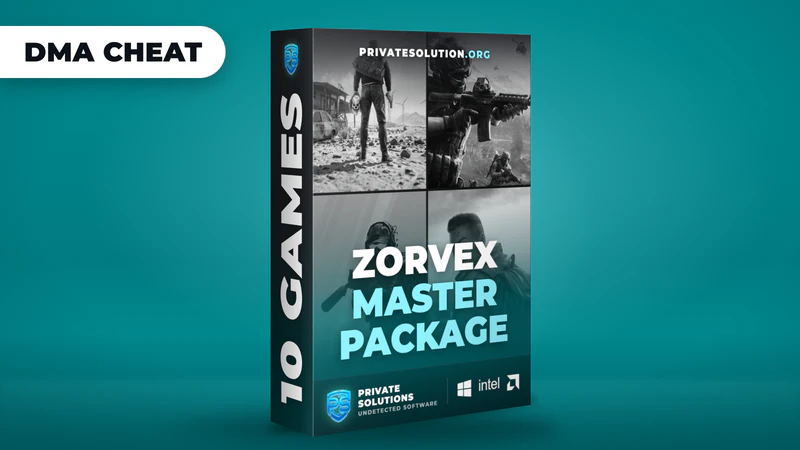
Zorvex Master Package feature guide

GAMES

  • Rob Run
  • Call of Duty MW4
  • Wardogs
  • Counter-Strike 2
  • H1Z1 (ROTK + ZEMU)
  • Blood Strike
  • Roblox
  • Deadlock
  • Unturned
  • DayZ
  • PUBG: Battlegrounds

INCLUDED

  • Every live Zorvex DMA on one key
  • Games Zorvex launches while your key runs are added at no extra cost

BellTower Pro Package feature guide

PACKAGE BENEFITS

  • Access to all current Internal products
  • Access to future Internal product releases
  • Multiple products in one package
  • No need to purchase individual products separately
  • One subscription for the complete Internal lineup

GAMES IN THE PACKAGE

  • Rob Run
  • Wardogs
  • ARC Raiders
  • The Isle
  • Rust
  • Gray Zone Warfare
  • Aniimo
  • ARK: Survival Ascended
  • ARK: Survival Evolved
  • Arma Reforger
  • Beasts of Bermuda
  • Conan Exiles

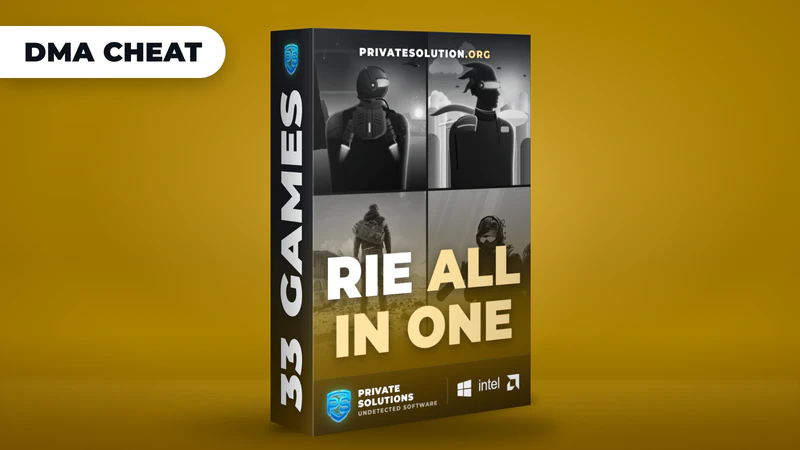
Rie Rob Run feature guide

Aimbot

  • Aimbot enabled
  • ปุ่ม Aim
  • ปุ่ม Aim ที่สอง
  • Dynamic Fov
  • ตรวจสอบทีม
  • Hitboxes selection
  • Bone ที่ใกล้ที่สุด
  • ความนุ่มนวลของ Aimbot
  • ดีเลย์การสลับ
  • เวลามองเห็นขั้นต่ำ
  • เลือกลำดับความสำคัญตามพลังชีวิต
  • Mouse Trajectory (Linear/3 types of Curve)

Trigger

  • Triggerbot enabled
  • ปุ่ม Triggerbot
  • Magnet Triggerbot fov
  • Magnet Triggerbot fire time
  • Magnet Triggerbot enabled
  • ขนาด Hitbox ของ Trigger

ภาพแสดงผล

  • 2D Box Outline
  • Box Color
  • Skeleton
  • Skeleton Color
  • Show Name
  • Name Color
  • Show Health bar
  • Show Distance
  • Crosshair
  • Crosshair Color
  • Draw FOV
  • Draw FOV Color

คำถามเกี่ยวกับ Rob Run

คุณขายโปร Rob Run ไหม?

Yes: BellTower Rob Run, Bleak Rob Run, Arcane Rob Run, Fecurity Rob Run, Disconnect Rob Run External, Pure Rob Run DMA, Poseidon Rob Run DMA, Snaw Rob Run DMA and Zorvex Rob Run DMA, from $1.99. Pay by card or crypto and the key comes by email.

ต้องใช้การ์ด DMA สำหรับ Rob Run ไหม?

ไม่จำเป็นสำหรับ BellTower Rob Run, Bleak Rob Run, Arcane Rob Run, Fecurity Rob Run และ Disconnect Rob Run External: รันบน PC เล่นเกมของคุณ ส่วน Pure Rob Run DMA, Poseidon Rob Run DMA, Snaw Rob Run DMA และ Zorvex Rob Run DMA ต้องใช้ PC เครื่องที่สองและการ์ด DMA, XMA หรือ RDMA ดูตัวเลือก Rob Run DMA ทั้งหมดได้ที่หน้า Rob Run DMA ของเรา

โปร Rob Run เป็นแบบ External หรือ Internal?

BellTower Rob Run: ซอฟต์แวร์ BellTower รันบน PC เล่นเกมควบคู่กับเกม ไม่ต้องใช้การ์ด DMA หรือ PC เครื่องที่สอง Bleak Rob Run: เวอร์ชัน External ที่รันบน PC เล่นเกมผ่านโอเวอร์เลย์ของ Discord ไม่ต้องใช้การ์ด DMA Arcane Rob Run: เวอร์ชัน External (Arcane ระบุว่าเป็น external) รันบน PC เล่นเกม ไม่ต้องใช้การ์ด DMA Fecurity Rob Run: ซอฟต์แวร์ Fecurity รันบน PC เล่นเกม ไม่ต้องใช้การ์ด DMA หรือ PC เครื่องที่สอง Disconnect Rob Run External: เวอร์ชัน External ที่รันบน PC เล่นเกมควบคู่กับเกม ซ่อนจากการจับภาพเกม ไม่ต้องใช้การ์ด DMA ส่วน Pure Rob Run DMA, Poseidon Rob Run DMA, Snaw Rob Run DMA และ Zorvex Rob Run DMA ไม่ใช่ทั้งสองแบบ: DMA อ่านข้อมูลเกมจาก PC เครื่องที่สอง และไม่มีอะไรรันบน PC ที่คุณใช้เล่น

มีโปร Rob Run ที่ยังไม่ถูกตรวจจับไหม?

มี เท่าที่ผู้ขายทราบ สินค้าแต่ละตัววางขายเฉพาะตอนที่ผู้ขายรายงานว่ายังไม่ถูกตรวจจับและใช้งานได้ หากผู้ขายพบการตรวจจับ จะพักสินค้านั้นไว้ และเราจะแสดงสถานะ Updating ในหน้าสถานะและหยุดขายจนกว่าจะแก้ไขเสร็จ โปรแกรมโกงทุกตัวมีความเสี่ยง จึงควรเช็กสถานะก่อนเล่น

Rob Run มี Aimbot ไหม?

Yes. BellTower Rob Run (from $1.99), Bleak Rob Run (from $3.99), Arcane Rob Run (from $4), Fecurity Rob Run (from $4), Disconnect Rob Run External (from $4.99), Pure Rob Run DMA (from $4.99), Poseidon Rob Run DMA (from $9.99), Snaw Rob Run DMA (from $15) and Zorvex Rob Run DMA (from $23.99) list an aimbot in their feature lists. Each card on this page shows the full menu.

Rob Run มี ESP หรือมองทะลุกำแพงไหม?

Yes. BellTower Rob Run, Bleak Rob Run, Arcane Rob Run, Fecurity Rob Run, Disconnect Rob Run External, Pure Rob Run DMA, Poseidon Rob Run DMA, Snaw Rob Run DMA and Zorvex Rob Run DMA show players through walls with ESP, and BellTower Rob Run, Bleak Rob Run, Arcane Rob Run, Fecurity Rob Run, Disconnect Rob Run External, Pure Rob Run DMA, Poseidon Rob Run DMA and Zorvex Rob Run DMA add a radar.

โปร Rob Run ตัวไหนถูกที่สุด?

BellTower Rob Run: 1 ชั่วโมง $1.99 วิธีลองแบบประหยัดก่อนซื้อแพ็กเกจที่ยาวขึ้น

มีโปร Rob Run ฟรีไหม?

ไม่มีจากเรา: สินค้า Rob Run ทุกตัวที่นี่เป็นคีย์แบบเสียเงินจากผู้ขาย พร้อมอัปเดตและช่วยตั้งค่าใน Discord ตัวที่ถูกที่สุดคือ BellTower Rob Run ราคา $1.99

โปร Rob Run ใช้กับ Xbox หรือ PS5 ได้ไหม?

ไม่ได้ ใช้ได้บน PC Windows และกับ Rob Run เวอร์ชัน PC เท่านั้น

โปร Rob Run ใช้กับเวอร์ชัน Steam ได้ไหม?

ได้ Rob Run เป็นเกม Windows บน Steam และสินค้า Rob Run ทุกตัวที่นี่ทำมาสำหรับเวอร์ชัน PC นั้น

Rob Run มีบั๊กปั๊มเงิน ดูปไอเทม หรือโปรคาสิโนไหม?

ไม่มี สินค้า Rob Run ที่นี่ไม่มีตัวไหนระบุฟีเจอร์ปั๊มเงิน ดูปไอเทม หรือชนะคาสิโน สินค้าเหล่านี้แสดงผู้เล่น ไอเทม และรถทะลุกำแพง (ESP) ช่วยเล็ง และแสดงเรดาร์ Bleak ทำเครื่องหมายธนาคารและโต๊ะรูเล็ตบนหน้าจอได้ แต่ไม่มีอะไรที่นี่เปลี่ยนผลชนะหรือจำนวนเงินของคุณ

โปร Rob Run ฟรีจาก GitHub หรือ Reddit ปลอดภัยไหม?

เราบอกไม่ได้ว่าปลอดภัย ไฟล์ดาวน์โหลดโปร Rob Run ฟรี ซอร์สจาก GitHub และลิงก์จาก Reddit เป็นไฟล์ที่ไม่มีใครตรวจสอบให้คุณ อาจมีมัลแวร์ ขโมยบัญชีของคุณ หรือใช้ไม่ได้หลังเกมอัปเดต สินค้าทุกตัวที่นี่มาจากผู้ขายที่ระบุชื่อ พร้อมสถานะสด คู่มือการตั้งค่า และความช่วยเหลือในทิกเก็ต Discord

สคริปต์หรือ userscript ของ Rob Run ใช่วิธีตั้งค่าที่ถูกต้องไหม?

สินค้า DMA ต้องใช้ฮาร์ดแวร์และการตั้งค่าเสริมตามที่ระบุในหน้าสินค้า ไม่ใช่สคริปต์เบราว์เซอร์ที่วางแล้วใช้ได้ทันที ซอฟต์แวร์ PC มีตัวติดตั้งและความต้องการระบบของตัวเอง ให้ทำตามคำแนะนำการตั้งค่าของผู้ขายที่เลือก สคริปต์ Tampermonkey, ไฟล์ดาวน์โหลดจาก GitHub หรือสคริปต์ของเกมอื่นจะไม่เปิดใช้งานสินค้าที่แสดงที่นี่

ไลเซนส์มาพร้อมบอทเล่นเกม Rob Run ไหม?

คำว่า Aimbot หรือช่วยเล็งไม่ได้หมายถึงการเล่นอัตโนมัติโดยไม่มีคนคุม การฟาร์ม การปั๊มเลเวลบัญชี หรือบอทที่เล่นเกมเอง ให้ซื้อตามความสามารถที่ระบุไว้ชัดเจนในหน้าสินค้าที่เลือก หน้าเปรียบเทียบนี้ไม่ได้รวมตัวปั๊มเงิน สคริปต์ inbox บัญชี หรือโค้ดโกงสากลใด ๆ

ซื้อซอฟต์แวร์ Rob Run และรับความช่วยเหลือในการตั้งค่าอย่างไร?

เลือกสินค้าและระยะเวลา ตรวจสอบสต็อกและสถานะล่าสุด แล้วชำระเงินผ่านหน้าชำระเงินของสินค้านั้น ราคาและวิธีชำระเงินที่ใช้ได้จะแสดงก่อนจ่าย คำสั่งซื้อของคุณจะให้คีย์หรือขั้นตอนถัดไป ใช้คู่มือการตั้งค่าของสินค้าและซัพพอร์ตของ Private Solutions เพื่อช่วยติดตั้ง

หน้า Rob Run เพิ่มเติม

เกมอื่นที่คล้าย Rob Run