Follow held gun: switches to the profile of the gun in your hands the moment you pick it up
没有自己设置的类别或枪械使用全局设置,当你为其设置独立配置时会以全局设置的副本开始
Aimbot 和 Triggerbot 保持各自独立的配置
TRIGGERBOT
准星对准你选中的骨骼时立即开火
独立的按键、视野范围(0.5 到 15 度)、骨骼和 FOV 圆圈
射击前延迟(0 到 500 毫秒)、每次点击的按住时长以及点击之间的冷却
Pull onto target: steers onto the bone first, then fires, with its own smoothing
仅可见目标,并跳过队友
按类别或按枪械设置,与 Aimbot 相同
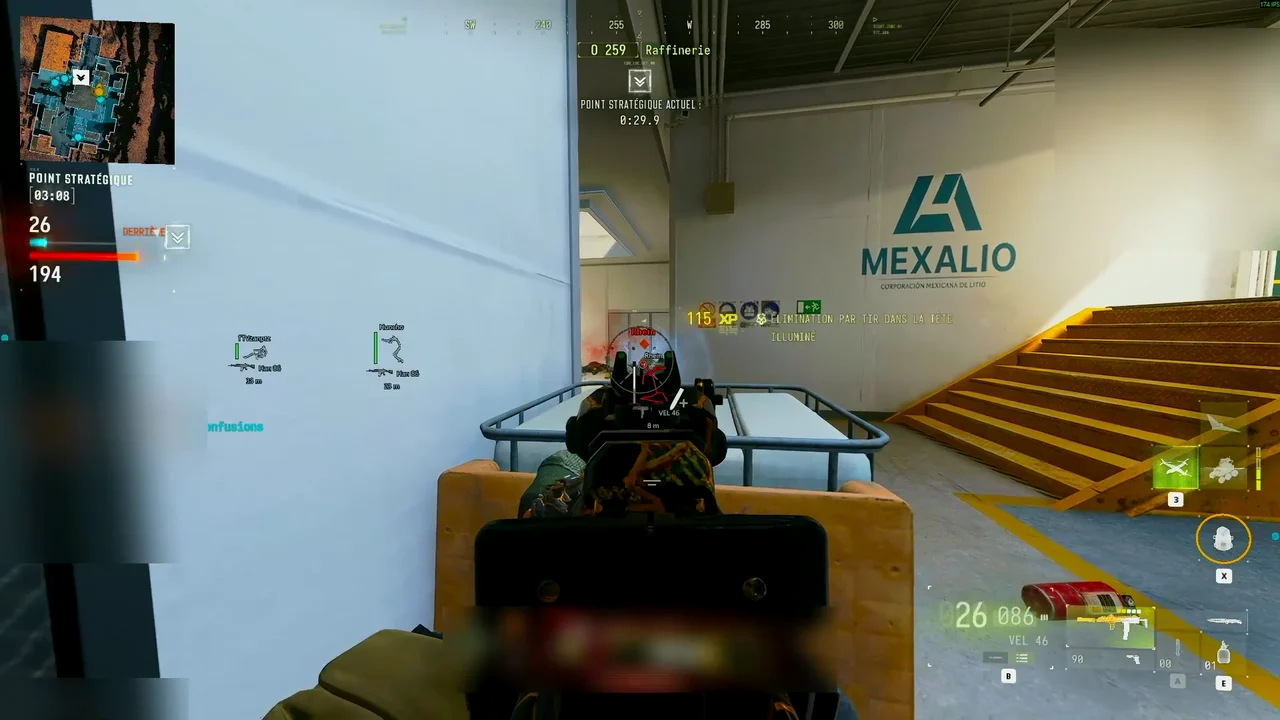
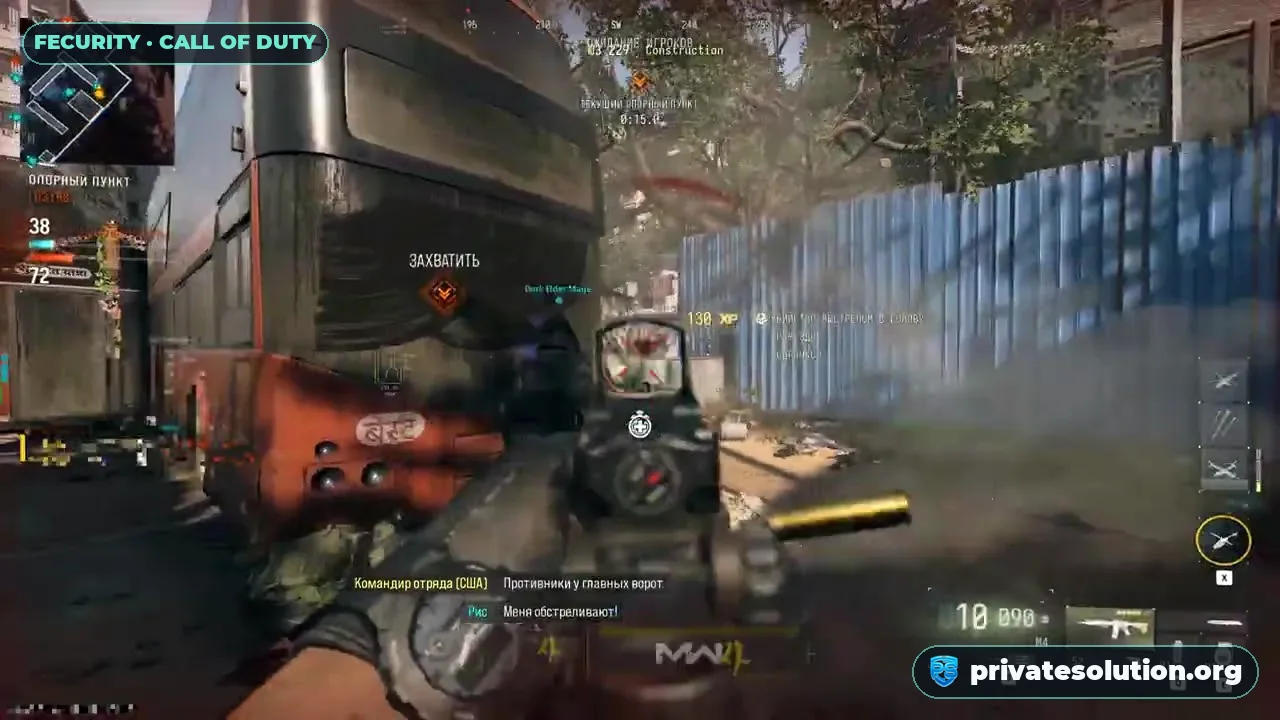
玩家 ESP
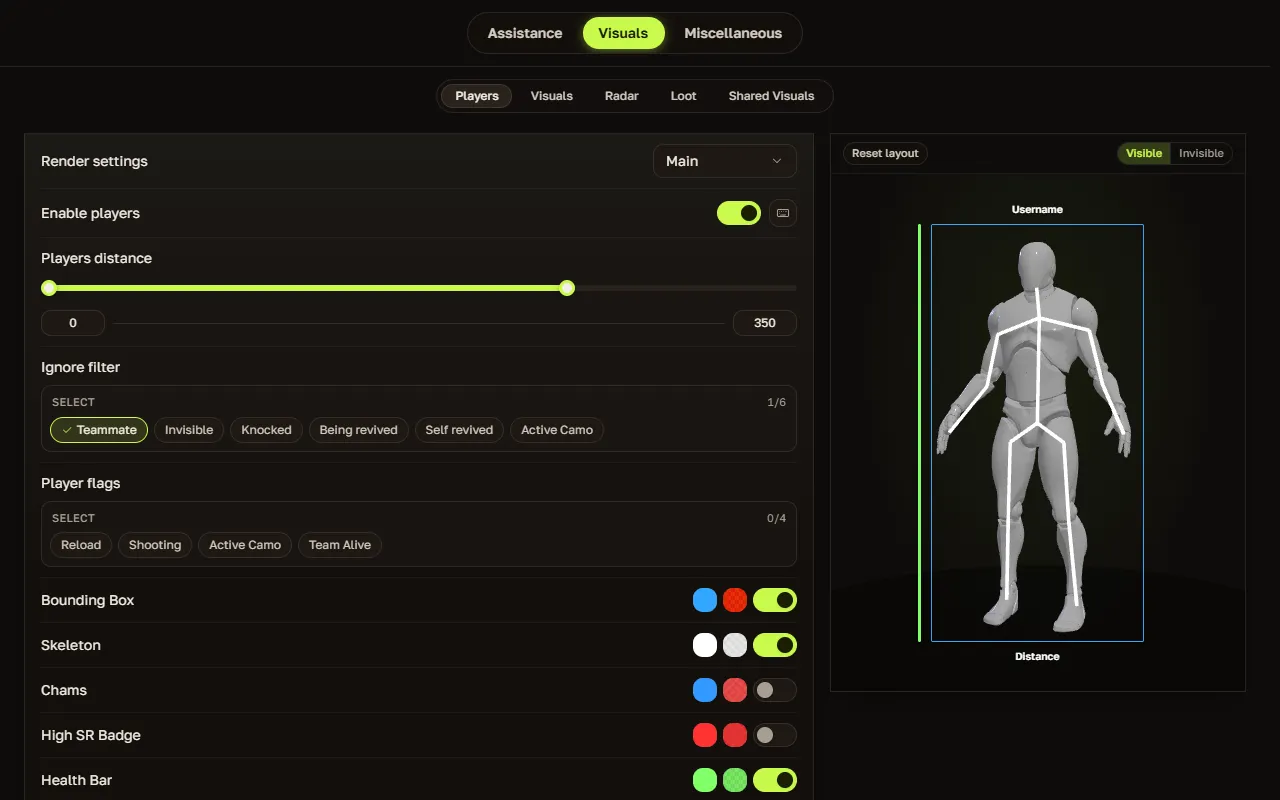
Box: full, corners or filled, with corner length, fill and thickness
骨骼粗细可调,另有头部圆点
Skeleton estimate: until the game builds a player's real skeleton (off screen, far away), a dimmed one is drawn from their stance and facing. The aimbot never uses it
Health bar: gradient or one colour
名字、以米为单位的距离,以及他们手中的枪(显示为名称、图标或两者)
玩家倒地时显示“倒地”“救援中”或“自救”
所有标签统一一个文字大小
从屏幕底部、准星或顶部发出的连线
从头部延伸出的视线,显示每个玩家的朝向
Looking at you: an enemy facing you turns their box, view line and arrow your warning colour
准星周围的屏幕外箭头,大小和距离可调
双方各自独立的设置、颜色和范围
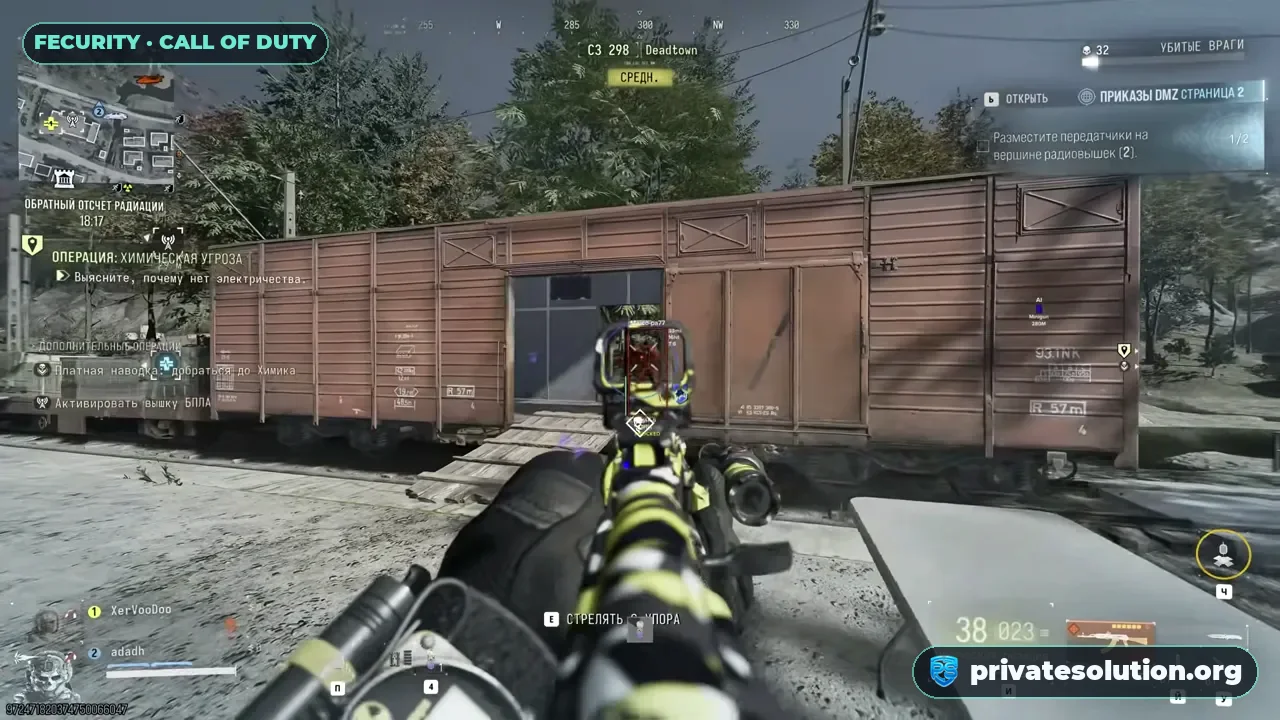
DMZ AI ESP
The AI in DMZ get their own tab: box, skeleton, head dot, distance, weapon, lines and offscreen arrows
视野内颜色来自游戏自身的视线判定,所以会显示被墙挡住的情况
AI 转向你时的“正在看着你”警告
独立的颜色和范围,与玩家分开
物品 ESP
地面上掉落的枪,根据游戏自身的武器表命名,显示为名称、图标或两者
Lethal: frags, semtex, C4, claymores, mines and molotovs, drawn larger within 12 m
Tactical: flashes, smokes, gas, decoys, stims and heartbeat sensors
Gear: ammo and armor boxes, razor wire, trophies, drones and turrets
Killstreaks: supply drop markers and killstreak projectiles
每种类型各有颜色,最远 500 米,带名称和距离
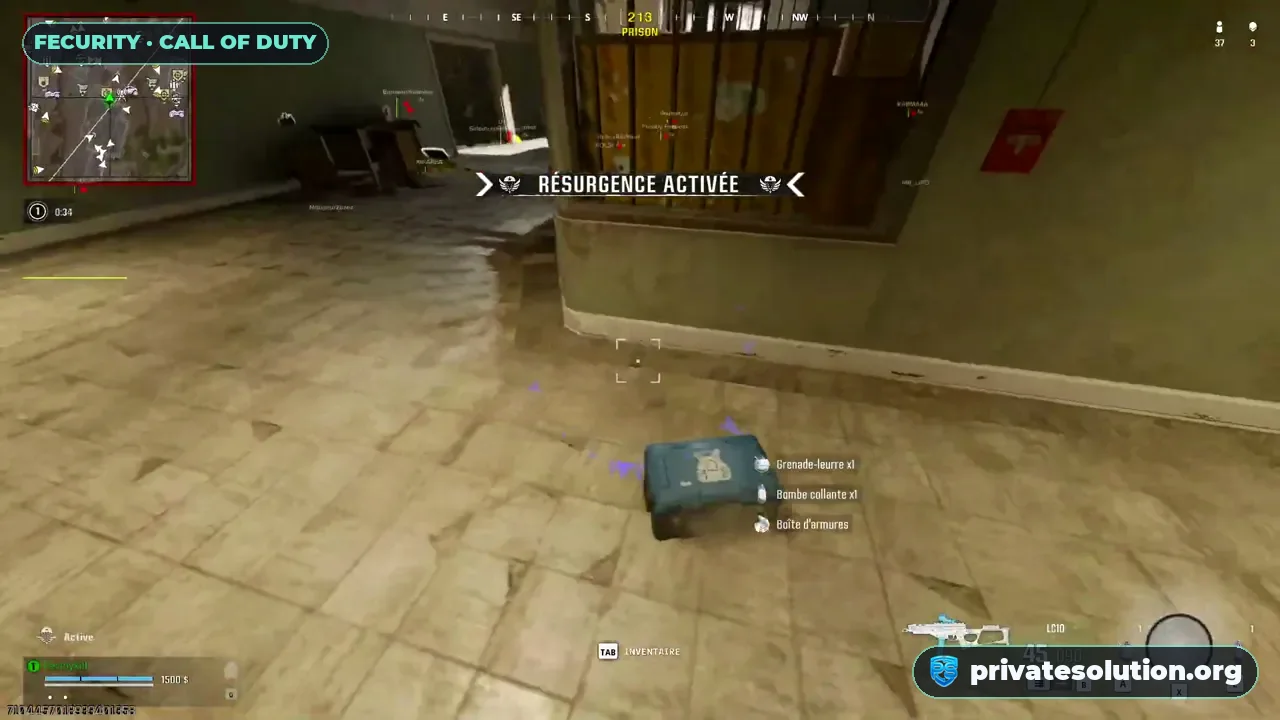
DMZ 物资 ESP
Containers that still hold something: lockers, toolboxes, duffels, cases and crates. Opened ones drop off
Supplies: grenades, mines, stims, smelling salts and defibrillators
Valuables: barter items like printer filament, circuit boards, zip ties, fuel and radios
Intel: vault keys, loot cards, binders and folders
其他任何可拾取的东西,根据其模型命名
每个类别有各自的颜色,最远 300 米
游戏雷达
在MW4游戏自带小地图上标记所有敌人,包括游戏本身不会显示的目标
用刻度表示每个敌人的朝向,范围外的敌人在边缘显示圆环
朝你看的敌人使用警告颜色
方形或圆形,随视角转动,范围 10 到 200 米
把轮廓拖到小地图上并拉动角来调整大小;你队友的圆点用来对齐范围
网页雷达
在局域网内任意浏览器、手机或副屏查看实时雷达
玩家带朝向、血量环以及上方或下方标记
缩放 50 到 500 米,自由平移,随视角旋转,可从任意玩家视角查看
玩家列表,按距离、名字或血量排序
密码保护、启动时自动开启,以及页面刷新率 30 到 240 Hz
敌人、队友、范围环和背景使用你自己的颜色
性能与杂项
帧率和 DMA 延迟显示,可放在任意角落
Overlay crosshair: cross, dot or circle, with size, thickness and colour
覆盖层帧率上限和 DMA 读取速率
重新同步和重新附加按钮,用于 ESP 卡住或游戏重启后
紧急键,在你再次按下之前隐藏所有内容
覆盖层上的菜单按钮,可拖到任意位置
每个按键在任一台电脑上都能使用
对游戏隐藏 Mouse 4 和 Mouse 5,这样侧键可以用作瞄准或扳机键
硬件支持
MAKCU
KMBox Net
KMBox B Pro
Ferrum
Arduino (Xenmouse)
查找设备和测试移动,用于检查你的设置
支持所有主流 DMA 卡,包括 RDMA
Modern Warfare 4 多人模式和 DMZ。DMZ AI、物品和物资 ESP 需要 Steam 版本
配置
Named profiles: create, switch, save and delete
设置在你更改时自动保存
默认配置档无法删除
启动时自动更新
Blurred COD DMA feature guide
支持的游戏
Modern Warfare 4
Warzone
Black Ops 7
Black Ops 6
Modern Warfare 3
Modern Warfare 2
Steam、Battle.net 和 Game Pass
AIMBOT
高度可调的自瞄:可从完全拟人化到暴力模式自由微调
Instant triggerbot: fires the moment your crosshair lands on an enemy
Recoil control: pulls your recoil down through your aim device
Raycast vischeck: per-bone visibility so aimbot and ESP only count what you can see
ESP
敌我玩家ESP:骨骼、名称、血量、平台等
ESP Builder: lay out your own ESP with the elements, colors and flags you want
物资ESP:隔墙透视武器、弹药与道具
UAV雷达叠加:通过融合器在游戏地图上直接显示玩家位置
态势感知
Player list: everyone in your lobby, with tags that follow players across matches
Spectators list: see who is watching you play
Match alerts: incoming airstrikes, top 250 players and enemies looking at you
Web radar: puts your ESP on a page you can share with friends
Auto updater: no downtime for most game updates
网页工具
Web Menu: change every setting from any device with a browser
Cloud Configs: share your setup or download community configs
Arcane Warzone feature guide
AIMBOT
瞄准类型
模式
目标
骨骼查找方式
骨骼选择
骨骼优先级
预判
拟人化
压枪无后坐力系统
绘制 FOV
玩家 ESP
方框显示
方框填充
Skeleton
视线
指向敌人的连线
血条
护甲条
昵称
武器名称显示
队伍名称
武器与箱子
普通
非凡
稀有
史诗
传说
其他物品
掉落物品
弹药
护甲
装备
金钱
RADAR
实体
位置设置
屏幕外箭头
实体
位置和半径设置
战斗模式
隐藏玩家
隐藏物品
隐藏世界物品
隐藏雷达
隐藏屏外
Blurred Master Package feature guide
包含
Call of Duty:MW4、Warzone、BO7、BO6、MW3 和 MW2
ARC Raiders
Fortnite
Rust
GTA V & FiveM
每款游戏都有
Aimbot and triggerbot: in every game
Player and loot ESP: see players and loot through walls
Web radar: share your ESP on a web page
Full feature set: each game keeps everything it has on its own
网页工具
Web Menu: change every setting from any device with a browser
Cloud Configs: share your setup or download community configs