PrivateSolutions

現已上架商店

未檢測Rob Run外掛與輔助

Rob Run (also written RobRun) cheats and hacks for PC (Steam) are in our store now: BellTower Rob Run, Bleak Rob Run, Arcane Rob Run, Fecurity Rob Run, Disconnect Rob Run External, Pure Rob Run DMA, Poseidon Rob Run DMA, Snaw Rob Run DMA and Zorvex Rob Run DMA, from $1.99. BellTower Rob Run, Bleak Rob Run, Arcane Rob Run, Fecurity Rob Run and Disconnect Rob Run External run on your gaming PC with no DMA card. Pure Rob Run DMA, Poseidon Rob Run DMA, Snaw Rob Run DMA and Zorvex Rob Run DMA are DMA products that run on a second PC linked to your gaming PC. See 全部Rob Run DMA方案。每款產品僅在賣家報告未檢測時在售:一旦被檢測,將暫停銷售直至修復(實時狀態)。請在下方選擇套餐,或在Discord上向我們諮詢。

Rob Run產品與價格

根據各賣家官方功能列表整理的Rob Run外掛功能:自瞄、ESP透視、雷達與自動扳機。

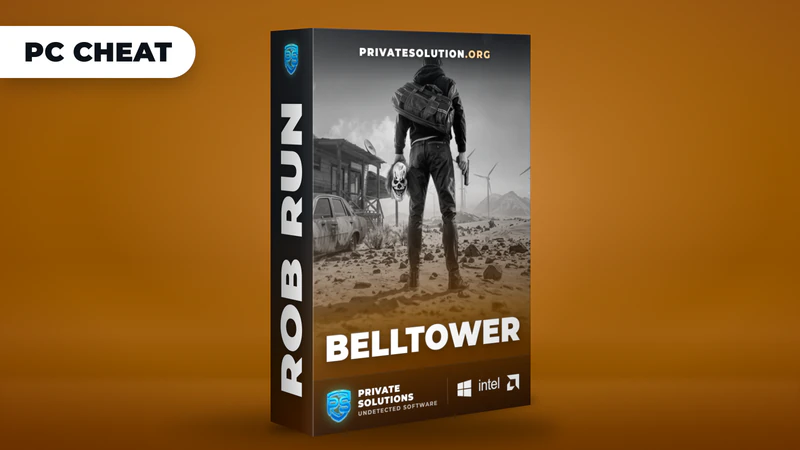
BellTower

BellTower Rob Run

可用

BellTower軟體:與遊戲一同執行在遊戲電腦上,無需DMA卡或第二台PC。

  • Aimbot · Visuals and Player ESP · Radar · Colors · Object ESP and Loot Tracking · Settings · Miscellaneous · Weapon Modifications

摘自BellTower功能列表。

  • 1 小時$1.99
  • 1 天$3.99
  • 7 天$9.99
  • 30 天$29.99
  • 90 天$74.99
檢視詳情併購買

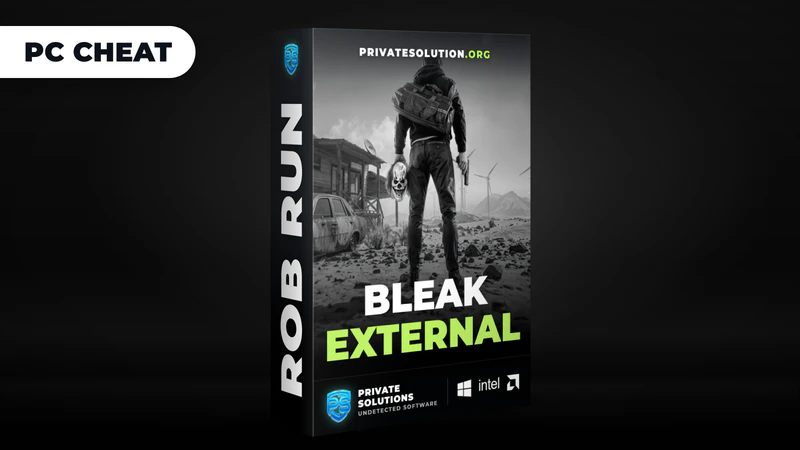
Bleak

Bleak Rob Run

可用

透過Discord遊戲內覆蓋層在遊戲電腦執行的外部版本,無需DMA卡。

  • Controls · Aim · FOV and Crosshair · Battle Mode · Visuals and Players · Visuals and Equipment · World and Vehicles · World and Objects · World and Interactions · Radar · Radar and Auto Zoom · Police HUD · Palette · Interface · Config · How It Runs

摘自Bleak功能列表。

  • 1 天$3.99
  • 3 天$9.99
  • 7 天$17.99
  • 30 天$31.99
檢視詳情併購買

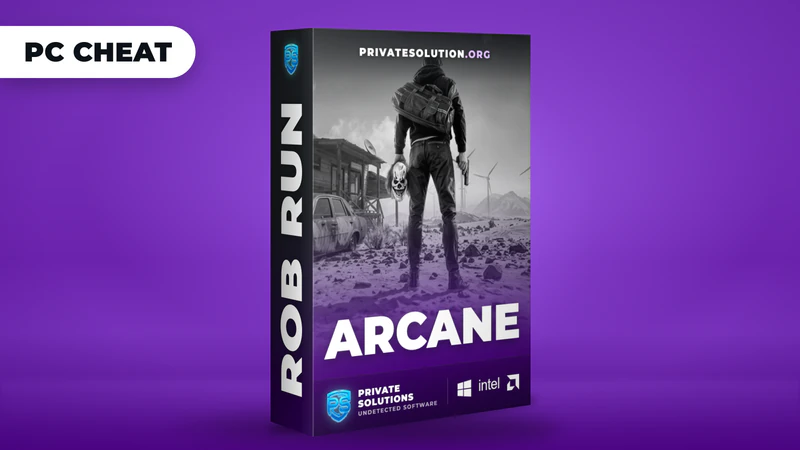
Arcane

Arcane Rob Run

可用

外部版本(Arcane標註為外部):直接在遊戲電腦執行,無需DMA卡。

  • Aimbot · Player ESP · NPC ESP · Vehicle ESP · Item ESP · Radar · Misc · Battle Mode

摘自Arcane功能列表。

  • 1 天$4.00
  • 3 天$8.00
  • 7 天$18.00
  • 30 天$35.00
檢視詳情併購買

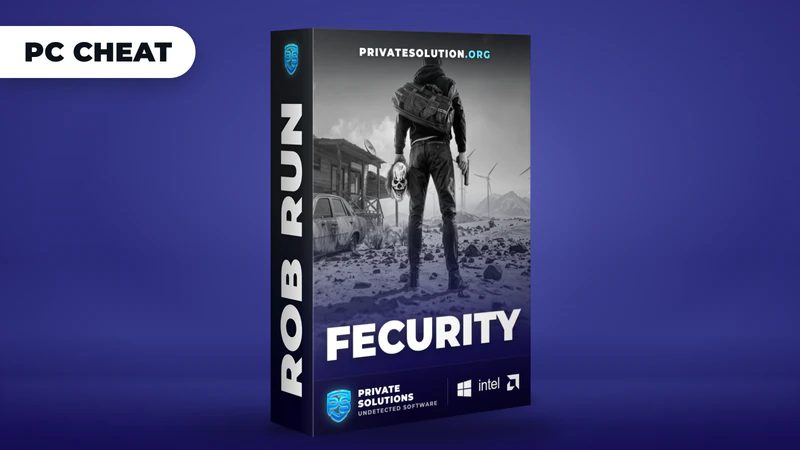
Fecurity

Fecurity Rob Run

可用

Fecurity軟體:直接在遊戲電腦執行,無需DMA卡或第二台PC。

  • Aim Assist · Players ESP · Players Glow · Players Chams · Projectiles ESP · NPC ESP · Objects ESP · Items ESP · Cars ESP · Bases ESP · Weapon · Triggerbot · Radar and Game Map · HUD and Warnings · Player List · Battle Mode · Free Camera · Overlay and Interface · Skin Changer

摘自Fecurity功能列表。

  • 1 天$4.00
  • 7 天$15.00
  • 30 天$30.00
檢視詳情併購買

Disconnect

Disconnect Rob Run External

可用

在遊戲電腦上與遊戲並行執行的外部版本,可對遊戲錄屏隱藏,無需DMA卡。

  • Aimbot & Targeting · Detailed Player Visuals · Loot & Item Visuals · World Objects & Hidden Players · Character & Weapon Skin Changer · Movement & Utilities · Lobby & Friends · Player & Vehicle Radar · Bodybags & Despawn Timers · Player & Local Chams · Bases & Buildings · Workbenches & Production · Vehicle Tracking · Cameras & Alarms · Off-screen Player Indicators · Settings & Configs · How It Runs

摘自Disconnect功能列表。

  • 1 天$4.99
  • 3 天$9.99
  • 7 天$17.99
  • 30 天$34.99
  • 終身$119.99
檢視詳情併購買

PureDMA

Pure Rob Run DMA

可用

DMA:在第二台PC上執行。遊戲主機本身不執行任何程式。

  • Player ESP · Team ESP · Item ESP · Containers · Loot Bags · Thrown Grenades · Vehicle ESP · Base ESP · Out of FOV · Server Dashboard · World Markers · Connection · Aimbot · Crosshair · Mini Radar · Big Radar · Web Radar

摘自PureDMA功能列表。

  • 1 天$4.99
  • 1 周$14.99
  • 1 個月$29.99
檢視詳情併購買

Poseidon

Poseidon Rob Run DMA

可用

DMA:在第二台PC上執行。遊戲主機本身不執行任何程式。

  • Player ESP · Player Info and Colours · Visibility Check · Chams · Aimbot · Aim Profiles · Triggerbot and Flick · Controller Aim Assist · Loot and Items · Places and Vehicles · Grenades and Shots · Minimap Radar · Web Radar · Alerts and Player List · Input Devices · Menu and Configs

摘自Poseidon功能列表。

  • 7 天$9.99
  • 30 天$19.99
  • 90 天$44.99
檢視詳情併購買

Snaw

Snaw Rob Run DMA

可用

DMA:在第二台PC上執行。遊戲主機本身不執行任何程式。

  • Feature List · How It Runs

摘自Snaw功能列表。

  • 7 天$15.00
  • 30 天$30.00
  • 90 天$75.00
  • 終身$300.00
檢視詳情併購買

Zorvex

Zorvex Rob Run DMA

可用

DMA:在第二台PC上執行。遊戲主機本身不執行任何程式。

  • Aimbot · Triggerbot · Line of Sight · Player ESP · Loot and Vehicle ESP · Trust List · Radars

摘自Zorvex功能列表。

  • 30 天$23.99
  • 90 天$52.99
檢視詳情併購買

更多獲取Rob Run輔助的方式

包含Rob Run的合集包及其他卡密。每張卡片均標明執行方式與價格。

Spectra

Spectra Rob Run DMA

可用

DMA:在第二台PC上執行。遊戲主機本身不執行任何程式。

  • Aimbot · Aim Response · Hardware Recoil · Player ESP · Team · Vehicles & World · Loot ESP · Containers · Radar · Insights · Widgets · General

摘自Spectra功能列表。

  • 7 天$8.00
  • 30 天$15.00
  • 終身$100.00
檢視詳情併購買

BellTower

BellTower Pro Package

可用

BellTower軟體:與遊戲一同執行在遊戲電腦上,無需DMA卡或第二台PC。

  • Package Benefits · Games in the Package

摘自BellTower功能列表。

  • 1 天$7.99
  • 7 天$19.99
  • 30 天$59.99
  • 90 天$149.00
  • 1 年$359.00
  • 終身$499.00
檢視詳情併購買

關於Rob Run

Rob Run是Kefir為Windows平台推出的多人犯罪沙盒遊戲,於2026年11月4日登陸Steam。遊戲中的每一位警察與罪犯都是真人玩家。你可以搶劫銀行、建造據點,或與警察及敵對幫派爭奪地盤,還能組建犯罪家族或加入幫派。

按功能瀏覽Rob Run外掛

BellTower Rob Run feature guide

AIMBOT:常規設定等

  • 啟用 / 禁用 Aimbot
  • Aim Mode Selection: AimLock, Silent Aim
  • 僅鎖定可見目標
  • 按住時保持目標
  • Target Bone Selection: Head, Neck, Chest, Stomach, Pelvis
  • 可調瞄準響應(AimLock)
  • 可配置 Aimbot 按住鍵
  • AimLock: Automatically tracks the selected target bone; Adjustable Aim Response for faster target acquisition; Continuously follows target movement while active
  • Silent Aim: Redirects shots toward the selected target bone; Does not move the camera; Supports configurable target filtering
  • 移動預判
  • 目標骨骼移動預判
  • 鏡頭移動預判

視覺和玩家 ESP:視覺元素

  • 可配置邊框
  • 可配置連線
  • 玩家名稱
  • 戰隊標籤
  • 玩家角色
  • 裝備武器
  • 護甲 / 角色狀態
  • 距離指示
  • 類別標籤
  • 屏外箭頭
  • 最近目標標記
  • Skeleton 覆蓋

AIMBOT:目標過濾 / 自動開火

  • 瞄準玩家
  • 瞄準 NPC
  • 隊伍檢查
  • 跳過隊伍成員和戰隊戰盟友
  • 僅可見目標
  • 可調最大範圍
  • 按角色過濾目標
  • 啟用 / 禁用自動開火
  • 自動開火功能

雷達:視覺樣式等

  • 顯示 / 隱藏雷達標題欄
  • 顯示 / 隱藏雷達邊框
  • 顯示背景
  • 方位線
  • 可調線條不透明度
  • 可調實體圓點大小
  • 可調中心標記大小
  • 隨鏡頭旋轉
  • 平滑旋轉
  • 可調旋轉速度

視覺和玩家 ESP:常規設定

  • 啟用 / 禁用視覺
  • 可見性檢測
  • 基於可見性的顏色處理

顏色

  • Colours for: Players, Visible Players, Team, Visible Team, NPCs, Visible NPCs
  • Colours for: Visible Robbers, Invisible Robbers, Visible Cops, Invisible Cops, Visible Civilians, Invisible Civilians
  • Colours for: Under $1,000, $1,000 – $4,999, $5,000 – $9,999, $10,000 – $24,999, $25,000+, Unknown Value, Empty / Taken, Vehicles, Grenades
  • 準星 / 瞄準 / 彈道顏色
  • Colours for: Radar Background, Radar Border, Center Marker
  • RGBA 顏色自定義
  • 可調紅、綠、藍數值
  • 可調 Alpha / 透明度

視覺和玩家 ESP:本地玩家資訊 / 顯示過濾

  • 本地生命值顯示
  • 本地護甲顯示
  • 本地彈藥顯示
  • 可調最大距離
  • 顯示玩家
  • 顯示 NPC
  • 隊伍檢查
  • 隱藏隊伍成員和戰隊戰盟友
  • 隱藏死亡角色
  • Role-Based Player Filters: Cops, Robbers, Other Roles

物體 ESP 和物資追蹤

  • Supported object types: Drawers / Containers, Loose Loot, Loot Bags, Loot Nodes, Cash, Cargo, Vehicles, Grenades
  • 隱藏空的 / 已拿走的物資
  • 可調最大顯示距離
  • 啟用 / 禁用物資價值 ESP
  • 可調最低物資價值
  • 顯示價值未知的物品
  • 按物資價值著色
  • Value-Based Color Categories: Under $1,000, $1,000 – $4,999, $5,000 – $9,999, $10,000 – $24,999, $25,000+, Unknown Value, Empty / Taken
  • 手雷爆炸計時
  • 手雷投擲彈道

雷達:常規設定等

  • 啟用 / 禁用雷達
  • 俯視小地圖
  • 可移動雷達位置
  • 透過設定儲存雷達位置
  • 顯示玩家
  • 顯示隊伍
  • 顯示 NPC
  • 顯示物品
  • 顯示物體
  • 隱藏死亡角色
  • 隱藏空的 / 已拿走的物品
  • 可見性檢測

設定

  • 多個配置方案
  • 方案選擇
  • 重新整理方案列表
  • 儲存方案
  • 載入方案
  • 重置方案
  • 自定義方案名稱
  • 建立方案
  • 啟用 / 禁用所有功能
  • 選單開關熱鍵
  • 切換所有功能熱鍵
  • 緊急鍵(全部禁用)

雜項

  • 可配置準星樣式
  • 覆蓋鏡頭 FOV
  • 可調鏡頭 FOV

武器修改

  • 無後坐力
  • 無散佈

Bleak Rob Run feature guide

控制

  • Menu Key: Right Shift opens and closes the menu. Aiming pauses while the menu is open
  • Full / Lite: Full includes aiming settings and functionality. Lite retains ESP, world objects, radar, Battle Mode, police alerts and profiles, with aiming unavailable
  • Menu Navigation: Eight BLEAK sections: Aimbot, Visuals, World, Radar, Misc, Palette, Interface and Config. Player and equipment settings share the Visuals page

AIM

  • Aim enabled: Enables aiming while the assigned key is held and ROB RUN is the foreground application. Disabled by default
  • Activation key: Assignable keyboard key or mouse button. Defaults to the right mouse button and is configured through the menu binding field
  • Aim smoothing: Aim smoothing ranges from 0.5 to 30 and defaults to 0.5. Higher values produce slower, smoother movement
  • Aim FOV: Target-selection radius: 10–500 pixels. Eligible targets closest to the selection area's centre receive priority
  • Target bone: Choose Pelvis, Chest, Neck or Head. Head is selected by default. The selected actual bone must have valid position data
  • Aim distance: Maximum target-selection distance: 10–1000 m
  • Target NPC: Separately allows aiming at NPCs. Disabled by default
  • Input Conditions: Aiming stops when the key is released, the menu opens, the game loses focus or sufficiently recent data is unavailable. The local player and dead characters are excluded
  • Aim / Battle Mode: Battle Mode filters ESP and radar presentation. Its toggle does not replace aiming target-selection settings

FOV AND CROSSHAIR

  • Draw FOV: Independently enables one FOV circle. The circle does not require aiming to be enabled. No additional square is used
  • FOV colour: Sets FOV circle colour and opacity in Aimbot or Palette
  • Crosshair: Independent screen-reticle toggle. The reticle and FOV circle can be enabled separately or together
  • Crosshair style: Five styles: Dot, Cross, T-cross, Ring + dot and Chevron
  • Crosshair colour / Preview: Separate reticle colour and in-menu FOV/reticle preview. These visual settings are also available in Lite

戰鬥模式

  • Battle Mode: Leaves opponents in ESP and on radar while hiding world labels and vehicles. Saved category toggles are preserved
  • Battle Mode key: Configured in Visuals → Battle Mode key. Defaults to F6 and supports keyboard keys and mouse buttons
  • Toggle Behaviour: One press toggles the mode once; holding the key does not repeat. The bind works while the game is focused and the menu is closed
  • Clan Battle Teams: Clan battles use actual attacking and defending sides. Allies are hidden; unknown membership is not treated as an opponent when team context is active
  • Open-world Allies: In the open world, the same non-empty clan is hidden. Other police are allied when the local role is police. Dead characters and ordinary NPCs are excluded
  • Battle Mode Indicator: A BATTLE MODE badge appears beside the enabled radar and remains visible when contact labels are disabled

VISUALS AND PLAYERS

  • Players: Main player ESP toggle. Radar is controlled separately
  • Names: Displays the nickname above the character, with optional clan tag, police marker and entity ID
  • Box type: Choose Full box, Corner box or None
  • Box fill: Separately enables translucent box fill. Enabled by default
  • Skeleton: Displays available actual character joints. Pose updates are smoothed, with short data gaps handled by retaining a recent pose within validity limits
  • Bone thickness: Skeleton line thickness: 1–4. Colour is configured separately
  • Distance: Character distance in metres, shown in the label block below the player
  • Player distance: Maximum player ESP distance: 10–1000 m. This slider does not limit radar
  • Health: Health bar to the left of the box, with a numeric value when current and maximum HP are available
  • Police: Separate police filter, dedicated colour and [COP] / [ПОЛ] marker
  • NPC / Corpses: Independent toggles for ordinary NPCs and dead characters. The local character is excluded from ESP and has no display toggle
  • ESP Preview: Preview of the box, skeleton, labels and supported indicators on the Visuals page

VISUALS AND EQUIPMENT

  • Held item: Displays the held weapon or item when its description is available, with an empty-hands label when appropriate
  • Armor: Shows the presence of armour and adds a numeric value when available. Armour colour is separate
  • Clan: Adds a non-empty clan tag to the character name
  • Role: Displays the available character role. Enabled by default
  • States: Displays available firing, sprinting, crouching, reloading, arrest and knockout states. The set depends on character data
  • IDs: Adds the entity ID to the character label. Available on the Visuals page

WORLD AND VEHICLES

  • Vehicles: Displays cars and helicopters in the world. Radar vehicles have an independent toggle
  • Vehicle boxes: Three-dimensional boxes using available vehicle dimensions and orientation
  • Vehicle labels: Name and distance share the main row; additional information uses a separate row. Colour and opacity are configured in Palette
  • Vehicle distance: World vehicle ESP distance: 20–1500 m
  • Owners: Adds the available owner's name or an unowned-vehicle marker
  • Engine / Vehicle cargo / Speed: Separate toggles for engine state, cargo presence and speed in km/h. Information appears when available
  • Detailed information / Detail distance: Enable details in Misc and set their display distance from 10 to 500 m

WORLD AND OBJECTS

  • Dropped items: Dropped items and available cash points. Known quantities or amounts are retained in the label
  • Item icons: Uses game icons for known items. Enabled by default; disable to retain text-only labels
  • Base item prices: Shows a known item's base price with a $ sign. Enabled by default. This is the catalogue price per unit, not a stack total or current market price
  • Loot bags: Separate filter for loot points and bags. A container or bag marker does not imply a full contents view
  • Containers: Containers, display cases, shelving and supported storage from available world data
  • Cargo: Separate layer for cargo objects
  • Empty objects: Allows confirmed empty or taken objects to remain visible. Disabled by default; unknown state is not treated as empty
  • Item distance / World distance: Item distance and the overall world-object limit are separate, each ranging from 10 to 1000 m. Items obey both limits
  • Object label layout: The icon sits above the name; distance and the enabled price are below the name. Rows are centred on the object's position
  • Weapon category: Weapons receive an additional WEAPON / ОРУЖИЕ category line above the name
  • Distance / Overlap fading: Distant world labels fade smoothly. When labels overlap, the farther label becomes more transparent. Icons and text fade together; minimum multipliers are 75% for distance and 55% with overlap, before palette alpha
  • Object dots: Optional dots at object positions. Disabled by default; enable on the World page

WORLD AND INTERACTIONS

  • Cameras: Separately enables security cameras. A damage marker is used when that state is available
  • Guards: Stationary guard-post markers, separate from police characters
  • Security: Available alarms and security panels
  • Medical: Medical cabinets and supported medical points
  • Doors: Available doors and associated interaction points
  • Interactions / Points of interest: Independent filters for additional interactive objects and points of interest
  • Traders: Displays available traders
  • Vehicle spawns: Vehicle-service and spawn-point markers
  • Hideouts / Workbenches: Separate toggles for hideouts and available workstations
  • Banks / Roulette: Separate toggles for banks and roulette locations

RADAR

  • Radar: Square radar with centre guide lines and a local-direction marker
  • Radar rotate: Rotates the radar with the camera direction. Enabled by default
  • Radar contacts: Displays players and police. Available direction data produces compact arrows; otherwise circular markers are used
  • Radar labels: Player nicknames beside markers. Disabling leaves icons only. The current BLEAK presentation does not add contact-distance text
  • Radar vehicles: Independent radar-vehicle toggle. Compact icons have no vehicle-name labels. Vehicles are hidden in Battle Mode
  • Radar size: Size: 100–400 pixels
  • Radar zoom: Manual zoom: 0.05–5.00. Higher values zoom in more
  • Horizontal / Vertical / Drag: Set horizontal and vertical position with sliders, or drag the radar with the mouse while the menu is open
  • Radar range / Filters: Contacts are drawn inside the square. Police, NPC and Battle Mode filters apply; dead characters are excluded. Player ESP distance does not limit radar
  • Radar player colour: Separate radar-player colour. Police use the dedicated police colour

RADAR AND AUTO ZOOM

  • Auto zoom: Smoothly zooms in when an eligible character is nearby, returning to the manual scale as the contact moves away
  • Reaction range: Automatic zoom reaction distance: 30–500 m
  • Maximum zoom: Maximum automatic zoom: 0.05–5.00. Automatic zoom does not zoom out below the manual baseline
  • Zoom speed: Transition time: 0.15–2.00 s. Lower values respond faster
  • Ignore clan: Excludes the same non-empty clan from zoom triggers. Battle Mode adds its opponent filter
  • Manual scale preservation: Automatic zoom preserves the manual setting and accounts for radar size

POLICE HUD

  • Police proximity alert: Separate toggle in Misc. Displays a patrol card at the top centre of the screen
  • Police alert range: Alert radius: 20–300 m. Defaults to 100 m
  • Patrol state: Shows Patrol is approaching when distance is closing, or Patrol nearby when a patrol is already close
  • Patrol distance: Tracked patrol distance appears in a separate area of the card
  • Arrival state: Within 20 m, the text smoothly changes to Patrol is close and Close proximity
  • HUD animation / Repeat logic: Smooth slide-in and fade-out. The card disappears after close contact; later eligible patrols can trigger another alert
  • HUD design: BLEAK card with a shield, separate distance area and 8 px Minecraft text. The alert can be fully disabled

PALETTE

  • Player colours: Separate colours for boxes, skeletons, nicknames, distance, held items, police, health, armour and radar players
  • World colours: Separate colours for items, containers, medical objects, security, services, other objects, loot distance and vehicles
  • Colour / Alpha: The palette edits colour and opacity for supported elements. Automatic world-label fading multiplies the selected alpha
  • FOV / Crosshair colours: Independent colours for the FOV circle and screen reticle
  • Restore palette: Restores default BLEAK colours when the reset button is pressed

INTERFACE

  • Language: Russian and English interface. Switching updates known world names, roles, states, armour text, distance units and vehicle details without restarting. Nicknames and owner names are preserved
  • Minecraft font: In-game labels use outlined Minecraft Rus Regular from BLEAK WARDOGS. The menu retains its BLEAK interface font
  • ESP font size / World text size: Independent ESP and world-label sizes: 8–20 px, default 8 px. Sizes are baked separately, so menu scaling does not stretch in-game text
  • Menu scale: Choose 75%, 80%, 85%, 90%, 95% or 100%. The selection is saved in the configuration
  • Menu colour / Background animation: Configure the accent colour and animated background
  • Search settings: Search settings by Russian or English names. Search results edit the same options as the regular pages
  • ESP layer: World labels and geometry render below the menu and do not cover its controls

CONFIG

  • Profile name / Profile list: Profile name and saved JSON configuration list on the Config page
  • Create new: Creates a new named profile without overwriting an existing file
  • Save: Saves current settings under the entered name. An existing file with that name may be overwritten
  • Load selected: Loads the selected profile, including ESP, Full aiming, world objects, radar, Battle Mode bind, palette and appearance
  • Rename / Delete: Renames or deletes the selected profile
  • Autosave: Menu changes are automatically saved to the current configuration. Named profiles are managed separately
  • Reload current settings: Save current settings and Reload current settings manually write and reload the current configuration
  • Configuration paths: Autosave: C:\Windows\System\bleak_robrun.json. Named profiles: C:\Windows\System\configs_bleak_robrun

執行方式

  • External: runs on your gaming PC, no DMA card or second PC
  • Uses the new Discord overlay (interactive regions on)
  • Borderless window
  • Secure Boot and TPM can stay as they are

Arcane Rob Run feature guide

AIMBOT

  • 武器類別
  • 強制瞄準鍵
  • 開鏡時
  • 鎖定目標
  • 偏移到頭部
  • 目標切換延遲
  • 擬人化系統
  • 忽略已死亡
  • 忽略載具內
  • 忽略倒地

玩家 ESP

  • 方框顯示
  • 填充框
  • Skeleton
  • 指向敵人的連線
  • 隱藏已死亡
  • 隱藏隊友
  • 隊伍顏色
  • 隱藏倒地
  • 倒地顏色
  • 名稱

NPC ESP

  • 隱藏已死亡
  • 方框顯示
  • 名稱
  • 狀態

載具 ESP

  • 僅有人的
  • 隱藏自己的載具
  • 隱藏我所在的載具
  • 方框顯示
  • 正面
  • 填充框
  • 到載具的連線
  • 載具名稱
  • 所有者
  • 駕駛員

物品 ESP

  • 隱藏空容器
  • 物體
  • 物資類別

RADAR

  • 距離環
  • FOV 錐形
  • 按距離縮放
  • 縮放
  • 實體
  • 顯示在邊緣

雜項

  • 無後坐力
  • 無晃動
  • 無散佈

戰鬥模式

  • 顯示指示器
  • 精簡資訊
  • 隱藏已死亡
  • 隱藏雷達
  • 隱藏屏外
  • 隱藏

Fecurity Rob Run feature guide

輔助瞄準

  • Enabled: master switch for aim assistance
  • Vectored Aim: turns the camera toward the selected target
  • Silent Aim: changes the shot direction while keeping the camera direction unchanged
  • Movement prediction: leads moving targets using their measured velocity and the age of their displayed position
  • Spread prediction: compensates for predicted weapon spread when using Vectored Aim
  • No Spread (Silent Aim): compensates for predicted single-ray spread, including steady movement on the ground; transitional states may be skipped
  • At Shoot: also activates aiming while the fire button is held
  • Visible Only: selects aim points with a clear line of sight
  • Enemy Only: excludes teammates, including party and clan members
  • Vertical Aim Speed: separate vertical aiming speed for Vectored Aim
  • Horizontal Aim Speed: separate horizontal aiming speed for Vectored Aim
  • FOV: limits the target search angle relative to the current view direction

玩家 ESP

  • Visuals Enabled: master switch for visual 功能
  • Enemy Only: displays enemies only; party and clan members are treated as teammates
  • Box: a 2D box around the player
  • Box Outline: an additional outline around the box
  • Skeleton: displays the player's skeleton
  • Skeleton Thickness: adjusts skeleton line thickness
  • Maximum Distance: limits player display distance
  • Maximum Corpse Distance: a separate maximum display distance for dead players
  • Corpses ESP: displays dead players when model data is available
  • Nickname: displays the player's nickname
  • Distance: displays the distance to the player
  • Held Item: displays the name of the weapon or other item in the player's hands

PLAYERS GLOW

  • Glow: an outline glow around the player model
  • Glow Intensity: adjusts glow intensity
  • Glow Radius: adjusts glow width
  • ENEMY / TEAM: separate enemy and teammate color tabs
  • Glow State Colors: separate Visible, Invisible, Dead Visible and Dead Invisible colors for each team category

PLAYERS CHAMS

  • Chams Mode: choose Disabled, Flat, Material, Flat Pulse or Material Pulse
  • Flat Chams: a flat color fill on the model
  • Material Chams: a shaded fill that gives the model's surface depth
  • Flat Pulse: a flat fill with pulsing model edges
  • Material Pulse: a shaded material with pulsing model edges
  • Chams Opacity: adjusts fill opacity
  • ENEMY / TEAM: separate enemy and teammate color tabs
  • Chams State Colors: separate Visible, Invisible, Dead Visible and Dead Invisible colors for each team category
  • Combined Glow / Chams: allows Glow and Chams to be used together

投擲物 ESP

  • Projectile ESP: displays grenades in a dedicated Visuals subtab
  • Show Name: displays grenade names
  • Grenade Trajectory: displays the path a grenade has already traveled
  • Throw Preview: displays the game's active throw-preview trajectory, including its collision result
  • Bullet Tracers: short-lived, fading lines for your own and other players' shots
  • Grenades Maximum Distance: a separate maximum display distance for grenades
  • Tracers Maximum Distance: a separate maximum display distance for bullet tracers

NPC ESP

  • NPC ESP: displays in-game NPCs
  • Show Name: displays the NPC's name or type
  • Show Distance: displays the distance to the NPC
  • Guards: displays guards with a separate distance limit
  • Traders: displays traders with a separate distance limit
  • Bots / Police: displays bots and police with a separate distance limit
  • Show State: displays available NPC states: idle, suspicious, alerted, preparing a call, calling, hands raised or dead
  • Cops Call Timer: displays the time remaining while a guard is calling the police
  • Show Dead: displays dead NPCs

OBJECTS ESP

  • Objects ESP: displays world objects
  • Show Name: displays object labels
  • Show Distance: displays the distance to objects
  • Show State: displays available information about contents, charging, availability and object state
  • Hide Empty: hides objects confirmed to be empty
  • Bag Contents: displays bag contents with item quantities
  • Trunk Contents: displays vehicle trunk contents with item quantities
  • Loot Nodes: displays loot nodes
  • Cargo: displays cargo
  • Cash Chargers: displays cash chargers and their state
  • Cash Nodes: displays cash nodes and their available amounts when data is available
  • Player Bags: displays player bags, including the owner's name when available

ITEMS ESP

  • Items ESP: displays loot items
  • Show Name: displays item names
  • Show Distance: displays the distance to items
  • Item Count: displays item quantities as xN
  • Hide Empty: hides emptied or looted loot objects
  • Show Unrated: separately displays items with no identified rarity
  • Loot Display: By Category: filters loot by item type
  • Weapons: weapons
  • Ammo: ammunition
  • Equipment: equipment
  • Medicine: medical items
  • Grenades: grenades

CARS ESP

  • Cars ESP: displays cars
  • Show Name: displays the car's in-game localized name when available
  • Show Distance: displays the distance to the car
  • Maximum Distance: maximum display distance for car ESP
  • Box Mode: choose None, 2D or 3D
  • 2D Box: a screen-space box around the car's bounds
  • 3D Box: a 3D wireframe box based on the car's dimensions and orientation
  • Owner Filters: separate visibility switches for cars owned by cops, robbers or civilians, and for unowned cars
  • Shared Vehicle Filters: the selected owner filters also apply to Radar and Game Map

BASES ESP

  • Bases ESP: displays available settlement bases without a separate distance limit
  • Owner: displays the base owner's name
  • Clan: displays the clan tag and name
  • Buildings: displays the main building, fence and outbuildings
  • Building Names: localized building labels when a translation is available
  • Base State: displays whether the base is locked, under construction or being moved
  • Distance: displays the distance to the base
  • Bases List: a separate panel listing bases, owners, distances and raid states
  • Transparency: adjusts the transparency of base information
  • Raid State: displays buildings under raid and the raid lock timer
  • Defense Blocks / Modules: displays defense blocks, installed modules and defense points
  • Open Doors: displays the number of open doors among the building's known doors

武器

  • Invisible Opacity: adjusts the opacity of hidden ESP objects
  • No-Recoil: disables weapon recoil
  • Auto Pistol: fires semi-automatic pistols automatically while the fire button is held

TRIGGERBOT

  • Triggerbot: fires automatically when the crosshair is on a valid target
  • Activation Key: a configurable activation key
  • Activation Mode: hold, toggle or always active
  • Settings Mode: use global settings or separate weapon profiles
  • Weapon Profiles: Global, Pistol, Automatic and Other profiles
  • Override Global: overrides global settings for the selected weapon group
  • Hitboxes: selects the head, torso and legs
  • Reaction Delay: reaction delay before firing
  • Click Hold: how long the fire button is held down
  • Click Interval: the interval between button presses
  • Hitbox Scale: adjusts the size of the area checked for triggering
  • Maximum Distance: limits the distance to the target

RADAR AND GAME MAP

  • Radar: a separate on-screen radar
  • Rotate with Camera: rotates the radar with the camera
  • Radar Names / Distance: displays names and distances on the radar
  • Radar Range: radar detection range
  • Radar Size / Position: radar size and screen position
  • Radar Opacity: radar opacity
  • Game Map: adds markers to the game's own maps
  • Minimap: displays markers on the minimap
  • Big Map: displays markers on the big map, following its zoom and panning
  • Map Names / Distance: displays names and distances on the game map
  • Map Opacity: opacity of game-map markers
  • Marker Size: adjusts marker size

HUD AND WARNINGS

  • HUD: a movable information panel
  • Police Approaching: warns about approaching police, showing their count, distance and direction
  • Police Maximum Distance: limits the range of police warnings
  • Aiming at You: warns about a player who is aiming at you, showing their name, distance and direction
  • Pop-up Notifications: pop-up alerts for approaching police and players aiming at you
  • Base Doors: a separate warning for unclosed house doors, fence gates and garage gates at your own base
  • Base Door Direction: displays direction, distance and the number of known open doors; works even when HUD is disabled
  • HUD Offsets: horizontal and vertical widget offsets
  • HUD Scale: adjusts widget scale
  • HUD Background: adjusts background opacity
  • Widget Dragging: drag the HUD and base warning with the mouse while the menu is open

玩家列表

  • Player List: a movable table of players on the server
  • Distant Players: unloaded players remain listed with their available names and IDs
  • Column Selection: choose name, clan, role, distance, held item, state and ID columns
  • Sorting: sorts by distance, name or role
  • Maximum Rows: sets the maximum number of rows
  • Role Colors: colors rows by player role
  • Threat Highlight: highlights players aiming at you in red
  • Scale / Background: table scale and background opacity
  • Dragging: drag the table with the mouse while the menu is open

戰鬥模式

  • Battle Mode: quickly switches to a reduced display for combat
  • Activation Key: a configurable activation key
  • Activation Mode: toggle or hold
  • Auto Enable: activates automatically when someone aims at you or police approach
  • Auto Disable After: deactivates after a set time once the threat is gone
  • Skeleton Only: displays players as skeletons only in Battle Mode
  • Visible Only: displays only visible players in Battle Mode
  • Limit Distance: a separate player distance limit for Battle Mode
  • Hide Knocked: hides knocked-down players
  • Hide Team: hides teammates, including party and clan members
  • Hide Game Map: hides the map and radar during combat
  • Hide HUD: hides the HUD during combat

FREE CAMERA

  • Free Camera Enabled: allows Free Camera to be used
  • Toggle Key: independently activates and deactivates the camera; defaults to F7 and does not change the Enabled checkbox
  • Mouse Look: controls the view with the mouse
  • WASD Movement: moves the camera with the standard movement keys
  • Vertical Movement: moves up with Space and down with Ctrl
  • Speed Boost: speeds up the camera while Shift is held
  • Movement Speed: adjusts base movement speed
  • Mouse Sensitivity: adjusts look sensitivity
  • Boost Multiplier: adjusts the speed-boost multiplier
  • Player Input Block: blocks normal character controls while Free Camera is active
  • Camera Restore: restores normal camera and character controls when Free Camera is deactivated

OVERLAY AND INTERFACE

  • Screen Protection: hides the overlay from supported screen-capture methods
  • V-Sync: vertical synchronization for the overlay
  • FPS No Limit: removes the overlay frame-rate limit
  • Frame Limit: sets the overlay FPS limit
  • Distance Unit: selects the units used to display distances
  • Menu Key: a configurable key for opening the menu
  • Interface Scale: adjusts interface scale
  • Interface Colors: adjusts colors for menu borders, text, descriptions, backgrounds and control states
  • Color Templates: preset color swatches for quick selection

SKIN CHANGER

  • Enabled: master switch for local appearance changes
  • Weapon Skins: applies compatible skins to the weapon in your hands
  • Weapon Skin Selection: selects a skin from the list for the current weapon
  • Clothing Skins: changes the local character's clothing appearance
  • Male Outfit: a separate selection for the male outfit
  • Female Outfit: a separate selection for the female outfit
  • Car Skins: applies compatible materials and appearances to cars
  • Car Appearance Selection: selects compatible appearances for the current car; your own cars are considered when you are on foot
  • Compatibility Filter: lists skins compatible with the selected weapon or car
  • Localized Names: uses in-game names for clothing, skins and cars when localization is available
  • Default: restores the default appearance
  • Independent Categories: weapons, clothing and cars can be enabled separately

Disconnect Rob Run External feature guide

AIMBOT & TARGETING

  • Normal Aimbot
  • 靜默自瞄
  • Adjustable Silent Aim Hitchance
  • 移動預判
  • Auto Shoot with Silent Aim and Visibility Check
  • Custom Aim Keybind
  • Player Role and Team Filters
  • Aim Bone Selection
  • 可見性檢測
  • Ignore Knocked Players
  • Keep Target
  • Aimbot Smoothing

DETAILED PLAYER VISUALS

  • Skeleton ESP
  • 方框 ESP
  • 玩家名稱
  • 距離 ESP
  • Clan Tags
  • Held Item ESP
  • Held Item Rarity Colors
  • Reloading Indicator
  • In-Vehicle Indicator
  • Armor Indicator
  • Crouching Indicator
  • Sprinting Indicator

LOOT & ITEM VISUALS

  • Loot Names
  • Loot Distance
  • Loot Value Display
  • Minimum Loot Value Filter
  • Category-Based Filtering
  • Rarity-Based Filtering
  • Custom Category and Rarity Colors
  • Weapon Filters
  • Ammo Filters
  • Armor and Equipment Filters
  • Medicine and Grenade Filters
  • Key and Tool Filters

WORLD OBJECTS & HIDDEN PLAYERS

  • 貨物 ESP
  • Cargo Value Display
  • Container ESP
  • ATM ESP
  • Door ESP
  • Cash ESP
  • Cash Names and Values
  • Hide Spot ESP
  • Possible Hidden Player Markers
  • Hidden Player Name and Role
  • Time Since Last Seen
  • 距離顯示

CHARACTER & WEAPON SKIN CHANGER

  • Weapon Skin Selection
  • Separate Skin Selections per Weapon Family
  • Outfit Selection
  • Hair Styles
  • Head Selection
  • Beard Styles
  • Face Marks
  • Bag Selection
  • Mask Selection
  • Keychain Selection
  • Makeup Selection
  • Hair Colors and Highlights

MOVEMENT & UTILITIES

  • Instant Loot Search
  • Inventory Item Value Display
  • Custom Inventory Value Text Color
  • 無閃光
  • Omni Sprint
  • Auto Sprint
  • FOV 調節
  • 可調視野範圍
  • 縮放
  • Custom Zoom Keybind
  • Adjustable Zoom FOV
  • 自由視角

LOBBY & FRIENDS

  • Lobby Player List
  • Player Names and Clan Tags
  • Player Roles
  • Last-Seen Locations
  • Search by Player, Clan, or Location
  • Add and Remove Friends
  • Persistent Friends List
  • Online and Offline Friend Display
  • Friend Highlighting
  • Player and Friend Counts
  • Movable Lobby Viewer Widget
  • Custom Lobby Widget Font

PLAYER & VEHICLE RADAR

  • Standalone Radar
  • Map Radar
  • Minimap Radar
  • Combined Map and Minimap Mode
  • Adjustable Minimap Scale
  • Player Role Filters
  • Individual Role Colors
  • Vehicle Type Filters
  • Individual Vehicle Colors
  • Car, Police Car, Van, and Helicopter Tracking
  • 顯示隊友
  • Player Names on Minimap

BODYBAGS & DESPAWN TIMERS

  • Bodybag ESP
  • Bodybag Names
  • Bodybag Distance
  • Despawn Countdown
  • Custom Bodybag Color
  • Adjustable Render Distance

PLAYER & LOCAL CHAMS

  • Player Null Chams
  • Local Player Null Chams
  • Independent Player and Local Toggles

BASES & BUILDINGS

  • Base Overview ESP
  • Base Owner Display
  • Base Clan Display
  • Base Cash Display
  • Base Status and Timers
  • Storage Summary
  • Cargo Summary
  • Workbench Summary
  • Defense Summary
  • Base Module Information
  • Building ESP
  • Storage ESP with Contents

WORKBENCHES & PRODUCTION

  • Laundering Desk ESP
  • Cargo Opening Workbench ESP
  • Cargo Exchange Workbench ESP
  • Production Workbench ESP
  • Grow Table ESP
  • Crypto Farm ESP
  • Workbench Names
  • Workbench Status
  • Workbench Contents
  • Workbench Timers
  • Individual Workbench Type Filters
  • Individual Workbench Colors

VEHICLE TRACKING

  • Car ESP
  • Police Car ESP
  • Van ESP
  • Helicopter ESP
  • Vehicle Names
  • 載具距離
  • Vehicle Ownership
  • Individual Vehicle Type Filters
  • Individual Vehicle Colors
  • Adjustable Render Distance

CAMERAS & ALARMS

  • Camera ESP
  • Alarm ESP
  • Hacked Camera Filter
  • Disabled Camera Filter
  • Hacked Alarm Filter
  • Camera and Alarm Distances
  • Separate Camera and Alarm Colors
  • Separate Render Distance Limits

OFF-SCREEN PLAYER INDICATORS

  • Off-Screen Player Arrows
  • Player Role Filters
  • Role-Based Colors
  • Adjustable Arrow Size
  • Adjustable Arrow Radius

SETTINGS & CONFIGS

  • Three Config Slots: Legit, Rage, Other
  • Config File Saving and Loading
  • Clipboard Config Export
  • Clipboard Config Import
  • Custom Menu Accent Color
  • Custom Menu Keybind
  • Separate Top, Bottom, and General ESP Fonts
  • Outline Text Effect
  • Drop Shadow Text Effect
  • Movable and Resizable Menu

執行方式

  • Runs on your gaming PC: no DMA card or second PC needed
  • Windows 10 and 11, Intel and AMD processors
  • No USB, BIOS or Windows features required
  • Streamproof: hidden from game capture

Pure Rob Run DMA feature guide

請在實時商店中開啟該產品以檢視最新功能列表與配置要求,請勿假定包含未列出的自瞄或透視功能。

Poseidon Rob Run DMA feature guide

玩家 ESP

  • 警察、劫匪、平民、隊友和其他人的獨立設定
  • Teammates: your party, your clan and your side in a clan battle
  • Boxes: full, cornered, 3D, filled or rounded, with outline and fill strength
  • Skeleton、頭部圓圈(實心或圓環)和帶箭頭的視線線
  • 來自螢幕頂部、中央或底部的射線
  • 螢幕外箭頭,帶距離
  • 檢視 dead, surrendering and arrested players
  • 最大距離和細節距離,並隨距離淡出
  • Overlay crosshair: cross, dot, circle, or cross and dot

玩家資訊和顏色

  • 帶幫派標籤的名稱、武器(名稱或遊戲圖片)、距離、角色和隊伍
  • 賄賂幣,以及扮演警察時的逮捕獎勵
  • Current action with a timer: lockpicking, hacking, reviving, reloading and more
  • Flags: visible, armed, armor, firing, reloading, sprinting, crouching, reviving and interacting
  • State flags: knocked out, arrested, surrendering, in a vehicle, carrying cargo, wanted, blinded, spawn protection, hiding and bot
  • Drag-and-drop layout: place, reorder and colour every item, with a live preview
  • 按幫派標籤、幫派戰陣營或隊伍設定隊伍顏色,應用於方框、Skeleton、Chams、名稱等
  • 小地圖、玩家列表和網頁雷達使用相同的顏色

可見性檢測

  • 基於地圖自帶碰撞的逐畫素可見性檢測
  • 檢視 players always, only when visible or only when hidden
  • 可見和隱藏顏色,兩者之間漸變過渡
  • 每個部位單獨設定,或所有部位統一設定
  • 選單中的隱藏狀態預覽

CHAMS

  • 繪製在每個玩家真實的身體和服裝上
  • 每個 ESP 組單獨設定
  • 14 materials: flat, shaded, glow, wireframe, pulse, rainbow, thermal, metal, crystal, hologram, toon, galaxy, outline and textured
  • 隱藏的玩家使用單獨的材質
  • 亮度、輪廓、僅輪廓模式和輪廓顏色
  • 可見和隱藏顏色

AIMBOT

  • Aim key: hold, toggle or always on
  • 滑鼠輸入,或透過搖桿或滑鼠轉手柄轉換器的手柄輸入
  • 可瞄準警察、劫匪、平民或其他角色,並可跳過你自己的角色
  • 僅瞄準持槍目標,並跳過被擊倒、投降或被逮捕的玩家
  • FOV 及 FOV 圓環、僅可見和最大距離
  • Hitboxes: head, chest, pelvis or nearest
  • Priority: nearest to crosshair or nearest player, with sticky target and a switch delay
  • 平滑、線性或貝塞爾移動,可調平滑時間和貝塞爾彎曲度
  • 帶提前量時間的移動目標預判
  • 換彈時關閉

瞄準配置

  • 所有武器統一一套設定,或按類別(手槍、衝鋒槍、步槍、霰彈槍)或按單把槍設定
  • 每把槍都顯示遊戲自帶的圖片
  • 同一把槍的所有型號(Mk1 到 Mk3)共用設定
  • 繼承類別或全武器的設定
  • 按類別或按槍開關瞄準
  • 每個配置有自己的目標選擇、移動和擬人化設定
  • Humanizer: reaction time, deadzone, vertical speed and largest step
  • 高亮你手中的武器,並實時顯示正在使用的設定

Triggerbot 和甩槍

  • Triggerbot key: hold, toggle or always on
  • Triggerbot 命中半徑、延遲、射擊保持時間和冷卻,僅可見
  • Flick key: hold, toggle or always on
  • 甩槍 FOV 和持續時間、甩槍後開火以及冷卻

手柄輔助瞄準

  • Activation key: hold, toggle or always on
  • 輔助半徑、減速和磁吸
  • 拉力強度、最大搖桿變化量、最大搖桿輸出和搖桿死區

物資和物品

  • 地面物品、掉落的包、物資點、容器和貨物
  • 名稱、距離、價值和數量,帶狀態標記
  • 鑽機、金庫門、冷卻和現金鎖的計時器
  • 按稀有度著色,最低稀有度可從普通到異域設定
  • 最低價值、最大距離、標籤數量上限和隱藏已清空
  • 搜尋、隱藏重疊文字,以及移動時保持標籤穩定
  • Item rules: always or never show an item, with its own colour, range and a nearby alert
  • Item tracking: set how many you want and count what you collect, also on the web radar
  • 物品名稱與遊戲顯示一致,支援英語或德語

地點和載具

  • 有人藏身的藏身點,以及是誰
  • 空的藏身點
  • Settlement cash: amount, lock and tax
  • Vault doors: time until they open
  • 興趣點及其冷卻
  • 急救、警察箱、拘留室、商人和路樁
  • 載具、門和可破壞物(玻璃、展示櫃、牆)
  • 警報、安保面板和金屬探測器,或僅啟用的安保
  • 遊戲中的武器、物品、貨物、地點和載具圖片,或圖片 + 文字

手雷和射擊

  • 帶名稱、距離、計時器和效果半徑的手雷
  • 帶標記和指向手雷箭頭的危險警告
  • 你自己的投擲軌跡
  • 在第一堵牆處停止的彈道追蹤,隊友的射擊也包括在內
  • 彈道使用射手的顏色或統一一種顏色

小地圖雷達

  • 圓形或方形,可拖動和調整大小,帶位置鎖定
  • 與遊戲小地圖縮放一致,在載具中範圍更大
  • 隨你的視角旋轉,帶透視模式和後方的遊戲地圖
  • 標記可為圓點、箭頭或菱形,帶名稱、視錐以及上方 / 下方標記
  • 顯示玩家、載具、物資、安保、貨物、隱藏玩家、地點和投射物
  • 角色顏色,以及來自網頁雷達的標記點

網頁雷達

  • 瀏覽器實時雷達,支援區域網或網際網路分享
  • 複製本地、區域網或網際網路連結
  • 帶視線方向的玩家、隊伍生命值、世界物體和帶計時器的手雷
  • 你的投擲軌跡、範圍滑塊,以及點按標記時的詳細資訊
  • 雙擊放置地圖示記,顯示在小地圖和遊戲畫面上
  • 可配置埠和每秒更新次數

提醒和玩家列表

  • Alerts: police nearby, armed player nearby, someone aiming at you and someone hiding nearby
  • 安保啟用、手雷靠近和追蹤物品靠近提醒
  • 你被擊倒或搬運貨物時的提醒
  • 提醒顏色、顯示時間、重複間隔和危險距離
  • 正在瞄準你的列表
  • Player list: clan, role, weapon, distance, armor, state, cargo, bribe coins, visible and wanted
  • 按距離、名稱或角色排序列表,你的隊伍單獨成組

輸入裝置

  • Ferrum、MAKCU、KMBox B、KMBox Net 和 Arduino(文字或二進位制協議)
  • 自動或手動 COM 埠、KMBox Net IP、埠和 UUID,以及自動連線
  • 按鍵來自裝置按鈕、遊戲 PC 或覆蓋層 PC
  • 阻止瞄準、扳機和甩槍按鍵傳到遊戲中
  • 透過 MAKCU 或 Ferrum 使用手柄,支援搖桿或轉換器輸出以及疊加搖桿模式

選單與配置

  • 帶獨立按鍵的戰鬥模式,可在戰鬥中隱藏世界標籤
  • 四個配置熱鍵、一個下一配置按鍵,以及按角色(警察、劫匪、平民)的配置
  • 可搜尋、可拖動的選單,支援英語、中文或德語,可調主題色和大小
  • 透過接管按鍵,在遊戲 PC 上控制選單
  • 顯示器選擇、原生或拉伸解析度、垂直同步和幀率上限
  • Configs: save, load, delete and create, with automatic saving

遊戲支援

  • Rob Run

金鑰

  • 7、30 或 90 天金鑰

Snaw Rob Run DMA feature guide

FEATURE LIST

  • Snaw has not published its full feature list for this game yet: the video shows the menu and ESP in a real match. Ask in a ticket before you buy.

執行方式

  • DMA: runs on your second PC, nothing on your gaming PC
  • Aim through a KMBox Net, Ferrum, MAKCU or CatBox

Zorvex Rob Run DMA feature guide

AIMBOT

  • 透過MAKCU、KMBox、Ferrum或Arduino輸出瞄準移動,遊戲端僅識別為普通滑鼠
  • 視野範圍(度),可選顯示 FOV 圓圈
  • 平滑度從 0(瞬間鎖定)到 100(緩慢、像真人)
  • 鎖定新目標前的反應延遲 0 到 500 毫秒
  • 兩個瞄準鍵,各自可選按住、切換或常開
  • 從螢幕中心瞄準,或第三人稱時從游標處瞄準
  • 15 個骨骼,可按部位選擇,也可在玩家模型上逐個選擇
  • 沿真實骨骼的命中區域,大小與遊戲自身的碰撞盒一致(頭、軀幹、四肢)
  • Need a clear shot: only aims at bones in view of your camera
  • 跳過你的隊伍和信任列表
  • 命中區域覆蓋層,精確繪製瞄準和扳機所用的區域

TRIGGERBOT

  • 獨立的按鍵和獨立的骨骼
  • 僅當準星位於真實命中區域內時才開火
  • 開火前延遲
  • 保持在目標上時持續開火,可設按住時間和間隔,或每個目標點選一次
  • 清晰射擊檢查,並跳過你的隊伍
  • 可選的輔助瞄準,帶獨立的視野範圍、平滑和反應

視線

  • Read from ROB RUN's own collision world: buildings, walls, rocks and terrain
  • 從你的第三人稱攝像機投射,所以“可見”就是指在你螢幕上可見
  • Glass and other see-through shapes don't count as 封面
  • 驅動視野內 ESP 顏色和“需要清晰射擊線”

玩家 ESP

  • Box: full, corners or filled
  • 來自渲染角色的骨骼,帶頭部圓環和頭部圓點
  • 你和你的隊伍的血條
  • 名字帶角色標籤([COP]、[ROB]、[CIV]、[JAIL])和角色顏色
  • 距離,帶載具和 KO 標記
  • The item in their hands: the game's own picture or its name
  • 從底部、準星或頂部發出的連線
  • 指向你看不見的玩家的螢幕外箭頭
  • 每個功能在對方處於視野內時使用第二種顏色
  • 敵人和隊友分別設定,距離上限,隱藏死亡玩家
  • 選單內實時預覽

物資與載具 ESP

  • 汽車(標記警車,車內有人時顯示星標)、直升機和載具物資
  • 貨物、活動貨物和死亡玩家掉落的物資袋
  • 保險箱、收銀機、容器和可搜尋的傢俱
  • 物資物體、隨機物資、物資重新整理點和手雷
  • 圖片、名稱、距離、詳情和標記各自可開關
  • 每種型別有獨立的範圍和顏色,文字和圖片大小,隱藏空的
  • 汽車和直升機繪製在遊戲繪製它們的位置,每幀更新

信任列表

  • 好友列表,隨配置一起儲存
  • 指向一名玩家並按鍵,在本次會話中信任他們
  • 從伺服器玩家列表中新增任何人
  • 警察算作一個隊伍,或僅算你的隊伍

雷達

  • 瀏覽器中的實時雷達,手機或第二塊螢幕上均可
  • 玩家帶朝向,使用角色顏色
  • 跟隨玩家、雙指縮放、自由平移、隨其旋轉
  • 本地網路,或帶可選密碼的公開連結
  • 方形或圓形,大小和位置任意
  • 範圍和圓點大小,隨視角旋轉或保持正北朝上
  • Tracers: solid, dashed or dotted, and your own colours

設定

  • Mouse controllers: MAKCU, KMBox Net, KMBox B Pro, Ferrum, Arduino
  • 支援所有主流 DMA 卡,包括 35T、75T、100T、Captain DMA 和 RaptorDMA
  • 每個按鍵在任一台電腦上都能使用,包括選單鍵
  • 覆蓋層幀率上限、FPS 和 DMA 延遲計數器、顯示器和解析度設定
  • 命名配置,更改時自動儲存
  • 啟動時自動更新

Spectra Rob Run DMA feature guide

AIMBOT

  • Enable aim or always-on mode
  • Primary and secondary aim profiles
  • Aim key (default: right mouse)
  • Target points: head and other bones
  • Target priority: closest to crosshair or by distance
  • FOV and maximum distance
  • Horizontal and vertical smoothing
  • 死區
  • Dynamic FOV (60° reference)
  • Reaction time and new-target delay
  • Movement prediction with adjustable strength
  • Additional screen lead and lead time

AIM RESPONSE

  • Response algorithms: Classic, Aggressive, Trapezoid, Minimum jerk, Custom cubic
  • Custom response curve with two control points
  • Strength and speed tuning

HARDWARE RECOIL

  • Recoil compensation through your KMBox or MAKCU
  • Profiles switch automatically with the equipped weapon
  • Profiles for Mk1, Mk2 and Mk3 of every gun: AP Scalar, CB45, DP-9, DRM-14, Harris 500, JP-7, KL-545, LBR-44, LM 249, MC-10, ORDR-12, PDW90, RC 5.56, SR Reaper, STAR-H, TAG-12K, Vulture 50
  • Global profile for every other weapon
  • Horizontal and vertical strength
  • Maximum correction rate
  • ADS only option

玩家 ESP

  • Boxes (normal or cornered)
  • Skeleton
  • Chams
  • 暱稱
  • Held item / weapon
  • 距離
  • Role label and role icon
  • Activity
  • Hiding status
  • Dead players
  • Color by role: criminals, police, civilians, hubbers
  • Hide police and civilians

TEAM

  • Team ESP with its own settings
  • Saved friend IDs

VEHICLES & WORLD

  • Cars and helicopters, by model
  • Dropped bags
  • Bases / claims
  • 手雷
  • Raid fuse counts for houses and gates
  • Names, distances and icons

物資 ESP

  • Loose loot with names and distances
  • Rarity text and colors, Common to Exotic
  • Item values and minimum value filter
  • Hide taken items
  • 附近物資分組
  • Weapon icons
  • Search by item name or ID
  • Hide chosen item IDs
  • 18 item categories: weapons, ammunition, armor, grenades, medical, keys & access, breaching tools, valuables, cash, cargo, drugs & lab, electronics, safes & stashes, workbenches, vehicle parts, consumables, deeds & titles, junk

容器

  • Safes, deposit boxes, ATMs and other containers
  • Contents when received
  • Hide known empty containers
  • Container state

RADAR

  • Mini radar and large radar: round, rotating, adaptive
  • Aim cone, directions, elevation and visibility rings
  • Enemies, team, dead players, loot, containers, cars, helicopters, grenades and bases
  • Weapon and vehicle icons
  • Shareable live web radar with viewer filters and range

INSIGHTS

  • Vehicle readiness cards: seats, engine and cargo
  • Barter shopping list
  • Wanted tracker
  • Alarm history
  • Item cooldowns
  • Inventory value ledger
  • Event countdown

小元件

  • Custom crosshair, 10 shapes
  • Session dashboard with threat radius
  • Off-screen arrows by role

常規

  • Insert opens the menu
  • Battle mode hides loot and vehicles
  • Map visibility checks with per-bone rays
  • KMBox Net and MAKCU support
  • Controller input through MAKCU
  • Transparent overlay, VSync and performance display
  • Auto-saved configs, favorites and settings search
  • English and Simplified Chinese menus

Zorvex Master Package feature guide

遊戲

  • Rob Run
  • Call of Duty MW4
  • Wardogs
  • Counter-Strike 2
  • H1Z1 (ROTK + ZEMU)
  • Blood Strike
  • Roblox
  • Deadlock
  • Unturned
  • DayZ
  • PUBG: Battlegrounds

包含

  • 一個金鑰包含所有已上線的 Zorvex DMA
  • 你的金鑰有效期內 Zorvex 推出的遊戲會免費加入

BellTower Pro Package feature guide

套餐權益

  • 可使用當前所有 Internal 產品
  • 可使用未來發布的 Internal 產品
  • 一個套餐包含多個產品
  • 無需單獨購買各個產品
  • 一份訂閱覆蓋完整的 Internal 產品線

套餐包含的遊戲

  • Rob Run
  • Wardogs
  • ARC Raiders
  • The Isle
  • Rust
  • Gray Zone Warfare
  • Aniimo
  • ARK: Survival Ascended
  • ARK: Survival Evolved
  • Arma Reforger
  • Beasts of Bermuda
  • Conan Exiles

Rie Rob Run feature guide

Aimbot

  • Aimbot enabled
  • Aim 鍵
  • 第二 Aim 鍵
  • Dynamic Fov
  • 隊伍檢查
  • Hitboxes selection
  • 最近的骨骼
  • Aimbot 平滑度
  • 切換延遲
  • 最短可見時間
  • 血量優先順序選擇
  • Mouse Trajectory (Linear/3 types of Curve)

Trigger

  • Triggerbot enabled
  • Triggerbot 鍵
  • Magnet Triggerbot fov
  • Magnet Triggerbot fire time
  • Magnet Triggerbot enabled
  • Trigger Hitbox 縮放

視覺

  • 2D Box Outline
  • Box Color
  • Skeleton
  • Skeleton Color
  • Show Name
  • Name Color
  • Show Health bar
  • 顯示距離
  • 準星
  • 準星顏色
  • 繪製 FOV
  • Draw FOV Color

Rob Run 常見問題

你們出售Rob Run外掛嗎?

Yes: BellTower Rob Run, Bleak Rob Run, Arcane Rob Run, Fecurity Rob Run, Disconnect Rob Run External, Pure Rob Run DMA, Poseidon Rob Run DMA, Snaw Rob Run DMA and Zorvex Rob Run DMA, from $1.99. Pay by card or crypto and the key comes by email.

使用 Rob Run 需要 DMA 卡嗎?

BellTower Rob Run、Bleak Rob Run、Arcane Rob Run、Fecurity Rob Run和Disconnect Rob Run External不需要:它們直接在遊戲電腦上執行。Pure Rob Run DMA、Poseidon Rob Run DMA、Snaw Rob Run DMA和Zorvex Rob Run DMA需要第二台PC以及DMA卡、XMA或RDMA。全部Rob Run DMA方案均列在我們的Rob Run DMA頁面。

Rob Run輔助是外部還是內部版本?

BellTower Rob Run:BellTower軟體,與遊戲一同在遊戲電腦執行,無需DMA卡或第二台PC。Bleak Rob Run:透過Discord覆蓋層在遊戲電腦執行的外部版本,無需DMA卡。Arcane Rob Run:外部版本(Arcane標註為外部),在遊戲電腦執行,無需DMA卡。Fecurity Rob Run:Fecurity軟體,在遊戲電腦執行,無需DMA卡或第二台PC。Disconnect Rob Run External:與遊戲並行執行且對錄屏隱藏的外部版本,無需DMA卡。Pure Rob Run DMA、Poseidon Rob Run DMA、Snaw Rob Run DMA和Zorvex Rob Run DMA則兩者都不是:DMA透過第二台PC讀取遊戲資料,遊戲主機本身不執行任何程式。

有未檢測的Rob Run外掛嗎?

據各賣家所知是的。每款產品僅在賣家報告未檢測且正常執行時在售。一旦賣家發現檢測,會立即暫停該產品,我們也會在狀態頁標註為“更新中”並停止銷售,直到修復完成。任何外掛都存在風險,遊玩前請先檢視狀態。

Rob Run有自瞄功能嗎?

Yes. BellTower Rob Run (from $1.99), Bleak Rob Run (from $3.99), Arcane Rob Run (from $4), Fecurity Rob Run (from $4), Disconnect Rob Run External (from $4.99), Pure Rob Run DMA (from $4.99), Poseidon Rob Run DMA (from $9.99), Snaw Rob Run DMA (from $15) and Zorvex Rob Run DMA (from $23.99) list an aimbot in their feature lists. Each card on this page shows the full menu.

Rob Run有ESP透視或穿牆透視嗎?

Yes. BellTower Rob Run, Bleak Rob Run, Arcane Rob Run, Fecurity Rob Run, Disconnect Rob Run External, Pure Rob Run DMA, Poseidon Rob Run DMA, Snaw Rob Run DMA and Zorvex Rob Run DMA show players through walls with ESP, and BellTower Rob Run, Bleak Rob Run, Arcane Rob Run, Fecurity Rob Run, Disconnect Rob Run External, Pure Rob Run DMA, Poseidon Rob Run DMA and Zorvex Rob Run DMA add a radar.

哪款Rob Run外掛最便宜?

BellTower Rob Run:1小時僅需$1.99,適合在購買長期套餐前低成本試用。

有免費的Rob Run外掛嗎?

我們不提供免費版:這裡每款Rob Run產品都是賣家官方付費卡密,包含後續更新和Discord安裝協助。最便宜的是BellTower Rob Run,$1.99起。

Rob Run外掛支援Xbox或PS5嗎?

不支援。這些產品執行在Windows電腦上,僅適用於PC版Rob Run。

Rob Run外掛支援Steam版本嗎?

支援。Rob Run是Steam上的Windows遊戲,這裡的每一款Rob Run產品都面向該PC版本打造。

Rob Run有刷錢漏洞、複製物品或賭場外掛嗎?

沒有。這裡的Rob Run產品功能列表中都沒有刷錢、複製物品或賭場贏錢。它們能隔牆顯示玩家、物資和車輛(ESP透視)、輔助瞄準並繪製雷達。Bleak可以在螢幕上標出銀行和輪盤賭桌,但這裡沒有任何產品能改變你贏多少或你有多少錢。

GitHub或Reddit上的免費Rob Run外掛安全嗎?

我們無法確認它們是否可靠。免費Rob Run外掛下載、GitHub原始碼和Reddit連結都是沒人替你檢查過的檔案:可能帶有惡意軟體、盜取你的帳號,或在遊戲更新後失效。這裡的每款產品都來自具名賣家,附帶實時狀態、安裝指南和Discord工單協助。

Rob Run指令碼或瀏覽器使用者指令碼適用嗎?

DMA產品需要產品頁面列明的硬體與配套配置,並非貼上即用的瀏覽器指令碼。PC軟體也有各自支援的安裝程式與系統要求,請按照所選供應商的安裝指南操作。Tampermonkey油猴指令碼、GitHub下載檔案或其他遊戲的指令碼均無法啟用此處列出的產品。

購買授權是否附帶Rob Run自動掛機指令碼?

自瞄或瞄準輔助並不代表無人值守自動遊戲、自動刷圖、自動練號或全自動遊戲機器人。請僅針對所選產品頁明確列出的功能購買。本對比頁面不包含任何刷幣工具、帳號指令碼或通用作弊碼。

如何購買Rob Run軟體並獲取安裝協助?

選擇產品與時長,確認實時庫存與狀態後進入結算頁面。付款前會清晰顯示價格與可用支付方式。訂單完成後會提供卡密或後續指引,安裝幫助可檢視產品安裝教程或聯絡Private Solutions客服。

更多Rob Run頁面

更多類似Rob Run的遊戲