PrivateSolutions

Mağazamızda satışta

Undetected PUBG: Battlegrounds Cheats & Hacks

PC (Steam) için PUBG: Battlegrounds (eski adıyla PlayerUnknown's Battlegrounds) hileleri ve hackleri mağazamızda: Bleak PUBG Lite, Arcane PUBG Web Radar, Bleak PUBG, Arcane PUBG ESP, Arcane PUBG Full, Fecurity PUBG, Zorvex PUBG DMA ve Elocarry PUBG, $2.99 başlangıçla. Bleak PUBG Lite, Arcane PUBG Web Radar, Bleak PUBG, Arcane PUBG ESP, Arcane PUBG Full, Fecurity PUBG ve Elocarry PUBG, DMA kartı olmadan oyun bilgisayarınızda çalışır. Zorvex PUBG DMA ise oyun bilgisayarınıza bağlı ikinci bir PC'de çalışan bir DMA ürünüdür. Bakınız tüm PUBG DMA seçenekleri. Her biri yalnızca satıcısı tespit edilmediğini bildirdiği sürece satıştadır: tespit edilen bir ürün düzeltilene kadar duraklatılır (canlı durum). Aşağıdan bir paket seçin veya Discord'da bize sorun.

PUBG ürünleri ve fiyatları

Buradaki PUBG hilelerinin her satıcının kendi özellik listesine göre sundukları: aimbot, ESP, radar ve triggerbot.

Bleak

Bleak PUBG Lite

Mevcut

Bleak yazılımı: DMA kartı olmadan oyun bilgisayarınızda Discord arayüzü üzerinden çalışır.

  • Visuals · Palette · Interface · Config · How It Runs

Bleak özellik listesinden.

  • 1 gün$2.99
  • 7 gün$14.99
  • 30 gün$29.99
Ayrıntıları görün ve satın alın

Arcane

Arcane PUBG Web Radar

Mevcut

Oyun bilgisayarınızda çalışır. Satıcı bu sürümün internal mı yoksa external mı olduğunu yayınlamıyor; Discord'da bize sorun.

  • Player ESP · Player List · Vehicles · Items · Nearby Items List · Other · Misc

Arcane özellik listesinden.

  • 1 gün$3.00
  • 7 gün$15.00
  • 30 gün$30.00
Ayrıntıları görün ve satın alın

Bleak

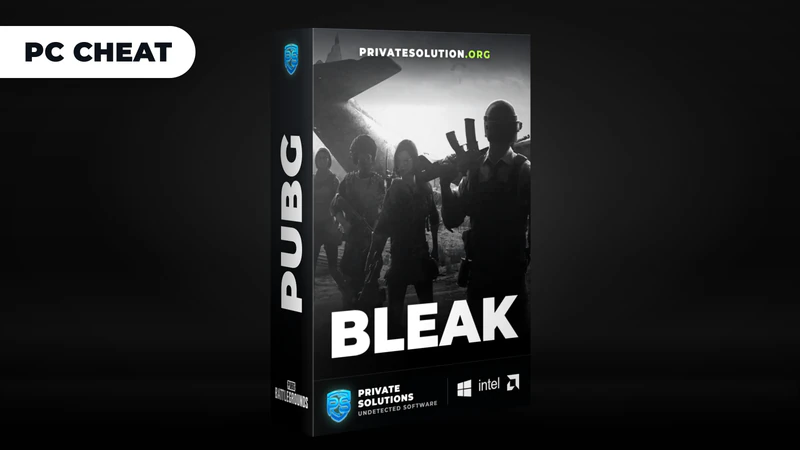
Bleak PUBG

Mevcut

Bleak yazılımı: DMA kartı olmadan oyun bilgisayarınızda Discord arayüzü üzerinden çalışır.

  • Aimbot · Aimbone · Visuals · World · Radar · Palette · Interface · Config · How It Runs

Bleak özellik listesinden.

  • 1 gün$4.99
  • 7 gün$24.99
  • 30 gün$49.99
Ayrıntıları görün ve satın alın

Arcane

Arcane PUBG ESP

Mevcut

Harici sürüm (Arcane harici olarak listeler): DMA kartı olmadan oyun bilgisayarınızda çalışır.

  • Player ESP · World ESP · Vehicle ESP · Projectiles ESP · Smart Loot · Exploits · Battle Mode

Arcane özellik listesinden.

  • 3 gün$5.00
  • 15 days$18.00
  • 30 gün$35.00
Ayrıntıları görün ve satın alın

Arcane

Arcane PUBG Full

Mevcut

Harici sürüm (Arcane harici olarak listeler): DMA kartı olmadan oyun bilgisayarınızda çalışır.

  • Aimbot · Max Distance · Panzerfaust Trajectory · Hide Projectile

Arcane özellik listesinden.

  • 1 gün$5.00
  • 7 gün$22.00
  • 30 gün$40.00
Ayrıntıları görün ve satın alın

Zorvex

Zorvex PUBG DMA

Mevcut

DMA: ikinci bir PC'de çalışır. Oyun oynadığınız bilgisayarda hiçbir şey çalışmaz.

  • Aim with the Gun · Bullet Prediction · Aimbot · Recoil Control · Triggerbot · Player ESP · Chams · Loot ESP · Vehicle ESP · Radars

Zorvex özellik listesinden.

  • 7 gün$14.99
  • 30 gün$23.99
  • 90 gün$52.99
Ayrıntıları görün ve satın alın

Elocarry

Elocarry PUBG

Mevcut

Elocarry yazılımı: internal; DMA kartı veya ikinci PC olmadan, oyun bilgisayarınızda oyunla birlikte çalışır.

  • Players · World · Loot Filters · Aimbot · Client

Elocarry özellik listesinden.

  • 1 gün$13.99
  • 30 gün$52.99
  • 90 gün$104.99
Ayrıntıları görün ve satın alın

PUBG, BattlEye kullanır. Bunun için üretilen DMA firmware: Basic and up. Oyunum hangi anti-cheat'i kullanıyor?

PUBG hilelerini edinmenin diğer yolları

PUBG içeren paketler ve diğer anahtarlar. Her kart çalışma şeklini ve fiyatını gösterir.

About PUBG: Battlegrounds

PUBG: Battlegrounds, KRAFTON'un 2022'den beri ücretsiz oynanan battle royale oyunudur. 100'e kadar oyuncu büyük bir haritaya paraşütle iner, silah ve araç toplar ve tek bir oyuncu ya da takım kalana kadar daralan bölgede savaşır.

Özelliğe göre PUBG hileleri

Bleak PUBG Lite feature guide

VISUALS

  • Box Type: Select the type of box displayed around the target: Full, Corner, 3D Box or None
  • Names: Displays player nicknames above players' heads
  • Skeleton: Enables display of the enemy's skeleton. Self-calibrating: after game updates the leg bones are re-matched automatically, no waiting for a fix
  • Head circle: A compact head marker (a volumetric "hat" cone) instead of the full skeleton - minimal visual noise
  • Bone Thick: Slider for adjusting the thickness of the skeleton lines (1-5)
  • Distance: Displays the distance to the target in meters
  • Draw range: Player rendering range in meters (0-1000; 0 = no limit). Near the range border the ESP smoothly fades out and the text shrinks - the picture stays clean. More distant enemies are not rendered and do not load the reading channel
  • Health: Enables the health bar (a vertical bar to the right of the box, with a white "ghost" of the last damage dealt)
  • Visible Check: ESP visibility check: on - players are split into "visible / not visible" with separate colors, off - everyone is drawn in one color
  • Kills: Shows the player's kill count in the current match next to the box (K)
  • Player info: Shows additional information: damage dealt (DMG) next to the box and the survival level (LV) under the nickname
  • Weapon: Weapon in hands: shows the name of the weapon the player is holding, as a line under the box

PALETTE

  • Color 2D Box: Color of the box around the enemy
  • Box (not visible): Box color for the "not visible" rendering variant
  • Color Bone: Color of the skeleton lines
  • Skeleton (not visible): Skeleton color for the "not visible" variant
  • Color Name: Player nickname color
  • Name (not visible): Name color for the "not visible" variant
  • Color Distance: Distance text color

INTERFACE

  • Menu color: Menu accent (theme) color
  • Menu background animation: Animated wave background of the menu. Can be turned off - convenient for screenshots and video recording
  • Overlay FPS limit: Overlay FPS limit (0-360): raise it for smoother ESP
  • Watermark: On-screen watermark
  • ESP font: ESP text font: Pixel (default) / Minecraft / Exo2. Applied instantly, no re-injection needed
  • ESP font size: ESP font size in pixels (6-18; the range depends on the selected font)
  • Language: Menu language: English / Русский (all menu items and item names are translated)
  • Auto-exit: When the game (TslGame.exe) closes, the software shuts down completely along with it: the overlay disappears and the Discord process closes. No active traces of the software remain on the PC
  • Search: Search bar across all menu functions (in the header)
  • INSERT: Open / close the menu

CONFIG

  • Input Name: Enter a name for your new configuration file (the Lite build name is pre-filled by default - blk_lite)
  • Create New: Create and save a new configuration file with the entered name
  • Save Selected: Overwrite the configuration with the typed name using the current menu settings
  • Load Selected: Load settings from the configuration file selected in the list (applies them to the current session)
  • Rename: Rename an existing configuration file selected in the list
  • Delete: Permanently delete the selected configuration file
  • Refresh List: Force a refresh of the configuration list (useful if files were transferred manually)
  • Config list: Shows all saved configurations; the applied one is marked with an ACTIVE badge, and a double click on a row instantly loads it. The last active configuration is picked up automatically on the next launch

HOW IT RUNS

  • The light build of Bleak PUBG for PUBG on Steam (not the separate PUBG Lite game): player ESP, no aimbot, loot or radar
  • Runs on your gaming PC through the Discord overlay: no DMA card or second PC
  • Windows 10 and 11 (2004 to 26H1)
  • Works with Secure Boot on

Arcane PUBG Web Radar feature guide

PLAYER ESP

  • Show team
  • Team number
  • Team color
  • Nickname
  • Weapon name
  • Ammo count + Is Reloading

PLAYER LIST

  • Team number
  • Name
  • Stats
  • Weapon name
  • Ammo count
  • Gear

VEHICLES

  • Show vehicles
  • Show health
  • Show fuel

ITEMS

  • Advanced items filter

NEARBY ITEMS LIST

  • Search for nearby items
  • Name
  • Actions

OTHER

  • Show drops
  • Show drop contents on map

MISC

  • No Recoil
  • Show local aiming line
  • Show Mortar trajectory

Bleak PUBG feature guide

AIMBOT

  • Aim Mouse: AimBot's main switch. Activates standard auto-aiming at enemies inside the FoV zone
  • Aim-Bot keybind: Primary activation key. Aiming only works while holding this key, making it controlled and natural
  • Aim-Bot keybind 2: Second (additional) activation key - convenient to bind to a mouse side button
  • Bullet prediction: Bullet prediction: while aiming, a marker shows the real point of impact - accounting for target movement (lead) and bullet drop over distance. Ballistics are taken from the weapon currently in your hands
  • Recoil control: Recoil control: while firing and aiming (LMB + RMB) the crosshair is smoothly pulled down, compensating weapon climb. The base strength automatically adapts to the weapon type in your hands (AR/SMG/DMR/snipers). Only works with the menu closed - UI clicks never move the camera
  • Recoil strength %: Manual adjustment of the recoil pull-down strength (0-200%). Default is 200
  • Crosshair: Enables the display of a static crosshair in the center of the screen (with its own color)
  • Crosshair style: Static crosshair style: Dot, Cross, T-Cross, Ring or Chevron
  • Smoothing: The smoothing strength of the crosshair (1-10). High values create a smooth, human-like movement, rather than sharp, robotic jerks. A key setting for legitimacy. In Humanize mode it sets the softness of the aiming spring
  • Humanize: Human-like aim: the crosshair moves onto the target with live motion - smooth acceleration, deceleration near the target with a slight overshoot and correction, a reaction delay on a new target (~90-330ms) and barely noticeable crosshair sway. Looks like hand aiming, not robot tracking
  • Humanize strength: How human it feels (0-100%): scales the reaction delay, sway and slight overshoot. 60% - noticeably alive yet controllable; 0% - pure spring with no effects
  • Radius: The radius of the aiming area (Field of View) in pixels (0-300): the on-screen area within which the AimBot locks onto a target

AIMBONE

  • Head: Head (maximum damage, high risk)
  • Neck: Neck (good balance of damage and stealth)
  • Chest: Chest (lower damage, but larger hit area and maximum stability)
  • Auto (closest bone): Auto bone: the AimBot picks the bone (head / neck / pelvis) closest to the crosshair, with a slight random weight - hits spread across bones like a live player's do. The chosen bone is sticky: it holds while the target stays the same and re-rolls about once a second
  • Draw FOV: Show the aiming zone on screen - a clean white circle. A live mini-preview of the zone with the current radius sits next to the setting

VISUALS

  • Box Type: Select the type of box displayed around the target: Full, Corner, 3D Box or None
  • Names: Displays player nicknames above players' heads
  • Skeleton: Enables display of the enemy's skeleton. Self-calibrating: after game updates the leg bones are re-matched automatically, no waiting for a fix
  • Chams (wire): A wireframe silhouette over the player: a bone mesh (limb segments, torso frame with crossbars, groin, head ring). Each bone's color depends on visibility: VISIBLE - red, HIDDEN - green (both colors configurable in the palette). Maximum body-pose readability
  • Head circle: A compact head marker (a volumetric "hat" cone) instead of the full skeleton - minimal visual noise
  • Bone Thick: Slider for adjusting the thickness of the skeleton lines (1-5)
  • Distance: Displays the distance to the target in meters
  • Draw range: Player rendering range in meters (0-1000; 0 = no limit). Near the range border the ESP smoothly fades out and the text shrinks - the picture stays clean
  • Health: Enables the health bar (a vertical bar to the right of the box, with a white "ghost" of the last damage dealt - you see how much you took off)
  • Visible Check: ESP visibility check: on - players are split into "visible / not visible" with separate colors, off - everyone is drawn in one color
  • Spectators: Displays the list of spectators (those watching you after death). The counter is shown in the danger panel
  • Kills: Shows the player's kill count in the current match next to the box (K)

WORLD

  • Dropped Items: Main toggle for loot ESP (shows dropped items on the ground)
  • Item Name / Item Distance / Item Marker: Loot sub-options: item name, distance to it, and the marker icon
  • Loot filter: Select which categories to display: Weapons, Attachments, Ammo, Meds/Boost, Armor, Helmets, Backpacks, Grenades, Other
  • Loot 3LVL+: Show only level-3 gear (Lv3 armor, helmets and backpacks)
  • Smart loot filter: Smart filter: accounts for your backpack contents and hides the excess (meds/grenades when you have enough)
  • Items dist: Item rendering distance (0-350m)
  • Grenades: Markers for thrown grenades
  • Airdrop: Marker for the airdrop (falling supply crate)
  • Battle Mode key: Battle Mode hotkey (F4 by default): one press hides loot, vehicles, grenades and airdrops - only players remain. Instant "loot/combat" switching on the fly
  • Vehicles: Vehicle ESP: a chip marker + a "Name (distance)" line
  • Vehicle Health: Vehicle durability bar under the chip (green / amber / red + percentage)
  • Vehicle Fuel: Vehicle fuel bar under the chip (blue + percentage)

RADAR

  • Radar 2D: Main toggle, displays a 2D radar: a dark square with a cross grid, chevron contacts pointing in the direction each player moves, and a white arrow of your camera in the center. The radar does NOT rotate with the camera - it is always world-oriented (a map view)
  • Only Players: Filters the radar to display only players, hiding loot and vehicles
  • Items on radar: Shows loot on the radar
  • Vehicles on radar: Shows vehicles on the radar
  • Radar Zoom: Radar scale: zoom the display in or out. Objects beyond the radius are hidden instead of piling up at the edge
  • Radar size: Slider for changing the overall size of the radar window on the screen (from 200 to 700)
  • X position / Y position: Sliders for precise radar positioning along the X and Y axes of your monitor. With the menu open you can also just drag the radar with the mouse
  • Appearance: Live preview of the radar's look right in the menu

PALETTE

  • Color 2D Box: Color of the box around the enemy
  • Box (not visible): Box color for the "not visible" rendering variant
  • Color Bone: Color of the skeleton lines
  • Skeleton (not visible): Skeleton color for the "not visible" variant
  • Color Name: Player nickname color
  • Name (not visible): Name color for the "not visible" variant
  • Color Distance: Distance text color
  • Chams colors: Wireframe chams colors: "visible" (red by default) and "hidden" (green)
  • Color Crosshair: Color of the static crosshair in the center of the screen
  • Loot colors: Per-category loot color settings: Weapons, Attachments, Ammo, Meds, Armor, Helmets, Backpacks, Grenades, Other
  • Vehicle color: Ground vehicle ESP color
  • Boat color: Boats / water transport ESP color

INTERFACE

  • Menu color: Menu accent (theme) color
  • Menu background animation: Animated wave background of the menu. Can be turned off - convenient for screenshots and video recording
  • Overlay FPS limit: Overlay FPS limit (0-360): raise it for smoother ESP
  • Watermark: On-screen watermark
  • ESP font: ESP text font: Pixel (default) / Minecraft / Exo2. Applied instantly, no re-injection needed
  • ESP font size: ESP font size in pixels (6-18; the range depends on the selected font)
  • Language: Menu language: English / Русский (all menu items and item names are translated)
  • Auto-exit: When the game (TslGame.exe) closes, the software shuts down completely along with it: the overlay disappears and the Discord process closes. No active traces of the software remain on the PC
  • Search: Search bar across all menu functions (in the header)
  • INSERT: Open / close the menu

CONFIG

  • Input Name: Enter a name for your new configuration file (the build name is pre-filled by default - blk_full)
  • Create New: Create and save a new configuration file with the entered name
  • Save Selected: Overwrite the configuration with the typed name using the current menu settings
  • Load Selected: Load settings from the configuration file selected in the list (applies them to the current session)
  • Rename: Rename an existing configuration file selected in the list
  • Delete: Permanently delete the selected configuration file
  • Refresh List: Force a refresh of the configuration list (useful if files were transferred manually)
  • Config list: Shows all saved configurations; the applied one is marked with an ACTIVE badge, and a double click on a row instantly loads it. The last active configuration is picked up automatically on the next launch

HOW IT RUNS

  • Runs on your gaming PC through the Discord overlay: no DMA card or second PC
  • Steam
  • Windows 10 and 11 (2004 to 26H1)
  • Works with Secure Boot on

Arcane PUBG ESP feature guide

PLAYER ESP

  • Çerçeve kutusu
  • Fill box
  • Skeleton
  • View line
  • Line to enemy
  • Health bar
  • Current weapon
  • Name
  • Level
  • Spectators

WORLD ESP

  • Airdrop
  • Deathdrop
  • Show items inside
  • Contents

VEHICLE ESP

  • Ground vehicles
  • Water vehicles
  • Air vehicles
  • Can
  • Fuel

PROJECTILES ESP

  • Name
  • Time until explosion
  • Items Filter

SMART LOOT

  • Smart weapon
  • Smart equipment
  • Smart attachment
  • Weapon rating selector
  • Grenades count
  • Medicine count
  • Ammo count

EXPLOITS

  • Spectators count
  • No Recoil

BATTLE MODE

  • Hide players
  • Hide items
  • Hide deathdrops
  • Hide airdrops
  • Hide vehicles
  • Hide projectile

Arcane PUBG Full feature guide

AIMBOT

  • Aimbot type: (Memory, Silent)
  • Activation: (Always, On hold)
  • Bone selection method: (Selected bone, Closest bone, Visible mesh)
  • Target bone: (Head, Neck, Chest, Pelvis...)
  • Prediction: (Prediction cross, Color)
  • Aim at weels
  • In scope
  • Lock target
  • Geri tepme kontrol sistemi
  • Sway compensation system

MAX DISTANCE

  • Skinchanger
  • Reset all
  • Selection of any skin for any weapon
  • Çeşitli
  • Spectators count
  • Rapid fire (Risk)
  • World ESP
  • Airdrop
  • Deathdrop
  • Show items inside

PANZERFAUST TRAJECTORY

  • Players ESP
  • ESP Style: (With background, No background)
  • Bounding box: (Box, Corner)
  • Fill box: (Static, Gradient)
  • Skeleton: (Draw head circle, Fade with distance, Thickness)
  • View line: (Start color, End color)
  • Line to enemy: (Color, Position)
  • Current weapon: (Ammo count, Is reloading)
  • Name
  • Level

HIDE PROJECTILE

  • Ayarlar
  • DPI Scale
  • FPS Limit
  • Theme: (Murky, Sunny)
  • Watermark
  • Language: (EN, RU, CN)
  • Configs
  • Crete config
  • Load config
  • Rename config

Fecurity PUBG feature guide

AIM ASSIST

  • Aim assist with your own aiming settings
  • Set the maximum aiming speed
  • Choose and set your aim points
  • Tries to calculate bullet ballistics

ESP

  • Shows enemy positions and gadgets
  • Finds and marks targets in different ways
  • Shows extra target numbers when it can read them from memory
  • Shows objects on the ground

Zorvex PUBG DMA feature guide

AIM WITH THE GUN

  • Aims along your gun's real sight line
  • Follows sway, flinch and recoil kick
  • Screen crosshair in hip fire and third person
  • No snaps and no spins

BULLET PREDICTION

  • Bullet drop and speed exactly as the game uses them
  • Reads your zeroing distance
  • Leads moving targets
  • A prediction dot on every enemy

AIMBOT

  • Reads your in-game sensitivity
  • Field of view, smoothing and reaction delay
  • Two aim keys, each Hold, Toggle or Always
  • 15 bones with real hit zones
  • Visible only, sticky aim and skip knocked players
  • Settings per gun and per weapon class
  • Its own ADS smoothing and a human-like wander

RECOIL CONTROL

  • Reads each gun's real recoil
  • Holds your reticle, not just the camera
  • Pull down and sideways from 0 to 150%
  • Its own key, delay and strength per stance

TRIGGERBOT

  • Fires only on real hit zones
  • Delay, hold time and gap between shots
  • Optional aim assist

PLAYER ESP

  • Box: full, corners, filled or 3D
  • Skeleton and head dot
  • Name, distance and the gun in their hands
  • Snap lines and off-screen arrows
  • Different colours behind cover
  • AI players shown, knocked players marked DOWN

CHAMS

  • Drawn on the real player model
  • Per-pixel split between visible and hidden
  • 16 materials, with outline and glow

LOOT ESP

  • 295 items, each with a picture
  • 9 item types, armour shown by level
  • Search and per-item filters
  • Airdrops and death boxes
  • Grenades with trails
  • Traps, mortars, vending machines and drones

VEHICLE ESP

  • Every vehicle, with pictures
  • Health, fuel and who is inside

RADARS

  • Web radar on your phone or in any browser
  • All 11 maps, with real map art
  • Players, loot, vehicles and airdrops
  • Public link with a password
  • Overlay radar with tracers

KURULUM

  • MAKCU, KMBox Net, KMBox B Pro, Ferrum or Arduino (by cable or over your network)
  • All major DMA cards, including 35T, 75T, 100T, Captain DMA and RaptorDMA, and RDMA
  • Trust list for friends
  • Profiles and community configs
  • English, Chinese, Portuguese and Russian
  • Updates itself on launch

Elocarry PUBG feature guide

PLAYERS

  • Player ESP Toggle
  • Box ESP
  • Skeleton ESP
  • Skeleton Max Distance
  • Health Bars
  • Name Display
  • Distance Display
  • Snaplines
  • Head Dot
  • Max Distance Control
  • Box Thickness
  • Line Thickness

WORLD

  • Item ESP
  • Item Distance, Fade & Text Size
  • Category Dot Markers
  • Anti-Clutter
  • Smart Loot
  • Loot Filter
  • Araç ESP
  • Vehicle Distance & Fade
  • Vehicle Health & Fuel Bars
  • Vehicle Filter
  • Care Package ESP
  • Death Box ESP

LOOT FILTERS

  • Silahlar
  • Attachments
  • Ammo
  • Medical
  • Boost Items
  • Equipment
  • Use Items
  • Other

AIMBOT

  • Enable Aimbot
  • FOV Circle
  • Max FOV
  • Aim Key & Alt Key
  • Target Bone Selection
  • Bone Weights & Presets
  • Close-Range Override
  • Target Stickiness
  • Target Switch Threshold
  • Visibility Check
  • Allow Target Switching
  • Target Downed Players

CLIENT

  • Spectator HUD & Position
  • No Recoil
  • No Sway
  • Config Save / Load
  • Overlay Scale
  • Performance Stats

Zorvex Master Package feature guide

GAMES

  • Rob Run
  • Call of Duty MW4
  • Wardogs
  • Counter-Strike 2
  • H1Z1 (ROTK + ZEMU)
  • Blood Strike
  • Roblox
  • Deadlock
  • Unturned
  • DayZ
  • PUBG: Battlegrounds

INCLUDED

  • Every live Zorvex DMA on one key
  • Games Zorvex launches while your key runs are added at no extra cost

PUBG soruları

PUBG hilesi satıyor musunuz?

Evet: Bleak PUBG Lite, Arcane PUBG Web Radar, Bleak PUBG, Arcane PUBG ESP, Arcane PUBG Full, Fecurity PUBG, Zorvex PUBG DMA ve Elocarry PUBG, $2.99 başlangıçla. Kart veya kripto ile ödeyin, anahtar e-posta ile gelsin.

PUBG için DMA kartı gerekir mi?

Bleak PUBG Lite, Arcane PUBG Web Radar, Bleak PUBG, Arcane PUBG ESP, Arcane PUBG Full, Fecurity PUBG ve Elocarry PUBG için gerekmez: oyun bilgisayarınızda çalışırlar. Zorvex PUBG DMA için ikinci bir PC ile DMA kartı, XMA veya RDMA gerekir. Tüm PUBG DMA seçenekleri PUBG DMA sayfamızdadır.

PUBG hilesi external mı yoksa internal mı?

Bleak PUBG Lite ve Bleak PUBG: Bleak yazılımıdır; DMA kartı olmadan oyun bilgisayarınızda Discord arayüzü üzerinden çalışır. Arcane PUBG Web Radar: oyun bilgisayarınızda çalışır; satıcı bu sürümün internal mı yoksa external mı olduğunu yayınlamıyor, Discord'da bize sorun. Arcane PUBG ESP ve Arcane PUBG Full: harici sürümdür (Arcane harici olarak listeler) ve DMA kartı olmadan oyun bilgisayarınızda çalışır. Fecurity PUBG: Fecurity yazılımıdır; DMA kartı veya ikinci PC olmadan oyun bilgisayarınızda çalışır. Elocarry PUBG: Elocarry yazılımıdır; internal bir sürümdür ve DMA kartı veya ikinci PC olmadan oyun bilgisayarınızda oyunla birlikte çalışır. Zorvex PUBG DMA bunların hiçbiri değildir: DMA oyunu ikinci bir PC'den okur ve oynadığınız bilgisayarda hiçbir şey çalışmaz.

Tespit edilmeyen PUBG hilesi var mı?

Satıcıların bildiği kadarıyla evet. Her ürün yalnızca satıcısı tespit edilmediğini ve çalıştığını bildirdiği sürece satışta kalır. Bir satıcı tespit saptarsa ürünü duraklatır; biz de durum sayfamızda Güncelleniyor olarak işaretler ve düzeltilene kadar satışı durdururuz. Hiçbir hile riskten muaf değildir, bu yüzden oynamadan önce durumu kontrol edin.

PUBG aimbot var mı?

Evet. Bleak PUBG Lite (from $2.99), Arcane PUBG Web Radar (from $3), Bleak PUBG (from $4.99), Arcane PUBG Full (from $5), Fecurity PUBG (from $5), Zorvex PUBG DMA (from $14.99) ve Elocarry PUBG (from $13.99) özellik listelerinde aimbot bulundurur. Bu sayfadaki her kart tüm menüyü gösterir.

PUBG ESP veya wallhack var mı?

Evet. Bleak PUBG Lite, Arcane PUBG Web Radar, Bleak PUBG, Arcane PUBG ESP, Arcane PUBG Full, Fecurity PUBG, Zorvex PUBG DMA ve Elocarry PUBG, ESP ile oyuncuları duvarların arkasından gösterir; ayrıca Bleak PUBG Lite, Arcane PUBG Web Radar, Bleak PUBG, Zorvex PUBG DMA ve Elocarry PUBG radar da ekler.

En ucuz PUBG hilesi hangisi?

Bleak PUBG Lite: 1 gün $2.99, daha uzun bir paketten önce denemenin ucuz bir yolu.

Ücretsiz PUBG hilesi var mı?

Bizde yok: buradaki her PUBG ürünü, güncellemeler ve Discord üzerinden kurulum desteği içeren satıcı kaynaklı ücretli bir anahtardır. En ucuzu $2.99 fiyatıyla Bleak PUBG Lite'tır.

PUBG hileleri Xbox veya PS5'te çalışır mı?

Hayır. Yalnızca Windows bilgisayarlarda ve PUBG: Battlegrounds'un PC sürümünde çalışırlar.

PUBG hileleri Steam sürümünde çalışır mı?

Evet. PUBG: Battlegrounds Steam'de yer alan bir Windows oyunudur ve buradaki tüm PUBG ürünleri bu PC sürümü için yapılmıştır.

PUBG hangi anti-cheat'i kullanıyor?

Anti-cheat listemize göre BattlEye. Anti-cheat'ler değişir; PUBG yakın zamanda güncellendiyse bir Discord ticket'ında sorun.

PUBG: Battlegrounds için script veya userscript doğru kurulum mu?

DMA ürünleri, ürün sayfasında belirtilen donanım ve yardımcı kurulumu gerektirir; tarayıcıya yapıştırılan script'ler değildir. PC yazılımlarının da kendi desteklenen yükleyicisi ve gereksinimleri vardır. Seçtiğiniz satıcının kurulum talimatlarını izleyin. Tampermonkey script'i, GitHub indirmesi veya başka bir oyuna ait script burada listelenen ürünleri etkinleştirmez.

Lisansla birlikte PUBG: Battlegrounds oyun botu geliyor mu?

Aimbot veya nişan desteği ifadeleri kendi kendine oynama, farm, hesap kasma ya da otonom oyun botu anlamına gelmez. Seçtiğiniz ürün sayfasında açıkça listelenen özellikler için satın alın. Bu karşılaştırma sayfası hiçbir para üretici, hesap script'i veya evrensel hile kodu içermez.

PUBG: Battlegrounds yazılımını nasıl satın alır ve kurulum desteği alırım?

Bir ürün ve süre seçin, canlı stok ile durumunu kontrol edin ve ardından ödeme adımına geçin. Fiyat ve geçerli ödeme yöntemleri ödeme öncesinde gösterilir. Siparişiniz anahtarı veya sonraki adımları iletir. Kurulum yardımı için ürünün kurulum rehberini ve Private Solutions desteğini kullanın.
More PUBG pages

PUBG benzeri diğer oyunlar