Rob Run (also written RobRun) cheats and hacks for PC (Steam) are in our store now: BellTower Rob Run, Bleak Rob Run, Arcane Rob Run, Fecurity Rob Run, Disconnect Rob Run External, Pure Rob Run DMA, Poseidon Rob Run DMA, Snaw Rob Run DMA and Zorvex Rob Run DMA, from $1.99. BellTower Rob Run, Bleak Rob Run, Arcane Rob Run, Fecurity Rob Run and Disconnect Rob Run External run on your gaming PC with no DMA card. Pure Rob Run DMA, Poseidon Rob Run DMA, Snaw Rob Run DMA and Zorvex Rob Run DMA are DMA products that run on a second PC linked to your gaming PC. See جميع خيارات Rob Run DMA. يظل كل منتج معروضاً للبيع فقط طالما يبلغ بائعه أنه غير مكتشف: أي منتج يتم اكتشافه يُوقف مؤقتاً حتى يُصلح (الحالة المباشرة). اختر باقة أدناه أو اسألنا على Discord.
نسخة خارجية تعمل على جهاز الألعاب عبر طبقة Discord، دون بطاقة DMA.
Controls · Aim · FOV and Crosshair · Battle Mode · Visuals and Players · Visuals and Equipment · World and Vehicles · World and Objects · World and Interactions · Radar · Radar and Auto Zoom · Police HUD · Palette · Interface · Config · How It Runs
DMA: يعمل على جهاز PC ثانٍ. لا يعمل أي شيء على الجهاز الذي تلعب عليه.
Player ESP · Team ESP · Item ESP · Containers · Loot Bags · Thrown Grenades · Vehicle ESP · Base ESP · Out of FOV · Server Dashboard · World Markers · Connection · Aimbot · Crosshair · Mini Radar · Big Radar · Web Radar
DMA: يعمل على جهاز PC ثانٍ. لا يعمل أي شيء على الجهاز الذي تلعب عليه.
Player ESP · Player Info and Colours · Visibility Check · Chams · Aimbot · Aim Profiles · Triggerbot and Flick · Controller Aim Assist · Loot and Items · Places and Vehicles · Grenades and Shots · Minimap Radar · Web Radar · Alerts and Player List · Input Devices · Menu and Configs
Rob Run هي لعبة عالم مفتوح للجريمة متعددة اللاعبين من Kefir لنظام Windows، صدرت على Steam في 4 نوفمبر 2026. كل شرطي ومجرم فيها هو لاعب حقيقي. يمكنك سرقة البنوك وبناء مخبأ أو القتال على النفوذ ضد الشرطة والعصابات المنافسة، وتأسيس عائلة إجرامية أو الانضمام إلى كلان.
هاكات Rob Run حسب الميزة
إيمبوت Rob Run (Robrun) (BellTower, Bleak, Arcane, Fecurity, Disconnect, Pure, Poseidon and Zorvex, from $1.99)
Target Bone Selection: Head, Neck, Chest, Stomach, Pelvis
Adjustable Aim Response (AimLock)
Configurable Aimbot Hold Key
AimLock: Automatically tracks the selected target bone; Adjustable Aim Response for faster target acquisition; Continuously follows target movement while active
Silent Aim: Redirects shots toward the selected target bone; Does not move the camera; Supports configurable target filtering
Value-Based Color Categories: Under $1,000, $1,000 – $4,999, $5,000 – $9,999, $10,000 – $24,999, $25,000+, Unknown Value, Empty / Taken
Grenade Detonation Timer
Grenade Throw Trajectory
RADAR: GENERAL SETTINGS AND MORE
Enable / Disable Radar
Top-Down Minimap
Movable Radar Position
Save Radar Position Through Settings
Show Players
Show Team
Show NPCs
Show Items
Show Objects
Hide Dead Characters
Hide Empty / Taken Items
Visibility Check
SETTINGS
Multiple Configuration Profiles
Profile Selection
Refresh Profile List
Save Profile
Load Profile
Reset Profile
Custom Profile Name
Create Profile
Enable / Disable All Features
Toggle Menu Hotkey
Toggle All Features Hotkey
Panic Key (Disable All)
MISCELLANEOUS
Configurable Crosshair Style
Override Camera FOV
Adjustable Camera FOV
WEAPON MODIFICATIONS
No Recoil
No Spread
Bleak Rob Run feature guide
CONTROLS
Menu Key: Right Shift opens and closes the menu. Aiming pauses while the menu is open
Full / Lite: Full includes aiming settings and functionality. Lite retains ESP, world objects, radar, Battle Mode, police alerts and profiles, with aiming unavailable
Menu Navigation: Eight BLEAK sections: Aimbot, Visuals, World, Radar, Misc, Palette, Interface and Config. Player and equipment settings share the Visuals page
AIM
Aim enabled: Enables aiming while the assigned key is held and ROB RUN is the foreground application. Disabled by default
Activation key: Assignable keyboard key or mouse button. Defaults to the right mouse button and is configured through the menu binding field
Aim smoothing: Aim smoothing ranges from 0.5 to 30 and defaults to 0.5. Higher values produce slower, smoother movement
Aim FOV: Target-selection radius: 10–500 pixels. Eligible targets closest to the selection area's centre receive priority
Target bone: Choose Pelvis, Chest, Neck or Head. Head is selected by default. The selected actual bone must have valid position data
Aim distance: Maximum target-selection distance: 10–1000 m
Target NPC: Separately allows aiming at NPCs. Disabled by default
Input Conditions: Aiming stops when the key is released, the menu opens, the game loses focus or sufficiently recent data is unavailable. The local player and dead characters are excluded
Aim / Battle Mode: Battle Mode filters ESP and radar presentation. Its toggle does not replace aiming target-selection settings
FOV AND CROSSHAIR
Draw FOV: Independently enables one FOV circle. The circle does not require aiming to be enabled. No additional square is used
FOV colour: Sets FOV circle colour and opacity in Aimbot or Palette
Crosshair: Independent screen-reticle toggle. The reticle and FOV circle can be enabled separately or together
Crosshair style: Five styles: Dot, Cross, T-cross, Ring + dot and Chevron
Crosshair colour / Preview: Separate reticle colour and in-menu FOV/reticle preview. These visual settings are also available in Lite
BATTLE MODE
Battle Mode: Leaves opponents in ESP and on radar while hiding world labels and vehicles. Saved category toggles are preserved
Battle Mode key: Configured in Visuals → Battle Mode key. Defaults to F6 and supports keyboard keys and mouse buttons
Toggle Behaviour: One press toggles the mode once; holding the key does not repeat. The bind works while the game is focused and the menu is closed
Clan Battle Teams: Clan battles use actual attacking and defending sides. Allies are hidden; unknown membership is not treated as an opponent when team context is active
Open-world Allies: In the open world, the same non-empty clan is hidden. Other police are allied when the local role is police. Dead characters and ordinary NPCs are excluded
Battle Mode Indicator: A BATTLE MODE badge appears beside the enabled radar and remains visible when contact labels are disabled
VISUALS AND PLAYERS
Players: Main player ESP toggle. Radar is controlled separately
Names: Displays the nickname above the character, with optional clan tag, police marker and entity ID
Box type: Choose Full box, Corner box or None
Box fill: Separately enables translucent box fill. Enabled by default
Skeleton: Displays available actual character joints. Pose updates are smoothed, with short data gaps handled by retaining a recent pose within validity limits
Bone thickness: Skeleton line thickness: 1–4. Colour is configured separately
Distance: Character distance in metres, shown in the label block below the player
Player distance: Maximum player ESP distance: 10–1000 m. This slider does not limit radar
Health: Health bar to the left of the box, with a numeric value when current and maximum HP are available
Police: Separate police filter, dedicated colour and [COP] / [ПОЛ] marker
NPC / Corpses: Independent toggles for ordinary NPCs and dead characters. The local character is excluded from ESP and has no display toggle
ESP Preview: Preview of the box, skeleton, labels and supported indicators on the Visuals page
VISUALS AND EQUIPMENT
Held item: Displays the held weapon or item when its description is available, with an empty-hands label when appropriate
Armor: Shows the presence of armour and adds a numeric value when available. Armour colour is separate
Clan: Adds a non-empty clan tag to the character name
Role: Displays the available character role. Enabled by default
States: Displays available firing, sprinting, crouching, reloading, arrest and knockout states. The set depends on character data
IDs: Adds the entity ID to the character label. Available on the Visuals page
WORLD AND VEHICLES
Vehicles: Displays cars and helicopters in the world. Radar vehicles have an independent toggle
Vehicle boxes: Three-dimensional boxes using available vehicle dimensions and orientation
Vehicle labels: Name and distance share the main row; additional information uses a separate row. Colour and opacity are configured in Palette
Vehicle distance: World vehicle ESP distance: 20–1500 m
Owners: Adds the available owner's name or an unowned-vehicle marker
Engine / Vehicle cargo / Speed: Separate toggles for engine state, cargo presence and speed in km/h. Information appears when available
Detailed information / Detail distance: Enable details in Misc and set their display distance from 10 to 500 m
WORLD AND OBJECTS
Dropped items: Dropped items and available cash points. Known quantities or amounts are retained in the label
Item icons: Uses game icons for known items. Enabled by default; disable to retain text-only labels
Base item prices: Shows a known item's base price with a $ sign. Enabled by default. This is the catalogue price per unit, not a stack total or current market price
Loot bags: Separate filter for loot points and bags. A container or bag marker does not imply a full contents view
Containers: Containers, display cases, shelving and supported storage from available world data
Cargo: Separate layer for cargo objects
Empty objects: Allows confirmed empty or taken objects to remain visible. Disabled by default; unknown state is not treated as empty
Item distance / World distance: Item distance and the overall world-object limit are separate, each ranging from 10 to 1000 m. Items obey both limits
Object label layout: The icon sits above the name; distance and the enabled price are below the name. Rows are centred on the object's position
Weapon category: Weapons receive an additional WEAPON / ОРУЖИЕ category line above the name
Distance / Overlap fading: Distant world labels fade smoothly. When labels overlap, the farther label becomes more transparent. Icons and text fade together; minimum multipliers are 75% for distance and 55% with overlap, before palette alpha
Object dots: Optional dots at object positions. Disabled by default; enable on the World page
WORLD AND INTERACTIONS
Cameras: Separately enables security cameras. A damage marker is used when that state is available
Guards: Stationary guard-post markers, separate from police characters
Security: Available alarms and security panels
Medical: Medical cabinets and supported medical points
Doors: Available doors and associated interaction points
Interactions / Points of interest: Independent filters for additional interactive objects and points of interest
Traders: Displays available traders
Vehicle spawns: Vehicle-service and spawn-point markers
Hideouts / Workbenches: Separate toggles for hideouts and available workstations
Banks / Roulette: Separate toggles for banks and roulette locations
RADAR
Radar: Square radar with centre guide lines and a local-direction marker
Radar rotate: Rotates the radar with the camera direction. Enabled by default
Radar contacts: Displays players and police. Available direction data produces compact arrows; otherwise circular markers are used
Radar labels: Player nicknames beside markers. Disabling leaves icons only. The current BLEAK presentation does not add contact-distance text
Radar vehicles: Independent radar-vehicle toggle. Compact icons have no vehicle-name labels. Vehicles are hidden in Battle Mode
Radar size: Size: 100–400 pixels
Radar zoom: Manual zoom: 0.05–5.00. Higher values zoom in more
Horizontal / Vertical / Drag: Set horizontal and vertical position with sliders, or drag the radar with the mouse while the menu is open
Radar range / Filters: Contacts are drawn inside the square. Police, NPC and Battle Mode filters apply; dead characters are excluded. Player ESP distance does not limit radar
Radar player colour: Separate radar-player colour. Police use the dedicated police colour
RADAR AND AUTO ZOOM
Auto zoom: Smoothly zooms in when an eligible character is nearby, returning to the manual scale as the contact moves away
Reaction range: Automatic zoom reaction distance: 30–500 m
Maximum zoom: Maximum automatic zoom: 0.05–5.00. Automatic zoom does not zoom out below the manual baseline
Zoom speed: Transition time: 0.15–2.00 s. Lower values respond faster
Ignore clan: Excludes the same non-empty clan from zoom triggers. Battle Mode adds its opponent filter
Manual scale preservation: Automatic zoom preserves the manual setting and accounts for radar size
POLICE HUD
Police proximity alert: Separate toggle in Misc. Displays a patrol card at the top centre of the screen
Police alert range: Alert radius: 20–300 m. Defaults to 100 m
Patrol state: Shows Patrol is approaching when distance is closing, or Patrol nearby when a patrol is already close
Patrol distance: Tracked patrol distance appears in a separate area of the card
Arrival state: Within 20 m, the text smoothly changes to Patrol is close and Close proximity
HUD animation / Repeat logic: Smooth slide-in and fade-out. The card disappears after close contact; later eligible patrols can trigger another alert
HUD design: BLEAK card with a shield, separate distance area and 8 px Minecraft text. The alert can be fully disabled
PALETTE
Player colours: Separate colours for boxes, skeletons, nicknames, distance, held items, police, health, armour and radar players
World colours: Separate colours for items, containers, medical objects, security, services, other objects, loot distance and vehicles
Colour / Alpha: The palette edits colour and opacity for supported elements. Automatic world-label fading multiplies the selected alpha
FOV / Crosshair colours: Independent colours for the FOV circle and screen reticle
Restore palette: Restores default BLEAK colours when the reset button is pressed
INTERFACE
Language: Russian and English interface. Switching updates known world names, roles, states, armour text, distance units and vehicle details without restarting. Nicknames and owner names are preserved
Minecraft font: In-game labels use outlined Minecraft Rus Regular from BLEAK WARDOGS. The menu retains its BLEAK interface font
ESP font size / World text size: Independent ESP and world-label sizes: 8–20 px, default 8 px. Sizes are baked separately, so menu scaling does not stretch in-game text
Menu scale: Choose 75%, 80%, 85%, 90%, 95% or 100%. The selection is saved in the configuration
Menu colour / Background animation: Configure the accent colour and animated background
Search settings: Search settings by Russian or English names. Search results edit the same options as the regular pages
ESP layer: World labels and geometry render below the menu and do not cover its controls
CONFIG
Profile name / Profile list: Profile name and saved JSON configuration list on the Config page
Create new: Creates a new named profile without overwriting an existing file
Save: Saves current settings under the entered name. An existing file with that name may be overwritten
Load selected: Loads the selected profile, including ESP, Full aiming, world objects, radar, Battle Mode bind, palette and appearance
Rename / Delete: Renames or deletes the selected profile
Autosave: Menu changes are automatically saved to the current configuration. Named profiles are managed separately
Reload current settings: Save current settings and Reload current settings manually write and reload the current configuration
Configuration paths: Autosave: C:\Windows\System\bleak_robrun.json. Named profiles: C:\Windows\System\configs_bleak_robrun
HOW IT RUNS
External: runs on your gaming PC, no DMA card or second PC
Uses the new Discord overlay (interactive regions on)
Borderless window
Secure Boot and TPM can stay as they are
Arcane Rob Run feature guide
AIMBOT
Weapon categories
Force aim key
In scope
Lock target
Shift to head
Target switch delay
Humanization system
Ignore dead
Ignore in vehicle
Ignore knocked
PLAYER ESP
مربع الإحاطة
Fill box
Skeleton
Line to enemy
Hide dead
Hide team
Team colors
Hide knocked
Knocked colors
Name
NPC ESP
Hide dead
مربع الإحاطة
Name
State
VEHICLE ESP
Only occupied
Hide own vehicle
Hide vehicle I am in
مربع الإحاطة
Front face
Fill box
Line to vehicle
Vehicle name
Owner
Driver
ITEM ESP
Hide empty
Objects
Loot categories
RADAR
Distance rings
FOV cone
Scale by distance
Zoom
Entities
Show on rim
MISC
بدون ارتداد
No sway
No spread
BATTLE MODE
Show indicator
Compact info
Hide dead
Hide radar
Hide off-screen
إخفاء
Fecurity Rob Run feature guide
AIM ASSIST
Enabled: master switch for aim assistance
Vectored Aim: turns the camera toward the selected target
Silent Aim: changes the shot direction while keeping the camera direction unchanged
Movement prediction: leads moving targets using their measured velocity and the age of their displayed position
Spread prediction: compensates for predicted weapon spread when using Vectored Aim
No Spread (Silent Aim): compensates for predicted single-ray spread, including steady movement on the ground; transitional states may be skipped
At Shoot: also activates aiming while the fire button is held
Visible Only: selects aim points with a clear line of sight
Enemy Only: excludes teammates, including party and clan members
Vertical Aim Speed: separate vertical aiming speed for Vectored Aim
Horizontal Aim Speed: separate horizontal aiming speed for Vectored Aim
FOV: limits the target search angle relative to the current view direction
PLAYERS ESP
ميزات Visuals Enabled: master switch for visual
Enemy Only: displays enemies only; party and clan members are treated as teammates
Box: a 2D box around the player
Box Outline: an additional outline around the box
Skeleton: displays the player's skeleton
Skeleton Thickness: adjusts skeleton line thickness
Maximum Distance: limits player display distance
Maximum Corpse Distance: a separate maximum display distance for dead players
Corpses ESP: displays dead players when model data is available
Nickname: displays the player's nickname
Distance: displays the distance to the player
Held Item: displays the name of the weapon or other item in the player's hands
PLAYERS GLOW
Glow: an outline glow around the player model
Glow Intensity: adjusts glow intensity
Glow Radius: adjusts glow width
ENEMY / TEAM: separate enemy and teammate color tabs
Glow State Colors: separate Visible, Invisible, Dead Visible and Dead Invisible colors for each team category
PLAYERS CHAMS
Chams Mode: choose Disabled, Flat, Material, Flat Pulse or Material Pulse
Flat Chams: a flat color fill on the model
Material Chams: a shaded fill that gives the model's surface depth
Flat Pulse: a flat fill with pulsing model edges
Material Pulse: a shaded material with pulsing model edges
Chams Opacity: adjusts fill opacity
ENEMY / TEAM: separate enemy and teammate color tabs
Chams State Colors: separate Visible, Invisible, Dead Visible and Dead Invisible colors for each team category
Combined Glow / Chams: allows Glow and Chams to be used together
PROJECTILES ESP
Projectile ESP: displays grenades in a dedicated Visuals subtab
Show Name: displays grenade names
Grenade Trajectory: displays the path a grenade has already traveled
Throw Preview: displays the game's active throw-preview trajectory, including its collision result
Bullet Tracers: short-lived, fading lines for your own and other players' shots
Grenades Maximum Distance: a separate maximum display distance for grenades
Tracers Maximum Distance: a separate maximum display distance for bullet tracers
NPC ESP
NPC ESP: displays in-game NPCs
Show Name: displays the NPC's name or type
Show Distance: displays the distance to the NPC
Guards: displays guards with a separate distance limit
Traders: displays traders with a separate distance limit
Bots / Police: displays bots and police with a separate distance limit
Show State: displays available NPC states: idle, suspicious, alerted, preparing a call, calling, hands raised or dead
Cops Call Timer: displays the time remaining while a guard is calling the police
Show Dead: displays dead NPCs
OBJECTS ESP
Objects ESP: displays world objects
Show Name: displays object labels
Show Distance: displays the distance to objects
Show State: displays available information about contents, charging, availability and object state
Hide Empty: hides objects confirmed to be empty
Bag Contents: displays bag contents with item quantities
Trunk Contents: displays vehicle trunk contents with item quantities
Loot Nodes: displays loot nodes
Cargo: displays cargo
Cash Chargers: displays cash chargers and their state
Cash Nodes: displays cash nodes and their available amounts when data is available
Player Bags: displays player bags, including the owner's name when available
ITEMS ESP
Items ESP: displays loot items
Show Name: displays item names
Show Distance: displays the distance to items
Item Count: displays item quantities as xN
Hide Empty: hides emptied or looted loot objects
Show Unrated: separately displays items with no identified rarity
Loot Display: By Category: filters loot by item type
Weapons: weapons
Ammo: ammunition
Equipment: equipment
Medicine: medical items
Grenades: grenades
CARS ESP
Cars ESP: displays cars
Show Name: displays the car's in-game localized name when available
Show Distance: displays the distance to the car
Maximum Distance: maximum display distance for car ESP
Box Mode: choose None, 2D or 3D
2D Box: a screen-space box around the car's bounds
3D Box: a 3D wireframe box based on the car's dimensions and orientation
Owner Filters: separate visibility switches for cars owned by cops, robbers or civilians, and for unowned cars
Shared Vehicle Filters: the selected owner filters also apply to Radar and Game Map
BASES ESP
Bases ESP: displays available settlement bases without a separate distance limit
Owner: displays the base owner's name
Clan: displays the clan tag and name
Buildings: displays the main building, fence and outbuildings
Building Names: localized building labels when a translation is available
Base State: displays whether the base is locked, under construction or being moved
Distance: displays the distance to the base
Bases List: a separate panel listing bases, owners, distances and raid states
Transparency: adjusts the transparency of base information
Raid State: displays buildings under raid and the raid lock timer
Mini radar and large radar: round, rotating, adaptive
Aim cone, directions, elevation and visibility rings
Enemies, team, dead players, loot, containers, cars, helicopters, grenades and bases
Weapon and vehicle icons
Shareable live web radar with viewer filters and range
INSIGHTS
Vehicle readiness cards: seats, engine and cargo
Barter shopping list
Wanted tracker
Alarm history
Item cooldowns
Inventory value ledger
Event countdown
WIDGETS
Custom crosshair, 10 shapes
Session dashboard with threat radius
Off-screen arrows by role
GENERAL
Insert opens the menu
Battle mode hides loot and vehicles
Map visibility checks with per-bone rays
KMBox Net and MAKCU support
Controller input through MAKCU
Transparent overlay, VSync and performance display
Auto-saved configs, favorites and settings search
English and Simplified Chinese menus
Zorvex Master Package feature guide
GAMES
Rob Run
Call of Duty MW4
Wardogs
Counter-Strike 2
H1Z1 (ROTK + ZEMU)
Blood Strike
Roblox
Deadlock
Unturned
DayZ
PUBG: Battlegrounds
INCLUDED
Every live Zorvex DMA on one key
Games Zorvex launches while your key runs are added at no extra cost
BellTower Pro Package feature guide
PACKAGE BENEFITS
Access to all current Internal products
Access to future Internal product releases
Multiple products in one package
No need to purchase individual products separately
One subscription for the complete Internal lineup
GAMES IN THE PACKAGE
Rob Run
Wardogs
ARC Raiders
The Isle
Rust
Gray Zone Warfare
Aniimo
ARK: Survival Ascended
ARK: Survival Evolved
Arma Reforger
Beasts of Bermuda
Conan Exiles
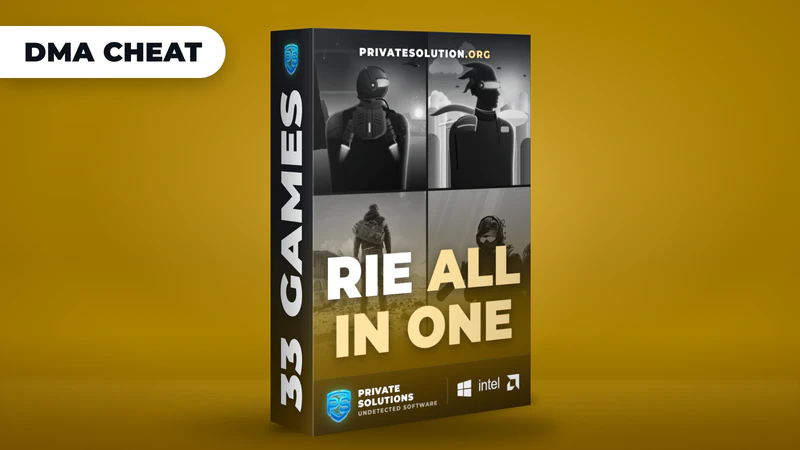
Rie Rob Run feature guide
Aimbot
Aimbot enabled
مفتاح Aim
مفتاح Aim الثاني
Dynamic Fov
فحص الفريق
Hitboxes selection
أقرب عظمة
تنعيم Aimbot
تأخير التبديل
الحد الأدنى لوقت الظهور
اختيار الأولوية حسب الصحة
Mouse Trajectory (Linear/3 types of Curve)
Trigger
Triggerbot enabled
مفتاح Triggerbot
Magnet Triggerbot fov
Magnet Triggerbot fire time
Magnet Triggerbot enabled
حجم Hitbox لـ Trigger
المرئيات
2D Box Outline
Box Color
Skeleton
Skeleton Color
Show Name
Name Color
Show Health bar
Show Distance
Crosshair
Crosshair Color
Draw FOV
Draw FOV Color
أسئلة حول Rob Run
هل تبيعون هاكات Rob Run؟
Yes: BellTower Rob Run, Bleak Rob Run, Arcane Rob Run, Fecurity Rob Run, Disconnect Rob Run External, Pure Rob Run DMA, Poseidon Rob Run DMA, Snaw Rob Run DMA and Zorvex Rob Run DMA, from $1.99. Pay by card or crypto and the key comes by email.
هل أحتاج إلى بطاقة DMA لـ Rob Run؟
ليس لـ BellTower Rob Run وBleak Rob Run وArcane Rob Run وFecurity Rob Run وDisconnect Rob Run External، فهي تعمل على جهاز الألعاب لديك. أما Pure Rob Run DMA وPoseidon Rob Run DMA وSnaw Rob Run DMA وZorvex Rob Run DMA فتحتاج جهاز PC ثانياً وبطاقة DMA أو XMA أو RDMA. جميع خيارات Rob Run DMA موجودة في صفحة Rob Run DMA لدينا.
هل هاك Rob Run خارجي أم داخلي؟
BellTower Rob Run: برنامج BellTower يعمل على جهاز الألعاب بجانب اللعبة دون بطاقة DMA أو جهاز ثانٍ. Bleak Rob Run: نسخة خارجية تعمل على جهاز الألعاب عبر طبقة Discord دون بطاقة DMA. Arcane Rob Run: نسخة خارجية (تصنفها Arcane كخارجية) تعمل على جهاز الألعاب دون بطاقة DMA. Fecurity Rob Run: برنامج Fecurity يعمل على جهاز الألعاب دون بطاقة DMA أو جهاز ثانٍ. Disconnect Rob Run External: نسخة خارجية تعمل بجانب اللعبة ومخفية عن تسجيل الشاشة دون بطاقة DMA. أما Pure Rob Run DMA وPoseidon Rob Run DMA وSnaw Rob Run DMA وZorvex Rob Run DMA فليست أياً منهما: يقرأ DMA اللعبة من جهاز ثانٍ ولا يعمل أي شيء على جهاز اللعب.
هل يوجد هاك Rob Run غير مكتشف؟
نعم، بحسب ما يعرفه البائعون. يظل كل منتج معروضاً للبيع فقط طالما يبلغ بائعه أنه غير مكتشف ويعمل. وإذا رصد البائع أي اكتشاف، يوقف المنتج مؤقتاً ونضعه في حالة قيد التحديث على صفحة الحالة ونوقف بيعه حتى يتم إصلاحه. لا يوجد هاك بلا مخاطر، لذا تحقق من الحالة قبل اللعب.
هل يوجد إيمبوت لـ Rob Run؟
Yes. BellTower Rob Run (from $1.99), Bleak Rob Run (from $3.99), Arcane Rob Run (from $4), Fecurity Rob Run (from $4), Disconnect Rob Run External (from $4.99), Pure Rob Run DMA (from $4.99), Poseidon Rob Run DMA (from $9.99), Snaw Rob Run DMA (from $15) and Zorvex Rob Run DMA (from $23.99) list an aimbot in their feature lists. Each card on this page shows the full menu.
هل يوجد ESP أو وال هاك لـ Rob Run؟
Yes. BellTower Rob Run, Bleak Rob Run, Arcane Rob Run, Fecurity Rob Run, Disconnect Rob Run External, Pure Rob Run DMA, Poseidon Rob Run DMA, Snaw Rob Run DMA and Zorvex Rob Run DMA show players through walls with ESP, and BellTower Rob Run, Bleak Rob Run, Arcane Rob Run, Fecurity Rob Run, Disconnect Rob Run External, Pure Rob Run DMA, Poseidon Rob Run DMA and Zorvex Rob Run DMA add a radar.
ما هو أرخص هاك لـ Rob Run؟
BellTower Rob Run: لمدة 1 ساعة بسعر $1.99، وهي طريقة اقتصادية لتجربته قبل باقة أطول.
هل توجد هاكات Rob Run مجانية؟
ليس لدينا: كل منتج لـ Rob Run هنا هو مفتاح مدفوع من بائعه، مع التحديثات ومساعدة التثبيت على Discord. والأرخص هو BellTower Rob Run بسعر $1.99.
هل تعمل هاكات Rob Run على Xbox أو PS5؟
لا. تعمل على أجهزة Windows PC وتدعم نسخة PC من Rob Run فقط.
هل تعمل هاكات Rob Run على نسخة Steam؟
نعم. Rob Run لعبة Windows على Steam، وكل منتج لـ Rob Run هنا مصمم لنسخة PC هذه.
هل يوجد غلتش أموال أو تكرار أغراض أو هاك كازينو في Rob Run؟
لا. لا يدرج أي من منتجات Rob Run هنا الأموال أو تكرار الأغراض أو أرباح الكازينو في قائمة ميزاته. إنها تعرض اللاعبين والغنائم والسيارات خلف الجدران (ESP)، وتساعدك في التصويب، وترسم رادار. يمكن لـ Bleak تحديد البنوك وطاولات الروليت على شاشتك، لكن لا شيء هنا يغيّر ما تربحه أو مقدار أموالك.
هل هاكات Rob Run المجانية من GitHub أو Reddit آمنة؟
لا يمكننا التوثق منها. تنزيلات هاك Rob Run المجانية ومصادر GitHub وروابط Reddit ملفات لا يفحصها أحد لك: قد تحمل برمجيات خبيثة أو تستولي على حساباتك أو تتوقف عن العمل بعد تحديث اللعبة. كل منتج هنا يأتي من بائع معروف، مع حالة مباشرة ودليل تثبيت ومساعدة عبر تذكرة Discord.
هل سكربت أو userscript لـ Rob Run هو الإعداد الصحيح؟
تتطلب منتجات DMA العتاد والإعداد المرافق المذكورين في صفحة المنتج، وليست سكربتات متصفح للصق. ولكل برنامج PC مُثبّته المدعوم ومتطلباته الخاصة. اتبع تعليمات الإعداد من المزوّد المختار. لا يقوم أي سكربت Tampermonkey أو تنزيل GitHub أو سكربت للعبة أخرى بتفعيل المنتجات المدرجة هنا.
هل يأتي بوت لعب لـ Rob Run مع الترخيص؟
مصطلحا الإيمبوت ومساعدة التصويب لا يعنيان اللعب التلقائي دون إشراف أو التجميع أو رفع مستوى الحساب أو بوت لعب مستقل. اشترِ بناءً على الميزات المدرجة صراحةً في صفحة المنتج المختار. لا تتضمن صفحة المقارنة هذه أي مولّد عملات أو سكربت حسابات أو كود غش عام.
كيف أشتري برنامج Rob Run وأحصل على مساعدة التثبيت؟
اختر المنتج والمدة، وتحقق من توفره وحالته المباشرة، ثم أكمل الدفع. تظهر التكلفة ووسائل الدفع المتاحة قبل السداد. يمنحك طلبك المفتاح أو الخطوات التالية. استعن بدليل تثبيت المنتج ودعم Private Solutions للمساعدة في الإعداد.